Catering software for function quotes, deposits and GST invoicing
Quote the function, hold the date with a deposit, feed the room.
OneBookPlus runs your catering business on one book: function quotes with deposits, order management, digital menus with dietary tags, daily sales and GST invoicing. All-in-one from $0/mo, replacing a quoting template, an accounting subscription and the whiteboard in the kitchen.
Free plan, no card needed. GST and ABN on every function invoice.
Cut $32+/mo from your software stack by replacing Xero + a website builder + the quote template + the kitchen whiteboard with OneBookPlus.
See your savingsKey takeaways
5- Catering revenue arrives as functions and events: quoted weeks ahead, held with a deposit, prepped from a headcount and invoiced after the plates come back. The admin problem is keeping the quote, the order and the invoice in step.
- Generic tools split that chain: the quote lives in a Word template, the order on a whiteboard, the menu in a PDF and the invoice in an accounting app that knows nothing about the event.
Show 3 moreShow less
- OneBookPlus joins the chain: quote the function with deposit terms, run the confirmed job as an order the kitchen preps from, and invoice the balance with GST handled.
- Catered food is a taxable supply even though many basic groceries are GST-free, so GST-registered caterers charge 10% on functions. OneBookPlus raises GST-inclusive invoices and builds the BAS summary as you go.
- Pricing: core platform Free / $29 / $69 per month in AUD, with menu management free on every plan.
Built for how caterers work
Your business runs on quoted functions, held dates and headcounts. OneBookPlus treats the quote, the order and the invoice as one record.
Function and event quoting
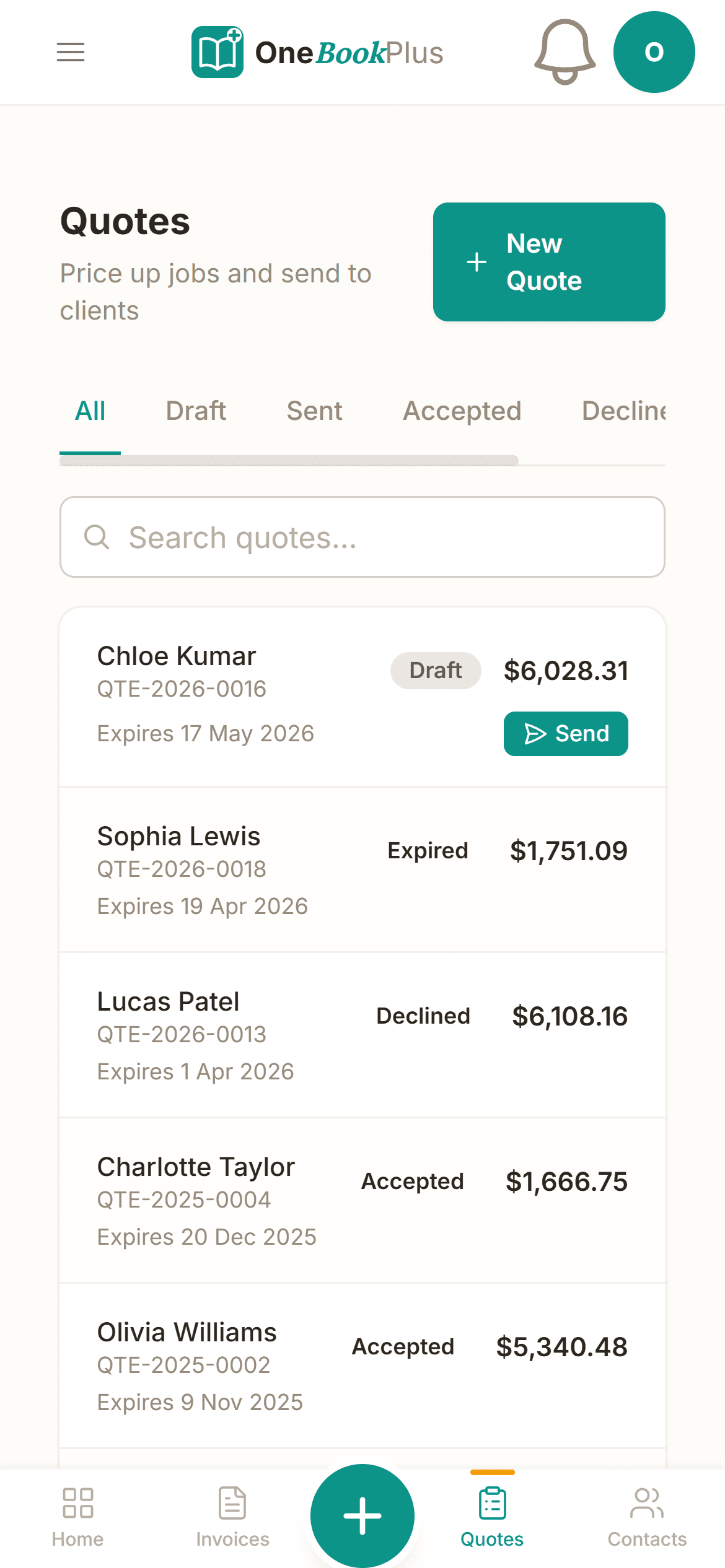
Quote the wedding, the corporate lunch or the school formal line by line: per-head packages, staff hours, equipment hire, delivery. Send it for online acceptance with deposit terms, so the date is never held on a handshake.
Order management
Every job on one order list: what is going out, when, and for whom. The kitchen preps from the same orders the office quoted, so the vegan table of ten never gets lost between an email thread and a whiteboard.
Menu management
Build your menu once: categories, items, prices and dietary tags (vegan, gluten-free, halal). Toggle availability when the season changes, and let dietary tags answer the questions your phone would otherwise field all week.
Deposits that hold the date
Take a deposit against the quote before you buy a single ingredient, and set a deposit percentage on your online booking page so enquiries arrive with commitment attached. The balance invoice follows after the event.
Daily sales tracking
See what each day earned across functions, drop-offs and counter sales, with GST split out as you go. The quarter's BAS summary builds itself instead of being reconstructed from receipts in a glovebox.
GST invoicing and BAS
Catered food is a taxable supply, so every function raises a GST-inclusive tax invoice with your ABN. Supplier invoices and ingredient costs are tracked as expenses, and the BAS-time GST summary exports in one click.
Free plan available, no card needed.
From enquiry to balance paid, one chain of paperwork
A function is not an invoice with a long description. It is a date, a headcount, a menu and a deposit, weeks before any money moves. OneBookPlus carries one record through the whole arc: the quote holds the terms, the deposit holds the date, the order briefs the kitchen, and the balance invoice closes it out with GST handled.
Quote with deposit terms
Per-head packages, staff, equipment and delivery as separate lines, with a fixed or percentage deposit attached.
Online acceptance
The client accepts from their phone. You both have the menu, the headcount and the price in writing.
Order the kitchen preps from
The confirmed function sits on the order list with the date and detail. No retyping from an email thread.
Balance invoice after
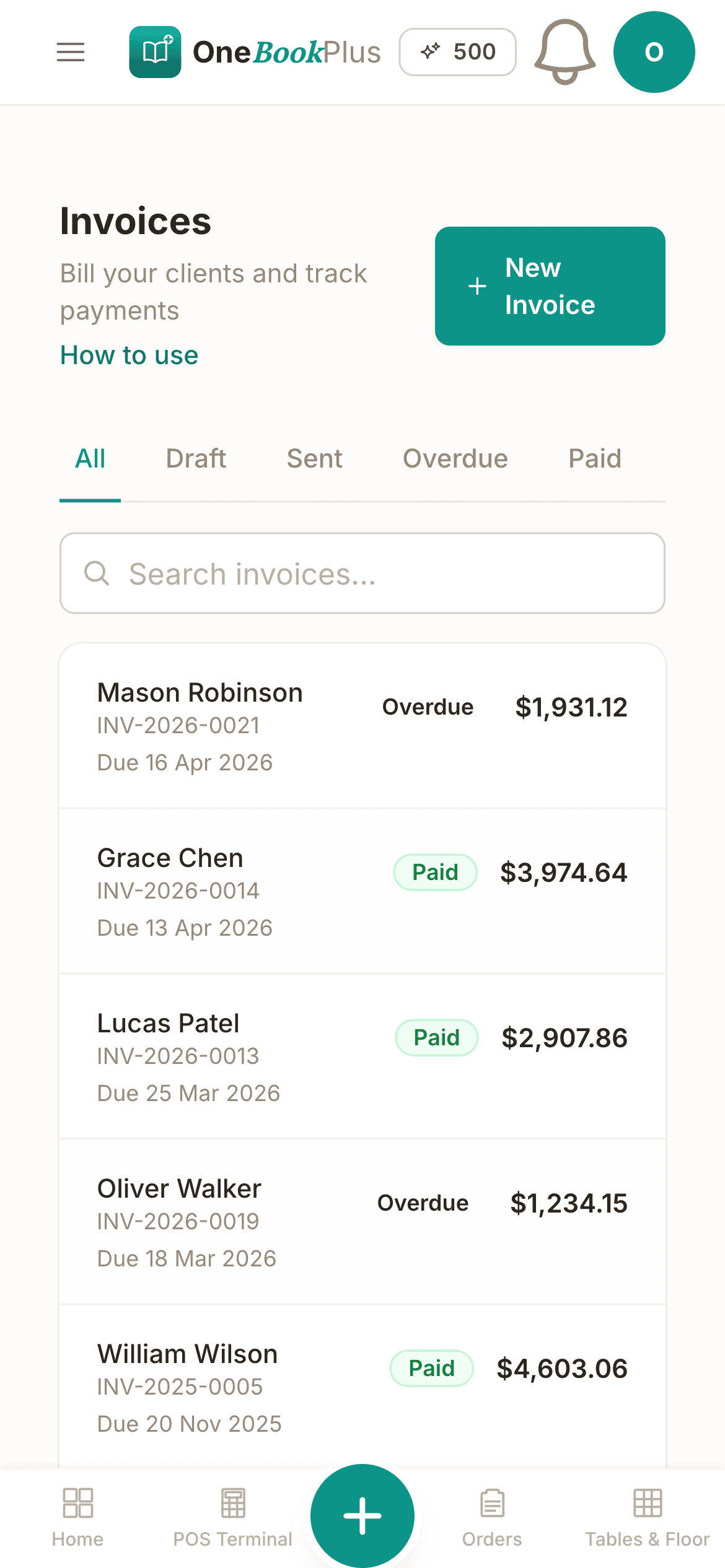
GST-inclusive with your ABN, deposit already deducted, Stripe pay link attached, and reminders chasing whatever runs past its due date.
What your event pipeline looks like inside OneBookPlus
| Event | Date | Guests | Quote (inc. GST) | Deposit | Status |
|---|---|---|---|---|---|
| Nguyen wedding | 14 Nov | 120 | $14,400 | $4,320 paid | Confirmed |
| Firm EOFY lunch | 30 Jun | 45 | $2,475 | $500 paid | Invoiced |
| School formal | 22 Sep | 200 | $11,000 | Awaiting | Quote sent |
| Canapés, gallery opening | 3 Oct | 80 | $3,960 | $1,000 paid | Confirmed |
Example events only: menus, deposit terms and pricing are all yours to set per quote.
Free booking page included
Your catering business gets a booking page. Free.
Stop paying a website subscription you do not need, and skip the up-front designer quote. Every OneBookPlus caterer gets a branded booking page on the free plan. Want it on your own domain like a proper business website? The Website Builder app is $29/mo and we host it for you.
your-business.onebookplus.com.auoronebookplus.com.au/book/your-businessyourbusiness.com.au: your own branded domain, hosted by us24/7 customer self-booking
Customers book catering jobs from your branded page any time. New enquiries land in your dashboard ready to schedule.
Branded with your colours, logo & licence
Brand color picker in settings. Logo upload. Trade licence number shown on every page so customers know you're legit.
Show service prices upfront
Corporate lunch $28/head. Wedding canapés from $45/head. Customers see prices before booking, kills the price-shopping phone calls.
Mobile-first: looks great on phones
Your booking page is built mobile-first, so a customer searching on a phone can book without pinching to zoom.
Bring your own domain: we host the site
Already own yourbusiness.com.au? Add the Website Builder app ($29/mo) and point your domain at the site we host for you, through a guided DNS and SSL wizard. We don't sell domains, keep yours wherever you registered it.
Local SEO baked in
Schema.org markup for catering services + suburbs you cover. Google finds you for 'caterer in [suburb]' searches.
Caterers website cost, typical
What caterers pay for a website
- From $24/mo
Website builder
Squarespace's cheapest plan billed monthly, verified 2 August 2026. Wix publishes no fixed Australian rate.
- $15 to $40/mo
Web hosting + SSL
Bundled in builders; separate if custom site
- $1,500 to $3,000
Designer (one-off)
Only if you want a custom-built site
- From US$10/mo
Bookings on Calendly
Per seat, billed in US dollars, verified 2 August 2026. Separate from your website.
Typical recurring total
~$39 to $64/mo
+ US$10/mo per seat if you add Calendly for bookings, billed in US dollars, and $1,500 to $3,000 up-front if you hire a designer
With OneBookPlus
Included on every plan
- Branded booking page, free plan
- Hosting + SSL, free plan
- 24/7 customer self-booking, free plan
- Connect your own domain with the Website Builder app, +$29/mo (BYO)
Your total
$0 to $29/mo
See it in action
The screens between the counter and the books.
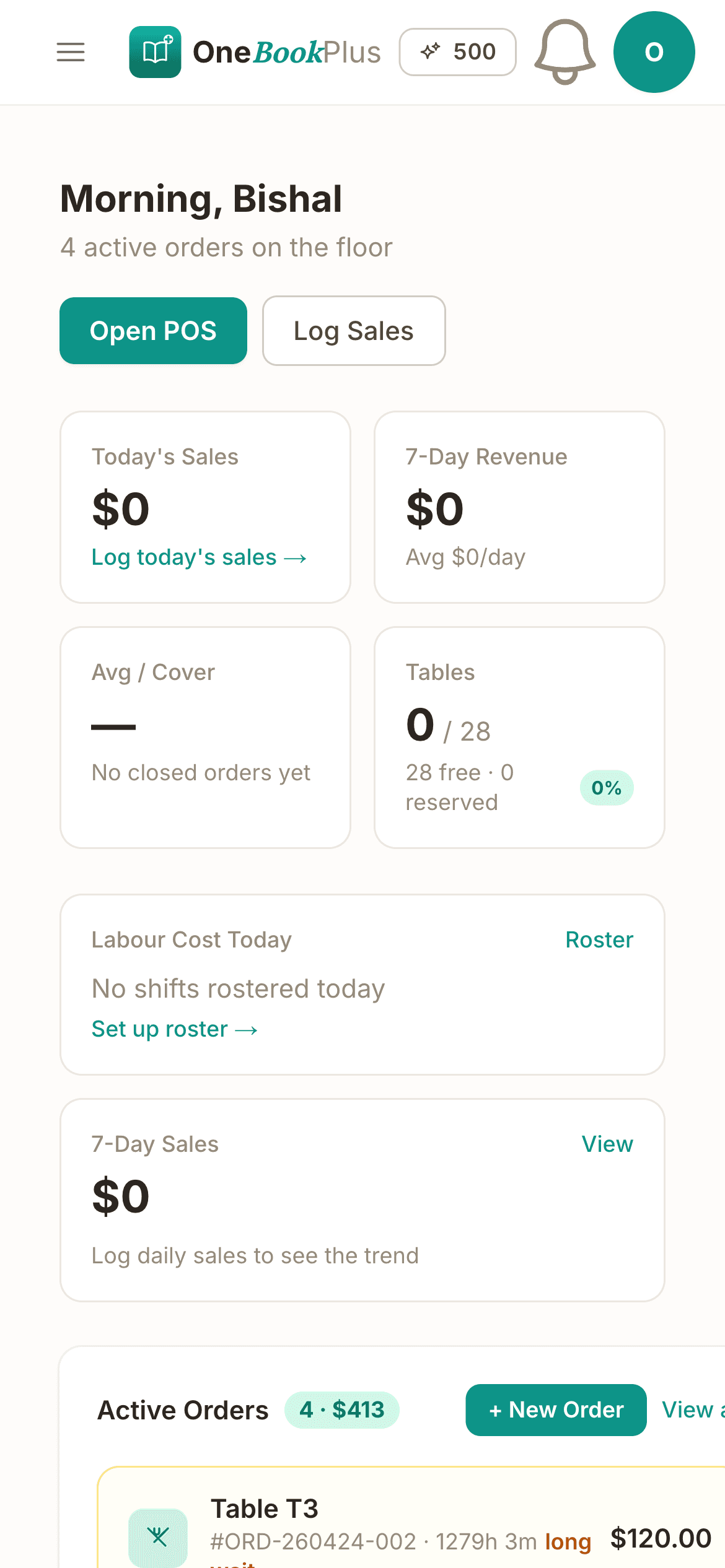
These are real product screens: the function quote, your menu and the daily sales summary. Tap any screen to zoom in.
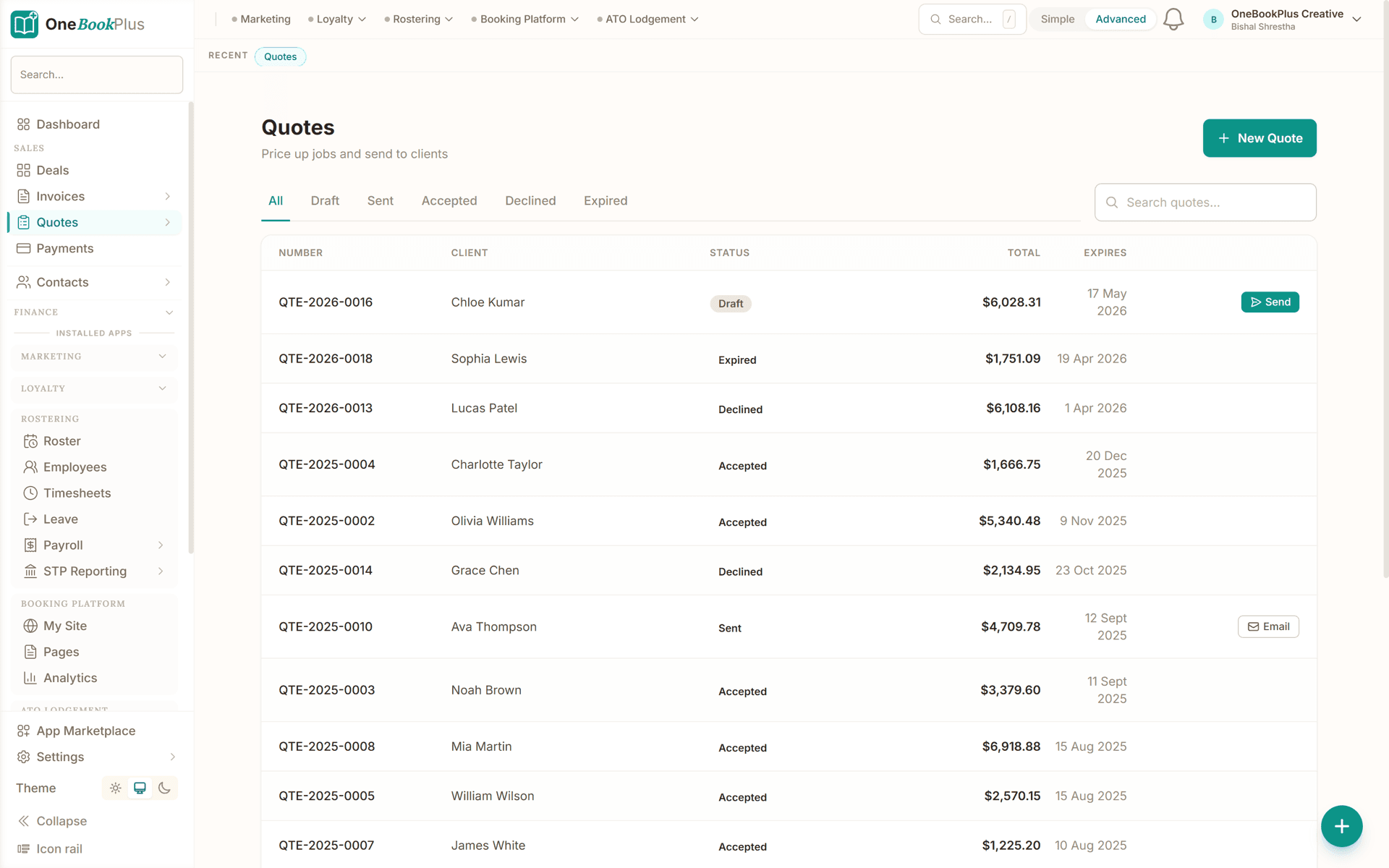
The function quote, line by line
A wedding or corporate quote with per-head and per-item lines, deposit terms, and one-click sending. The client accepts online and you both have it in writing.
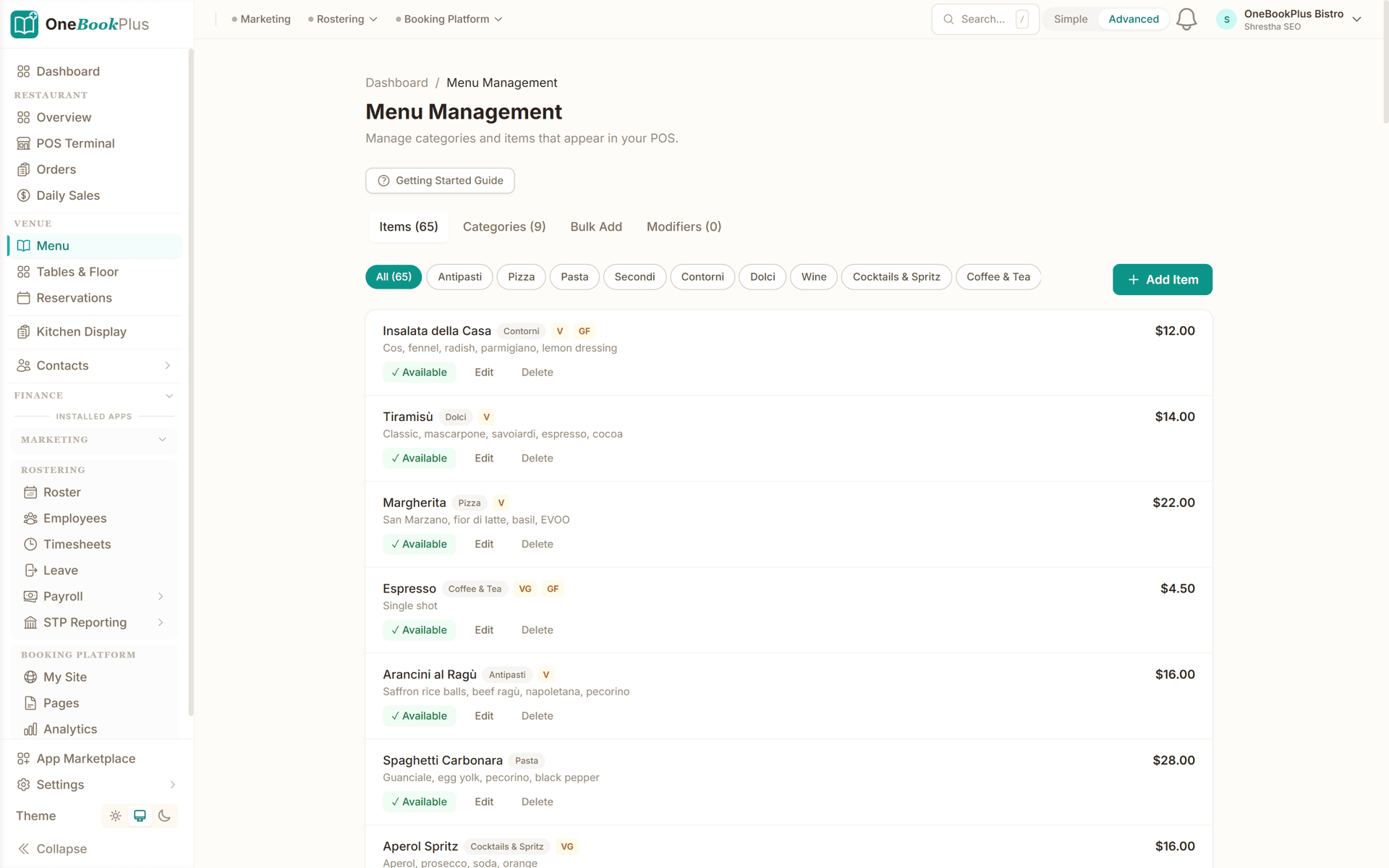
Your menu, built once
Menu categories, items, prices and dietary tags (vegan, gluten-free, halal) in one place. Toggle availability when the season changes or something sells out.
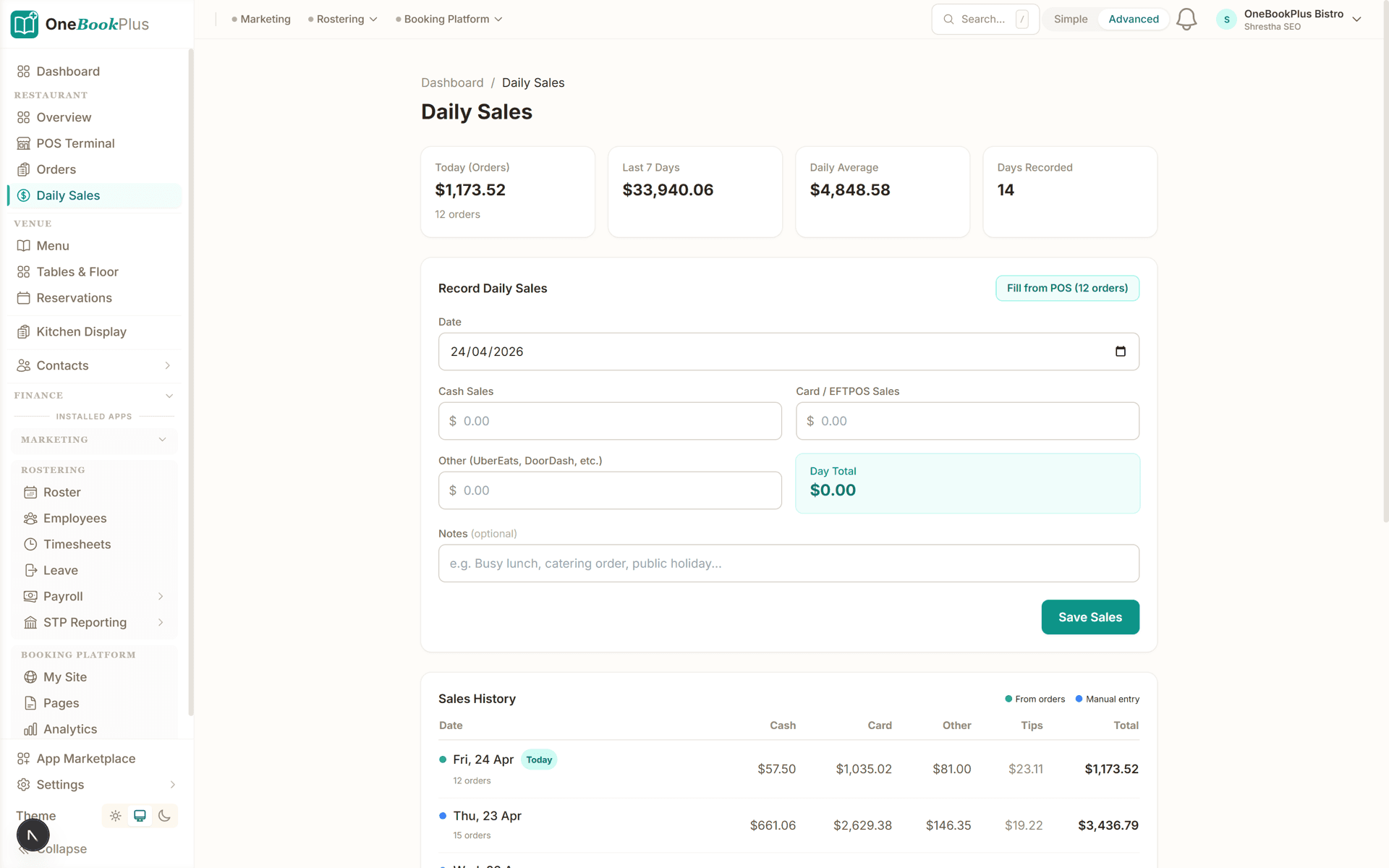
Daily sales at a glance
What went out the kitchen today and what it earned, with GST split out. End the day knowing the numbers instead of guessing at BAS time.
The app
The app behind your menus
Free Menu Management sits on top of your core OneBookPlus plan, so every function quote is built from a menu you set up once.
Menu Management
FreeBuild and manage your digital menu
Build your digital menu once, categories, items, prices, descriptions and dietary tags, and toggle availability with a single tap when you sell out or run a special. Changes flow straight to the POS and your online ordering, so the menu customers see is always the menu you're actually serving. It's free, and the dietary tags (vegan, gluten-free, halal) let customers self-serve answers your staff would otherwise field all shift.
- Menu categories & subcategories
- Item management with descriptions
- Pricing with GST handling
- Dietary tags (vegan, GF, halal, etc.)
- Availability toggle per item
- POS integration
How OneBookPlus works for caterers
From enquiry to balance paid in four steps.
Build your menu once
Categories, items, prices and dietary tags in one place. Per-head packages and add-ons become the building blocks of every quote you send from here on.
Quote the function
Line up the menu, staff, equipment and delivery for the date. Send the quote for online acceptance with your deposit terms attached, and take the deposit before you commit the kitchen.
Run the event as an order
The confirmed job sits on your order list with the date, headcount and menu detail the kitchen preps from. No retyping from an email thread.
Invoice the balance
After the event, the balance invoice goes out GST-inclusive with your ABN and a Stripe pay link. Reminders chase the slow payers so you don't have to.
Send a real quote the day you sign up
Who it's for
Who uses OneBookPlus
A wedding caterer, a corporate drop-off kitchen and a private chef run very different weeks. Here is what each one uses.
Wedding and event caterer
A handful of big functions a month, each quoted weeks ahead. Needs detailed per-head quotes, deposits that hold the date, and a clean record of what was agreed when the menu changes twice.
Corporate caterer
Repeat office clients ordering lunches and boardroom platters. Needs fast quotes from a standing menu, order lists the kitchen preps from, and invoices on account with reminders.
Food truck and market caterer
Trading events and private bookings mixed together. Needs daily sales per event, simple GST records, and quotes for the private gigs between markets.
Private chef and small caterer
One pair of hands doing the cooking, the quoting and the chasing. Needs a booking page for enquiries, deposits up front, and BAS that assembles itself.
What a four-tool stack costs each month
Named tools, at each vendor’s own cheapest published plan, and ours underneath. Vendor pricing changes, so check each one before you decide.
Or use OneBookPlus
$29/mo
Everything in the list above, on one bill.
Start freeNo credit card · Free forever · Cancel anytime
Example walkthrough
Friday, from function enquiry to final invoice
An illustrative walkthrough of a typical catering day
Your Friday starts with tomorrow's wedding on the order list: the headcount, the alternate drop, and the two dietary tables already flagged from your menu's tags. The kitchen preps from the order itself, not from a printout of an email thread.
Mid-morning, an enquiry from earlier in the week turns into an accepted quote for a corporate lunch. The client accepted it on their phone, and the deposit invoice went out on the terms attached to the quote. The date is now held with money rather than a promise.
At noon a client books a tasting through your booking page while you are elbow-deep in canapes. The booking lands in the dashboard with their details and date preferences attached, and you look at it when you get a minute.
After service you log the morning's produce run as an expense by photographing the receipt, and the daily sales screen shows what the week's functions have earned with the GST already split out.
Sunday night used to be quote-writing night: retyping menus into a Word template and cross-checking the whiteboard against the inbox. Now the quotes are built from menu items you set up once, and the whiteboard is a screen everyone in the kitchen can read.
How we compare
OneBookPlus vs the typical catering stack
How we compare to the tools caterers typically cobble together.
| Feature | OneBookPlus | Square Invoices | Xero | Word + spreadsheets |
|---|---|---|---|---|
| Function quotes with online acceptance | Yes | Yes | Yes | No |
| Deposit terms attached to the quote | Yes | Yes | Yes | No |
| Order list the kitchen preps from | Yes | No | No | No |
| Digital menu with dietary tags | Yes | No | No | No |
| Booking page with deposit percentage | Yes | No | No | No |
| Daily sales tracking | Yes | Yes | No | No |
| Client CRM with event history | Yes | No | No | No |
| GST invoicing with ABN | Yes | Yes | Yes | No |
| Built-in accounting (P&L, GST) | Yes | No | Yes | No |
| BAS-ready tax reports | Yes | No | Yes | No |
| Large third-party add-on marketplace | No | Yes | Yes | No |
| Free plan available | Yes | Yes | No | Yes |
| Price | From $0/mo | Free + processing fees | $37+/mo | Free (your evenings) |
Start free. Menu management included.
The core platform covers quotes, orders, bookings, invoicing and accounting. The Menu Management app is free on every plan.
Free
$0/forever
Quote your first function today. No credit card.
- 10 invoices/month
- 5 quotes/month
- Branded booking page
- Free menu management app
- GST + ABN built-in
- Up to 250 client contacts
Starter
$29/mo
Replaces Xero + Calendly + your website builder.
- Everything in Free
- Unlimited invoices, quotes & bookings
- Stripe online payments
- Custom invoice branding + ABN
- Payment reminders + recurring invoices
- Email campaigns to past clients
- Accounting, P&L & BAS reports
- 3 team members
No card, drops to Free if you don't upgrade
Plus
$49/mo
Outgrowing the basics, unlimited contacts & bookings, advanced reporting.
- Everything in Starter
- Unlimited contacts & bookings
- Advanced reporting & analytics
- Batch invoicing
- Budget tracking
- 5 team logins
- 10 GB website media storage
Growth
$69/mo
For caterers chasing repeat clients and reviews.
- Everything in Plus
- Google review automation
- Email & SMS campaigns
- Loyalty & gift vouchers
- AI receipt and supplier-bill scanning
- 10 team members
Prices in AUD inc. GST. Online card payments carry Stripe processing fees (1.7% + 30¢ AU cards) plus a 2.5% OneBookPlus platform fee. Read the full plan comparison
Built-in AI
Can’t get to the phone? Your AI can.
You're slammed on the floor, the phone keeps ringing with bookings and enquiries you never get to.
OneBookPlus
AI Receptionist · incoming call
“Table for six this Friday night?”
If you don't answer, the AI books it, Dinner · Fri 7:30pm · 6 guests, and texts a confirmation.
Australian Owned
Built in Melbourne, AU
GST Compliant
ATO-ready from day one
Encrypted & Isolated
TLS in transit, AES-256 at rest, tenant isolation at the database layer, read the security page
Free Plan Available
No credit card needed
Questions caterers ask
Common questions about quoting, order and invoicing software for caterers in Australia.
How does OneBookPlus compare to Square Invoices, Xero and a Word quote template for catering?
Square Invoices and Xero are both good at what they are built for. Square is quick to send an invoice and take a card, and Xero is a proper accounting ledger your bookkeeper already knows. Neither has a concept of a function: a date, a headcount, a menu and a deposit weeks before any money moves, which is why so many caterers keep quotes in a Word template, the menu in a PDF and the event board on a whiteboard. OneBookPlus joins that chain in one place: function quoting with deposit terms, an order list the kitchen preps from, digital menus with dietary tags, daily sales tracking and GST invoicing with accounting behind it. If your work is mostly counter or delivery volume rather than booked functions, a POS-first tool will probably suit you better.
How do function and event quotes work?
You build the quote line by line: per-head packages from your menu, staff hours, equipment hire, delivery. The client receives it by email and accepts online, and the quote records deposit terms (a fixed amount or a percentage) so the date is held with money rather than a promise. Accepted work flows onto your order list, and after the event the balance is invoiced with the deposit already accounted for.
Can clients book or enquire online?
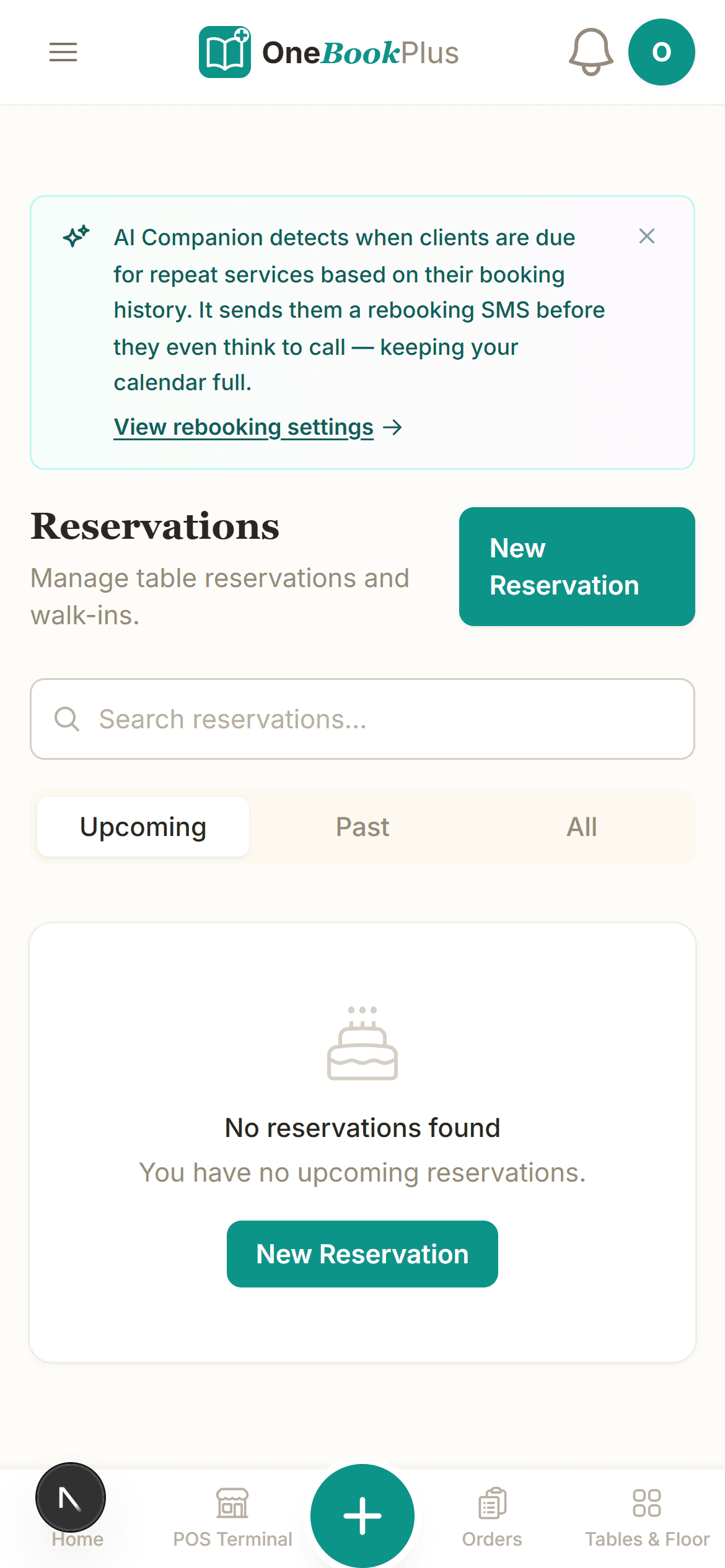
Yes. Every OneBookPlus account includes a branded booking page where clients can enquire about or book tastings, consultations and event dates around the clock. You can require a deposit percentage at booking, and each booking lands in your dashboard with the client's details attached, so a bride who finds you at 10pm has committed to a tasting before you wake up.
How does menu management work?
You build the menu once: categories, items, descriptions, prices and dietary tags such as vegan, gluten-free and halal. Items can be toggled available or unavailable with one tap when the season changes or a supplier lets you down. The menu app is free and included with every plan, and dietary tags let clients self-serve the answers your phone would otherwise field.
Does it track daily sales and costs?
Yes. Daily sales tracking shows what each day earned with GST split out, and every supplier invoice and ingredient run is logged as an expense against the ledger. Photograph a supplier receipt and the supplier, date, GST and total are read off it for you. The built-in accounting gives you a P&L per month and a BAS-ready GST summary per quarter, without exporting anything to a separate accounting package.
How much does OneBookPlus cost for a catering business?
The core platform starts free (10 invoices and 5 quotes a month, a booking page, up to 250 contacts), which is enough to run your first functions. Starter is $29/month for unlimited invoices, quotes and bookings with Stripe payments and accounting, and Growth is $69/month for caterers who want marketing automation, review collection and more team members. The menu management app is free on every plan. All prices are in AUD.
Does catering attract GST?
Yes. Although many basic groceries are GST-free, food supplied by a caterer as part of a catering service is a taxable supply, so once your business is registered for GST (required from $75,000 annual turnover) you charge 10% GST on your catering. OneBookPlus raises GST-inclusive tax invoices with your ABN, tracks the GST on sales and expenses, and produces a BAS-ready summary each quarter. For quick price checks, the free GST calculator linked on this page splits any figure into its GST and net components.
Does OneBookPlus integrate with Uber Eats or delivery platforms?
No. OneBookPlus does not connect to Uber Eats, DoorDash or other delivery marketplaces. It is built for the function and event side of catering: quotes, deposits, orders, menus, daily sales and GST invoicing, plus your own booking page for direct enquiries. If most of your revenue is marketplace delivery orders, a marketplace-integrated POS may suit you better; if your revenue is functions and events, this is the book for it.
How much deposit should I take on a function, and can OneBookPlus enforce it?
How much you take is your commercial decision, and it usually tracks how far ahead the booking sits and how much you have to outlay before the day: a wedding booked a year out with hired glassware and casual staff carries more exposure than a boardroom lunch next Tuesday. What OneBookPlus does is attach the terms to the quote as either a fixed amount or a percentage, raise the deposit invoice when the client accepts, and deduct it automatically from the balance invoice after the event, so the total charged is never in dispute. Your booking page can also require a deposit percentage at the time of booking for tastings and consultations. Cancellation and refund terms are yours to write, and Australian Consumer Law applies to them, so it is worth having your terms checked before you standardise them.
Can I invoice corporate clients on account with payment terms?
Yes. Set your terms on the invoice (7, 14 or 30 days are the usual choices for corporate accounts), send it with a Stripe pay link, and let the automated reminders chase what runs past due instead of doing it yourself on a Friday afternoon. Each client's record keeps their event history and everything you have invoiced them, so when the accounts team asks which purchase order a line belongs to, the answer is on the same screen. Longer terms move the cash risk onto you, which is one reason the deposit on the function matters more than the terms on the balance.
Does OneBookPlus handle food safety records or allergen declarations?
No. OneBookPlus is your business platform: quotes, orders, menus, sales and GST. It stores dietary tags such as vegan, gluten-free and halal against menu items so the information travels from the menu to the quote to the order the kitchen preps from, which removes a common source of miscommunication. It is not a food-safety system and it does not produce allergen declarations or temperature logs. Your obligations under the Food Standards Code and your local council or state health authority sit with you and your food safety supervisor; this is general information, not legal advice.
About the author

Bishal Shrestha
Founder & CEO, OneBookPlus
Bishal spent a decade running digital projects for Australian small businesses before founding OneBookPlus. He writes and maintains these pages, and publishes what OneBookPlus does not do alongside what it does.
Read the founder bioHow this page was researched
Every figure above is either linked to the body that published it or recomputable from the numbers shown on the page. Plan prices come from the OneBookPlus price registry, so the page and the checkout cannot disagree. Everything said about OneBookPlus describes what the product does today, and the page says so where it does not do something.
Quoting built around the function
A catering quote carries more moving parts than most invoices ever will: a per-head package, dietary variations, staff hours, equipment hire, delivery windows and a deposit that has to arrive before the kitchen commits to the date. Squeezing that into a Word template means every change of headcount is a manual re-edit and every version lives in someone's inbox. In OneBookPlus the quote is a live document: menu items you built once become quote lines, the client accepts online, and the accepted version is the one everyone works from.
Deposits are the hinge of the business. The quote carries your deposit terms, a fixed amount or a percentage, and your online booking page can require a deposit percentage at booking for tastings and consultations. If you want the full picture of how the booking engine works, from availability rules to reminders, read the online booking feature overview.
After the event, the balance invoice picks up where the deposit left off, GST-inclusive with your ABN and a Stripe pay link, with payment reminders chasing the slow corporate accounts so you do not spend Friday afternoons on the phone about money.
GST, deposits and the money side of catering
Food GST is famously fiddly: many basic groceries are GST-free at the shop, but food supplied as part of a catering service is a taxable supply, so a GST-registered caterer charges 10% on the function. That distinction trips up plenty of small operators at BAS time. In OneBookPlus every function invoice is raised GST-inclusive with your ABN, the GST collected is tracked per sale, and supplier invoices and ingredient runs are logged as expenses with their GST credits, so the quarterly summary is a report you export rather than a weekend you lose.
Once your catering turnover passes the $75,000 GST registration threshold, registration is mandatory, and pricing needs the 10% component handled correctly on every per-head figure. The free GST calculator is handy for quick checks when you are setting package prices. And if you run a venue alongside the catering arm, the OneBookPlus for restaurants page covers the dine-in side: POS, tables, reservations and kitchen display.
A note on what we do not do: OneBookPlus does not connect to Uber Eats or other delivery marketplaces. It runs the function-and-event side of catering, quotes, deposits, orders, menus, daily sales and GST, plus your own booking page for direct enquiries that no marketplace takes a commission on.
What your deposit and cancellation terms are really doing
A deposit is not a formality, it is the only thing standing between you and a cancelled Saturday you have already bought produce for. The size of it usually tracks your exposure: a wedding booked a year ahead with hired glassware, casual staff rostered and a bespoke menu carries far more risk than a boardroom lunch confirmed the week before. Whatever you settle on, the terms belong on the quote itself rather than in the covering email, so the accepted version is the version everyone agreed to. OneBookPlus attaches a fixed amount or a percentage to the quote, raises the deposit invoice on acceptance, and deducts it from the balance invoice after the event, so the total charged is never in dispute. Cancellation and refund wording is yours to write and Australian Consumer Law applies to it, so it is worth having the terms checked once and then reusing them. If you also want to see how a booking-page deposit works before an enquiry ever reaches your inbox, the quotes feature overview walks through acceptance, terms and conversion to an invoice.
Per-head pricing, staff hours and where the margin leaks
The per-head figure a client remembers has to carry more than food. Casual staff on weekend and public-holiday rates, hire of glassware and chafing dishes, vehicle running costs, the hours spent packing down at 11pm and the produce you over-ordered so the last table was not short: every one of those is a real cost that a single flat price hides. Quoting the function line by line, with staff hours and hire as their own lines rather than folded into the food price, means a headcount change re-prices the parts that actually move, and it makes the conversation with a client who wants to trim the budget a conversation about lines instead of a discount. The markup and margin calculator is useful for sanity-checking a per-head price against your food cost before you publish a package, and catering cash flow is famously lumpy across wedding season and the January lull, so the cash flow forecast calculator is worth an hour before you commit to a new van or a second kitchen hand.
Corporate accounts bring the other kind of leak: work delivered in June that is still unpaid in August. Set your terms on the invoice, send it with a pay link, and let the reminders do the chasing. If a payment is well overdue and your terms allow it, the late payment interest calculator shows what the delay is costing you, and the tax invoice glossary entry sets out what an ATO-compliant invoice has to carry, which is the first thing an accounts department checks before it will pay one.
Retire the whiteboard and the Word template
Quote the function, hold the date with a deposit, brief the kitchen from the order and invoice the balance with GST handled. Free to start, upgrade when you're ready.
Reviewed by Bishal Shrestha
From the blog
Related reading for hospitality
Practical guides and explainers from the OneBookPlus blog, grouped by topic.
Australia's Payroll Tax Cliff
Pay $1.5 million in wages and you owe $31,731 in payroll tax in Western Australia and nothing in South Australia, the NT or the ACT. Every threshold, rate and trap across all eight Australian jurisdictions for 2026-27.
13 min readRead articleThe Card Surcharge Ban 2026: What It Really Costs (and Saves) Australian Small Business
From 1 October 2026 you cannot surcharge eftpos, Mastercard or Visa. What the RBA reform costs and saves you, modelled by business type.
14 min readRead articlePayday Super 2026: The Employer's Guide to Paying Super Every Payday
From 1 July 2026 employers must pay super every payday and have it in the fund within 7 business days. A plain-English guide to the rules, SGC and cash flow.
16 min readRead articleThe Australian Small Business Cash Flow & Late Payments Report 2026
In the March quarter 2026, Australian small businesses waited an average of 24.1 days to be paid and were paid 6.9 days late (Xero Small Business Insights). This fully-sourced report aggregates the latest getting-paid, cash-flow, insolvency and payments-reform figures from Xero, the Payment Times Reporting Regulator, the RBA, ASBFEO, the ABS, CommBank-UNSW and CreditorWatch into one extractable resource.
27 min readRead article