For Cafes, Bakeries & Coffee Shops
The Cafe POS System That Knows Your Regulars
Stamp the loyalty card before the flat white hits the bar.
Counter POS, digital stamp cards, a 90-second end-of-day cash count, supplier invoices and GST-ready BAS, built for Australian cafes that don't need OpenTable or per-terminal POS contracts. All-in-one for $0 to $69/mo, replaces Square POS + Xero + Stampme.
Free plan. No card required. · GST-ready BAS built-in · Loyalty stamps on every sale · Sign up in 60 seconds
Free Tools & Resources
Reference material for owners and operators
Start a Cafe or Restaurant
8-step founder guide, ABN, GST, food licence, fit-out, liquor, insurance, suppliers, opening week.
InteractiveMenu Item Pricing Calculator
Interactive estimator, food cost %, labour, overhead, GP target, and final menu price.
ReferenceFood Safety Supervisor by State
FSS certificate requirements per state, refresher cycles, and when an Allergen Aware course is mandatory.
Operator GuideRestaurant Industry Award (MA000119)
Plain-English MA000119, Level 1–6 classifications, Saturday/Sunday penalties, casual loading, junior rates.
ReferenceHospitality Insurance Guide
Public liability, food/product liability, liquor liability, business interruption, glass, coverage and premium ranges.
Key takeaways
5- Australian cafes must charge 10% GST on most prepared food and beverage sales, coffee, brunch, pastries, takeaway lunch. Grocery staples (raw fruit, milk, bread sold as-is) are GST-free at the supermarket level but become taxable once prepared (a sandwich is taxable, a loaf of bread isn't). Two separate receipt duties apply: proof of transaction is compulsory for any sale of $75 or more excluding GST, and if you are registered for GST you must give a tax invoice quoting your ABN, on request, for any sale of $82.50 or more including GST.
- Common AU cafe POS pricing, read off each vendor's own published page: Square is free to use with 1.6% to 2.2% per tap, or $40/mo for Square Plus; Lightspeed Kounta is a per-location subscription whose figure we do not republish here; a stamp-card app such as Stampme sits on top; and the books run in Xero (from $37/mo) or MYOB (from $11/mo). Vendor prices verified 2 August 2026. That is four bills before rostering or payroll.
Show 3 moreShow less
- OneBookPlus replaces the typical cafe stack, POS + Xero + stamp-card app + email marketing, with one platform from $0/month (Free) to $69/month (Growth). Bundled: counter POS, daily sales, end-of-day cash reconciliation, digital loyalty stamps, supplier invoicing, BAS-ready reporting, email/SMS marketing, Google review automation.
- Compliance: FSANZ Food Standards Code (Chapter 3, food safety practices, premises, equipment) is enforced via your state Food Act and local council Food Business Notification; Standard 3.2.2A mandates a Food Safety Supervisor (FSS) for most food-service businesses; if you serve alcohol you need a state liquor licence and RSA-certified staff.
- Free plan covers a small cafe's full needs forever, 10 invoices/month, 250 contacts, online booking page, and Stripe payments. Annual billing is available at a discount on paid tiers. Australian-built and supported, in Melbourne.
Complete cafe toolkit
Built for the counter, not the dining room
Restaurants need table management. Cafes need a fast POS, a stamp card their regulars actually use, and a 90-second close-out. We focused on the cafe loop, and skipped what cafes don't use.
Counter POS in seconds per order
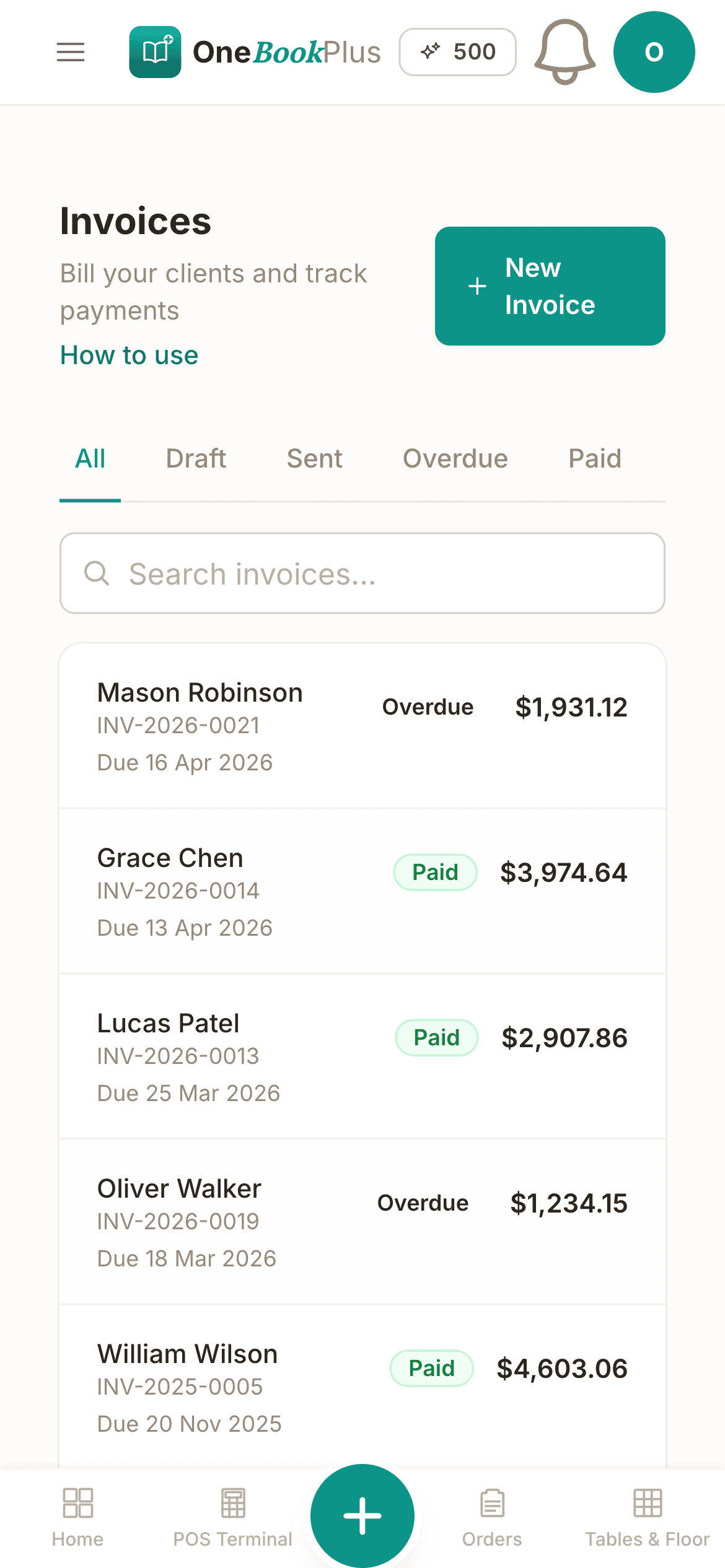
Tap the menu, take cash, or record the card payment you took on your existing terminal, then print, email or text the receipt. Each sale posts straight to your books with GST split out, and cash lands in a till account rather than pretending it is already banked. Works on any phone, tablet or laptop. No per-terminal contract or hardware lock-in.
Digital stamp cards built in
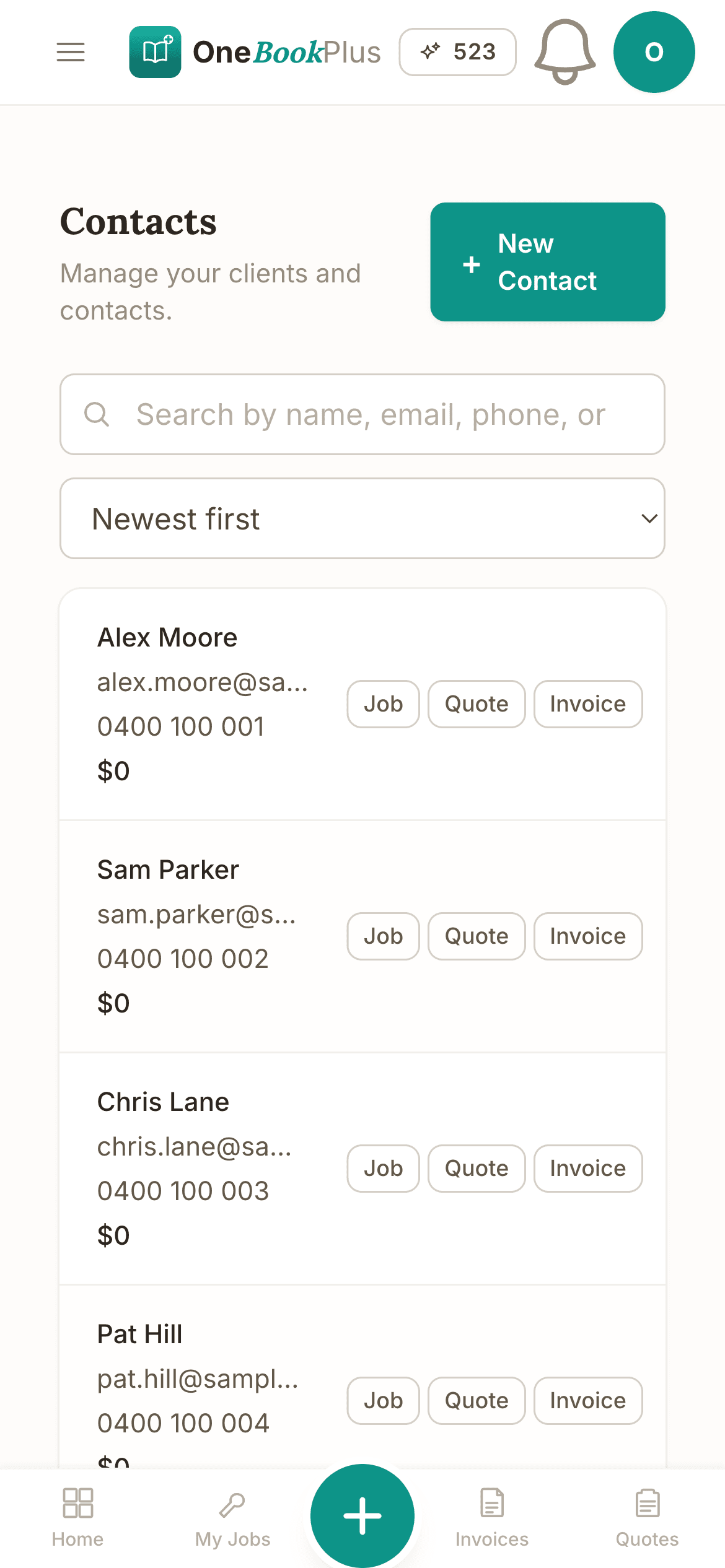
Regulars join by phone number at the counter. Every sale stamps the card automatically. Free coffee redeems as a cart discount, full audit trail, no paper.
End-of-day cash reconciliation
The lockup ritual that ate 15 minutes a night, now 90 seconds. We compute expected cash from POS sales, you enter the till count, variance is colour-coded and the deposit-to-bank figure is right there.
Supplier invoices & GST built in
Snap a coffee-roaster invoice on your phone, it's logged and the GST credit lands in your BAS summary. Supplier bills sit next to your daily sales, so the quarter adds up without a spreadsheet.
Auto Google reviews 2 hours after pickup
Customer pays, finishes their coffee, gets a friendly SMS asking for a 5-star review. Single biggest lever on local search visibility, and you set it once.
Rostering & payroll under one roof
Build the weekly roster, staff clock in from their phones, payroll runs PAYG + super (12% from 1 July 2025) automatically. Rostering & Payroll is a $29/mo add-on rather than part of a base plan, and it does not lodge Single Touch Payroll pay events to the ATO, so you still report each pay run through STP-enabled software.
Free plan available · No per-terminal POS contract · Cancel anytime
Free booking page included
Your cafe business gets a booking page. Free.
Stop paying a website subscription you do not need, and skip the up-front designer quote. Every OneBookPlus cafe gets a branded booking page on the free plan. Want it on your own domain like a proper business website? The Website Builder app is $29/mo and we host it for you.
your-business.onebookplus.com.auoronebookplus.com.au/book/your-businessyourbusiness.com.au: your own branded domain, hosted by us24/7 emergency callout booking
Customers book a catering platter or reserve a long-table brunch for ten at 9pm while you're closed. The order lands in your dashboard with the pickup date and headcount, ready for the morning prep list.
Branded with your colours, logo & licence
Brand color picker in settings. Logo upload. Trade licence number shown on every page so customers know you're legit.
Show service prices upfront
Catering platter from $85. Whole-bean retail bag $22. Customers see prices before booking, kills the price-shopping phone calls.
Mobile-first: looks great on phones
Your booking page is built mobile-first, so a customer searching on a phone can book without pinching to zoom.
Bring your own domain: we host the site
Already own yourbusiness.com.au? Add the Website Builder app ($29/mo) and point your domain at the site we host for you, through a guided DNS and SSL wizard. We don't sell domains, keep yours wherever you registered it.
Local SEO baked in
Schema.org markup for cafe services + suburbs you cover. Google finds you for 'cafe in [suburb]' searches.
Cafes website cost, typical
What cafes pay for a website
- From $24/mo
Website builder
Squarespace's cheapest plan billed monthly, verified 2 August 2026. Wix publishes no fixed Australian rate.
- $15 to $40/mo
Web hosting + SSL
Bundled in builders; separate if custom site
- $1,500 to $3,000
Designer (one-off)
Only if you want a custom-built site
- From US$10/mo
Bookings on Calendly
Per seat, billed in US dollars, verified 2 August 2026. Separate from your website.
Typical recurring total
~$39 to $64/mo
+ US$10/mo per seat if you add Calendly for bookings, billed in US dollars, and $1,500 to $3,000 up-front if you hire a designer
With OneBookPlus
Included on every plan
- Branded booking page, free plan
- Hosting + SSL, free plan
- 24/7 customer self-booking, free plan
- Connect your own domain with the Website Builder app, +$29/mo (BYO)
Your total
$0 to $29/mo
See it in action
The screens between the counter and the books.
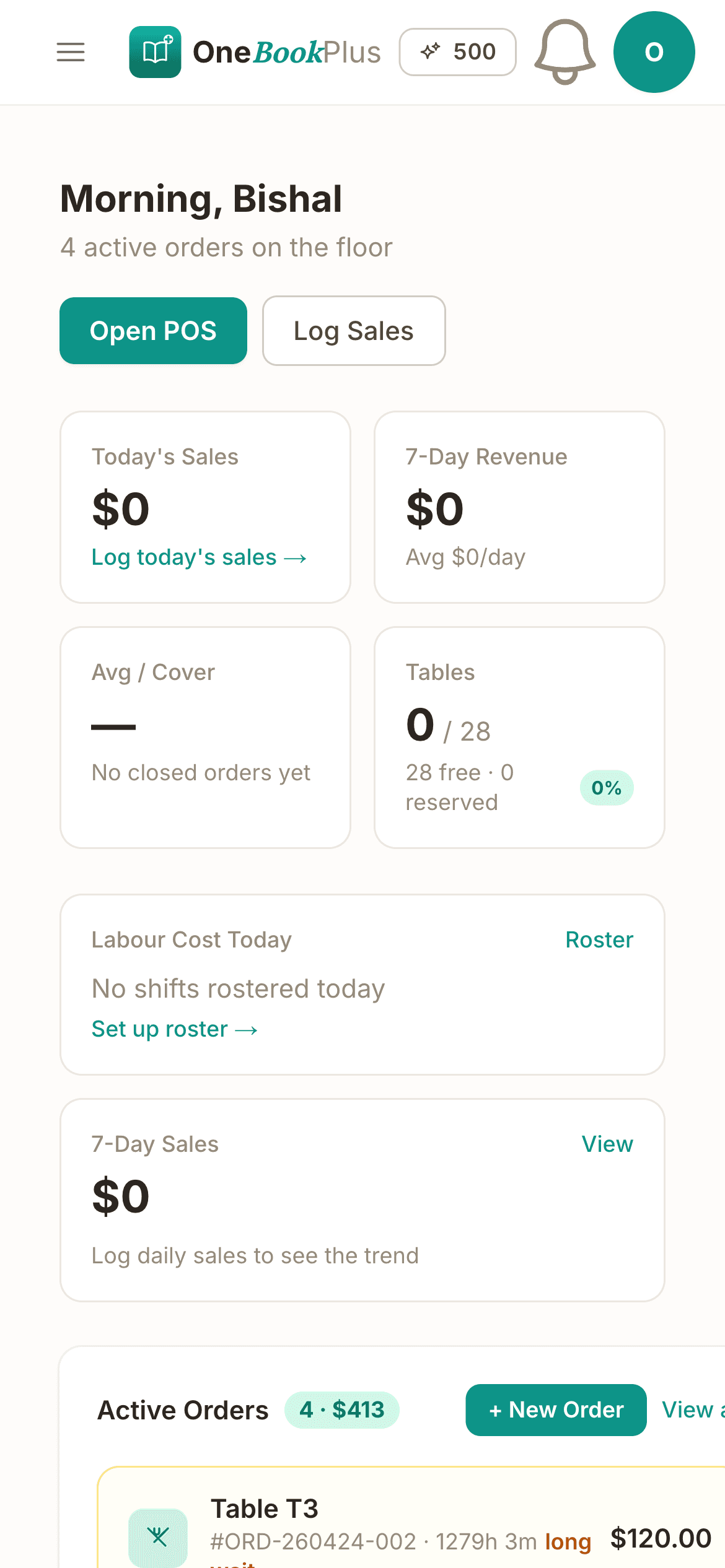
Not mockups, the real POS, loyalty and end-of-day screens behind the bar.
Counter POS: flat white to receipt in seconds
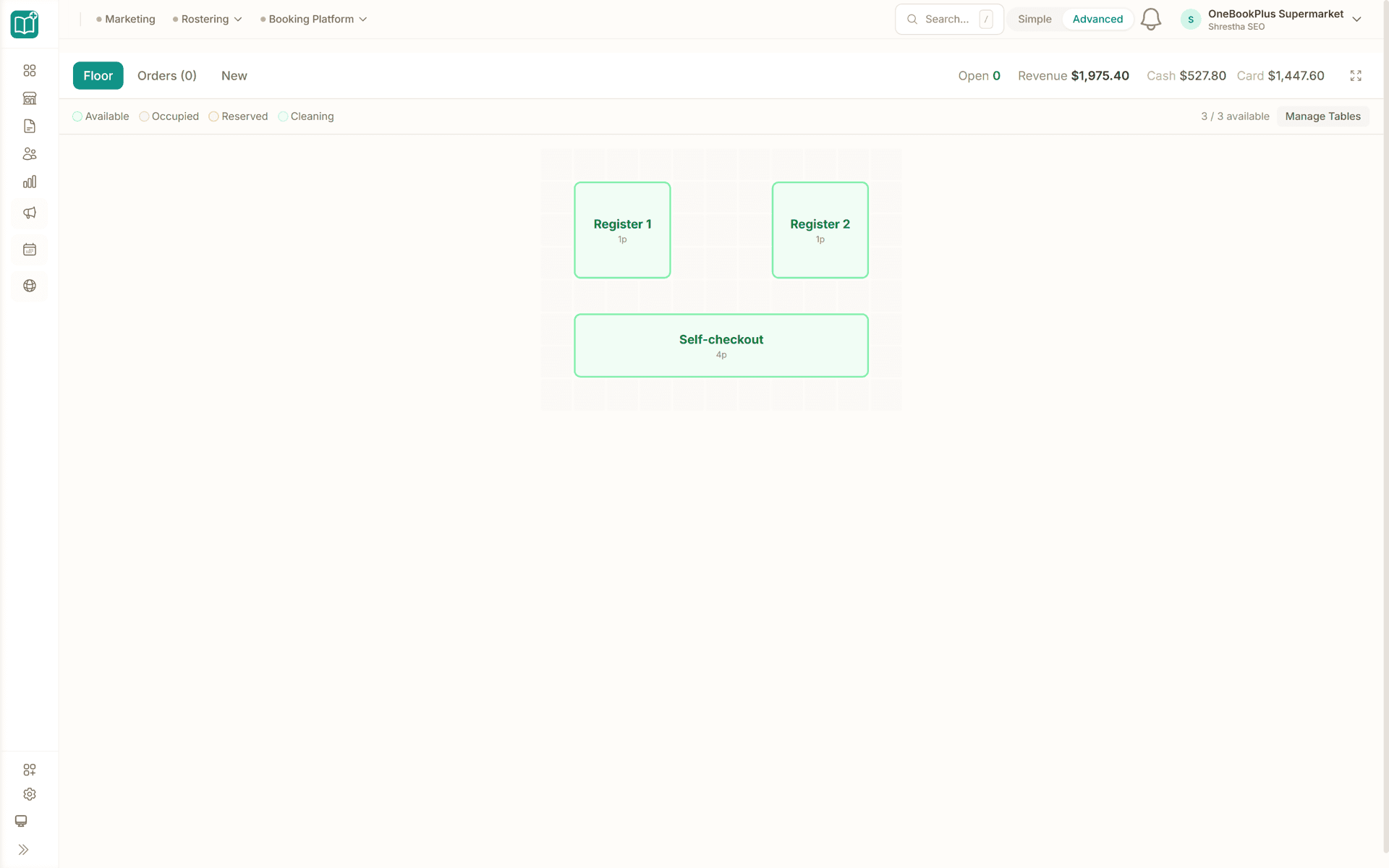
The category grid (Coffee, Brunch, Pastries) on an iPad behind the bar. Cash, tap-and-go or split, then print or email. Loyalty stamps fire on the paid sale automatically.
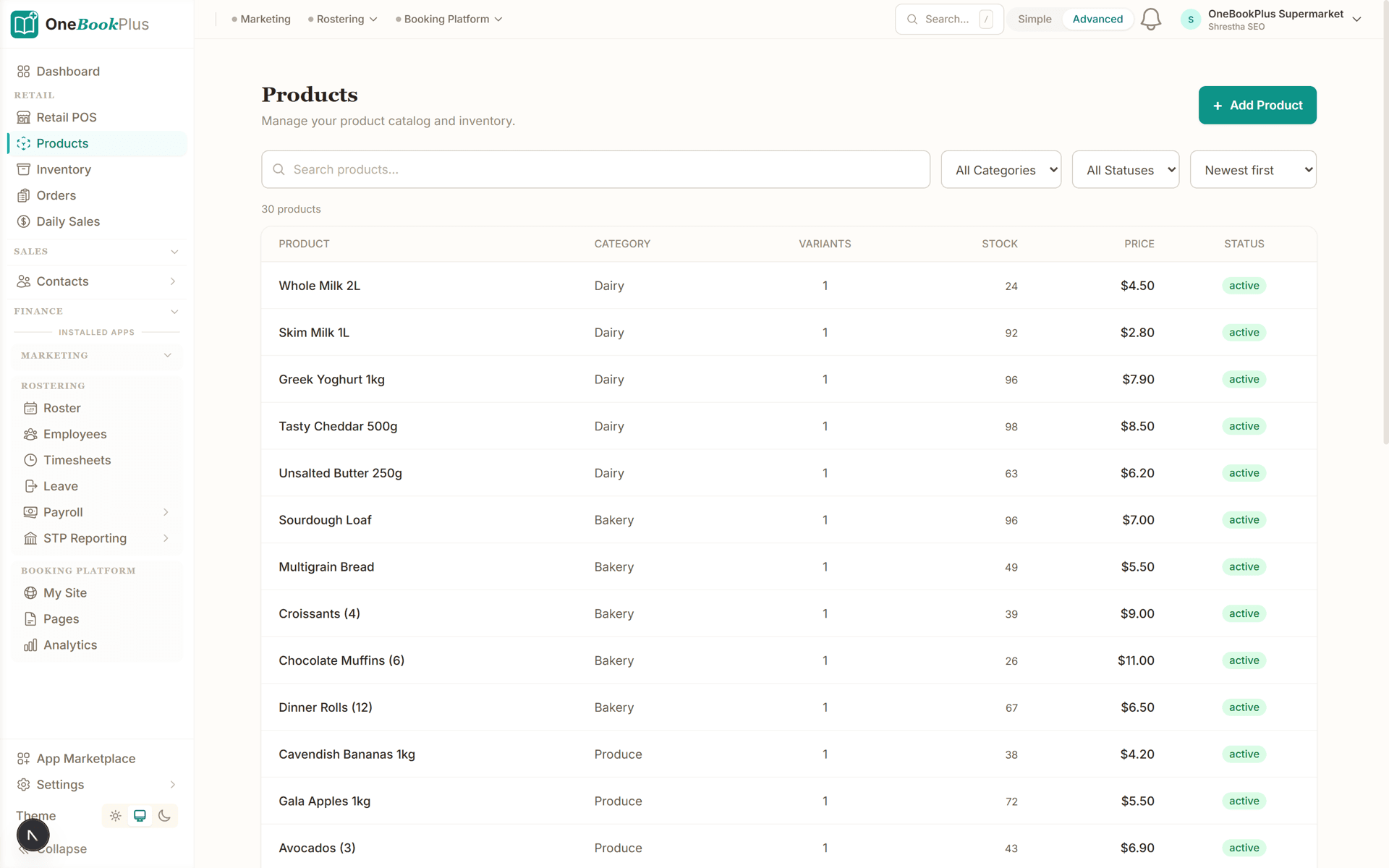
Menu catalogue with GST-inclusive prices
Build Flat White Reg/Lg, Long Black, Smashed Avo with GST-inclusive prices and a photo. Toggle availability the moment you run out of avocados, the POS hides it instantly.
End-of-day cash count and daily takings
Expected cash from today's POS sales versus your physical till count, variance colour-coded, and the exact figure to drop in the safe, the lockup ritual in 90 seconds.
The app
The app behind the counter
The Point of Sale app adds the counter till: menu grid, cash drawer, GST-split receipts and the end-of-day count. The card itself is taken on your own terminal for now.
Point of Sale
$39/moSell from the tablet, phone or laptop you already own
Turn any tablet, phone, or laptop into a full-featured POS terminal, with no proprietary hardware to buy. Retail shops sell from a categorised product grid with barcode scanning. Record cash and card payments taken on your existing EFTPOS terminal; an integrated card reader is not available yet, so the card itself is tapped on the terminal you already have. Hospitality venues take dine-in, takeaway and delivery orders with real-time tracking from kitchen to table, split bills and discounts. Either way, every sale lands in your OneBookPlus accounting automatically, so daily sales reports replace the manual till reconciliation at close.
- Works on any tablet, phone or laptop
- Retail product grid with barcode scanning
- Records cash and card payments taken on your existing EFTPOS terminal
- Daily sales & revenue reports
- Dine-in, takeaway & delivery orders
- Real-time order tracking
A morning-to-lockup routine
How a cafe day looks on OneBookPlus
Menu once. POS forever. End of day in 90 seconds. BAS at the end of the quarter in one click.
Build your counter menu
Categories (Coffee, Brunch, Pastries), items with GST-inclusive prices, optional photo. Toggle availability when you run out of avocados.
Take orders on the POS
Phone, iPad, laptop, same POS. Cash or card, split if they're sharing. Receipts print, email or text. Loyalty stamps fire automatically when the regular joins.
Close out at 4pm
End-of-day card: expected cash from POS, your physical count, variance and the figure to drop in the safe, all on one screen.
Send your accountant the BAS quarter
GST collected, GST credits on coffee + supplies + utilities, net amount owing, one click. Every POS sale and every scanned supplier bill is already in the figures.
Take real orders the day you sign up
Who it's for
Built for every kind of cafe
From a 6-seat espresso bar to a busy brunch room with a takeaway window.
Specialty Espresso Bar
Fast counter throughput, regulars on stamp cards, single-origin coffee bag retail. Needs sub-10-second order entry and Google reviews on autopilot.
Bakery + Coffee
Daily-bake stock that runs out by 2pm, packaged loaves with barcodes, supplier invoices for flour and butter. Needs POS + inventory + supplier expense tracking.
Brunch Cafe
Counter or table service mix, casual staff with shifting rosters, supplier invoices for produce. Needs rostering + payroll + GST-aware invoicing.
Takeaway / Drive-Thru
Pure transaction-volume play: quick orders, mobile-ordering ready, card-tap heavy. Needs a POS that's fast on a phone and posts every sale straight to the books.
What a five-tool stack costs each month
Named tools, at each vendor’s own cheapest published plan, and ours underneath. Vendor pricing changes, so check each one before you decide.
Or use OneBookPlus
$58/mo
Everything in the list above, on one bill.
Start freeNo credit card · Free forever · Cancel anytime
Example walkthrough
Wednesday, open to cash-up
An illustrative walkthrough of a typical cafe day
You open at 6.45am. The POS is already running on the iPad behind the bar. First customer at 7.02, a regular you know by name. You tap the menu and add a flat white and a banana bread. The customer scans their loyalty QR; the system fires stamp seven of their 10-stamp card and shows 'one more visit for a free coffee'. They tap on the terminal you already have, you record the tender against the sale, the receipt prints, and the stock count on the banana-bread variant drops by one.
By 9.30 you glance at the dashboard between rushes: the morning's transaction count, average sale, and the 7-8am peak all visible at a glance. Mid-morning the milk delivery arrives; you scan the invoice on your phone and tag it to your beverage-supplier category. The GST credit lands in this quarter's BAS pile automatically.
After the lunch rush you check the loyalty board: a handful of regulars are due birthday rewards this week. You send a 'happy birthday, free coffee on us today' SMS in two taps, and a few of them come in that afternoon. The barista hands over the free flat white and rings up the redemption against each loyalty profile.
Late afternoon you run the end-of-day. The system shows expected cash against the float, you count the till, and a small variance sits just under the amber threshold; you add a note explaining it and save. Cash to bank is calculated for you, and lock-up is done in under two minutes.
Next morning the sales report has yesterday's takings split by card and cash, with GST already separated, so nothing needs re-keying.
How we compare
OneBookPlus vs cafe software
The honest comparison against the tools a typical cafe runs.
| Feature | OneBookPlus | Square POS | Lightspeed Kounta | Toast |
|---|---|---|---|---|
| Counter POS on any device | Yes | Yes | Yes | Yes |
| Digital loyalty stamp cards | Yes | No | No | No |
| End-of-day cash reconciliation | Yes | No | Yes | Yes |
| Sales-by-hour reports | Yes | Yes | Yes | Yes |
| Supplier invoice capture | Yes | No | No | No |
| GST-aware tax invoices + BAS summary | Yes | No | No | No |
| Google review automation | Yes | No | No | No |
| Rostering and pay runs (paid add-on, no STP lodgement) | Yes | No | No | No |
| Free plan available | Yes | Yes | No | No |
| Price | From $0/mo | Free + 1.6% to 2.2% / tap | Subscription | Subscription |
Built for Australian cafe operators
$0
Free plan, no per-terminal POS contract
1 screen
End-of-day lockup, takings and GST in one entry
100%
GST-ready receipts and BAS summary
Real-time
Loyalty stamps fire on every paid sale
Cafe savings calculator
What does your cafe tech stack really cost?
Cafes don't need OpenTable. They do need a POS, a stamp card, and reconciliation. Plug in your numbers, we'll show what you'd save and the loyalty revenue you'd recover.
POS subscription (Square, Lightspeed Kounta)
Monthly per-terminal fee
Stamp-card / loyalty app (Stampme, Sumup Loyalty)
Monthly platform fee
Accounting (Xero, MYOB)
Monthly subscription
Email marketing (Mailchimp)
Newsletters + campaigns
Loyalty members on your stamp card
Active regulars who'd join a digital card
Average ticket value
Coffee + pastry, breakfast, lunch
Your current tool stack
$133/mo
= $1,596/year
With OneBookPlus Starter
$29/mo
Replaces everything in the list. One bill.
Modelled on one extra visit a month per active loyalty member at $12 AOV. An assumption, not a measured result.
Free plan available · No card required · Cancel anytime
One day, written by itself, an illustrated day of an Australian cafe run on OneBookPlus
An illustrated day, not real customer data. Scroll through it from morning to 5pm: the AI receptionist answers and books a missed call, the work runs from the app, the GST invoice is sent on the spot, payment lands and the books balance themselves, a review invite is queued for the next daily run, and the day closes with the ledger already written.
6:40am
While you're mid-rush
The catering call you'd have missed.
An office manager wants morning-tea platters for 20, today. She rings while you're three flat whites deep.
AI Receptionist
Answered three flat whites deep.
The AI answers in two rings, takes the catering order for 10:30 am and emails a confirmation, you never left the machine.
Between rushes
The order's already written up.
Order card on the iPad: four platters, two bean bags, deliver to level 3 by 10:30. Priced straight from your menu.
From the counter
Invoiced before the lunch rush.
One tap turns the catering order into a GST invoice with a pay link. No laptop after close, no Sunday paperwork.
While you're on the machine
Paid between the machine and the pass.
Card payment lands, the books update themselves, and $34.91 GST is set aside for BAS.
Reputation on autopilot
The review ask, once the platters land.
Once the payment clears, the AI asks for the review at the delay you set. Nothing for the floor to chase.
The day closes itself
You poured, and the books wrote themselves.
You poured the coffees and ran the floor. The book did the rest.
$0
collected
0
admin tasks done by AI
0
evenings lost
An illustrated day, not real customer data. AI Receptionist is a $79/mo add-on that needs AI Companion ($25/mo, included on Growth), and AI Companion is what sends the review invite as well. The rest of the day is the app itself.
Cafe pricing
Four plans. All built for the counter.
Start free, upgrade when the trade justifies it. No contracts, no setup fees and no per-terminal POS tax. Cancel any time.
Free
$0/forever
Ring up your first flat white today, no card, no per-terminal contract.
- Counter POS on any device
- 10 invoices/month
- 250 contacts (your regulars)
- Digital stamp-card loyalty
- GST-ready receipts + ABN
- Branded booking page
Starter
$29/mo
Replaces Square POS + Xero + Stampme for a single-site cafe.
- Everything in Free
- Unlimited invoices, sales & supplier bills
- End-of-day cash reconciliation
- Sales-by-hour + cost-of-goods dashboard
- Supplier invoice capture (snap a photo)
- BAS-ready GST summary
- Email campaigns to your regulars
- 3 team members
No card · Drops to Free if you don't upgrade
Plus
$49/mo
Outgrowing the basics, unlimited contacts & bookings, advanced reporting.
- Everything in Starter
- Unlimited contacts & bookings
- Advanced reporting & analytics
- Batch invoicing
- Budget tracking
- 5 team logins
- 10 GB website media storage
Growth
$69/mo
For busy cafes running casual rosters, loyalty and marketing.
- Everything in Plus
- Rostering & Payroll add-on, $29/mo (PAYG, super, payslips, no STP lodgement)
- 12% super + penalty rates + leave accruals
- Reputation Engine (auto Google reviews)
- SMS marketing + birthday rewards
- Paid add-on: Google Ads dashboard, $99/mo
- 10 team members
Prices in AUD inc. GST. Online card payments carry Stripe processing fees (1.7% + 30¢ AU cards) plus a 2.5% OneBookPlus platform fee, no per-terminal POS contract on any plan. See the full plan comparison
Already on another POS?
Switching from Square, Lightspeed Kounta or Stampme?
Switching is designed to fit in a single afternoon close. Export your menu items and customer list as CSV from Square or Lightspeed, import them into OneBookPlus with the bulk importer, and you're ringing up the morning rush on the new POS tomorrow, loyalty stamps and all.
- 1Export your item library + customers from Square / Lightspeed (5 min)
- 2Upload via the bulk importer, categories, GST-inclusive prices auto-map (10 min)
- 3Set your loyalty rule (buy 10, get 1 free) and opening float (15 min)
- 4Cancel your old POS + loyalty + accounting subscriptions tomorrow, coffee in hand
Switch from
Built-in AI
Can’t get to the phone? Your AI can.
You're slammed on the floor, the phone keeps ringing with bookings and enquiries you never get to.
OneBookPlus
AI Receptionist · incoming call
“Table for six this Friday night?”
If you don't answer, the AI books it, Dinner · Fri 7:30pm · 6 guests, and texts a confirmation.
Extend Your Toolkit
Apps for cafes
Loyalty, POS, reviews, payroll, install only what you need, cancel anytime.
Australian Owned
Built in Melbourne, AU
GST Compliant
ATO-ready from day one
Encrypted & Isolated
TLS in transit, AES-256 at rest, tenant isolation at the database layer, read the security page
Free Plan Available
No credit card needed
Frequently asked questions
Common questions about cafe and coffee shop management software in Australia.
Is OneBookPlus a full POS for a counter-service cafe?
Yes. The POS lives at /dashboard/retail-pos, open it on a phone, iPad or laptop, take orders, cash or card or split, and the receipt prints, emails or texts. Every closed sale posts to your books and (if loyalty is enabled) stamps the customer's card. No separate POS subscription, no per-terminal fee, no hardware lock-in.
How does the digital stamp card work?
Set the rule once in the Loyalty wizard ('buy 10 coffees, get 1 free' or 'spend $50, get $5 off'). Regulars join at the counter by phone number, takes 5 seconds. Every paid sale fires the stamp automatically. When the card fills, the next order shows the reward as a cart discount the operator confirms. No paper card to lose, full audit trail of every stamp and redemption.
What's the end-of-day cash count actually doing?
It compares your physical till count against the expected cash from today's closed POS orders, factoring in your opening float. Variance is colour-coded (balanced under $1, amber under $5, red above). The 'cash to bank' figure shows exactly what to deposit, float stays in the till for tomorrow. The snapshot saves against the daily_sales table so your accountant has the trail at BAS time.
Does it handle supplier invoices for coffee roasters, bakeries, milk?
Yes. Record supplier invoices with categories (food, beverage, packaging, utilities), snap a photo on your phone or upload a PDF. GST credits flow into your BAS summary automatically. Cost-of-goods percentage shows on your dashboard so you can see when the roaster's price rise eats your margin.
How does it compare to Square + Xero + a stamp-card app?
Square POS (free to use with 1.6% to 2.2% per tap, or $40/mo for Square Plus), Xero (from $37/mo), a stamp-card app such as Stampme, and Mailchimp (no ongoing price published) are three or four bills that do not talk to each other. Vendor prices verified 2 August 2026. OneBookPlus replaces the whole stack from $29/mo Starter or $69/mo Growth. The ROI calculator below shows the side-by-side with your real numbers.
Do I need a barcode scanner for a cafe?
Not usually. Cafes typically run a category-driven menu grid (Coffee, then Flat White Reg/Lg; Brunch, then Smashed Avo) rather than barcoded SKUs. The POS works perfectly without a scanner. If you sell packaged retail goods (coffee beans, merch), variants can carry SKUs and the optional barcode field works the same as the retail vertical.
Can it handle multiple staff rostering and payroll?
Yes, through the Rostering & Payroll add-on at $29/mo on top of your plan rather than inside a base tier. Build the weekly roster with drag-and-drop, staff clock in from their phones, timesheets auto-generate, and pay runs handle PAYG tax withholding, 12% super (legislated rate from 1 July 2025), penalty rates and leave accruals. It does not lodge Single Touch Payroll pay events to the ATO, so you still report each pay run through STP-enabled software.
About the author

Bishal Shrestha
Founder & CEO, OneBookPlus
Bishal spent a decade running digital projects for Australian small businesses before founding OneBookPlus. He writes and maintains these pages, and publishes what OneBookPlus does not do alongside what it does.
Read the founder bioHow this page was researched
The compliance and licensing statements above are taken from the bodies this page links to, including Food Standards Australia New Zealand, the ATO and the Fair Work Ombudsman, so you can read the rule rather than take our word for it. Plan prices come from the OneBookPlus price registry, so the page and the checkout cannot disagree. Everything said about OneBookPlus describes what the product does today, and the page says so where it does not do something.
How OneBookPlus works for cafes
Most Australian cafes run three or four disconnected systems, Square or Lightspeed for the till, Stampme or a paper card for loyalty, Xero or MYOB for the books, and maybe Deputy for rostering. Each one asks for the same menu items, the same staff names, and the same customer info, and none of them talk cleanly. The result is duplicate entry, a loyalty program nobody enrols in (because the kiosk is on a separate tablet), and Saturday-night cash counts that drift by ten dollars and nobody knows why. OneBookPlus brings the POS, loyalty stamps, daily sales, end-of- day cash count, supplier expenses, payroll and BAS-ready bookkeeping into one platform built for Australian counter-service cafes.
The POS runs in any browser. Open it on the iPad behind the bar in the morning, tap through the menu as orders come in, take cash or tap-and-go, and send the receipt to the customer by email or SMS or print it on the counter printer the iPad already uses. Every sale automatically posts to your books with the GST line split out correctly, and if loyalty is enabled, fires a stamp against the customer's card. Customers join by phone number in five seconds, no app to download. The stamp card lives entirely in OneBookPlus, so when the regular hits stamp #10 the next order shows the free-coffee reward as a cart discount the barista just confirms.
End-of-day in 90 seconds
The single most-repeated daily ritual in any cafe with cash payments is the lockup count, and the single most common reason that count drifts is variance hiding in a paper notebook nobody opens. OneBookPlus computes the expected cash from today's closed POS sales (cash subset only, factoring opening float entered at open). You count the till physically and enter the figure. Variance shows live, colour-coded balanced under $1, amber under $5, red above, and the "cash to bank" figure is exactly what you drop in the safe. The snapshot persists to the daily_sales table so your accountant has the trail. Back-dating for "I forgot to do Friday" works via a date picker; the previous snapshot prefills the opening float (most operators leave the same one overnight).
Loyalty that runs itself
Pick a rule once: stamps ("buy 10, get 1 free"), points ("1 point per dollar, $1 reward per 100 points"), or tiers ("Bronze, Silver, Gold" thresholds). Regulars join at the counter by phone number. Every closed sale earns automatically. The birthdays board shows whose birthday falls this week so you can send a one-tap "free coffee on us today" SMS, the highest-ROI marketing touch in retail and hospitality. The dashboard surfaces lapsed regulars (no visit in 60+ days) so you can win them back with a targeted message before they disappear entirely.
Supplier invoices & BAS
Supplier invoices (coffee roaster, bakery, milk, packaging, utilities) get recorded against the right category; snap a phone photo of the invoice and OneBookPlus reads the date and amount. At BAS quarter, the summary builds itself, GST collected on POS sales and invoices, GST credits on supplier expenses, net amount owing, and exports cleanly for your accountant.
Getting started
Sign up free, no credit card, no per-terminal contract. Add a category (Coffee), add the items (Flat White Reg/Lg, Long Black, Cappuccino…), set GST-inclusive prices. Open the POS and take a test sale. Most cafes are taking real orders in under twenty minutes. The Free plan covers a small cafe forever; Starter ($29/mo) and Growth ($69/mo) unlock unlimited invoicing, marketing, loyalty, and multi-user access.
How to choose a cafe POS system
A cafe POS system lives or dies in the morning rush, so before you compare feature lists, time the workflow that actually matters: how many taps from "flat white and a banana bread" to a printed receipt? Look for a category grid your baristas can drive by muscle memory, a POS that runs in the browser on hardware you already own (a phone, an iPad, the office laptop), and no proprietary terminal you effectively rent back each month. Read the contract as carefully as the brochure: several popular cafe POS systems in Australia are cheap or free up front, then claw it back through 1.6% to 2.2% per tap on their own card readers plus a per-location subscription once you outgrow the entry plan.
Add up the whole stack, not just the till
The POS is rarely the whole software bill. Most cafes bolt on a loyalty app, an accounting subscription and a rostering tool, then spend Sunday nights re-keying the same sales data between them. When shortlisting, ask three questions: does every sale post to the books with the GST line split out automatically, does the end-of-day cash count live in the same system as the sales it reconciles, and does the loyalty stamp fire from the sale itself rather than a separate kiosk tablet nobody uses? The Point of Sale app covers the checkout, receipt delivery, cash count and barcode workflow in detail if you want to inspect that layer on its own.
Counter service or table service?
A six-seat espresso bar and a 60-cover brunch room need different tools. If you run table numbers, reservations, a floor plan or a kitchen pass, you want the dine-in side of the platform: the restaurant POS and table management features cover menus, reservations and order flow built for full-service venues. If your day is a queue at the counter, takeaway cups and a stamp card, the cafe loop on this page is the better fit, and the same POS works on a phone, iPad or laptop with no extra hardware to buy.
Whichever way you go, insist on GST-ready receipts, a BAS summary your accountant can actually use, and an exit path: your menu items and customer list should export as CSV so you are never locked in. That is the standard we built OneBookPlus to meet, and it is a fair test to hold any cafe POS vendor to.
Open the cafe. We'll run the back office.
POS, loyalty stamps, end-of-day, BAS. One platform. From $0/mo, no contract, no per-terminal fee.
Get started freeReviewed by Bishal Shrestha
Authoritative sources
Where the GST, food-safety and payroll facts on this page come from
Australian cafes operate under ATO GST rules on prepared food, the FSANZ Food Standards Code enforced through state food acts and council registration, the Restaurant Industry Award, and the legislated super guarantee. We cite the primary bodies for the claims on this page so you can verify directly.
- ATO, GST and food , Which prepared food and beverages are taxable, and the GST-free grocery exceptions.
- FSANZ, Food Standards Code, Chapter 3 (food safety practices) , Premises, equipment and food-handling standards for food-service businesses.
- FSANZ, Standard 3.2.2A Food Safety Supervisor requirements , When a cafe must appoint a certified Food Safety Supervisor.
- Restaurant Industry Award 2020 (MA000119) , Wages, casual loading and penalty rates that apply to cafe staff.
- ATO, Super guarantee rate (12% from 1 July 2025) , The legislated super-guarantee percentage payroll must apply.
- ACCC, Displaying prices (single-price / surcharge rules) , How prices and weekend/public-holiday surcharges must be shown to customers.
From the blog
Related reading for cafes
Practical guides and explainers from the OneBookPlus blog, grouped by topic.
Features
Comparisons
Tools & Apps