Built for Australian Service Businesses
Engagements, time billing, invoicing. All from your phone.
Bill the change order before scope creep eats the margin.
OneBookPlus runs the full professional-services engagement, SOWs accepted online, billable time tracked against budget, retainer drawdown, marked-up disbursements and GST invoicing, in one Australian app for agencies, consultants and freelancers. All-in-one for $0 to $69/mo, replaces Accelo + Xero + DocuSign.
Free plan. No card required. · GST, BAS & TPAR built-in · Engagement letters accepted online · Sign up in 60 seconds
Cut $75+/mo from your software stack by replacing Accelo + Xero + DocuSign + a CRM with OneBookPlus. Vendor prices verified 2 August 2026.
See your savingsBrowse by Specialty
Specific guides for the practice you run
Marketing Agencies
Retainer billing, deliverable tracking, scope-creep guardrails
Open the Marketing Agencies guideConsultants
Engagement letters, time-billed projects, expense pass-throughs
Open the Consultants guideFreelancers & Sole Traders
Quote, invoice, get paid; PAYG / BAS for solo operators
Open the Freelancers & Sole Traders guideFree Tools & Resources
Reference material for principals and senior consultants
Start a Service Business
8-step founder guide, ABN, GST, PI, engagement letters, pricing, first 10 clients for consultants, agencies, and freelancers.
Operator GuideProject Pricing Models
Hourly vs fixed-fee vs retainer vs value-based, when each model wins, AU benchmarks, and how to phase fees.
ReferenceScope of Work Template
Drafting a tight SOW, deliverables, acceptance criteria, scope creep clauses, change-request workflow.
ReferenceProfessional Indemnity for Services
PI insurance for consultants, marketing agencies, and freelancers, typical $1–5M cover, premium ranges, run-off.
InteractiveConsultant Hourly Rate Calculator
Interactive, target salary, billable utilisation, overheads, GST + super, daily/hourly rate.
Key takeaways
5- Most Australian professional-services firms are small: a sole practitioner, or a practice under twenty people, across management consulting, marketing, design, legal-adjacent advisory and independent contracting. They run on three or four subscriptions, most of them charged per user, which is the stack the calculator on this page prices against one all-in bill using your own numbers.
- The engagement letter is the single most important contract document for a service firm. A clear SOW with defined deliverables, fee structure, out-of-scope rates, and a change-order process is what separates a profitable engagement from a money-losing one. OneBookPlus ships SOW templates and records the client's online acceptance against every contact.
Show 3 moreShow less
- Professional Indemnity (PI) cover is industry-standard for consultants, marketing agencies, and advisors operating in Australia, with most firms carrying $1M to $5M policies. Storing PI certificates, engagement letters, and signed change orders in one place is a basic risk-management discipline; it is also what insurers and clients ask for.
- Scope creep is the number-one margin killer for service firms, McKinsey, BCG, and independent surveys all put it as a top-three cause of unprofitable engagements. Time tracking against project budget, a documented change-order workflow, and weekly realisation reporting are the controls that catch it before it eats the margin.
- Compared to running Accelo or WorkflowMax + Xero + DocuSign + a CRM, four subscriptions charged per user, OneBookPlus consolidates engagement letters, time tracking, project billing (fixed/hourly/retainer), client portal, GST/BAS reporting, and CRM into one platform from $0 (Free, solo) to $69/month (Growth, small agency). The savings calculator on this page does the arithmetic on your own numbers rather than ours.
Everything you need
Built for how service firms actually bill
Engagement letters, time billing, project budgets, retainers, expense pass-throughs, GST. The full lifecycle of a professional services engagement, on your phone, not spread across four tools that never speak to each other.
Engagement Letters & SOW Templates
Reusable engagement letters and SOWs that set scope, deliverables, fees, and out-of-scope rates up front. The client accepts online from their phone and the accepted SOW is recorded against the contact with the time it was accepted, your defence the first time scope creep hits. This is an online acceptance record, not a formal e-signature product.
Time Tracking by Project & Client
One-tap start/stop timers tagged to project, client, and activity. Idle reminders on the phone, weekly utilisation by consultant, and a billable-vs-non-billable split that lands on the dashboard without you running a report.
Project Billing: Fixed, Hourly, Retainer
One project, three billing modes. Charge fixed-fee, hourly with WIP caps, or monthly retainer with rolling unused-hours policy. Every invoice cites the engagement letter, line-itemises hours, and applies 10% GST automatically.
Expense Pass-Through & Disbursements
Snap a receipt, tag it to a project, choose markup or at-cost, and it lands on the next invoice as a clearly itemised disbursement. Travel, software, third-party subcontractors, all flagged before sending so nothing is written off by accident.
Client Portal & Approvals
Each client gets a private portal, current SOW, hours-to-date against budget, draft invoices, and an approval queue for change orders. No more chasing approvals over email; the audit trail lives in the portal with timestamps.
GST, BAS & PAYG-Ready Reporting
Every invoice carries your ABN, displays 10% GST, and meets ATO tax-invoice requirements. At BAS time the quarterly summary exports as a PDF; PAYG instalments and contractor TPAR are tracked across the year so nothing surprises you in July.
Free plan available · No credit card · Cancel anytime
Free booking page included
Your advisory business gets a booking page. Free.
Stop paying a website subscription you do not need, and skip the up-front designer quote. Every OneBookPlus consultants & agencie gets a branded booking page on the free plan. Want it on your own domain like a proper business website? The Website Builder app is $29/mo and we host it for you.
your-business.onebookplus.com.auoronebookplus.com.au/book/your-businessyourbusiness.com.au: your own branded domain, hosted by us24/7 emergency callout booking
A prospect books a paid discovery call or scoping session through your branded page at 9pm. The enquiry lands in your dashboard with their brief and budget, ready to turn into an engagement letter the next morning.
Branded with your colours, logo & licence
Brand color picker in settings. Logo upload. Trade licence number shown on every page so customers know you're legit.
Show service prices upfront
Half-day strategy workshop from $1,800. Brand audit $2,500. Customers see prices before booking, kills the price-shopping phone calls.
Mobile-first: looks great on phones
Your booking page is built mobile-first, so a customer searching on a phone can book without pinching to zoom.
Bring your own domain: we host the site
Already own yourbusiness.com.au? Add the Website Builder app ($29/mo) and point your domain at the site we host for you, through a guided DNS and SSL wizard. We don't sell domains, keep yours wherever you registered it.
Local SEO baked in
Schema.org markup for advisory services + suburbs you cover. Google finds you for 'management consultant in [suburb]' searches.
Consultants & agencies website cost, typical
What consultants & agencies pay for a website
- From $24/mo
Website builder
Squarespace's cheapest plan billed monthly, verified 2 August 2026. Wix publishes no fixed Australian rate.
- $15 to $40/mo
Web hosting + SSL
Bundled in builders; separate if custom site
- $1,500 to $3,000
Designer (one-off)
Only if you want a custom-built site
- From US$10/mo
Bookings on Calendly
Per seat, billed in US dollars, verified 2 August 2026. Separate from your website.
Typical recurring total
~$39 to $64/mo
+ US$10/mo per seat if you add Calendly for bookings, billed in US dollars, and $1,500 to $3,000 up-front if you hire a designer
With OneBookPlus
Included on every plan
- Branded booking page, free plan
- Hosting + SSL, free plan
- 24/7 customer self-booking, free plan
- Connect your own domain with the Website Builder app, +$29/mo (BYO)
Your total
$0 to $29/mo
See it in action
The screens a client file passes through.
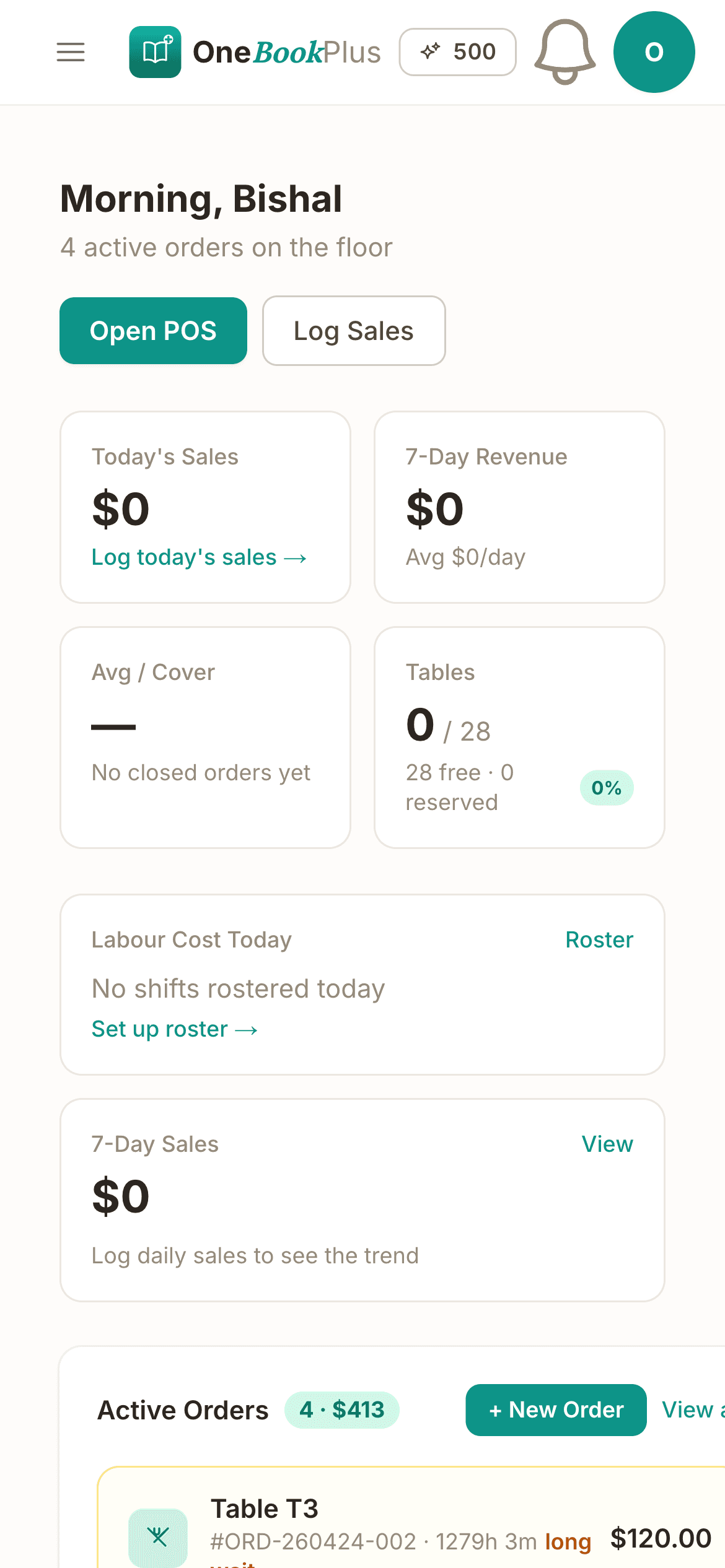
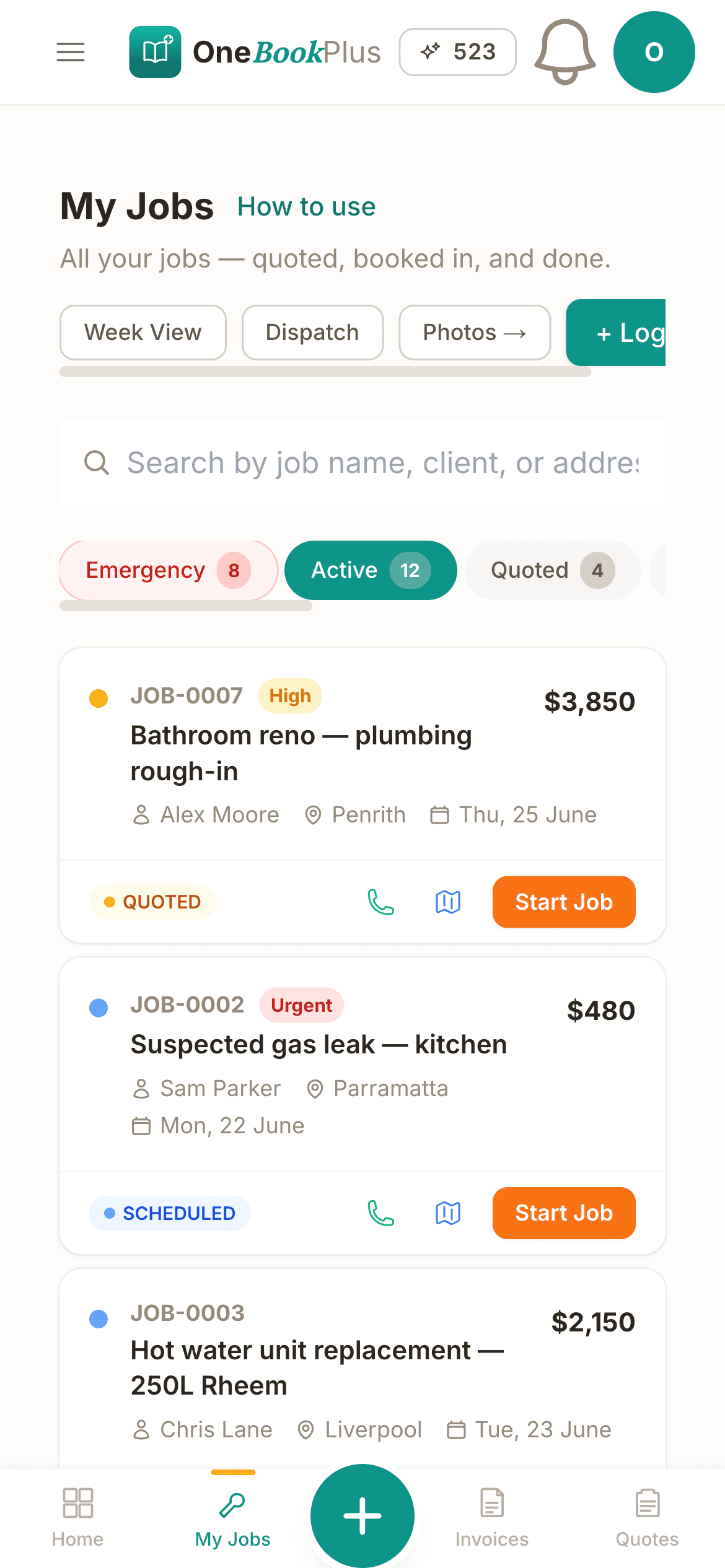
Not mockups, the real product screens for a working week of billable engagements.
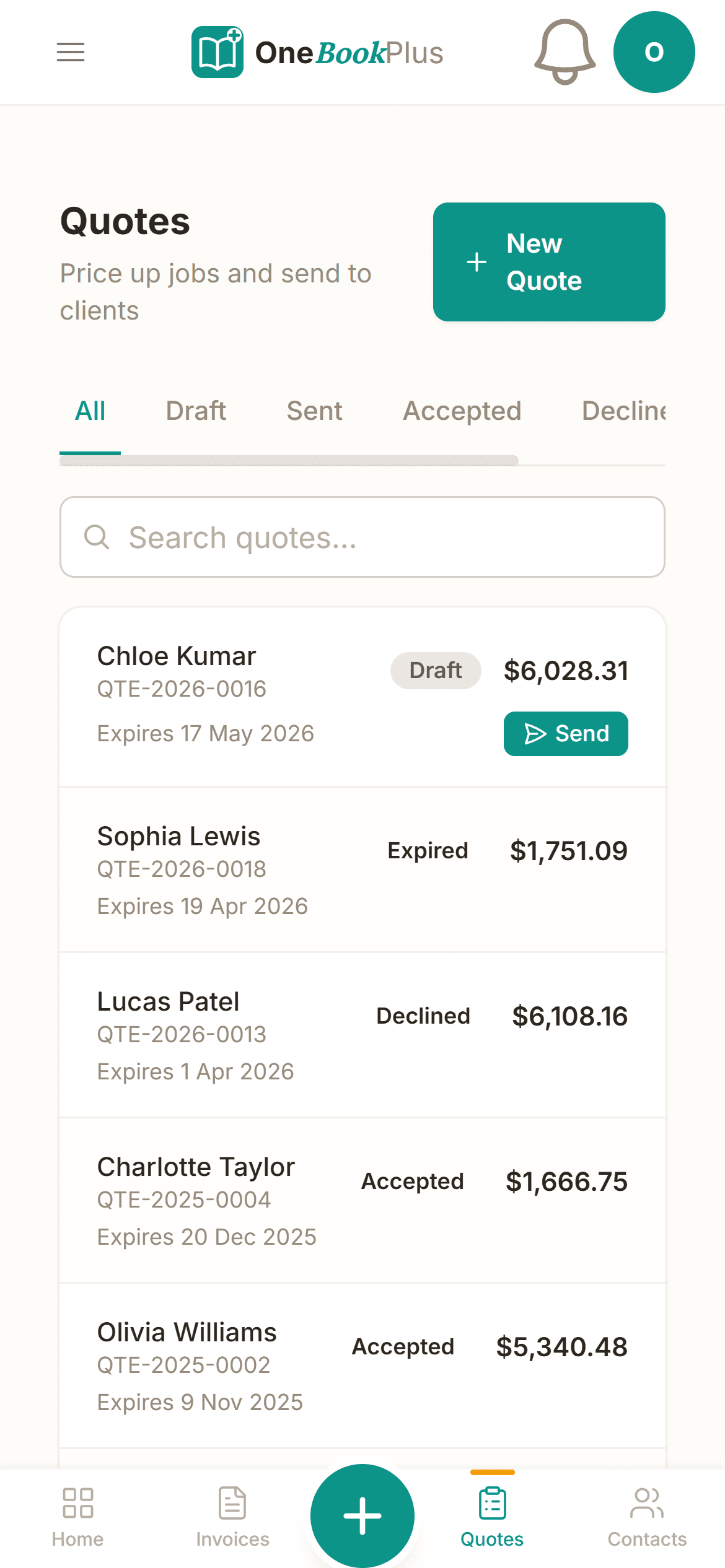
Engagement letters and SOWs your client accepts online
Reusable scope, deliverables, fee structure and out-of-scope rates. The client signs from their inbox; the version-stamped PDF lives against the contact as your defence the first time scope creep hits.
Billable utilisation & project margin on the dashboard
Realisation, utilisation per fee-earner, AR aging and margin per project, the leading indicators a principal runs the week off, not a generic ledger. Spot a budget blow-out at week two, not at month-end.
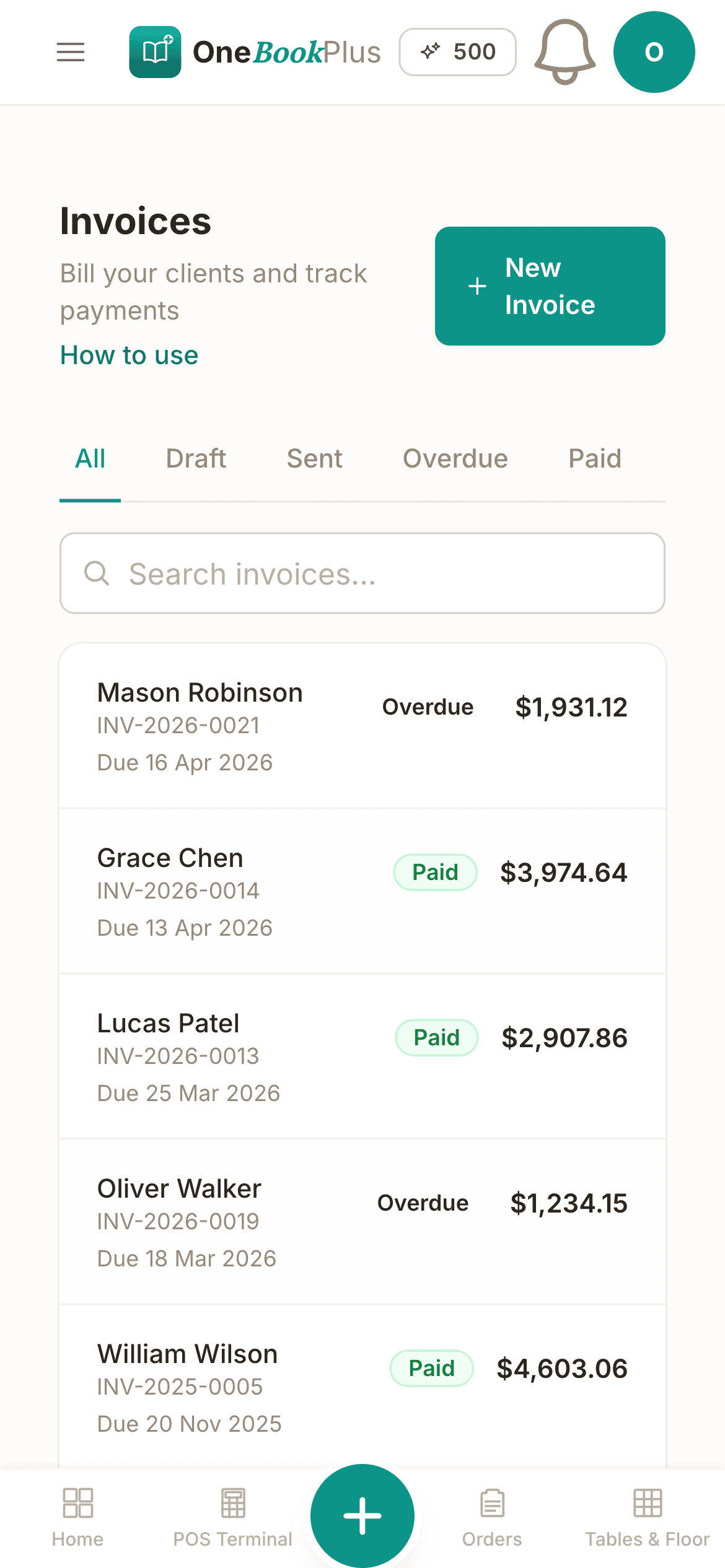
GST tax invoices with hours, milestones & disbursements
Hourly time blocks, fixed-fee milestones and retainer drawdown combine into one branded PDF with your ABN and 10% GST. Marked-up disbursements line-itemised so nothing gets written off by accident.
Simple workflow
How OneBookPlus works for professional services
From engagement letter to paid invoice in four steps, designed around a typical week for a consultant, agency, or freelancer.
Draft the engagement
Pick an SOW template, fill the scope, deliverables, fee structure, and out-of-scope rates. Send it from your phone for the client to accept online, most come back inside a day.
Track time as you work
Hit start on the timer when you open a deck, take a call, or write a brief. Tag the activity to the project. Idle prompts on mobile catch the calls you forgot to log.
Bill on your cycle
Generate invoices weekly, fortnightly, or monthly. Hourly time blocks, fixed-fee milestones, and retainer drawdowns all combine into one branded PDF with GST applied automatically.
Get paid, watch margin
Clients pay online via the invoice link. Your dashboard rolls up realisation, utilisation, and project margin so you spot a scope blow-out at week two, not at month-end.
Send a real SOW the day you sign up
Who it's for
Built for every service practice
From a solo strategy consultant to a fifteen-person creative agency. OneBookPlus adapts to how you scope, bill, and get paid.
Independent Consultant
Advisory and strategy work billed by the day or hour. Needs engagement letters accepted online, time tracking against budget, and NET14 invoices with GST and ABN on every line.
Boutique Marketing Agency
Monthly retainers plus project work for 8 to 15 clients. Needs retainer drawdown with rolling unused hours, deliverable tracking, and a change-order workflow that holds up when scope creeps.
Freelancer / Sole Trader
Design, copywriting, or development billed per project. Needs fast mobile quoting, Stripe pay links, and PAYG/BAS handled without an accountant on retainer.
Multi-Disciplinary Firm
Several fee-earners across advisory, creative, and implementation. Needs per-consultant utilisation, realisation reporting, and project margin rolled up to the principal: not buried in four tools.
What a four-tool stack costs each month
Named tools, at each vendor’s own cheapest published plan, and ours underneath. Vendor pricing changes, so check each one before you decide.
Or use OneBookPlus
$29/mo
Everything in the list above, on one bill.
Start freeNo credit card · Free forever · Cancel anytime
Example walkthrough
Thursday, advisory hours turned into invoices
An illustrative walkthrough of a typical advisory firm day
You open the dashboard first thing and the engagements are laid out: a change order awaiting client approval, a fixed-fee project part-way through its budget with a fortnight to run, and a retainer signed yesterday.
The client approves the change order from their portal with one tap. You get the notification, and the new rate flows straight into the next invoice. No emailing a fresh scope document back and forth.
Your associates open their phones and see the day's allocation: one on a fixed-fee milestone, one splitting the day across two retainer clients. Timers start when work starts and stop on a task switch, and the idle prompt catches the client call that would otherwise never have been logged.
Mid-afternoon a subscription receipt gets snapped and tagged to the client it belongs to, marked for pass-through with your admin markup, so it is itemised on the next invoice instead of quietly written off.
End of day: time is approved for the invoice run, utilisation and AR aging are on the dashboard rather than in a spreadsheet, and a draft retainer invoice is queued with GST applied. Come BAS time, the quarterly summary, GST collected, GST on expenses, PAYG instalments and contractor TPAR export in one click.
How we compare
OneBookPlus vs professional-services software
How we compare to the practice-management and accounting tools service firms typically run.
| Feature | OneBookPlus | Accelo | WorkflowMax | Xero |
|---|---|---|---|---|
| Engagement letters accepted online | Yes | No | No | No |
| Time tracking by project & client | Yes | Yes | Yes | No |
| Retainer billing with rolling hours | Yes | Yes | No | No |
| Expense pass-through & disbursements | Yes | Yes | Yes | Yes |
| Client portal & change-order approvals | Yes | Yes | No | No |
| Utilisation & realisation reporting | Yes | Yes | Yes | No |
| GST invoicing + BAS export | Yes | No | No | Yes |
| Contractor TPAR tracking | Yes | No | No | Yes |
| Free plan available | Yes | No | No | No |
| Price | From $0/mo | Subscription | Subscription | $37+/mo |
Built for Australian service firms
85%+
Target billable utilisation for senior consultants
$0
Free plan, no monthly fees to get started
Auto
Payment reminders chase overdue invoices
100%
GST, BAS, and PAYG compliant out of the box
Practice savings calculator
What does your current consultant software stack cost you?
Adjust the numbers below to match your real monthly spend. The total updates live, and so does what you'd save by replacing the lot with OneBookPlus.
Accounting (Xero, MYOB, QuickBooks)
Xero's cheapest published plan
Jobs & quotes (Accelo, WorkflowMax, Streamtime)
ServiceM8's cheapest published plan
Website + hosting (Squarespace, Wix)
Squarespace's cheapest published plan, billed monthly
Bookings (Calendly, Acuity)
Calendly publishes US$10/mo. Type what you pay in Australian dollars.
CRM (HubSpot, Pipedrive)
HubSpot publishes US$20/mo. Type what you pay in Australian dollars.
Email marketing (Mailchimp, Klaviyo)
Mailchimp publishes no ongoing price. Type what you pay.
Rows open at the cheapest plan Xero, ServiceM8 and Squarespace publish, verified 2 August 2026. Calendly and HubSpot publish in US dollars and Mailchimp publishes no ongoing rate, so those three rows open at zero for you to fill in rather than carry a converted figure.
Your current stack
$90/mo
= $1,080/year
With OneBookPlus Starter
$29/mo
Replaces everything in the list. One bill.
Free plan available · No card required · Cancel anytime
One day, written by itself, an illustrated day of an Australian consulting practice run on OneBookPlus
An illustrated day, not real customer data. Scroll through it from morning to 5pm: the AI receptionist answers and books a missed call, the work runs from the app, the GST invoice is sent on the spot, payment lands and the books balance themselves, a review invite is queued for the next daily run, and the day closes with the ledger already written.
8:00am
While you're with a client
An enquiry you'd have missed.
A retail founder needs a pricing review before July. She calls the first consultancy on Google, yours. You're mid-workshop.
AI Receptionist
Answered mid-presentation, discovery booked.
The AI answers in two rings, books a 10am discovery call and emails her a confirmation, while you're still presenting.
Discovery call
Scope prompts and your fee schedule, pre-filled.
The engagement card is ready: company notes, scope prompts, your standard rates pre-filled from your fee schedule.
Between meetings
The signed scope, invoiced without re-keying.
One tap turns the signed scope into a GST invoice with a pay link. No re-keying into another system tonight.
While you're in a workshop
Paid, and the deposit is banked.
The $2,750 engagement deposit lands by card, the books update themselves and $250.00 GST is set aside for BAS.
Reputation on autopilot
The review ask, once the review is delivered.
Two hours after payment the AI requests a review from the founder, timed to the delay you set. No chasing, no awkward ask.
The day closes itself
Two engagements run, a third signed.
You ran two engagements and signed a third. The book did the rest.
$0
collected
0
admin tasks done by AI
0
evenings lost
An illustrated day, not real customer data. AI Receptionist is a $79/mo add-on that needs AI Companion ($25/mo, included on Growth), and AI Companion is what sends the review invite as well. The rest of the day is the app itself.
Professional-services pricing
Four plans. All built for service firms.
Start free, upgrade when the billables justify it. No contracts, no setup fees, no per-seat tax that punishes you for hiring associates. Cancel any time.
Free
$0/forever
Send your first engagement letter today, no credit card.
- 10 invoices/month
- Up to 250 contacts
- Engagement letters accepted online
- Time tracking by project
- GST + ABN on every tax invoice
- Branded booking page
Starter
$29/mo
Replaces Accelo + Xero + DocuSign for a two-to-three-person firm.
- Everything in Free
- Unlimited invoices & quotes, up to 1,000 contacts
- Fixed-fee, hourly & retainer billing
- Expense pass-through & disbursements
- Stripe pay links + payment reminders
- Utilisation & project-margin reporting
- Accounting, P&L & BAS reports
- 3 team members (1 principal + 2 associates)
No card · Drops to Free if you don't upgrade
Plus
$49/mo
Outgrowing the basics, unlimited contacts & bookings, advanced reporting.
- Everything in Starter
- Unlimited contacts & bookings
- Advanced reporting & analytics
- Batch invoicing
- Budget tracking
- 5 team logins
- 10 GB website media storage
Growth
$69/mo
For agencies running 5+ fee-earners and chasing new business.
- Everything in Plus
- Client portal + change-order approvals
- Multi-user time entry & approval flow
- Per-consultant realisation reporting
- AI receipt and supplier-invoice scanning
- Contractor TPAR + PAYG-instalment tracking
- Paid add-on: Google Ads dashboard, $99/mo
- 10 team members
Prices in AUD inc. GST. Online card payments carry Stripe processing fees (1.7% + 30¢ AU cards) plus a 2.5% OneBookPlus platform fee. See the full plan comparison
Already on another tool?
Switching from Accelo, WorkflowMax, Streamtime or DocuSign?
Switching is designed to fit in a single evening. Export your clients and active projects as CSV from your current tool, import them into OneBookPlus with the bulk importer, and you're billing on the new platform before the next invoice run.
- 1Export clients + open projects CSV from Accelo / Xero (5 min)
- 2Upload via the bulk importer, contacts, rates and balances auto-map (10 min)
- 3Re-create your SOW templates, billing modes and payment terms (15 min)
- 4Cancel your old per-user subscriptions tomorrow morning, coffee in hand
Switch from
Built-in AI
Can’t get to the phone? Your AI can.
You're in back-to-back meetings, new enquiries hit voicemail and go cold before you call back.
OneBookPlus
AI Receptionist · incoming call
“I need help with my BAS, can we book a call?”
If you don't answer, the AI books it, Consultation · Wed 11:00am, and texts a confirmation.
Extend Your Toolkit
Apps for Australian service firms
Add TPAR tracking, lead-gen campaigns, the client portal and more, install in a click.
Australian Owned
Built in Melbourne, AU
GST Compliant
ATO-ready from day one
Encrypted & Isolated
TLS in transit, AES-256 at rest, tenant isolation at the database layer, read the security page
Free Plan Available
No credit card needed
Frequently asked questions
Common questions about professional services software in Australia.
What is the best software for Australian professional service firms?
For one-to-twenty-person Australian professional service firms, agencies, consultancies, sole-trader contractors, the typical stack is a practice-management tool (Accelo, Streamtime, WorkflowMax) plus accounting (Xero or MYOB) plus a contracts tool (DocuSign or PandaDoc). That is three subscriptions, most of them per user. OneBookPlus consolidates engagement letters, time tracking, project billing (fixed, hourly, retainer), expense pass-through, GST-compliant invoicing, and BAS-ready reporting into one platform from $0/month on the Free plan to $69/month on Growth.
How does engagement-letter management work in OneBookPlus?
You build SOW templates for the engagement types you sell, fixed-scope project, hourly retainer, monthly retainer with rollover, advisory-only, and the platform fills in the client, fees, deliverables, and out-of-scope rates. The client accepts it online from their phone, the accepted SOW is recorded against the contact with the time it was accepted, and every invoice you raise on that engagement cites the SOW reference. When a change request comes through, you raise a numbered change order against the original SOW and the client accepts that the same way. OneBookPlus records an online acceptance rather than a formal e-signature; if you need a witnessed, certificate-backed signature, pair a dedicated e-signature tool.
Can it handle retainer billing with rolling unused hours?
Yes. Set the monthly retainer amount, the included hours, the overage rate, and the rollover policy (cap or no cap). Each month the system drafts the invoice for the retainer fee, lists hours used against the allowance, and adds overage hours at the agreed rate. Unused hours roll into next month up to the cap. Clients see this in their portal in real time so there are no end-of-month disputes about what was covered.
Does OneBookPlus produce BAS figures for a consultancy?
Every invoice automatically calculates 10% GST, displays your ABN, and meets the ATO tax-invoice requirements. Expenses and disbursements are GST-coded as you log them. At BAS time, the quarterly summary exports as a single PDF showing GST collected, GST paid on expenses, and the net amount owed, your accountant gets it in two clicks, or you carry the figures straight into your ATO BAS. PAYG instalments and the contractor TPAR are tracked alongside so nothing comes as a surprise.
Is it suitable for solo consultants and freelancers as well as larger agencies?
Yes, the Free plan covers solo consultants and freelancers with 10 invoices a month, time tracking, and a contacts list to get started. As you bring on associates or grow into a small agency, the Starter plan ($29/mo) unlocks unlimited invoices and quotes, and the Plus and Growth plans add multi-user time entry, per-consultant utilisation reporting, retainer management, and the client portal. Growth covers up to 10 team members, which carries most boutique agencies.
About the author

Bishal Shrestha
Founder & CEO, OneBookPlus
Bishal spent a decade running digital projects for Australian small businesses before founding OneBookPlus. He writes and maintains these pages, and publishes what OneBookPlus does not do alongside what it does.
Read the founder bioHow this page was researched
The compliance and licensing statements above are taken from the bodies this page links to, including the ATO, the Fair Work Ombudsman and the ACCC, so you can read the rule rather than take our word for it. Plan prices come from the OneBookPlus price registry, so the page and the checkout cannot disagree. Everything said about OneBookPlus describes what the product does today, and the page says so where it does not do something.
How OneBookPlus works for professional service firms
If you run a small Australian agency, a boutique consultancy, or a solo advisory practice, you already know how the tool stack creeps. Accelo or WorkflowMax for practice management. Xero for accounting. DocuSign or PandaDoc for engagement letters. HubSpot or Pipedrive for the client pipeline. Maybe Toggl or Harvest for time. None of them talk properly, the per-user pricing stacks up faster than billables, and somehow you still end up updating a spreadsheet to work out which client is profitable. OneBookPlus replaces that lot with one app designed around the way professional service firms actually earn, engagement, scope, time, invoice, cash.
The platform covers the full lifecycle from first contact through paid invoice. A prospect comes in via your booking page, an inbound email, or a referral. You add them to the CRM, qualify the engagement, and draft the SOW from a template you have already tuned, fee structure, deliverables, payment terms, out-of-scope rates. The client accepts it on their phone in under a day; the accepted SOW lives against the contact, version-stamped with the time it was accepted. From there the engagement converts to a project with a budget, an assigned consultant or team, and a billing cycle. Your team tracks time against the project from the phone or desktop. At the end of each cycle the invoice is generated automatically, hourly time blocks itemised, fixed-fee milestones applied, retainer drawdown shown, with 10% GST applied and your ABN on every line. Clients pay online via the invoice link. The dashboard rolls up realisation, utilisation, AR aging, and margin per project so the principal is never guessing.
Your daily workflow
Picture a typical Wednesday at a four-person Sydney consultancy. The principal opens OneBookPlus at 7:30am over a coffee, three active engagements visible on the dashboard, one with a change order awaiting client approval, one at 78% of budget with two weeks left, one freshly signed. The change-order client approves it in their portal at 9:12am with one tap; the principal gets a push notification and the new rate flows through to the next invoice automatically. The two associates open their phones and see the day's allocation, Associate A is on the strategy piece for Client A, billed at $280/hour against a fixed-fee milestone. Associate B is splitting the day between two retainer clients. Both hit start on the timer when they open a deck and stop when they switch tasks. Idle prompts on the phone catch the calls they would otherwise have forgotten to log. By 4pm the principal reviews the day's logged time, approves it for next week's invoice run, and books two intro calls with new prospects. At 5pm the dashboard shows the firm is on track for 84% utilisation this week, AR aging is down to 28 days, and one expense receipt, a $340 user-research subscription, is queued for client pass-through with a 10% admin markup. No spreadsheet open.
Accounting & BAS
When a client pays an invoice online, the payment clears against that invoice for you, no manual reconciliation, no opening Xero on a different tab. Expenses sit alongside, GST-coded as you tag them and matched to projects for either at-cost pass-through or marked-up disbursement: drag in the PDF or photograph the receipt and the supplier, date, GST and total are read off it. Subcontractor payments are tracked against the TPAR you will need to lodge with the ATO each August. Software subscriptions, travel, professional development, all categorised against revenue so you can see real margin per project, per client, and per consultant, not just what you invoiced. When BAS time arrives, the quarterly summary exports as a single PDF, GST collected, GST paid on expenses, PAYG instalments, and your accountant has what they need in two clicks. Many sole-trader consultants and freelancers carry those figures straight into their ATO BAS lodgement.
Getting started
Sign up in under a minute, no credit card required. Add your ABN, upload your firm logo, set your default payment terms (NET14 is standard for boutique advisory; NET30 for retainer agencies), and pick or customise an engagement-letter template. Import your client list from a CSV, Xero export, or HubSpot export. Most consultants send their first engagement letter within fifteen minutes of signing up and have a signed SOW back inside a day. The free plan covers solo operators with 10 invoices a month, 5 quotes, engagement letters, time tracking, and up to 250 contacts, enough to try it on real engagements before committing. When you are ready for multi-user time tracking, retainer management and the client portal, upgrade to Growth at$69/month, still a fraction of what Accelo + Xero + DocuSign + a CRM would cost for the same firm, with the same data in one place instead of four.
Stop paying for four tools. Run the practice from one.
Join Australian consultants, agencies, and freelancers running engagement letters, time billing, and GST invoicing in one place. Free to start, upgrade when you are ready.
Get started freeReviewed by Bishal Shrestha
Authoritative sources
Where the regulatory, tax, and contracting facts on this page come from
Australian professional service firms operate under ATO tax-invoice, GST, PAYG and TPAR rules, Personal Services Income (PSI) tests, Australian Consumer Law, and, for most advisors, Professional Indemnity cover. We cite the primary bodies for the claims on this page so you can verify directly.
- ATO, Tax invoices (GST requirements) , What a valid tax invoice must show, including ABN and 10% GST.
- ATO, Taxable Payments Annual Report (TPAR) , Contractor-payment reporting that service firms lodge each August.
- ATO, Personal Services Income (PSI) , PSI rules that affect solo consultants and contractors operating through a company or trust.
- ASIC, Registering a business name , Business-name and company registration for service firms.
- ACCC, Consumer guarantees on services , Australian Consumer Law guarantees that apply to professional services.
- Professional Employees Award 2020 (MA000065) , Modern award covering professional staff at consulting and advisory firms.
From the blog
Related reading for professional services
Practical guides and explainers from the OneBookPlus blog, grouped by topic.
The Australian Small Business Cash Flow & Late Payments Report 2026
In the March quarter 2026, Australian small businesses waited an average of 24.1 days to be paid and were paid 6.9 days late (Xero Small Business Insights). This fully-sourced report aggregates the latest getting-paid, cash-flow, insolvency and payments-reform figures from Xero, the Payment Times Reporting Regulator, the RBA, ASBFEO, the ABS, CommBank-UNSW and CreditorWatch into one extractable resource.
27 min readRead articleThe True Cost of Running Software for an Australian Small Business in 2026
A data-led analysis of what Australian small businesses actually pay for software in 2026, based on verified pricing from Xero, MYOB, ServiceM8, Stripe, Cliniko, Shopify and 30+ other platforms, cross-checked with ABS, ASBFEO, RBA and Xero Small Business Insights data.
25 min readRead article
Features
Comparisons
Tools & Apps