Mobile mechanic software that quotes on the driveway and invoices before you pack up
Get paid on the spot, not next week.
On-site jobs, kerbside quotes, GST invoicing, VIN-keyed vehicle records and card payments, all from your phone, built around the vehicle and the way a mobile mechanic works. All-in-one for $0 to $69/mo, replaces a job app + Xero + your booking tool.
Free plan, no card needed. GST and ABN on every invoice, and a Stripe Pay Now link the customer taps on their own phone.
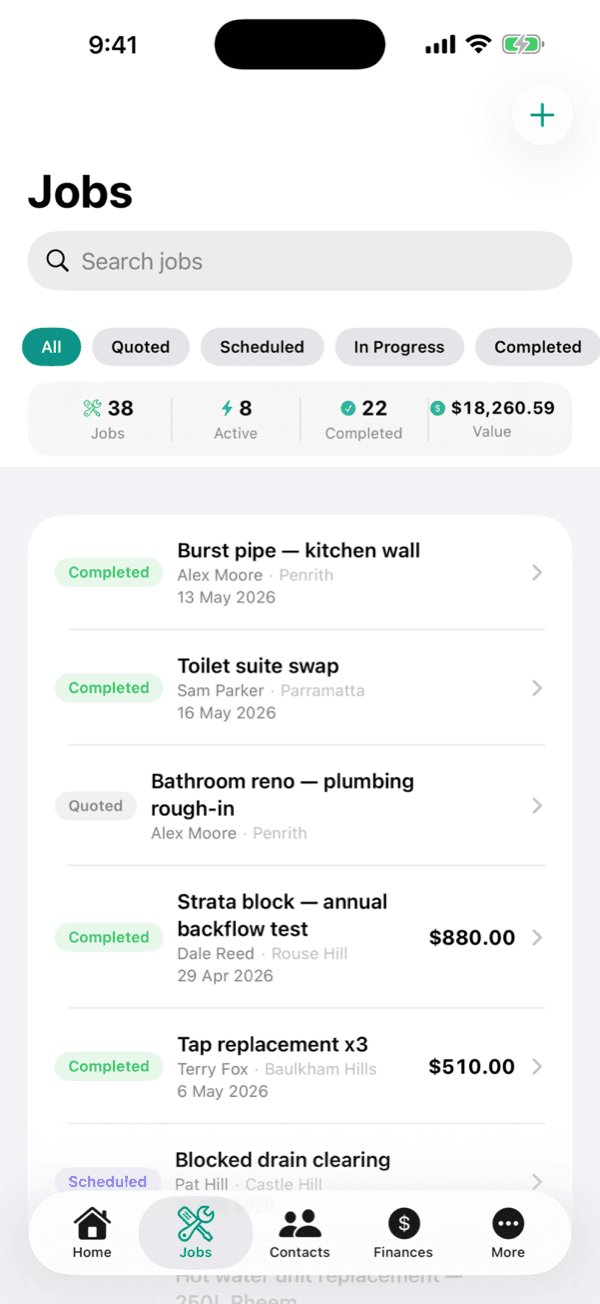
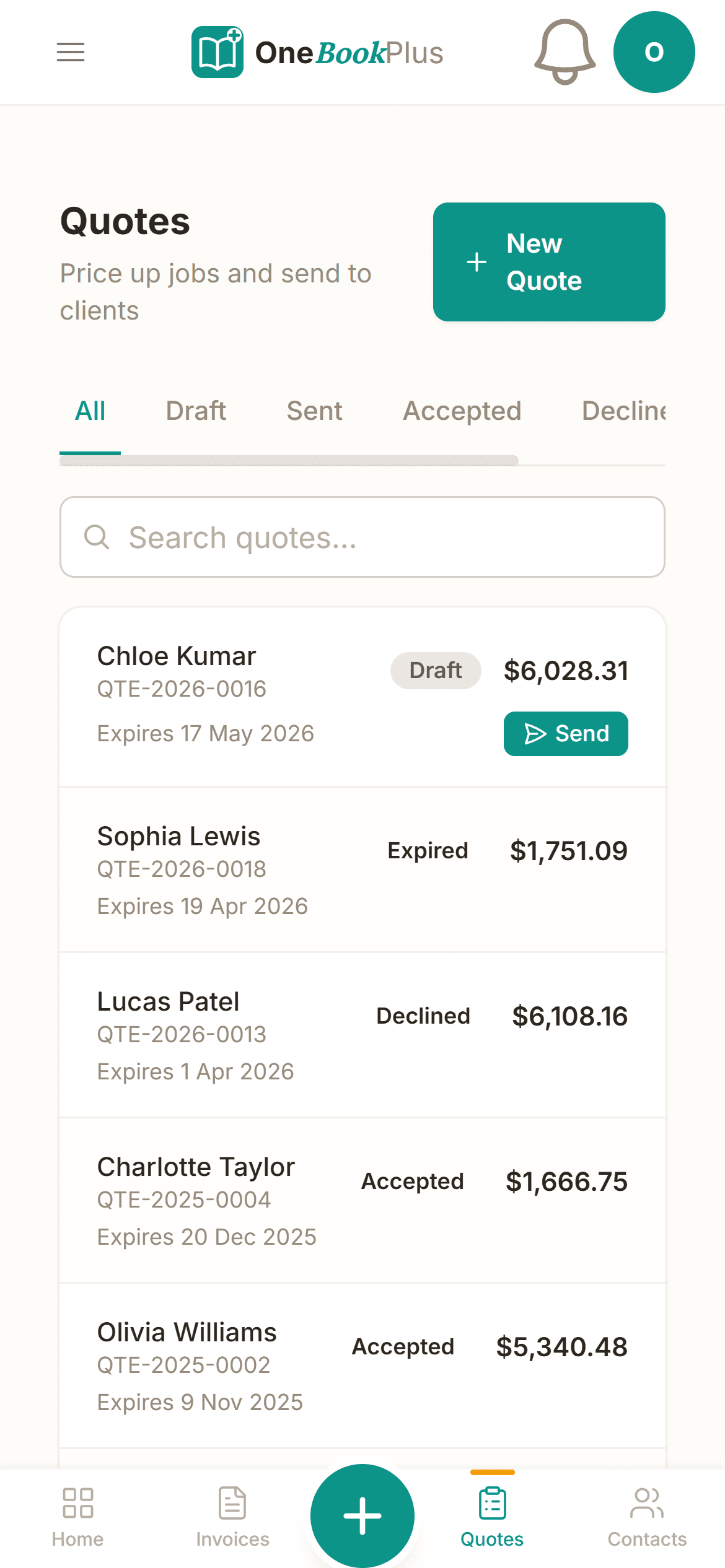
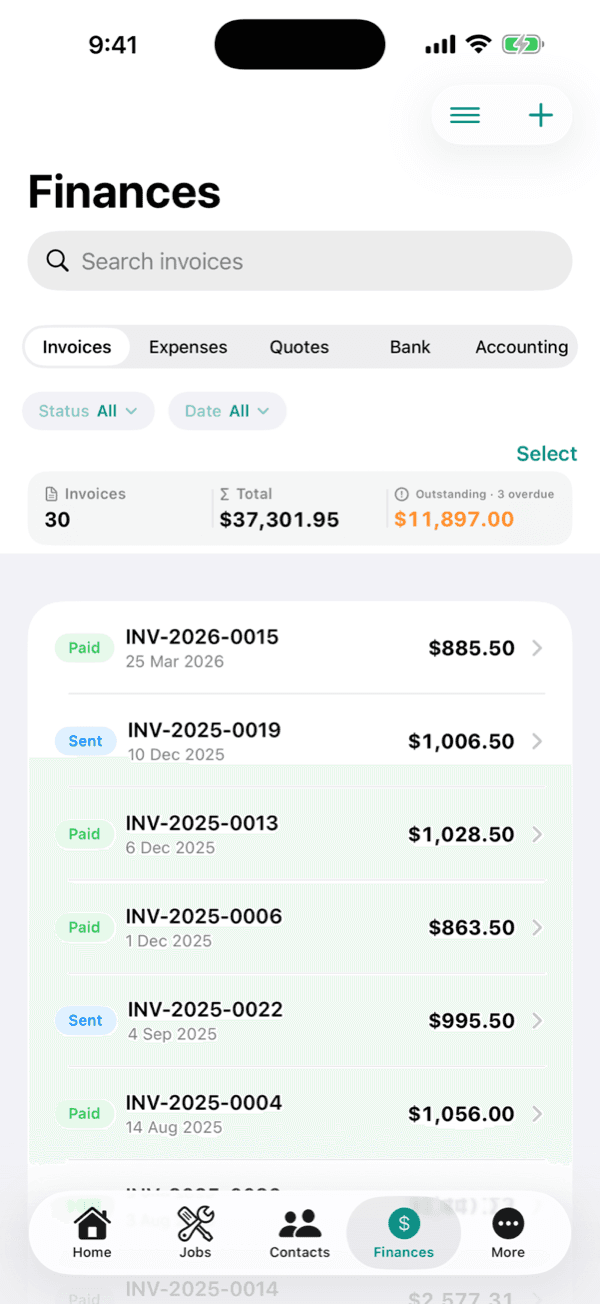
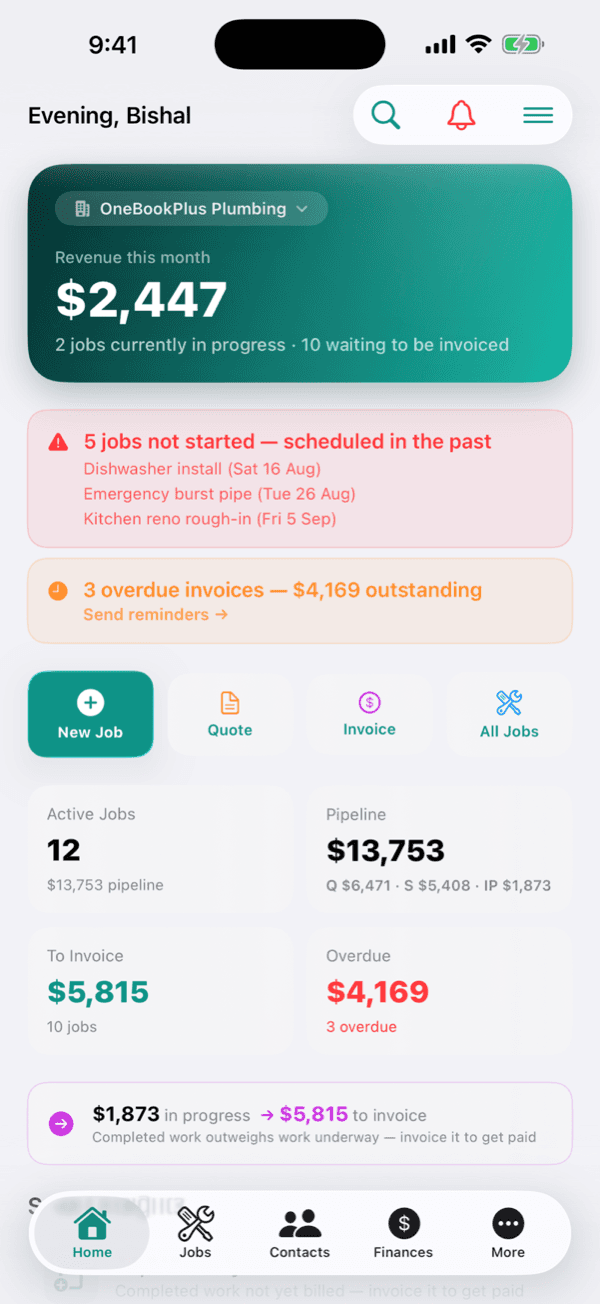
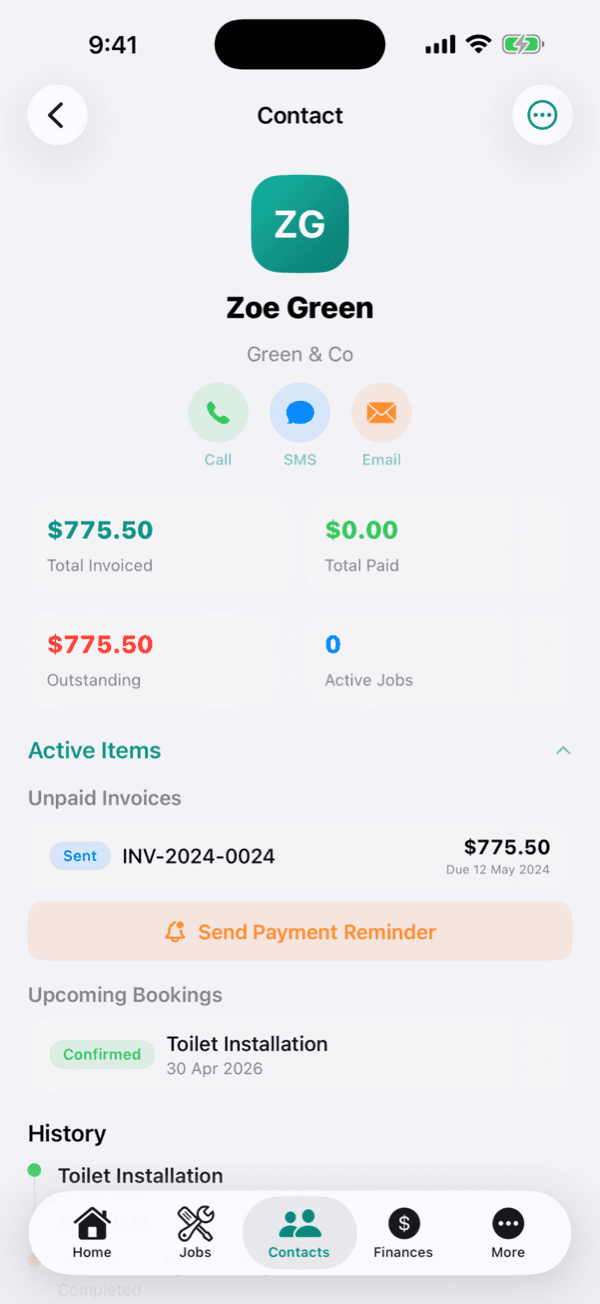
Cut $80+/mo from your software stack by replacing a job app + Xero + a booking tool with OneBookPlus.
See your savingsFree Tools & Resources
Reference material for mobile mechanics and sole operators
Start an Auto Business
8-step founder guide, ABN, GST, MTA registration, workshop fit-out, insurance, pricing, finding fleet clients.
InteractiveWorkshop Labour Rate Calculator
Interactive estimator combining hourly rate, parts markup, sublet, EPA disposal fees, and GST.
ReferenceMotor Trade Licence by State
VIC LMCT, NSW MD/MR, QLD MD licence, SA, WA, state-by-state thresholds and regulators.
Operator GuideVehicle Repair Award (MA000089)
Plain-English MA000089, Stream A/B/C classifications, tool allowance, fares, RDOs.
ReferenceWorkshop Insurance Guide
PL, workers comp, tools, vehicle, professional indemnity, customer-vehicle cover, premium ranges.
Free ToolFree VIN Check & Decoder
Validate any 17-character VIN and decode make, model, engine and safety equipment, no signup.
Free ToolService Due Calculator
When the next service falls due by manufacturer schedule, from current KMs and last service.
Free ToolRego Cost Calculator
Annual registration cost including CTP for every Australian state and territory.
Free ToolRoadworthy / Pink-slip Cost
VIC RWC, NSW eSafety pink slip, QLD Safety Certificate and other state inspection costs.
Free ToolCar Running Cost Calculator
True annual cost of a car from kilometres, fuel, rego, insurance and servicing.
Key takeaways
5- OneBookPlus is mobile mechanic software for Australian sole operators and small mobile teams, on-site jobs, kerbside quotes, GST invoicing, VIN-keyed vehicle records and on-the-spot payment in one app from $0/mo (Free), $29/mo (Starter) or $69/mo (Growth, billed in AUD).
- Built for the van workflow, not a fixed workshop: there are no bays to schedule. Your day is a route of callouts, every job ties to a customer's vehicle, and quote-to-invoice happens on the driveway before you leave.
Show 3 moreShow less
- Payment happens at the kerb through the Stripe Pay Now link on the invoice, which the customer taps on their own phone, so you're paid on the spot rather than chasing a bank transfer next week. Taking the card on your own phone with Tap to Pay is built but switched off in the public app until Apple grants the distribution entitlement.
- Every invoice and quote carries your ABN and 10% GST automatically (GST applies once you're registered for GST). Decode a VIN with the free VIN tools to auto-fill make, model, year and engine and quote the right parts the first time.
- Roadworthy and statutory safety inspections can generally only be issued by a licensed tester or accredited inspection station. OneBookPlus stores digital condition-report checklists and any certificates you're licensed to issue, but it won't make you a tester. Always follow your state regulator's rules.
Built for how mobile mechanics work
No bays, no front desk, no office paperwork at 9pm. Your van, your phone and the vehicle in front of you, which is what OneBookPlus is built around.
On-site jobs from your van
Log every roadside callout and driveway service against the customer and their vehicle, fault notes, photos, parts and labour. Update the job from your phone while your hands are still greasy, no office trip later.
Quote on the driveway
Build an itemised quote at the kerb, labour, parts and a callout fee with GST calculated automatically. The customer reviews it on their phone and taps Accept, so you start the job knowing you'll be paid.
Invoice before you pack up
Convert the accepted quote to a GST-compliant invoice with one tap, your ABN, 10% GST, labour and parts itemised. Send it before you close the van doors, and the service log writes back to the vehicle automatically.
Take payment on the spot
Customers pay from the invoice link by card or bank transfer before you leave, so you are not waiting for a bank deposit next week. Tapping the card on the phone itself is not live: Tap to Pay on iPhone is built but stays switched off in the public app until Apple grants the distribution entitlement.
VIN-keyed vehicle records
Every car you've worked on, indexed by rego and VIN with the full service history attached. Decode a VIN to auto-fill make, model, year and engine so you quote the right parts the first time, no wrong-model guesses on a stranger's driveway.
Day schedule and route order
See your whole day of callouts in order, suburb, vehicle and what's booked. Block out travel time between jobs, keep the addresses in front of you, and stop double-booking yourself across opposite ends of the city.
Service and rego reminders
Flag each vehicle's next service by date or kilometres, and store the rego expiry. Automated SMS and email nudge the customer when they're due, so they book you again instead of drifting to the nearest workshop.
GST and BAS ready
Every invoice carries your ABN and calculates 10% GST automatically on labour and parts. Log fuel, parts from Repco or Bursons, and van running costs as expenses. At BAS time your GST summary exports in one click.
Free plan available, no card needed.
Decode the VIN before you quote the parts
Standing on a stranger's driveway with a car you've never seen? Pull up these free tools on your phone to confirm exactly what you're working on, then quote the right parts the first time.
Free booking page included
Your mobile mechanic business gets a booking page. Free.
Stop paying a website subscription you do not need, and skip the up-front designer quote. Every OneBookPlus mobile mechanic gets a branded booking page on the free plan. Want it on your own domain like a proper business website? The Website Builder app is $29/mo and we host it for you.
your-business.onebookplus.com.auoronebookplus.com.au/book/your-businessyourbusiness.com.au: your own branded domain, hosted by us24/7 emergency callout booking
Customers book a won't-start callout at 6am while you sleep. The job lands in your day-schedule with their address and vehicle, ready to route into your morning.
Branded with your colours, logo & licence
Brand color picker in settings. Logo upload. Trade licence number shown on every page so customers know you're legit.
Show service prices upfront
Mobile logbook service from $220. Battery replacement on-site from $180. Customers see prices before booking, kills the price-shopping phone calls.
Mobile-first: looks great on phones
Your booking page is built mobile-first, so a customer searching on a phone can book without pinching to zoom.
Bring your own domain: we host the site
Already own yourbusiness.com.au? Add the Website Builder app ($29/mo) and point your domain at the site we host for you, through a guided DNS and SSL wizard. We don't sell domains, keep yours wherever you registered it.
Local SEO baked in
Schema.org markup for mobile mechanic services + suburbs you cover. Google finds you for 'mobile mechanic in [suburb]' searches.
Mobile mechanics website cost, typical
What mobile mechanics pay for a website
- From $24/mo
Website builder
Squarespace's cheapest plan billed monthly, verified 2 August 2026. Wix publishes no fixed Australian rate.
- $15 to $40/mo
Web hosting + SSL
Bundled in builders; separate if custom site
- $1,500 to $3,000
Designer (one-off)
Only if you want a custom-built site
- From US$10/mo
Bookings on Calendly
Per seat, billed in US dollars, verified 2 August 2026. Separate from your website.
Typical recurring total
~$39 to $64/mo
+ US$10/mo per seat if you add Calendly for bookings, billed in US dollars, and $1,500 to $3,000 up-front if you hire a designer
With OneBookPlus
Included on every plan
- Branded booking page, free plan
- Hosting + SSL, free plan
- 24/7 customer self-booking, free plan
- Connect your own domain with the Website Builder app, +$29/mo (BYO)
Your total
$0 to $29/mo
See it in action
What the job looks like on the bay floor.
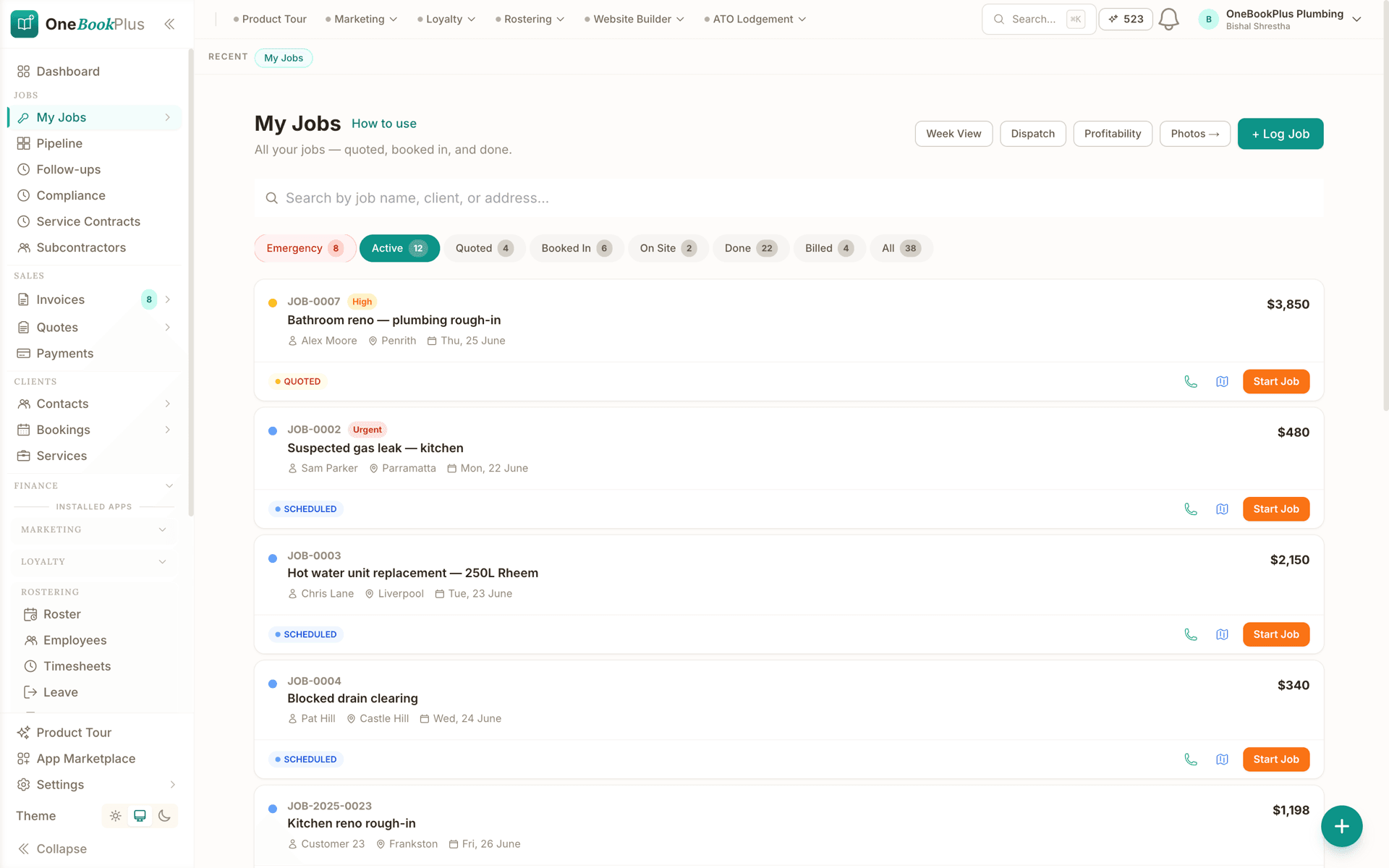
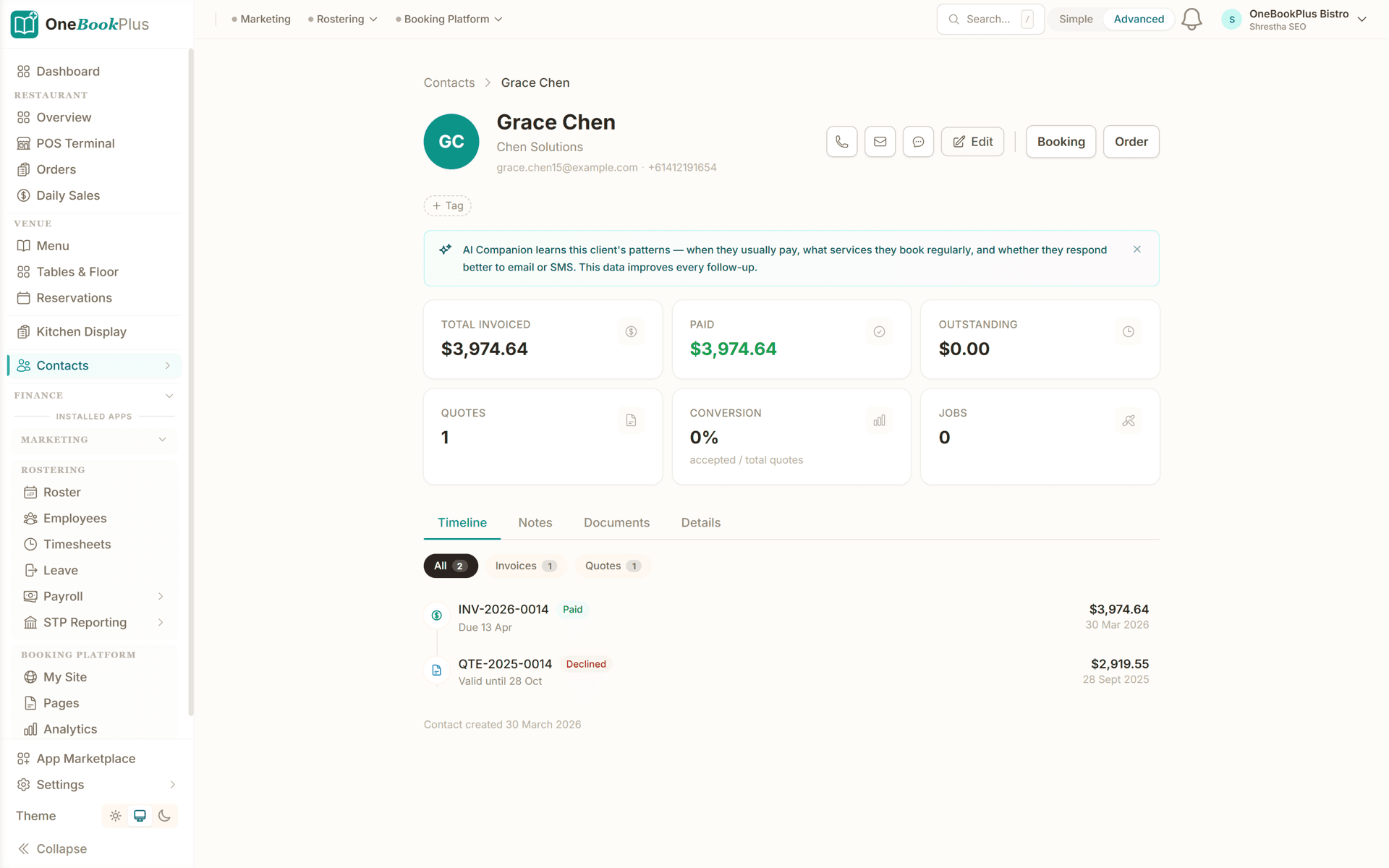
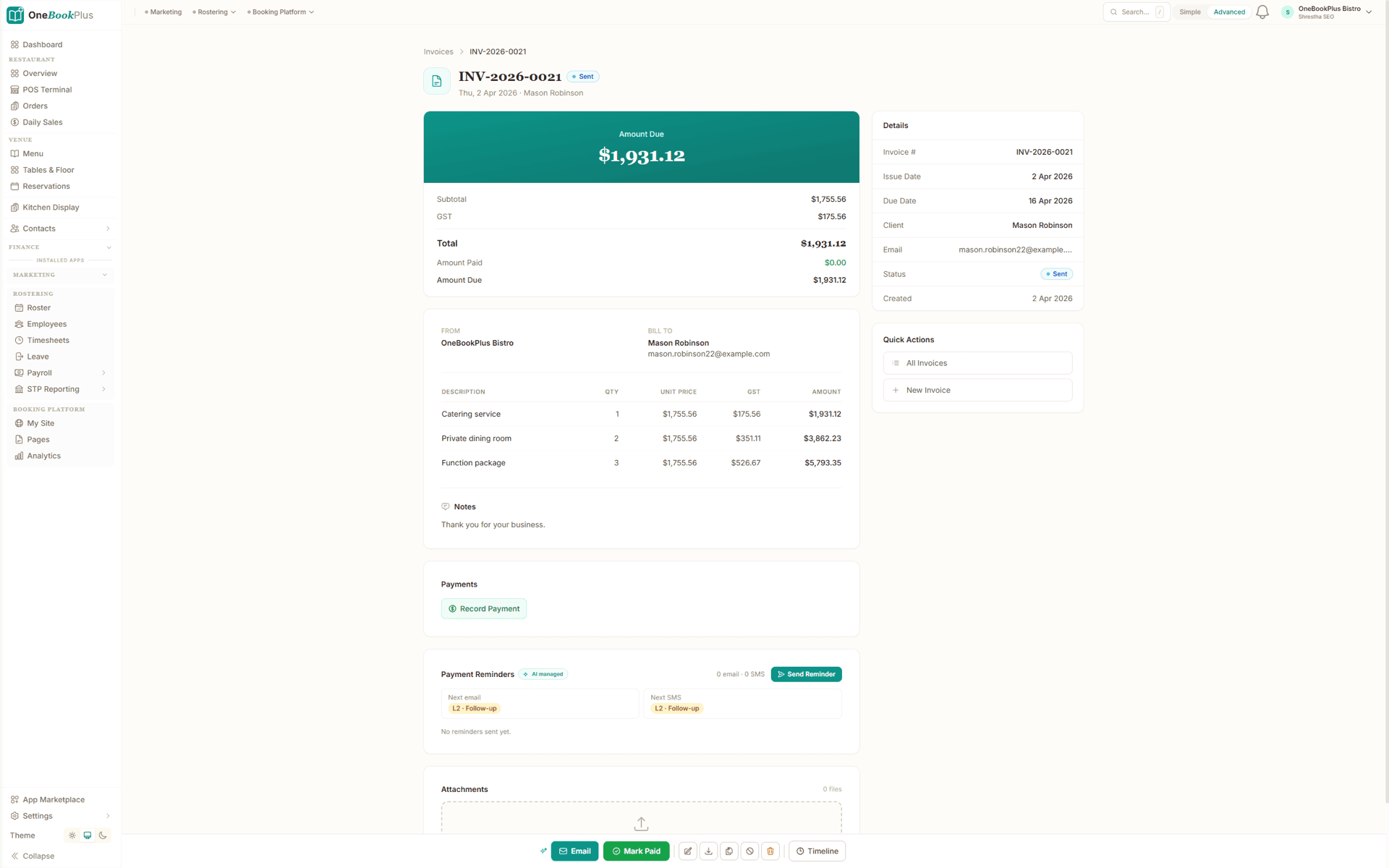
These are real product screens: the job list, the quote and the invoice you'll run from the van. Tap any screen to zoom in.
Workshop job board
The OneBookPlus job pipeline: every car moves lane to lane from booked in to ready for pickup, so the whole workshop sees what's on the hoists at a glance.
Every customer's history
The customer record: contact details, jobs, invoices and notes on one screen, with their vehicles and service history linked by rego and VIN.
GST invoice, Pay Now link
Labour, parts and sublet itemised with your ABN and 10% GST: branded PDF with a Stripe Pay Now link.
From the booking to a paid invoice in four steps
Built around a day on the road, from the callout that lands overnight to the card payment you take at the kerb.
Take the booking
A customer books a callout through your free booking page or you log the call. Their address, vehicle and the symptom land in your day-schedule: no scrap of paper on the dash.
Quote at the kerb
On arrival, scan or enter the VIN, diagnose the fault and build a quote on your phone: labour, parts and a callout fee with GST included. The customer taps Accept before you lift the bonnet.
Do the work, log it
Complete the service, snap photos, log the parts you fitted and any extras the customer approved by SMS. Everything attaches to the vehicle record for next time.
Invoice & get paid
Convert the quote to a GST invoice with one tap and take payment on the spot: the customer taps the Stripe Pay Now link on their own phone, or pays by bank transfer. Drive to the next job already paid.
Send a real quote the day you sign up
Who it's for
Who uses OneBookPlus
A one-van sole trader, a breakdown specialist and a three-van mobile team run very different days. Here is what each one uses.
Sole-trader mobile mechanic
One van, callouts across the suburbs, quoting and invoicing from the driveway. Needs fast mobile quote-to-invoice, on-the-spot payment, and a vehicle history per customer.
Roadside and breakdown specialist
Won't-starts, batteries, alternators, on-site diagnostics. Needs a tight day-schedule, instant quotes with callout fees, and card payment in the field.
Mobile logbook and servicing
Scheduled logbook services and brakes at the customer's home or work. Needs service-due reminders by date and kilometres, and parts logged against each vehicle.
Small mobile team
Two or three vans covering a metro area. Needs jobs assigned per tech, shared customer-vehicle records, and revenue tracked across the team.
What a five-tool stack costs each month
Named tools, at each vendor’s own cheapest published plan, and ours underneath. Vendor pricing changes, so check each one before you decide.
Or use OneBookPlus
$29/mo
Everything in the list above, on one bill.
Start freeNo credit card · Free forever · Cancel anytime
Example walkthrough
Wednesday in the van, four driveways
An illustrative walkthrough of a typical one-van day
A won't-start callout came in overnight through your booking page, so it is already first on the day schedule with the address, the rego and what the customer described.
On arrival you scan or enter the VIN to fill in make, model, year and engine, diagnose a flat battery and a tired alternator, and build an itemised quote on your phone: labour, the part and the callout fee, with GST calculated on each line. The customer taps Accept on their own phone before you lift the bonnet, so you start the job knowing the scope and the price are agreed.
Mid-job you find a perished serpentine belt. Instead of a verbal nod you send a photo, a price and a scope by SMS, the customer replies, and the approved extra rolls onto the same job. When the work is done the accepted quote converts to a GST invoice with your ABN, and the customer taps the Pay Now link on their own phone before you are back in the van.
The afternoon is a logbook service and a brake job in two different suburbs, with travel blocked out between them so the day does not overbook itself. The service log writes back to each vehicle, so the next call about either car starts from the record rather than memory.
By the end of the day the parts are logged against the vehicles they went into, the reminders for customers coming due are queued, and the GST from the day's invoices is already sitting in the BAS summary.
How we compare
OneBookPlus vs mobile mechanic software
See how we compare to the tools mobile mechanics typically piece together.
| Feature | OneBookPlus | Xero | Tradify | ServiceM8 |
|---|---|---|---|---|
| GST invoicing | Yes | Yes | Yes | Yes |
| Quote on-site with accept link | Yes | No | Yes | Yes |
| VIN-keyed vehicle history | Yes | No | No | No |
| Card taken on your phone (Tap to Pay) | No | No | Yes | Yes |
| Day-schedule & route order | Yes | No | Yes | Yes |
| Service & rego reminders | Yes | No | No | No |
| Online booking page | Yes | No | No | No |
| Accounting & BAS reports | Yes | Yes | No | No |
| Large third-party add-on marketplace | No | Yes | No | Yes |
| Free plan available | Yes | No | No | No |
| Price | From $0/mo | $37+/mo | $48+/mo | $29+/mo |
Mobile mechanic savings calculator
What does your current mobile mechanic software stack cost you?
Adjust the numbers below to match your real monthly spend. The total updates live, and so does what you'd save by replacing the lot with OneBookPlus.
Accounting (Xero, MYOB, QuickBooks)
Xero's cheapest published plan
Jobs & quotes (Tradify, ServiceM8, Fergus)
ServiceM8's cheapest published plan
Website + hosting (Squarespace, Wix)
Squarespace's cheapest published plan, billed monthly
Bookings (Calendly, Acuity)
Calendly publishes US$10/mo. Type what you pay in Australian dollars.
CRM (HubSpot, Pipedrive)
HubSpot publishes US$20/mo. Type what you pay in Australian dollars.
Email marketing (Mailchimp, Klaviyo)
Mailchimp publishes no ongoing price. Type what you pay.
Rows open at the cheapest plan Xero, ServiceM8 and Squarespace publish, verified 2 August 2026. Calendly and HubSpot publish in US dollars and Mailchimp publishes no ongoing rate, so those three rows open at zero for you to fill in rather than carry a converted figure.
Your current stack
$90/mo
= $1,080/year
With OneBookPlus Starter
$29/mo
Replaces everything in the list. One bill.
Free plan available · No card required · Cancel anytime
Four plans, all built for the road
Start free, upgrade when the job volume justifies it. No contracts, no setup fees, no per-user tax. Cancel any time.
Free
$0/forever
Quote your first driveway callout today, no credit card.
- 10 invoices/month
- 5 quotes/month
- Branded booking page
- GST + ABN built-in
- VIN-keyed vehicle records
- Mobile app (quote + invoice in the van)
Starter
$29/mo
Replaces Xero + Tradify + Calendly + your website builder.
- Everything in Free
- Unlimited invoices, quotes & jobs
- Stripe Pay Now link on every invoice
- Custom invoice branding + ABN
- Payment reminders + recurring invoices
- Service & rego reminder SMS
- Accounting, P&L & BAS reports
- 3 team members (1 owner + 2 techs)
No card, drops to Free if you don't upgrade
Plus
$49/mo
Outgrowing the basics, unlimited contacts & bookings, advanced reporting.
- Everything in Starter
- Unlimited contacts & bookings
- Advanced reporting & analytics
- Batch invoicing
- Budget tracking
- 5 team logins
- 10 GB website media storage
Growth
$69/mo
For mobile teams running 3+ vans with marketing on the side.
- Everything in Plus
- Unlimited contacts + bookings
- Paid add-on: Google Ads dashboard, $99/mo
- AI ad copywriting + auto-bidding
- SMS marketing to your customer list
- Reputation Engine (auto Google reviews)
- AI receipt and supplier-invoice scanning
- 10 team members
Prices in AUD inc. GST. Online card payments carry Stripe processing fees (1.7% + 30¢ AU cards) plus a 2.5% OneBookPlus platform fee. Read the full plan comparison
Switching from Tradify, ServiceM8, Fergus or a spreadsheet?
Switching is designed to fit in a single evening. Export your customers and jobs as CSV from your current tool, import them into OneBookPlus with the bulk importer, and you're quoting from the van the next morning.
- 1Export contacts + jobs CSV from your current tool (5 min)
- 2Upload via the OneBookPlus bulk importer, auto-maps columns (10 min)
- 3Set up your services, callout fees and price book (15 min)
- 4Cancel your old subscriptions tomorrow morning
Switch from
Built-in AI
Can’t get to the phone? Your AI can.
You're under a bonnet or mid-repair, you can't drop the tools for every call, and a missed call is a booking that drives off.
OneBookPlus
AI Receptionist · incoming call
“Car's grinding when I brake, can you look today?”
If you don't answer, the AI books it, Brake inspection · today 3:30pm, and texts a confirmation.
Extend Your Toolkit
Apps for Mobile Mechanics
Add advertising, tax lodgement, booking pages, and more to grow your mobile mechanic business.
Australian Owned
Built in Melbourne, AU
GST Compliant
ATO-ready from day one
Encrypted & Isolated
TLS in transit, AES-256 at rest, tenant isolation at the database layer, read the security page
Free Plan Available
No credit card needed
Questions mobile mechanics ask
Common questions about mobile mechanic software, invoicing and payments in Australia.
How does OneBookPlus compare to Tradify, ServiceM8 and Fergus for mobile mechanics?
Tradify, ServiceM8 and Fergus are capable field-service apps with longer track records and, in ServiceM8's case, a bigger add-on marketplace than ours. Where they differ from OneBookPlus is what a job is: to a general field-service app a car is another job line, so the vehicle history lives in your head or in the job notes, and you still add Xero for accounting and something else for a booking page. OneBookPlus is built around the vehicle and the mobile workflow, with VIN-keyed service history, kerbside quote-to-invoice, on-the-spot payment and accounting on the same data, from $0/month. Compare the all-in monthly cost rather than the job-app price alone, and pick on whether you want vehicle records or generic job cards.
Is OneBookPlus free for mobile mechanics?
Yes. The free plan includes 10 invoices and 5 quotes a month and up to 250 contacts, which is enough to run a sole-trader van while you are getting started. You also get a branded booking page, GST and ABN on every invoice, and the mobile app for quoting and invoicing at the kerb. Starter at $29/month lifts the invoice and quote caps and adds Stripe payments on the invoice, and you move up when the job volume justifies it.
Can I quote and invoice from my phone on the driveway?
Yes, that is exactly what OneBookPlus is built for. Open the app at the kerb, enter or scan the VIN to auto-fill the vehicle details, build an itemised quote with labour, parts and a callout fee, and the customer taps Accept on their own phone. When the job's done, convert the quote to a GST-compliant invoice with one tap and send it before you leave. Everything works on your phone, and the customer pays the invoice by card on theirs.
How do mobile mechanic customers pay on the spot?
Customers pay straight from the invoice link by card or bank transfer, on their own phone at the kerb. Tapping their card on your phone is not live: Tap to Pay on iPhone is built but stays switched off in the public app until Apple grants the distribution entitlement, so take the card on whatever terminal you already carry if you want it card-present. Card payments through the link are processed by Stripe (processing fees and a 2.5% OneBookPlus platform fee apply), and payments made through the pay link reconcile back against the invoice automatically, so you're not chasing the money next week.
Does mobile mechanic invoicing software handle GST automatically?
Yes. Every quote and invoice automatically calculates 10% GST and displays your ABN, meeting ATO tax-invoice requirements. Labour, parts and callout fees are itemised separately. At BAS time you export a GST summary, GST collected on invoices and GST credits on parts and expenses, in one click to hand to your accountant. Note that you only charge GST if your business is registered for GST (required once turnover reaches the ATO threshold; optional below it).
Can I keep a service history for each vehicle I work on?
Yes. OneBookPlus keeps a customer-vehicle directory indexed by rego and VIN. Decode the VIN to auto-fill make, model, year, engine and transmission, then every job, photo and invoice attaches to that vehicle. Next time the customer calls, you can see exactly what you did last visit and what you flagged to watch, so you quote the right parts and look like you remember their car.
Can a mobile mechanic issue a roadworthy certificate through OneBookPlus?
Roadworthy and safety inspections (VIC Roadworthy Certificate, NSW pink-slip e-Safety, QLD Safety Certificate and the equivalents in other states) can generally only be issued by a licensed tester or accredited inspection station, most mobile mechanics aren't set up to issue them on-site. OneBookPlus does give you a digital inspection checklist with photo evidence for pre-purchase and condition reports you can hand a customer, and you can attach any certificates you are licensed to issue to the vehicle and job record. Always follow your state regulator's rules on who can perform and lodge a statutory inspection.
How should a mobile mechanic charge a callout fee?
Most mobile mechanics carry the travel as a separate callout or service-call line rather than burying it in the labour rate, because the driveway job that took forty minutes and the one an hour away are not the same job. Keep it as its own line item on the quote so the customer can see what they are paying for, and set it by zone or distance if your area is spread out. Some operators waive or credit the callout when the work goes ahead, which is a marketing decision rather than an accounting one, and in OneBookPlus it is a discount line on the same quote so the invoice still shows what was charged and why. Whatever you settle on, price it against the real cost of running the van, not from what a competitor's website says.
Can I add work the customer approves mid-job without redoing the quote?
Yes. The usual pattern is: photograph what you have found, send the price and scope to the customer, and get their reply before you touch it. In OneBookPlus that approval and the extra line sit on the same job as the original quote, so the final invoice shows the agreed original work and the approved extra separately instead of arriving as one larger number the customer has to take on trust. Keeping the message and the photo on the job record is also what protects you if the amount is questioned later. Australian Consumer Law expects repairs to be authorised, so treat the written approval as part of the work, not paperwork you do afterwards.
What happens to my jobs and invoices when I have no signal on a driveway?
The iPhone app keeps working while you are offline. Records you create or edit in a dead spot are held in a queue on the device and sent as soon as the phone has a signal, and the lists you opened recently stay readable rather than showing an empty screen. Anything that needs the network at that moment, such as taking a card payment or emailing an invoice to the customer, waits until you are back online. In practice you can finish a job in an underground carpark and let it upload when you drive out. The queue lives on that device until it syncs, so give the app a moment with bars before you close it.
Is OneBookPlus a ServiceM8 or Tradify alternative for mobile mechanics?
Yes, with an automotive focus. ServiceM8, Tradify and Fergus are general field-service apps that dispatch generic jobs well, but a vehicle is just another job to them and you still add Xero for accounting and a separate booking page. OneBookPlus is built around the vehicle and the mobile workflow, VIN-keyed service history, kerbside quote-to-invoice, on-the-spot payment, plus accounting, marketing and reviews on the same data. For a mobile mechanic who wants vehicle records rather than generic job cards, it replaces the job app and the accounting tool together, from $0/month.
About the author

Bishal Shrestha
Founder & CEO, OneBookPlus
Bishal spent a decade running digital projects for Australian small businesses before founding OneBookPlus. He writes and maintains these pages, and publishes what OneBookPlus does not do alongside what it does.
Read the founder bioHow this page was researched
The compliance and licensing statements above are taken from the bodies this page links to, including the NSW Government, the Queensland Government and the Victorian Government, so you can read the rule rather than take our word for it. Plan prices come from the OneBookPlus price registry, so the page and the checkout cannot disagree. Everything said about OneBookPlus describes what the product does today, and the page says so where it does not do something.
How OneBookPlus works for mobile mechanics
Mobile mechanics in Australia carry the whole business in the van, and most of the paperwork follows them home. You are writing quotes on a job pad on the dash, texting photos of a worn belt to the customer, and then matching invoices against bank deposits at the kitchen table after dark. Many mobile mechanics pay from $37/mo for Xero and from $29/mo for a job app like Tradify or ServiceM8, and still keep their customers' cars in their head. Two things follow from that. You do not know what each callout earned once travel and parts are counted, and you are always one busy week away from forgetting which customer is due for a service.
OneBookPlus gives you one app for the whole business, built for the kerbside rather than a fixed workshop. Decode the VIN to confirm the vehicle, build an itemised quote with labour, parts and a callout fee, GST calculated automatically, and the customer accepts on their own phone before you lift the bonnet. Complete the work, log the parts and any SMS-approved extras, then convert the quote to a GST-compliant invoice with one tap and take payment on the spot through the Stripe Pay Now link the customer taps on their own phone. The service log writes straight back to the vehicle, so next time that customer calls you already know what you did and what you flagged to watch. No job pads, no double entry, no Saturday spent typing up the week.
Your day on the road
A won't-start callout booked overnight is already first on the day schedule, with the address and rego attached, so the morning starts with a route rather than a phone call. You scan the VIN, diagnose the fault, and build the quote at the kerb: labour, the part and the callout fee, each line carrying its own GST. The customer taps Accept on their phone. Mid-job you find something else worth doing, so a photo, a price and a scope go out by SMS and the approved extra rolls onto the same job instead of becoming an awkward conversation at the end. The quote converts to an invoice, the customer taps the Pay Now link on their own phone before you are back in the van, and the parts you fitted are logged against that vehicle rather than a receipt in the door pocket. The afternoon runs the same way across two suburbs, and the customers coming due for a service are queued for their reminder without you opening a spreadsheet.
Payments and accounting
When a customer pays via the invoice link, the payment clears against the outstanding invoice on its own, so there is no manual matching at the kitchen table. Parts from the trade counter are coded as job expenses, and fuel, van insurance and tool purchases land in the right categories: photograph the docket or drag the PDF in and the supplier, date, GST and total are read off it for you to check. Come BAS time your GST summary is already prepared: GST collected on invoices, GST credits on purchases and the net amount owing, ready to export in one click or hand to your accountant. You only charge GST once your business is registered for GST, and OneBookPlus follows your registration setting. This is general information, not tax advice; confirm your circumstances with your accountant or the ATO.
Callout fees, travel time and what the driveway really costs
A workshop charges for the hour on the hoist. A van charges for the hour plus the distance, and the distance is where mobile jobs quietly lose money. Two jobs at the same price are not the same job when one is four suburbs away in traffic and the other is around the corner. That is why most mobile mechanics keep the callout or service-call fee as its own line rather than hiding it in the labour rate: it is visible to the customer, it is adjustable by zone, and it is the line you look at when a run of far-flung callouts stops paying. Work the underlying numbers out once. The cents per kilometre calculator gives you the ATO method for vehicle deductions, the vehicle running cost calculator shows what the van costs you before a single spanner comes out, and the hourly rate calculator for tradies turns that into the rate you need. Then let the day schedule protect it by blocking travel between jobs, so the third callout of the day is booked with the drive already accounted for rather than squeezed in and run late.
Inspections, condition reports and what a van can sign off
Being mobile changes what you can and cannot certify. Roadworthy certificates in Victoria, pink-slip e-Safety inspections in New South Wales and safety certificates in Queensland are issued by licensed testers and accredited inspection stations, and the state sources for that are linked at the foot of this page. A van is usually not one of those, which is worth saying plainly on your own website too, because the customer who rings asking for a roadworthy before a sale is a customer you can still help. What you can do is the pre-purchase or condition inspection: a structured checklist with photos against each item, the faults ranked by urgency, and the whole thing attached to the vehicle record so the buyer, and later their mechanic, is reading the same document. If you are also licensed to issue a statutory certificate, that certificate attaches to the same job. Buyers comparing the cost of the two paths often land on the roadworthy and pink slip cost calculator, and workshops that do hold tester accreditation run the same job flow described on OneBookPlus for workshop mechanics. Always follow your state regulator on who may perform and lodge an inspection.
Getting started
Sign up free, no credit card, no lock-in contract. Choose “Mechanic” as your business type and OneBookPlus pre-configures your account with automotive service categories, typical job types (callout, logbook service, battery, brakes, diagnostics) and invoice templates that carry your ABN. Use the free VIN tools to build vehicle records as you go, and import your existing customer list via CSV from Tradify, ServiceM8 or a spreadsheet. You can send your first quote the day you sign up, and take your first on-the-spot payment as soon as your Stripe account is verified.
Get the paperwork off the kitchen table for good
Quote at the kerb, invoice before you pack up, and take the card payment on the driveway. Free to start, upgrade when you're ready.
Reviewed by Bishal Shrestha
Authoritative sources
Where the tax and inspection facts on this page come from
GST and ABN obligations are set by the ATO, and roadworthy / safety inspections are regulated at state and territory level. We cite the primary sources for the claims on this page so you can verify directly.
- ATO, Registering for GST, When a business must register for and charge GST.
- ATO, Tax invoices, What a valid tax invoice must show, including ABN and GST.
- VicRoads, Roadworthy Certificates, Who can issue a Roadworthy Certificate in Victoria (licensed testers).
- Transport for NSW, Safety checks and inspections, NSW pink-slip e-Safety inspections at authorised stations.
- Queensland Government, Safety Certificates, QLD Safety Certificates from approved inspection stations.
- business.gov.au, Register for an ABN, Getting and using an ABN as a sole trader or business.
From the blog
Related reading for mobile mechanics
Practical guides and explainers from the OneBookPlus blog, grouped by topic.
The 91-Cent Gap
The ATO will pay you 91 cents a business kilometre in 2026-27, capped at 5,000 km. That is $4,550. One car in a typical Australian household costs $11,651 a year to run, and $13,666 in Sydney. A research report on the gap, with per-city data for 15 locations.
19 min readRead articleThe Fuel Excise Snap-Back 2026
Fuel excise returns to 53.7 cents a litre on 3 August 2026. The rise lands on three tiers of business vehicle in three different ways, and the tier that absorbs all of it is the ute and van under 4.5 tonnes that most Australian small businesses drive.
19 min readRead articleBest Job Invoicing Software in Australia (2026): Quote-to-Invoice in One App
Most invoicing apps make you retype the job to raise an invoice. What job invoicing software is, and how quote to invoice gets you paid faster.
9 min readRead article
Features
Comparisons