Field service management software for Australian service businesses
Dispatch the day from one board, run recurring service rounds off a repeating schedule, and raise the GST invoice before the van leaves the kerb. One system from the first callout to the payment, priced per business instead of per seat.
Free plan available, no card needed. GST invoicing built in.
What field service management software has to do
Field service is the work that happens away from the desk, so the software has to answer four questions before 7am: who is going where, in what order, with what information, and what happens after the visit. You will see the same category called field service software, a field service program, or field job management software. The name changes, the four questions do not.
OneBookPlus answers them from a dispatch board. Every team member gets their own column for the day, with an unassigned lane holding new work. Drag a job onto a name and it is theirs; drag it between columns and it is reassigned. As the crew checks in you get on-the-way and arrived timestamps, so the office can answer "where is he?" without ringing anyone, and each person gets a daily run sheet instead of a phone call at every stop.
Repeat work is the half of field service that quietly pays the bills, and this is where field service scheduling software earns the subscription: you set the round up once and the visits come off it. Set a job to recur weekly, fortnightly or monthly and the next visit is raised from that schedule ahead of time, ready to place on whoever has capacity, and the round stops after a set number of runs when the agreement ends. When the plan breaks, batch tools fix a whole day at once: batch reschedule when the weather pushes site access, batch reassign when someone calls in sick, and batch invoice when the day's jobs are done.
The last question is the one most field service suites hand off. A completed job becomes a tax invoice in one click with 10% GST and your ABN applied, or a whole day of finished work becomes a batch of invoices. Because dispatch, contacts, invoicing and the books share one database, that invoice updates the customer's history and your quarterly GST position at the same moment. The scheduling side is documented in detail on the OneBookPlus job scheduling calendar page, and the billing side on GST invoicing.
Running the day from one screen
Screenshots captured from OneBookPlus itself: the week your crew is working, the jobs behind it, and the invoices that follow.
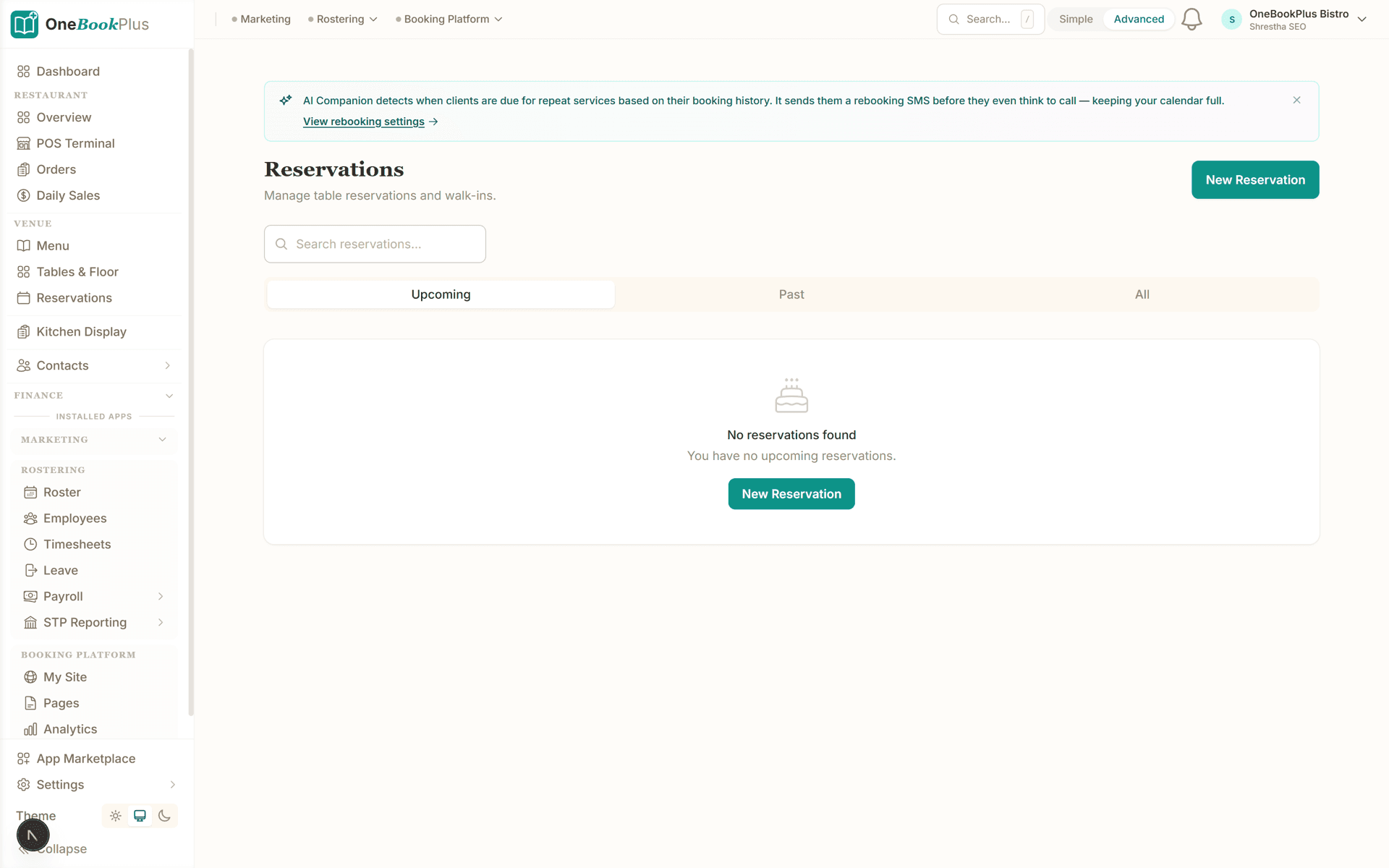
The week, and who is on what
Day and week views of every scheduled visit. Drag work to another day or an exact time slot, and the run sheets update for whoever it lands on.
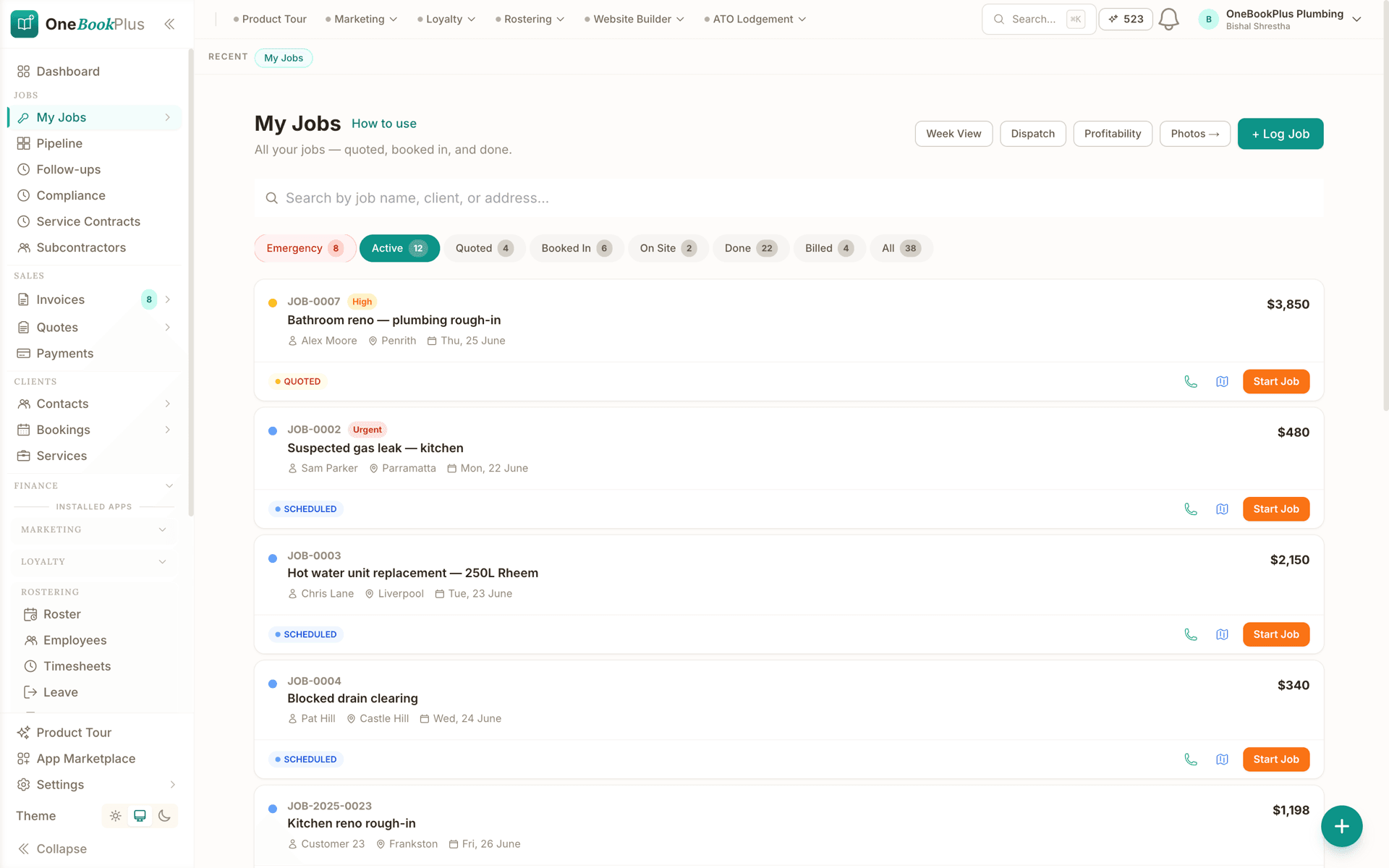
Every job from callout to paid
One board carrying each job through its stages, the same record the invoice, the customer history and the reporting all read from.
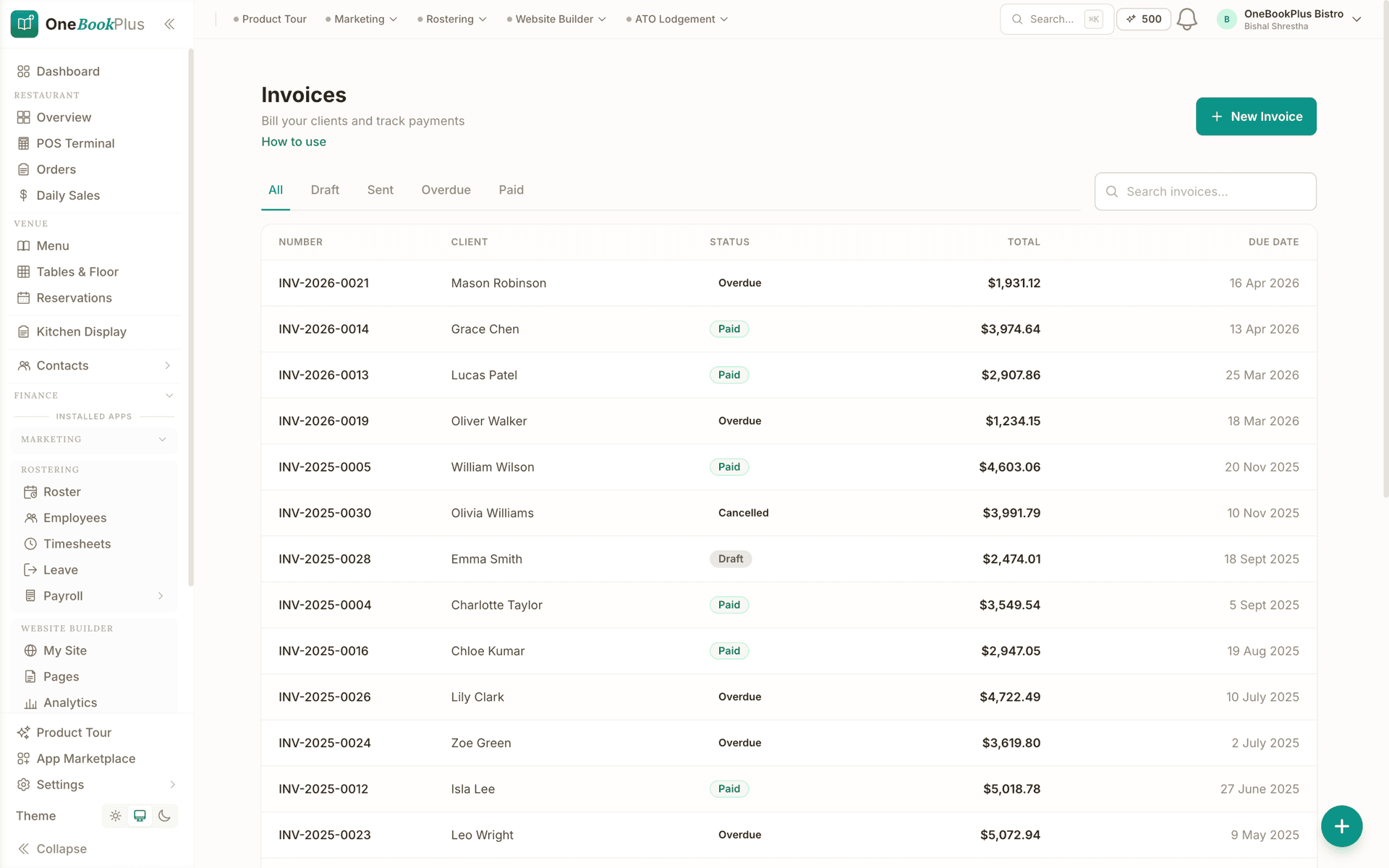
Invoices raised from finished work
Turn completed jobs into tax invoices in one action, with GST calculated and payment links attached. Overdue amounts are chased automatically while you schedule tomorrow.
Dispatch software for plumbing, electrical, HVAC and locksmith crews
Dispatching is the same problem in every trade: more work than hours, some of it booked weeks ago and some of it phoned in ten minutes ago. What changes is the shape of the urgency, which is why one piece of field service dispatch software can cover all four. The board handles them the same way, and each trade below has its own page covering the compliance and quoting detail that this hub deliberately does not repeat.
Plumbing
Burst pipes do not wait for the run sheet. New callouts land in the unassigned lane, you drag them onto whoever is closest to free, and on-the-way timestamps tell the customer the truth about the arrival window.
plumbing softwareElectrical
Rough-ins book weeks ahead while fault calls book in minutes. Both sit on the same board, and recurring test-and-tag rounds run off a repeating schedule so the compliance work is booked in rather than remembered.
electrician softwareHVAC and refrigeration
Summer is one long emergency and autumn is service season. Recurring schedules fill the shoulder months with pre-summer maintenance while the board absorbs the breakdowns during the peak.
HVAC softwareLocksmiths
Lockouts are dispatched on urgency, not on the calendar. The board shows who is mid-job and who is between jobs, and the invoice goes out from the kerb with GST already applied.
locksmith softwareCleaning rounds sit on the same board with the rosters and per-cleaner schedules that come with them, covered on the cleaning business management software page.
How we compare
OneBookPlus vs AroFlo, ServiceM8 and simPRO
AroFlo and simPRO are built for fleets and quote every account individually; ServiceM8 publishes a per-job ladder instead. All three still expect a separate accounting subscription behind them. Here is where the smaller-team, one-price approach lands.
| Feature | OneBookPlus | AroFlo | ServiceM8 | simPRO |
|---|---|---|---|---|
| Dispatch board with a column per team member | Yes | Yes | Yes | Yes |
| Recurring service schedules | Yes | Yes | Yes | Yes |
| Free plan, no credit card | Yes | No | Yes | No |
| Priced per business, not per user | Yes | No | Yes | No |
| No per-job caps on any plan | Yes | Yes | No | Yes |
| No implementation fee to get started | Yes | No | Yes | No |
| Accounting built in, no Xero or MYOB required | Yes | No | No | No |
| BAS-ready GST summaries in the same system | Yes | No | No | No |
| Price | Free to $69/mo | Quote only, no published price | Free to $349/mo, job-capped | Custom quote, no published price |
AroFlo and simPRO publish no price; both pricing pages were checked on 2 August 2026, the same day ServiceM8’s published ladder was read. Full plan-by-plan detail is in the OneBookPlus vs AroFlo comparison, the OneBookPlus vs ServiceM8 comparison and the OneBookPlus vs simPRO comparison.
Example walkthrough
From a 7am breakdown call to a paid invoice by Friday
An illustrative walkthrough of a week in a four-tech air-conditioning and refrigeration business
Tuesday, 7:04am: a bakery rings with a cool room climbing through 8 degrees. You log it as a job and drop it into the unassigned lane. The dispatch board shows one tech still at home, one already on the way to a ducted retrofit, and one with a light morning. The callout goes onto the light morning, and that run sheet updates before anyone has left the driveway.
8:20am: the tech marks himself on the way, then arrived. Nobody has to ring the bakery for an update, because the timestamps already answered the question. Meanwhile Thursday's quarterly service for a pub with three cool rooms comes off its recurring schedule, so the visit is already sitting on the board waiting for a name, which is how autumn stays busy without anyone cold-calling.
11:00am: a builder pushes site access on Thursday's split install. You drag the job to Friday in week view, OneBookPlus warns that the tech you dropped it on is already committed that morning, so it lands on someone else instead. Two drags, no phone calls, no whiteboard.
4:30pm: five jobs are complete. You batch-invoice the day, each invoice carrying 10% GST, your ABN and a payment link. The bakery pays that evening from the link. By Friday the week's GST collected and GST paid are already sitting in the quarterly summary, so the BAS at the end of the quarter is a review rather than a reconstruction.
Service rounds are the half of the book you can plan
Field service revenue arrives in two shapes. Breakdown work pays well and turns up without warning, which makes it impossible to staff for and impossible to forecast. Service work, the quarterly air-conditioning check, the monthly test-and-tag round, the pool or cleaning visit, is smaller per job and completely predictable, and it is what keeps a crew busy in the shoulder months when nothing is breaking. A quiet autumn is survivable when enough recurring work is already booked to cover the wages before the phone rings.
That only holds if the round is set up once rather than depending on someone remembering it in twelve weeks. A recurring job raises the next visit from its schedule ahead of time, ready to assign, and stops after the number of runs the agreement covers. Because those visits land on the same dispatch board as the emergency work, you can watch a month fill up and sell into the gaps that are left, instead of discovering them on the Monday. Each visit is filed against the same customer record as the last one, so the tech who arrives has the site history rather than the story; the OneBookPlus CRM is where that history lives.
The money side follows the same rhythm. A round invoiced the day it is completed, with 10% GST and your ABN on the document, turns into cash you can plan against, and the GST on all of it rolls into the same quarterly summary as the GST you paid on parts. If you are working out what a service round has to be priced at before it is worth putting on the board, the free hourly rate calculator back-solves the charge-out rate from the take-home you need, and the free cash flow forecast calculator shows what a month of recurring visits does to the bank balance. The quoting, jobs and invoicing behind all of it are covered on the job management software page.
Mobile field service software: the ute is the office
Field service admin falls behind in the gap between finishing a job and getting back to a desk, which for most crews is never. The OneBookPlus iOS app closes that gap: today's jobs, the job detail behind each one, and a tax invoice raised on site with 10% GST and your ABN already applied. Techs check in from the job so the office sees on-the-way and arrived without a phone call, and the owner gets a push alert the moment an invoice is paid.
Costs get captured the same way. Photograph a supplier receipt at the counter and the AI scanner reads the supplier, date, GST and total, so the expense is logged against the quarter before the docket disappears into the glovebox. Every account includes five free receipt scans, and the AI Companion add-on covers ongoing scanning.
Everything syncs with the web app in real time, so the board the office is dispatching from is the one your crew is working off. You can download the OneBookPlus iOS app from the App Store. There is no native Android app yet, though the web app runs in any phone browser, so if a native Android build is a hard requirement for your crew, weigh that before switching.
Australian Owned
Built in Melbourne, AU
GST Compliant
ATO-ready from day one
Encrypted & Isolated
TLS in transit, AES-256 at rest, tenant isolation at the database layer, read the security page
Free Plan Available
No credit card needed
Put the whole field service day on one board
Start free. Dispatch board, the booking page and GST invoicing included, with no per-job caps on any plan. Free runs one repeating schedule; Starter runs as many as your round needs.
Also worth a look: quoting software · CRM software · accounting software
About field service management software
What is field service management software?
Field service management software runs the work that happens away from the office: which technician is going where, in what order, with what information, and what has to happen after the visit. It covers dispatch and the day's run sheets, recurring service schedules, the mobile view your crew works from on site, and the invoice raised from completed work. OneBookPlus covers that whole chain in one system, and because the invoicing, contacts and accounting live in the same database, a completed visit updates the customer's history and your GST position at the same time.
What should Australian field service software include beyond the calendar?
A calendar tells you when. Field service work also needs who, where and what happens next. OneBookPlus adds a dispatch board with each team member's day in its own column and an unassigned lane for new work, on-the-way and arrived timestamps as the crew checks in, per-person daily run sheets, and batch tools that fix a whole day at once when the weather or a sick day breaks the plan. On the Australian side it applies 10% GST to every invoice, stamps your ABN on the tax invoice, and rolls GST collected and GST paid into a BAS-ready quarterly summary, so you are not exporting to a second product to work out what you owe.
Can I dispatch to plumbing, electrical, HVAC and locksmith crews from the same board?
Yes. The dispatch board is trade-agnostic: each person gets a column, new work sits in an unassigned lane, and you drag jobs onto whoever has capacity. Reassigning is a drag between columns. If someone calls in sick, batch reassign moves their whole day to a teammate in one action, and batch reschedule shifts a rained-out day in one go. Mixed crews work the same way, so a business running both maintenance plumbers and after-hours locksmiths dispatches from one screen rather than two systems.
How does the software handle service rounds that repeat every quarter?
Set a job to repeat weekly, fortnightly or monthly and each visit is raised from that schedule ahead of time, ready to drop onto whoever has capacity, and the round stops after a set number of runs when the agreement ends. That is what fills the quiet months: quarterly air-conditioning services, monthly test-and-tag rounds, weekly cleaning rounds and pool servicing are standing work already on the board, instead of work that waits for a customer to ring.
Can customers book a visit themselves instead of ringing the office?
Yes. Every plan carries a booking page, one page on Free and more on the paid plans, and a booking made there lands on the same dispatch board as work the office took over the phone, so there is no second diary to reconcile at the end of the day. It suits scheduled and maintenance work rather than emergencies, because a burst pipe still rings you. Two habits make it work in practice: publish only the windows you are genuinely willing to have filled, and leave enough of the day unbooked to absorb the callouts that arrive anyway.
What does moving off a whiteboard and a group chat involve?
Less than an enterprise rollout and more than nothing. The order that works is to put this week's jobs on the board first and let the board and the group chat run side by side for a few days, then bring your contacts across, then set up the recurring rounds you currently carry in your head. Nothing has to move in one weekend and there is no implementation project to book. The Free plan does not cap jobs, so you can put a full week of work on the board before deciding anything. What it does cap is invoicing at 10 invoices a month, and repeating rounds at one active recurring schedule, so a book of standing maintenance rounds is the point where a crew moves to a paid plan. That is a $29 a month decision rather than a re-platforming, and a round you have already set up can always be extended, rescheduled or cancelled on any plan.
Is there field service management software for a small business or a sole trader?
Yes, and you can start without paying. The OneBookPlus Free plan includes the scheduling calendar, the dispatch board, the booking page and CRM at $0 per month, with no cap on jobs or bookings, plus 10 invoices and 5 quotes a month and one active repeating schedule. Paid plans start at $29 per month, lift the invoice and quote limits, and make repeating schedules unlimited. That matters in this category because the established field service suites are quote-only and built for fleets: AroFlo publishes no price at all, aroflo.com/pricing carries a Request Pricing form and a demo request and no dollar figure anywhere, and simPRO is custom-quoted through its sales team with no published figure either. Both also carry an implementation project. Both were last checked on 2 August 2026. We do not publish an estimate of what either would charge you, because only their quote can answer that.
Is there a mobile field service app for technicians on site?
There is a native OneBookPlus iOS app for iPhone and iPad, and the web app runs in any mobile browser on Android. Used as a field service management app it gives each tech today's jobs, the job detail behind each one, a GST invoice raised on site with your ABN applied, and receipt capture so the expense is logged before the docket hits the glovebox. We do not yet ship a native Android app, so if that is a hard requirement, compare carefully before switching.
How much does field service management software cost in Australia?
It depends whether you are buying per user or per business. AroFlo is quote only: aroflo.com/pricing publishes no figure of any kind, just a Request Pricing form and a demo request. simPRO is quote only too, custom-priced through its sales team. We could give you our guess at either, but a guess with a vendor's name on it reads like their price, so we do not publish one; ask them for a quote and put the real number beside ours. ServiceM8 does publish, and prices per job volume rather than per user: $29 to $349 per month across its tiers, from 50 jobs to about 1,500, all tiers unlimited users. Competitor prices checked 2 August 2026. OneBookPlus is priced per business: Free, then $29, $49 or $69 per month, with no per-job caps on any plan and no separate accounting subscription.
Does the field service software handle GST invoicing and BAS for an Australian business?
Yes, in the same account. Turn a completed job into a tax invoice in one click, or batch-invoice a whole day of finished work, with 10% GST calculated and your ABN on the document. Payment links and automated reminders chase the money, and the Finance module rolls GST collected, GST paid and net GST payable into a BAS-ready quarterly summary. The enterprise field service suites hand this part off: AroFlo, ServiceM8 and simPRO all still expect you to run Xero or MYOB alongside them.
How does OneBookPlus compare with AroFlo for field service management?
AroFlo is genuinely deep on job costing, asset management and complex workflow rules, and it is built for Australian fleets of roughly 20 technicians and up. Its pricing is quote only, so the figure that matters is the one AroFlo quotes you and not one we invent, and it still needs Xero or MYOB behind it for the books. Checked 2 August 2026. OneBookPlus is aimed at the smaller end: one price per business rather than per seat, no implementation project, and accounting, GST and BAS built in. If you run a large fleet with complex costing, AroFlo may still be the better fit, and the full side-by-side detail is on the OneBookPlus versus AroFlo comparison.
Last reviewed and updated: by Bishal Shrestha
About the author

Bishal Shrestha
Founder & CEO, OneBookPlus
Bishal spent a decade running digital projects for Australian small businesses before founding OneBookPlus. OneBookPlus is built and supported from Melbourne for Australian small and medium businesses. The field service tools cover dispatch, recurring service schedules, mobile work on site and GST invoicing from completed jobs, designed so a small crew can run the day without an enterprise implementation project or a second accounting subscription.
Read the founder bio