OneBookPlus vs Jobber
The Australian-built Jobber alternative
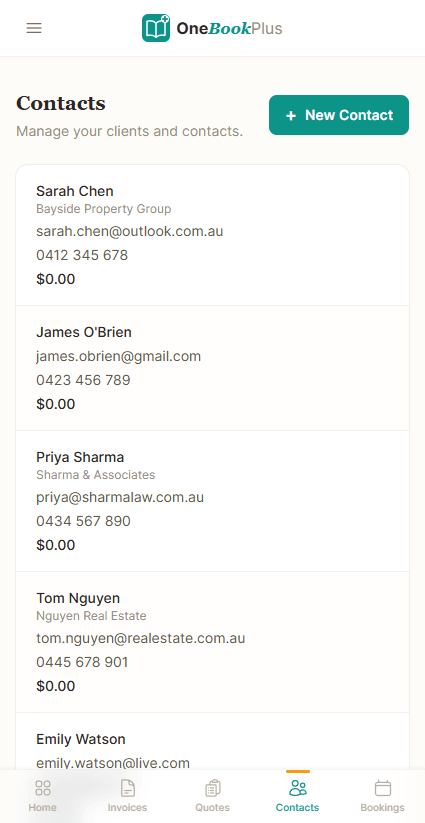
Jobber is a solid field-service platform, but it's built for North America, not Australia. OneBookPlus gives Aussie tradies invoicing, CRM, bookings, marketing, accounting with GST, and job management in one book, with no Xero add-on needed.
Key takeaways
5- Jobber pricing, as published on getjobber.com/pricing and checked August 2026, is charged in US dollars: Core US$49/month (1 user), Connect US$139/month (5 users), Grow US$199/month (10 users), Plus US$499/month (15 users). A one-year commitment drops those to US$39, US$119, US$169, and US$439, and extra users are US$29/month each.
- Jobber doesn't include accounting, so Australian tradies run Jobber plus a Xero or MYOB subscription, and the Jobber half of that bill moves with the exchange rate.
Show 3 moreShow less
- OneBookPlus replaces this stack with one platform from $0/month (Free), $29/month (Starter), $49/month (Plus), or $69/month (Growth), invoicing + jobs + CRM + accounting + bookings + marketing all bundled, AUD billing, and logins included by plan (1 / 3 / 5 / 10 by tier) rather than a per-seat charge.
- Both handle GST-compliant invoicing (Jobber's AU edition supports 10% GST), photo evidence per job, and mobile-first job entry. Jobber is North-American-built, so some compliance features (BAS-ready summaries, ABN validation) are bolt-ons rather than native.
- Jobber wins on: a decade-plus of trade-specific feature depth, a mature client portal, and AI-powered job costing in its higher tiers. OneBookPlus wins on: one Australian-dollar bill from $0/month with accounting bundled instead of a US-dollar plan plus a separate accounting subscription, and AU-first compliance built in.
USD field service plus Xero, or one AUD subscription
OneBookPlus
From $0/mo. Bookings, invoicing, CRM and accounting on one plan; AI and payroll are add-ons
- GST invoicing & quoting
- CRM & contact management
- Online booking page
- Email marketing & campaigns
- Accounting & P&L reports
- BAS / ATO tax summaries
- Job scheduling & dispatch
- Google review requests
- Australian-built & compliant
Jobber
US$49 to US$499/mo, field service focus
- Invoicing & quoting
- CRM & client hub
- Online bookings
- Email marketing
- Accounting & P&L
- BAS / ATO reports
- Job scheduling & dispatch
- Route optimisation
- No Australian tax compliance
OneBookPlus vs Jobber, detailed comparison
See exactly what's included in each platform. OneBookPlus replaces Jobber and the accounting software Australian businesses typically pay for on top.
| Feature | OneBookPlus | Jobber |
|---|---|---|
| GST-compliant invoicing | Yes | Yes |
| Quoting with one-click accept | Yes | Yes |
| Job scheduling & dispatch | Yes | Yes |
| Route optimisation | No | Yes |
| CRM & contact management | Yes | Yes |
| Client hub / portal | Yes | Yes |
| Online booking page | Yes | Yes |
| Calendar subscription link (Apple, Google, Outlook) | Yes | Yes |
| Email marketing & campaigns | Yes | No |
| Accounting & P&L reports | Yes | No |
| BAS / ATO tax summaries | Yes | No |
| Expense tracking with receipts | Yes | Yes |
| Google review requests | Yes | No |
| Payment reminders | Yes | Yes |
| Basic sales register (full POS $39/mo add-on) | Yes | No |
| Australian tax compliance | Yes | No |
| Native iOS app | Yes | Yes |
| Free plan available | Yes | No |
| Price | From A$0/mo | US$49 to US$499/mo |
| All included | + Xero for accounting |
Jobber prices from its own Jobber pricing page, checked August 2026. Jobber bills in US dollars, so the Australian cost of the same plan moves with the exchange rate.
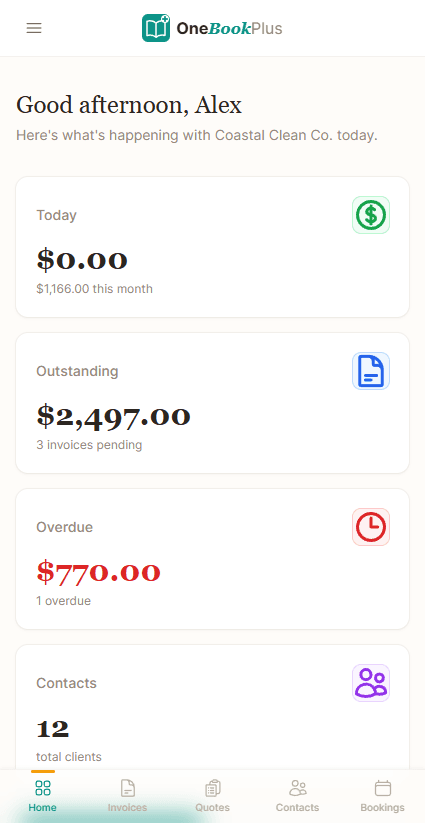
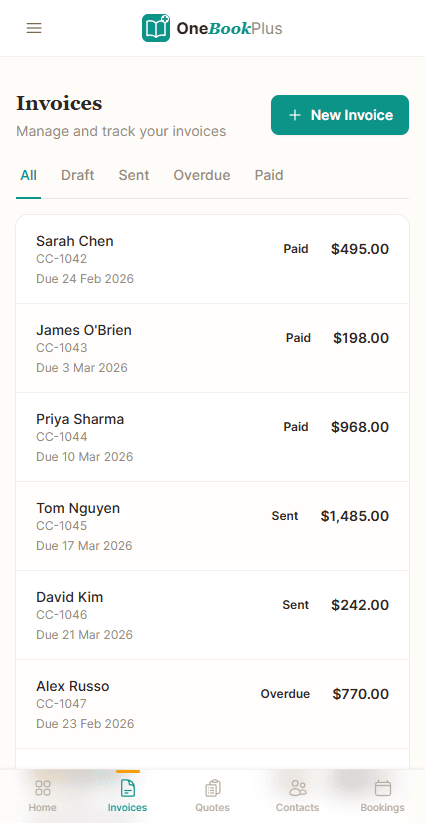
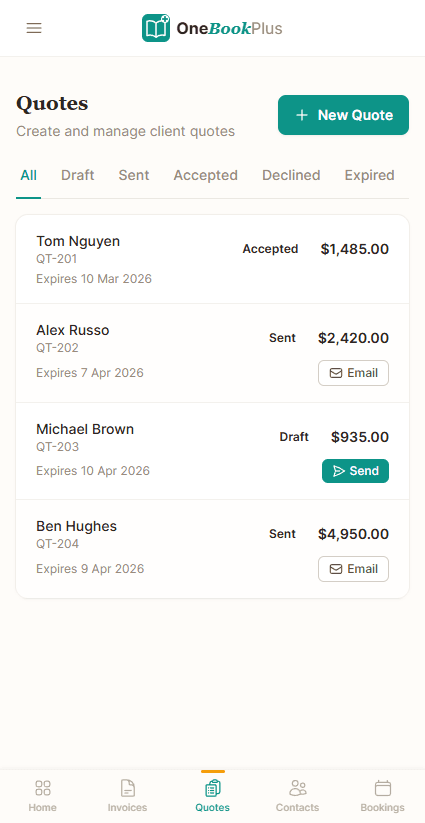
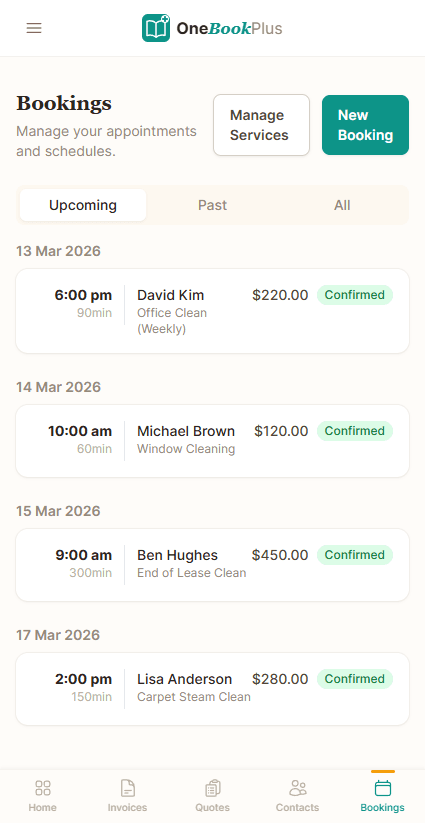
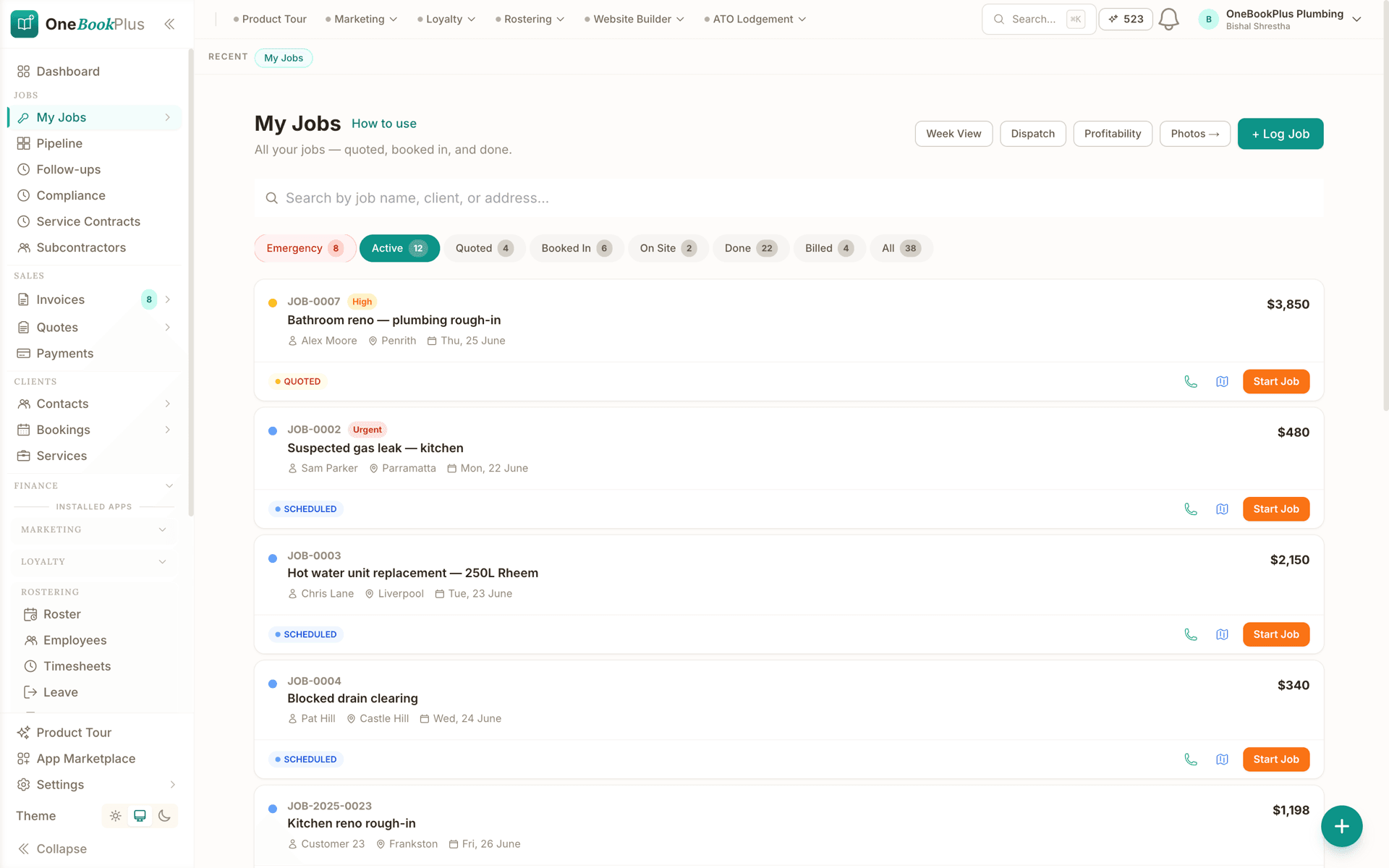
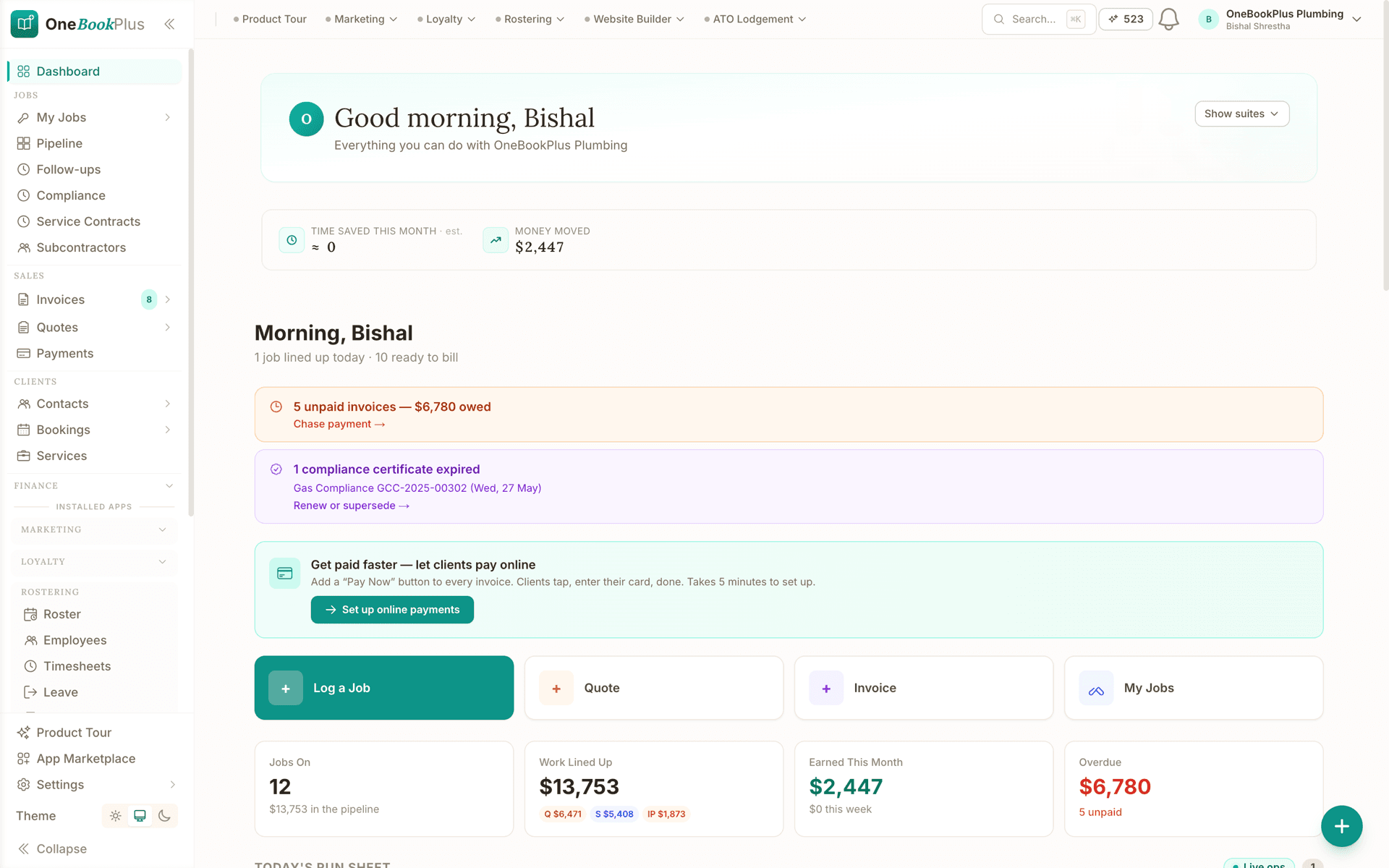
Not mockups, real product screens
The job board, and the morning screen above it
Every competitor row above cites Jobber's own page. Our side says jobs, money and compliance sit in one product, so these are the two screens that carry it.
Open the same screens yourself
The live demo is a working OneBookPlus account with jobs, bookings, quotes and invoices already in it. Click into the screens above rather than taking the ticks on faith.
Why Australian tradies are choosing OneBookPlus over Jobber
Australian-built, not adapted
Jobber is built for North America. OneBookPlus is built for Australia, with GST, ABN validation, BAS reports, and ATO-ready summaries from day one. No workarounds needed.
Accounting included, not extra
Jobber has no accounting, you need Xero or QuickBooks on top. OneBookPlus includes P&L reports, expense tracking, BAS summaries, and full GST compliance in every plan.
One bill instead of two
Jobber's Grow plan is US$199/mo, and accounting is a separate Xero or MYOB subscription on top. OneBookPlus is $0 to $69/mo in Australian dollars with the accounting included, so there is one bill and no second system to reconcile.
Marketing tools built in
Jobber doesn't include email marketing or Google review requests. OneBookPlus helps you win more work with campaigns, automated review requests, and a shareable booking page.
Simpler pricing, no USD surprises
Jobber charges in USD, and its tiers jump from US$49 to US$139 to US$199 to US$499/mo. OneBookPlus is priced in AUD with straightforward plans starting at $0. No currency conversion, no sticker shock.
OneBookPlus vs Jobber, your questions answered
How does OneBookPlus compare with Jobber for Australian businesses?
They are built for different markets. Jobber is a strong field-service platform built in Canada, with route optimisation and a client portal that have had years of work poured into them, and it bills in US dollars. What it does not carry is Australian tax compliance, built-in accounting, or marketing tools. OneBookPlus is built for Australia from day one, with GST, ABN, BAS reports, and ATO-ready summaries included, and it bills in Australian dollars. If your day is multi-stop dispatch, Jobber is the deeper tool. If your day is quoting, invoicing, and keeping the BAS straight, OneBookPlus covers more of it.
Can OneBookPlus replace Jobber?
Yes, for most trades and service businesses. OneBookPlus handles quoting, invoicing, job scheduling, CRM, online bookings, and expense tracking, the core features businesses use Jobber for. It also includes accounting, BAS reports, and email marketing that Jobber doesn't offer. The one area Jobber excels is route optimisation for multi-stop field teams.
How much does Jobber cost compared to OneBookPlus?
Jobber publishes its plans in US dollars on getjobber.com/pricing, read 2 August 2026. Every plan starts at a base number of users and costs more as you add seats, and each one is cheaper billed annually than month to month: Core US$49/mo (1 user: US$49/mo month-to-month, US$39/mo on a 1-year commitment, US$29/mo billed annually); Connect US$139/mo (From 1 user at US$139/mo month-to-month (US$99/mo billed annually); 5 users US$199/mo, 15 users US$399/mo); Grow US$199/mo (From 1 user at US$199/mo month-to-month (US$149/mo billed annually); 5 users US$299/mo, 15 users US$499/mo); Plus US$499/mo (From 5 users at US$499/mo month-to-month (US$399/mo billed annually); 15 users US$699/mo). Because Jobber has no accounting, a Xero or MYOB subscription sits on top of whichever tier you land on. OneBookPlus is billed in Australian dollars, starts free, and includes accounting, BAS reporting, bookings, and marketing at $0, $29, $49, or $69 a month. The two bills are not directly comparable, because one of them moves with the exchange rate and the other does not.
Does Jobber work well in Australia?
Jobber works in Australia but is built for the North American market. It uses USD pricing, lacks native Australian tax features like BAS reporting and ABN validation, and doesn't include accounting, you still need Xero or MYOB. OneBookPlus is Australian-built with full ATO compliance.
OneBookPlus or Jobber for running an Australian trade business?
The ones who switch are usually Australian businesses paying Jobber in USD and Xero on top of it. Jobber is a capable Canadian field-service tool, and what tips those businesses over is that OneBookPlus combines invoicing, CRM, bookings, accounting, BAS reports, GST compliance, and marketing in one Australian-built app, no Xero add-on needed. The ones who should stay are high-volume dispatch operations: Jobber's route optimisation for multi-stop days is a genuine advantage OneBookPlus doesn't match, and its client portal and job costing have a decade-plus of field-service work behind them.
What is a BAS, and does OneBookPlus generate one?
A BAS (Business Activity Statement) is the form Australian businesses lodge with the ATO to report GST collected on sales, GST paid on purchases, and the net amount owed or refunded. OneBookPlus generates BAS-ready GST figures automatically from your invoices and expenses, so you can lodge or pass them to your accountant without a separate accounting tool. Jobber has no accounting, so Australian Jobber users run Xero or MYOB alongside it to produce a BAS.
How OneBookPlus runs your field service business
Jobber users in Australia typically run a three-tool stack: Jobber for job management, Xero for accounting, and something like Mailchimp or no marketing tool at all. OneBookPlus replaces all three. When a potential client finds you, through Google, word of mouth, or your shareable online booking page, they land in your CRM as a contact. You create a quote with line items, GST automatically calculated at 10%, and your ABN displayed. The client receives a professional quote via email and can accept it with a single click, triggering a job card that slots into your calendar.
On the job, the OneBookPlus mobile app lets you log time, track materials, and snap receipt photos for expense claims. When the work is done, you convert the job into a GST-compliant invoice and send it from your phone before you've even left the site. Payment reminders go out automatically if the client doesn't pay within your set terms: 7, 14, or 30 days, your choice. Stripe and bank transfer payments are supported, and every payment is recorded against the invoice automatically.
Here's where the Jobber comparison falls apart: accounting. Jobber has none. Every Jobber user in Australia also pays for Xero or MYOB, manually reconciling invoices between two systems. OneBookPlus handles this natively. Every invoice, expense, and payment feeds into your profit and loss statement, your expense categorisation (with AI-powered suggestions that learn over time), and your BAS summary. When your quarterly BAS is due, OneBookPlus generates the GST collected, GST paid, and net obligation figures your accountant needs, or that you can lodge directly through the ATO portal.
After the job, OneBookPlus keeps working. Automated Google review requests go out to clients who've paid, building your online reputation one five-star review at a time. You can segment your client list and send targeted email campaigns: seasonal maintenance reminders, referral incentives, or promotions for quiet periods. Jobber offers none of this, so the follow-up either happens in a second tool or it does not happen.
Three features where OneBookPlus leads
Native Australian tax compliance
Jobber was built in Edmonton, Canada, for North American service businesses. It doesn't understand GST, ABN validation, or BAS reporting. You can't generate an ATO-compliant tax summary from Jobber. You need Xero for that. OneBookPlus is built from the ground up for Australian tax law: 10% GST is calculated automatically on every invoice and quote, ABN numbers are validated against the Australian Business Register, and BAS summaries are generated with one click showing your GST collected, GST paid, and net obligation.
Integrated email marketing
Jobber has no email marketing at all. OneBookPlus includes a built-in campaign tool that lets you send targeted emails to your client list without paying for Mailchimp or another third-party service. Segment clients by service type, location, or last job date, then send maintenance reminders, seasonal promotions, or referral incentives. Each email links back to your booking page, so recipients can schedule their next appointment in one click, closing the loop from marketing to revenue.
Transparent AUD pricing
Jobber charges in USD, and Australian businesses cop the exchange rate fluctuation every month. Their Grow plan is US$199, so what leaves your account in Australian dollars is a different number every billing cycle. OneBookPlus is priced in Australian dollars with flat, predictable rates starting at $0/month. You know exactly what you're paying, and there's no sticker shock when the Aussie dollar dips. For a small business watching every dollar, currency certainty matters.
Who should switch from Jobber to OneBookPlus
Australian tradies paying in USD for a Canadian tool.
If you're paying Jobber in US dollars and then paying Xero on top for Australian tax compliance, you're carrying two subscriptions in two currencies for software that still doesn't give you BAS reports, email marketing, or review management. OneBookPlus gives you everything for $0 to $69/month in AUD.
Small teams who want accounting and marketing built in.
If you're a 1 to 5 person operation and you want to stop juggling Jobber, Xero, and a separate email tool, OneBookPlus consolidates your entire workflow. Quoting, invoicing, job scheduling, accounting, BAS, CRM, marketing, and review management: one login, one bill.
Service businesses frustrated by Jobber's lack of Australian tax features.
If you've ever had to manually calculate GST on a Jobber quote, explain to your accountant why your Jobber invoices don't match your Xero records, or spent a weekend doing BAS prep because nothing talks to each other, OneBookPlus solves all of that natively.
When Jobber might still be the better fit:
If you run a large field-service company with 20+ technicians and need advanced route optimisation to plan multi-stop days across a metro area, Jobber's route optimisation feature is a genuine advantage that OneBookPlus doesn't match. For high-volume dispatch operations where driving efficiency directly impacts profitability, Jobber's specialism matters.
How to switch from Jobber to OneBookPlus
Export your client list from Jobber
In Jobber, navigate to Clients and export your full client list as a CSV file. Import this directly into OneBookPlus. Contact details, email addresses, phone numbers, and property addresses all map across. Your job history and old invoices stay in Jobber as a reference archive.
Configure your Australian tax settings
Set up your ABN, GST preferences, payment terms, and bank details in OneBookPlus. Upload your logo and configure your service list with pricing. This is the setup you could never do properly in Jobber: Australian-compliant invoicing from day one.
Run both in parallel, then cancel Jobber
Start all new quotes and jobs in OneBookPlus while finishing existing Jobber jobs there. Most businesses complete the transition within two to four weeks. Once you're confident, cancel Jobber and Xero together, and that's two subscriptions eliminated in one go.
From the blog
Related reading: switching from jobber
Practical guides and explainers from the OneBookPlus blog, grouped by topic.
Industries
Comparisons
An Australian-built platform
that replaces Jobber and Xero
Australian-built, GST and BAS native, billed in Australian dollars, and free to start.
Free plan available, no card needed.
About this comparison
How we compared OneBookPlus to Jobber
Feature claims about OneBookPlus reflect what is shipping today on onebookplus.com.au. Jobber pricing and feature claims were read off Jobber’s public Australian product pages on . Vendor pricing changes frequently, so check the Jobber website for your specific situation before making a decision.
Disclosure: OneBookPlus publishes this comparison and stands to benefit if you switch. We aim to compare like-for-like on capability and Australian tax compliance, if you spot something out of date, email hello@onebookplus.com.au and we’ll review it.
About the author

Bishal Shrestha
Founder & CEO, OneBookPlus
Bishal spent a decade running digital projects for Australian small businesses before founding OneBookPlus. He writes and maintains these pages, and publishes what OneBookPlus does not do alongside what it does.
Read the founder bioHow this page was researched
Every Jobber price and capability claim on this page was read off Jobber's own published Australian pages on the date printed above, and recorded in competitor-facts.ts with that date. Claims about OneBookPlus describe what ships today, and the page names what we do not do.
Last reviewed and updated: by Bishal Shrestha