NDIS software for participants, rostering and claim-ready invoicing
Run the support, write the note, raise the claim, without four logins.
Participant records, SCHADS-aware rostering, case notes and invoices with NDIS support-item line numbers in one place. All-in-one for $0 to $69/mo, instead of a roster tool plus a CRM plus a spreadsheet plus Xero.
Free plan, no card needed. Support-item line numbers and GST-free invoicing built in.
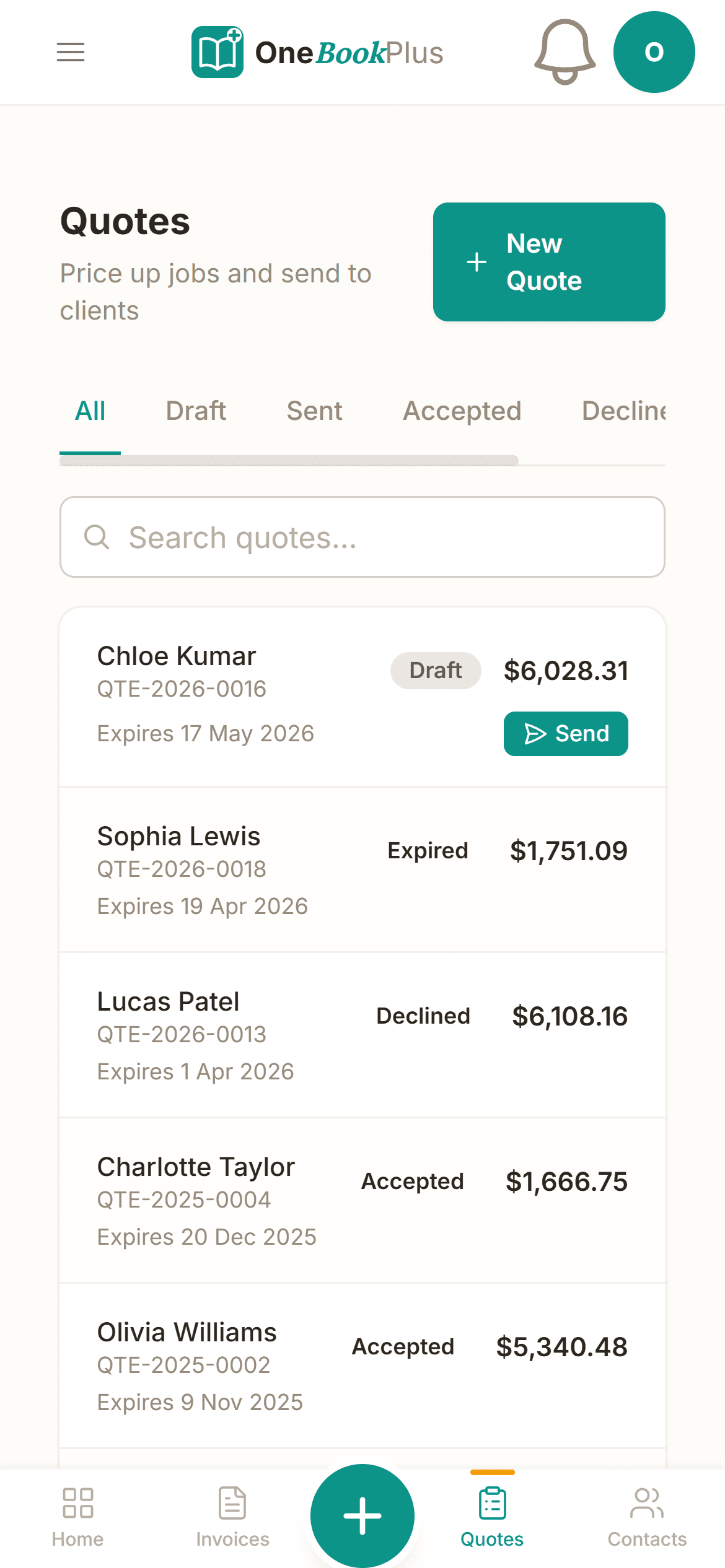
OneBookPlus is your operations and invoicing platform , and it produces claim-ready invoices and records. You (or your plan manager) lodge the actual NDIA claim.
See how it worksFree Tools & Resources
Reference material for care and allied-health businesses
Start a Health Practice
8-step founder guide, AHPRA, structure, ABN/GST, PII, premises, billing rails, software stack, first patients.
Operator GuideAHPRA Registration Guide
15 regulated professions, registration types, CPD, PII, recency of practice, renewal calendar.
ReferenceMedicare & Private Health
Seven claim rails (Medicare, HICAPS, Easyclaim, DVA, WorkCover, CTP) plus MBS items and Section 19(2).
ReferenceNDIS Price Guide Explained
Support categories, therapeutic item codes, travel claiming, cancellation rules, plan management.
CompliancePII & Run-Off Cover Guide
AHPRA minimums by profession ($2M–$20M+), MDO vs commercial cover, claims-made traps, retiree run-off.
InteractiveGap Fee & Medicare Rebate Calculator
Interactive, set your fee, see Medicare rebate, gap to patient, per-service vs bulk-billed economics.
Key takeaways
5- Registered NDIS providers must comply with the NDIS Practice Standards and the NDIS Code of Conduct, and are audited against them. OneBookPlus helps keep participant records, case notes and documents organised against each person so evidence is easy to retrieve at audit, it does not certify you or run the audit.
- Invoicing should reference the support-item line numbers and price limits in the current NDIS Pricing Arrangements and Price Limits (formerly the NDIS Price Guide). You enter the support items and rates; OneBookPlus produces the send-ready, itemised invoice.
Show 3 moreShow less
- Support-worker pay is generally covered by the SCHADS Award, which sets different rates for weekdays, evenings, weekends, public holidays, sleepovers and broken shifts. Flagging shift type when you roster captures that context early, but always confirm final pay against the current award and your payroll.
- OneBookPlus is the all-in-one alternative to running a separate rostering tool, CRM, document store and accounting package. Bundled from $0/month (Free), $29/month (Starter) or $69/month (Growth): participant CRM + rostering + case notes + documents + invoicing + accounting.
- Supports delivered to a participant under a written agreement are generally GST-free under the GST Act, while business overheads may carry GST. OneBookPlus lets you invoice supports GST-free and track overhead GST separately so your BAS reconciles. Confirm the treatment of your specific supports with your accountant.
Built for how disability support providers work
OneBookPlus holds the participant record, the roster, the shift note, the document and the invoice in one platform, so the same information is not being retyped into a spreadsheet, a shared drive and an accounting login.
Participant CRM with funding context
One record per participant, NDIS number, plan dates, plan-management type (self, plan-managed or NDIA-managed), goals, support coordinator and emergency contacts. Open a participant and see every shift, note, document and invoice on one timeline.
Support-worker rostering (SCHADS-aware)
Roster shifts across your support workers and see the whole week at a glance. Because the SCHADS Award sets different rates for weekdays, evenings, weekends, public holidays, sleepovers and broken shifts, you can flag shift types so award context is captured at the point of scheduling.
Invoices with NDIS support-item line numbers
Build invoices that itemise support-item numbers (for example 01_011_0107_1_1 Assistance With Self-Care), hours, and the price you charge against the participant's plan budget. You add the line item references that match the current NDIS Pricing Arrangements and Price Limits, and OneBookPlus produces the document.
Case notes against every shift
Support workers write progress notes against the shift they delivered, what happened, how the participant tracked toward their goals, and any incidents to flag. Notes stay attached to the participant record so your team has continuity of support and a clear audit trail.
Document storage per participant
Keep service agreements, consent forms, behaviour support plans, risk assessments and plan documents attached to the right participant. When an auditor, plan manager or support coordinator needs paperwork, it's filed against the person, not lost in an inbox.
Service agreements that get signed
Send a service agreement as a clear, branded document covering supports, hours and pricing. The participant or their nominee reviews and accepts online, so onboarding a new participant doesn't mean chasing a printed form.
Track spend against plan budgets
Record what you've delivered and invoiced against each participant so you can see how much of their funded budget remains. Keeping an eye on remaining budget helps avoid the awkward over-delivery that a plan can't cover.
Accounting & BAS-ready reports
Disability supports delivered to a participant are GST-free under the GST Act, while your office overheads may not be. OneBookPlus tracks income and expenses and exports tidy reports your bookkeeper can use at BAS time, no more shoebox of receipts.
Free plan available, no card needed.
Free booking page included
Your disability support business gets a booking page. Free.
Stop paying a website subscription you do not need, and skip the up-front designer quote. Every OneBookPlus NDIS provider gets a branded booking page on the free plan. Want it on your own domain like a proper business website? The Website Builder app is $29/mo and we host it for you.
your-business.onebookplus.com.auoronebookplus.com.au/book/your-businessyourbusiness.com.au: your own branded domain, hosted by us24/7 emergency callout booking
A support coordinator or family submits a new-participant referral at 9pm, name, NDIS number, plan-management type and supports needed land in your dashboard, ready for the morning intake call.
Branded with your colours, logo & licence
Brand color picker in settings. Logo upload. Trade licence number shown on every page so customers know you're legit.
Show service prices upfront
Daytime self-care from $70+/hr (per the current NDIS price limits). Community participation, group and overnight supports priced to plan. Customers see prices before booking, kills the price-shopping phone calls.
Mobile-first: looks great on phones
Your booking page is built mobile-first, so a customer searching on a phone can book without pinching to zoom.
Bring your own domain: we host the site
Already own yourbusiness.com.au? Add the Website Builder app ($29/mo) and point your domain at the site we host for you, through a guided DNS and SSL wizard. We don't sell domains, keep yours wherever you registered it.
Local SEO baked in
Schema.org markup for disability support services + suburbs you cover. Google finds you for 'NDIS provider in [suburb]' searches.
NDIS providers website cost, typical
What NDIS providers pay for a website
- From $24/mo
Website builder
Squarespace's cheapest plan billed monthly, verified 2 August 2026. Wix publishes no fixed Australian rate.
- $15 to $40/mo
Web hosting + SSL
Bundled in builders; separate if custom site
- $1,500 to $3,000
Designer (one-off)
Only if you want a custom-built site
- From US$10/mo
Bookings on Calendly
Per seat, billed in US dollars, verified 2 August 2026. Separate from your website.
Typical recurring total
~$39 to $64/mo
+ US$10/mo per seat if you add Calendly for bookings, billed in US dollars, and $1,500 to $3,000 up-front if you hire a designer
With OneBookPlus
Included on every plan
- Branded booking page, free plan
- Hosting + SSL, free plan
- 24/7 customer self-booking, free plan
- Connect your own domain with the Website Builder app, +$29/mo (BYO)
Your total
$0 to $29/mo
See it in action
The screens between one patient and the next.
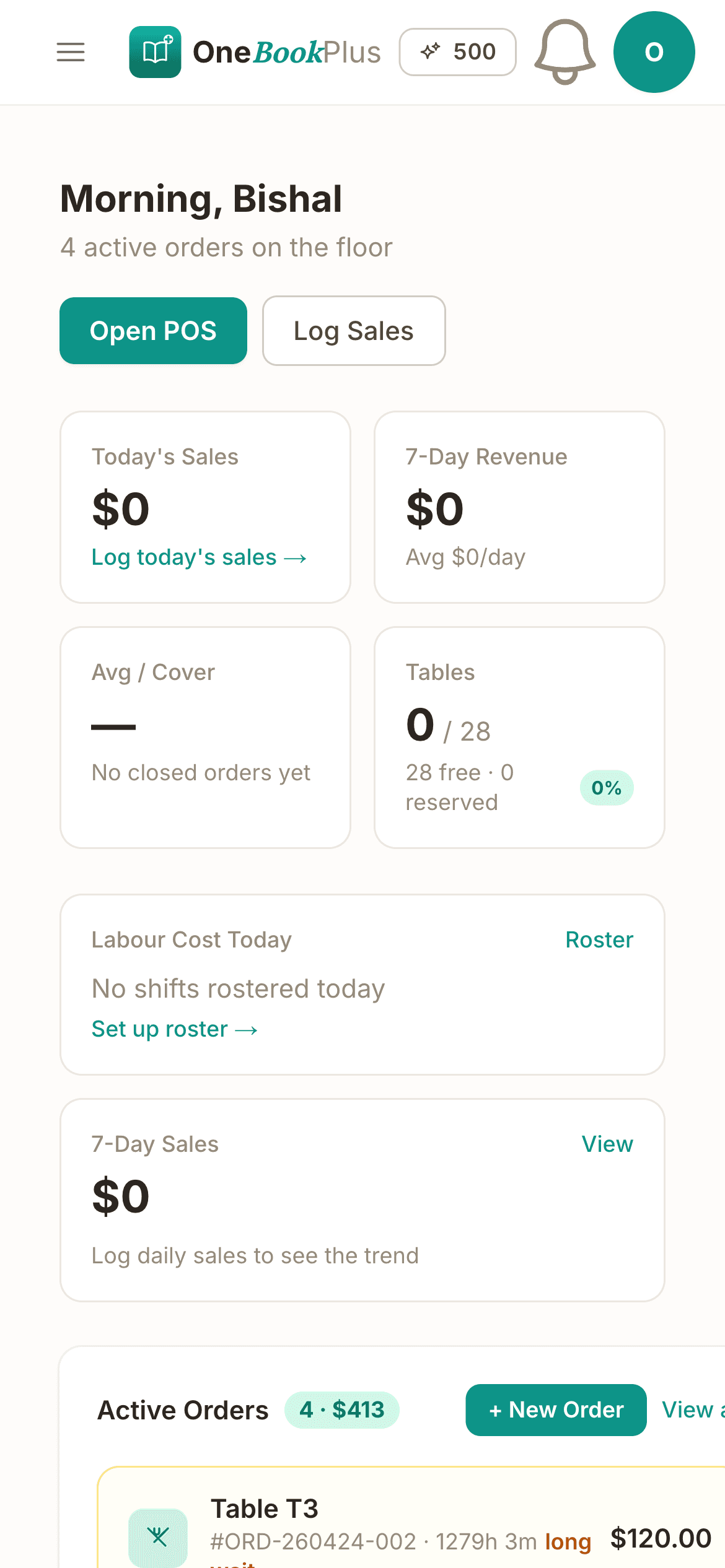
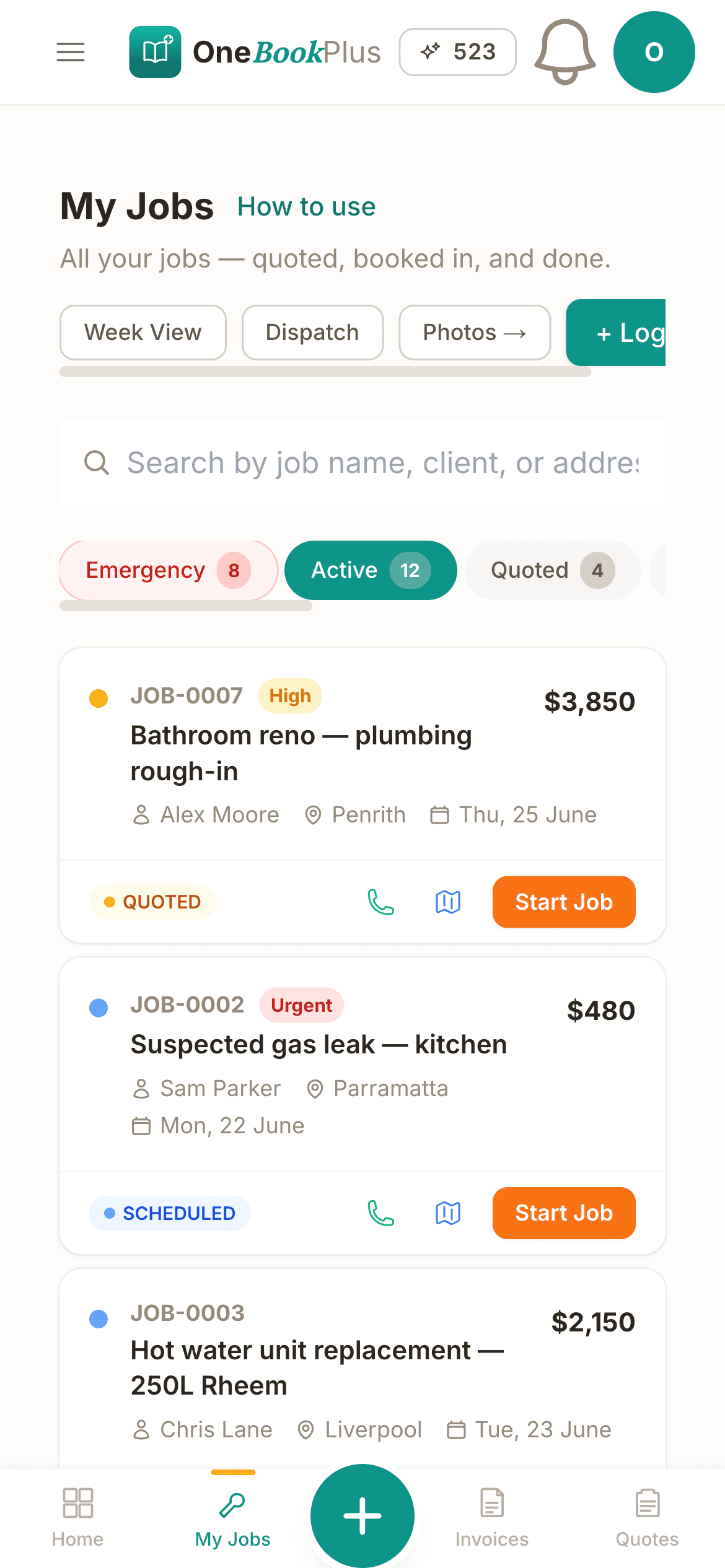
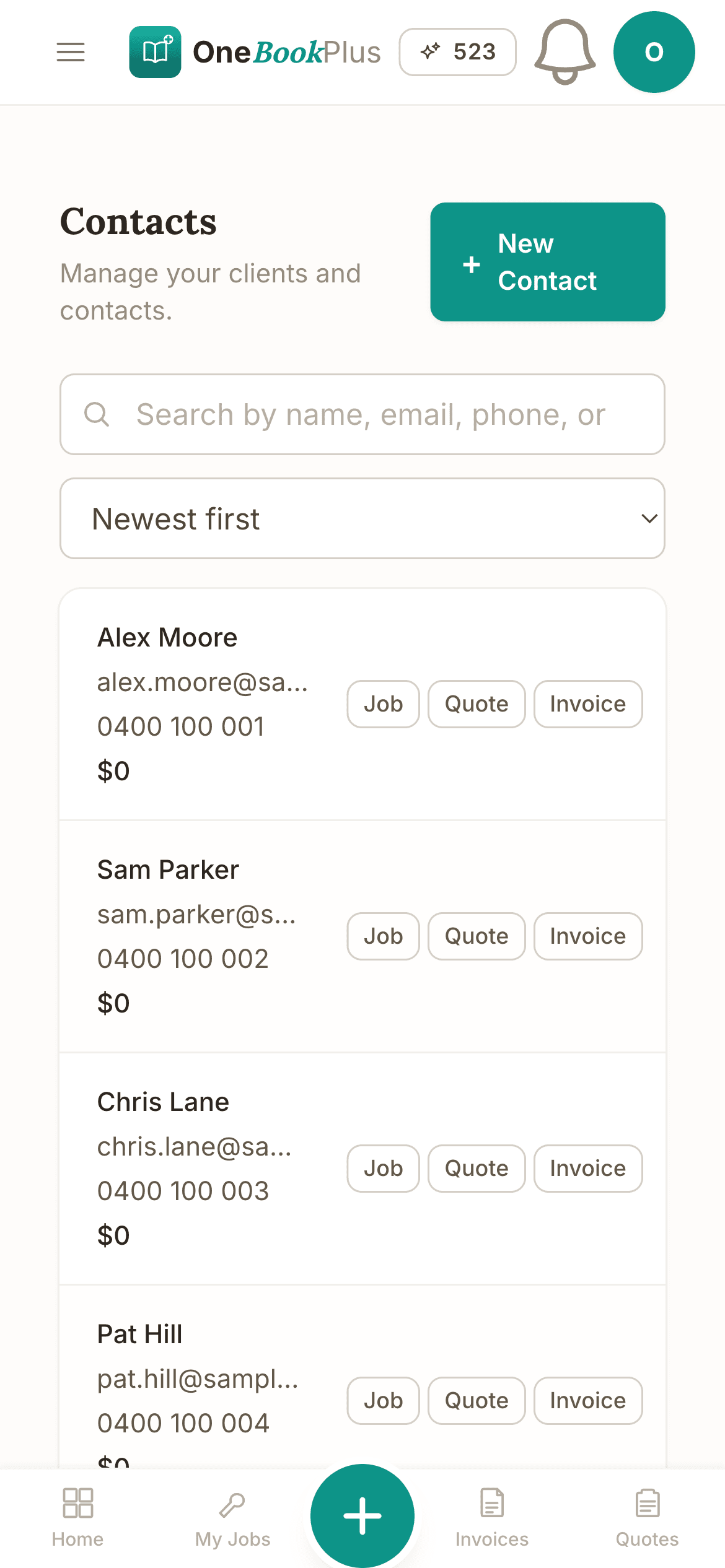
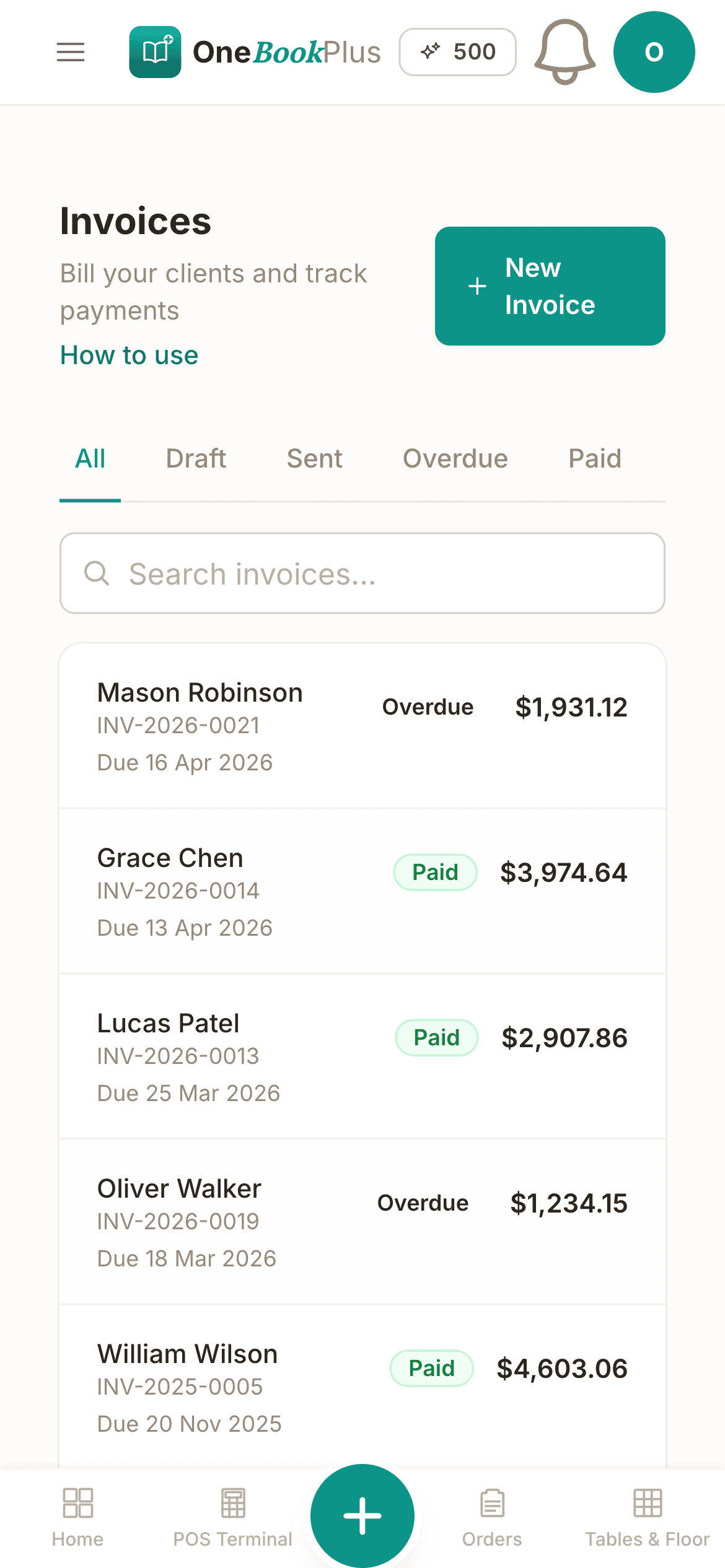
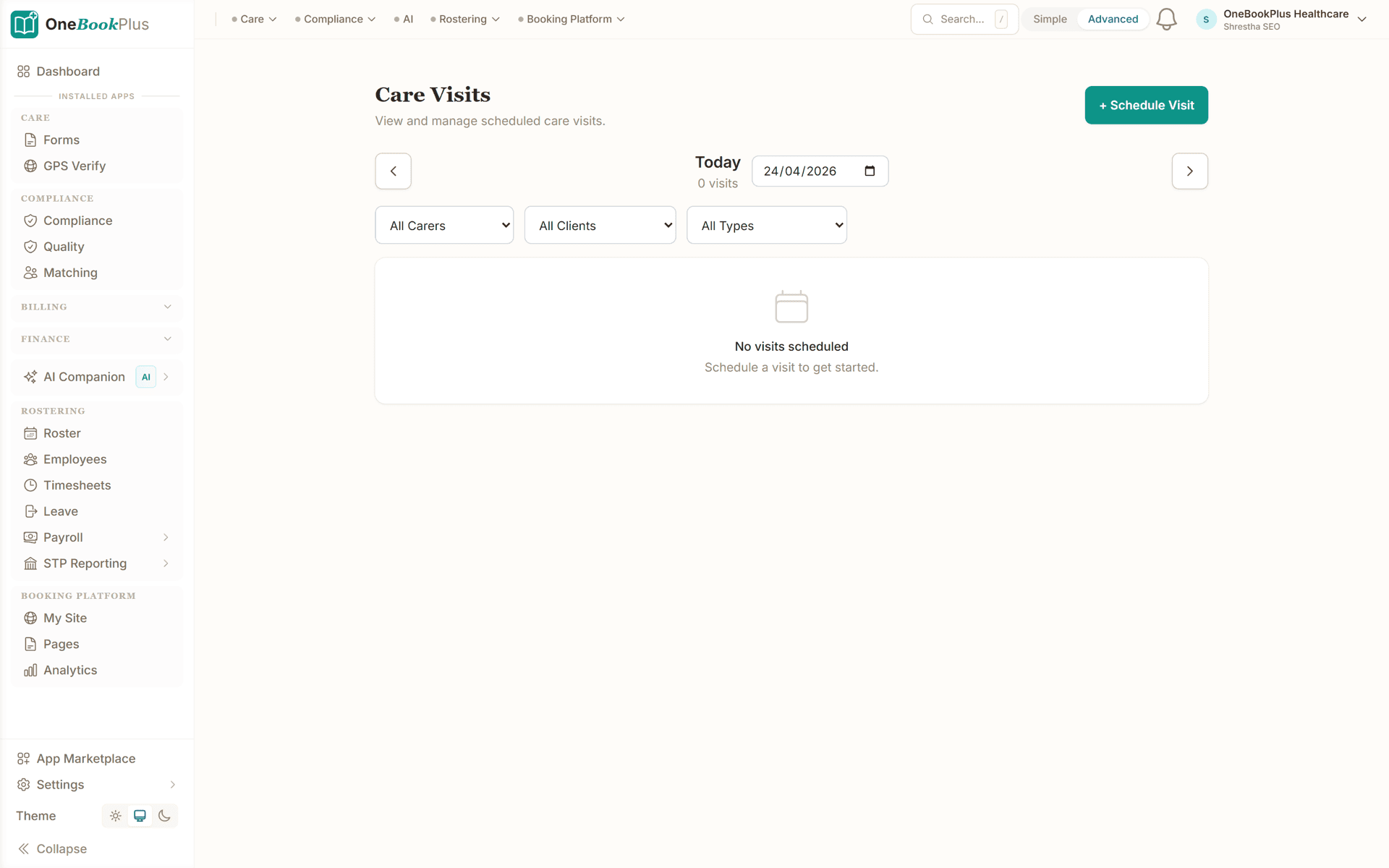
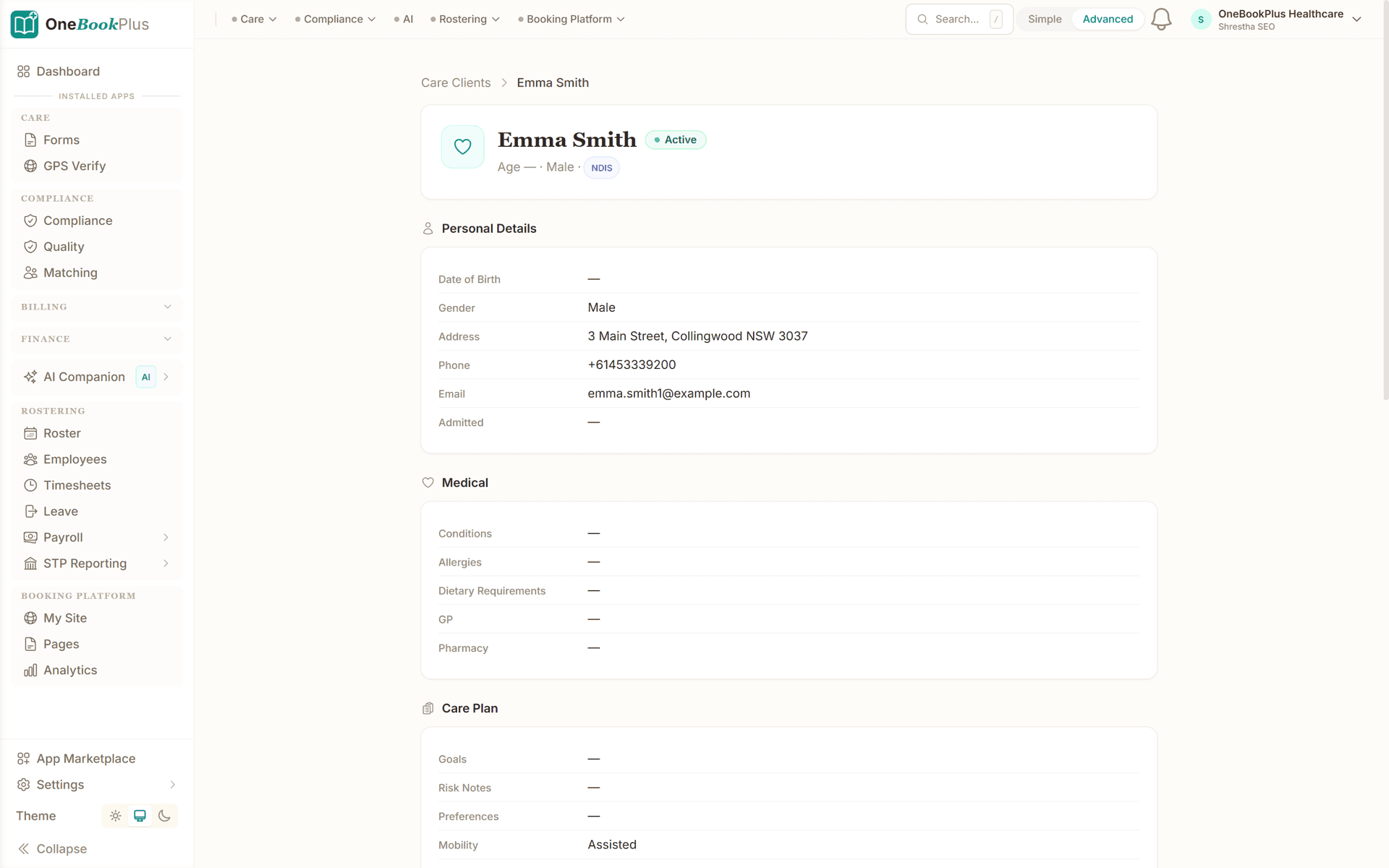
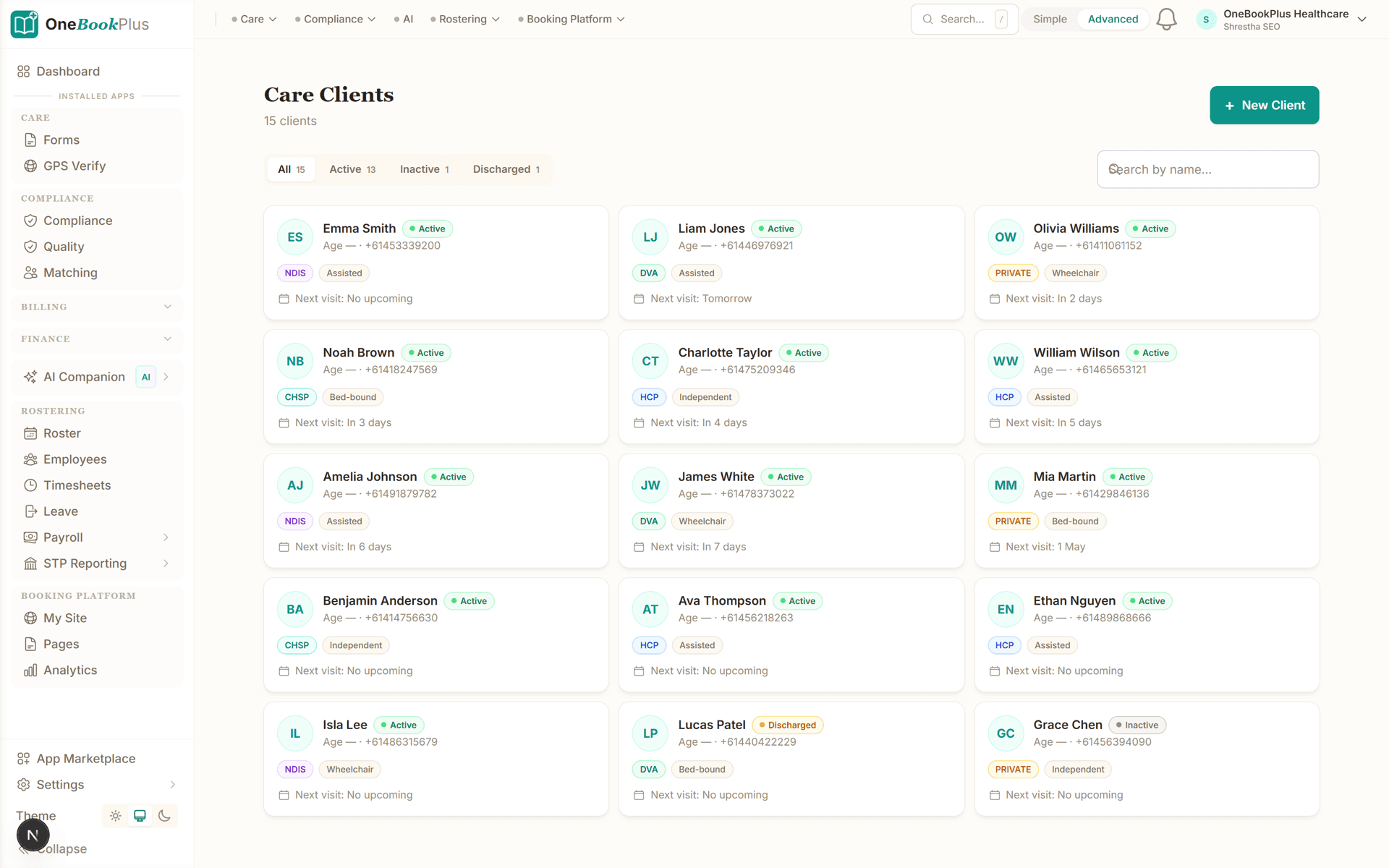
These are real product screens: the visit roster, the recipient profile with funding context, and the client list. Tap any screen to zoom in.
Every visit, every carer, every day
Roster view with who's visiting whom, when, for how long. Colour-coded by service type, drag to reassign.
Recipient profile with care plan
Goals, risks, medications, next-of-kin, funding (HCP/NDIS/DVA/Private): all on one compliant-ready screen.
Clients list with funding at a glance
Every recipient with their funding type, package budget, key contact: filterable and sortable.
From participant onboarding to claim-ready invoice in four steps
The same four steps whether you support two participants or twenty.
Onboard the participant
Create the participant record with their NDIS number, plan dates and plan-management type. Send a service agreement covering supports, hours and pricing: they accept online.
Roster the supports
Schedule the agreed supports across your workers. Flag the shift type (weekday, evening, weekend, public holiday, sleepover) so SCHADS context is captured upfront.
Deliver & note the shift
Your worker delivers the support and writes a progress note against the shift, goals, observations and any incident flags, straight from their phone.
Invoice the claim
Raise an invoice itemising the NDIS support-item numbers and hours delivered. Send it to the participant, their plan manager, or attach it to your bulk-claim submission to the NDIA.
Set up your first participant the day you sign up
Who it's for
Who uses OneBookPlus
A sole support worker, a small team rostering across several participants and an allied-health practice billing to plans run very different weeks. Here is what each one uses.
Sole support worker
Delivering supports to a handful of participants and invoicing directly to plan managers. Needs simple participant records, case notes from the phone, and GST-free invoicing with support-item numbers.
Growing support provider
Rostering several support workers across multiple participants. Needs SCHADS-aware shift scheduling, progress notes per shift, and consolidated invoicing per participant.
Support coordination & SIL
Coordinating supports or running supported independent living. Needs document storage for plans and consents, budget tracking against participant plans, and a clear audit trail.
Allied health under NDIS
Delivering therapy supports (OT, physio, psychology) funded under a participant's plan. Needs appointment scheduling, treatment notes, and itemised invoices that reference the right support items.
What a five-tool stack costs each month
Named tools, at each vendor’s own cheapest published plan, and ours underneath. Vendor pricing changes, so check each one before you decide.
Or use OneBookPlus
$87/mo
Everything in the list above, on one bill.
Start freeNo credit card · Free forever · Cancel anytime
Example walkthrough
Wednesday, shifts run and claims lined up
An illustrative walkthrough of a typical support-provider day, admin only
A referral lands overnight through your page. A support coordinator has sent a new participant: NDIS number, plan-managed, daytime self-care and community access. You open a participant record, set the plan dates and plan-management type, and queue a service agreement for the participant or their nominee to accept online.
The week view already shows this morning's rostered shifts across your workers. Saturday's shift gets flagged as a weekend type while you are looking at it, so the SCHADS context sits on the record long before payroll asks for it.
Mid-morning a worker finishes a shift and writes the progress note on their phone. It lands on the participant's timeline with the shift it belongs to, so continuity of support does not depend on anyone remembering a conversation.
At lunch you raise last week's invoices. Each line cites the support-item number, the units delivered and the rate you charge against the plan, invoiced GST-free. Plan-managed participants go to their plan manager; the NDIA-managed one still gets claimed through the official NDIS provider portal, because OneBookPlus produces the invoice, not the claim.
By the end of the day the new participant is onboarded, every shift is noted, last week's supports are invoiced, and the behaviour support plan is filed against the right person rather than sitting in an inbox.
How we compare
OneBookPlus vs NDIS & care software
See how we compare to the tools disability support providers typically use.
| Feature | OneBookPlus | Xero | ShiftCare | Brevity |
|---|---|---|---|---|
| Participant CRM with funding context | Yes | No | Yes | Yes |
| Support-worker rostering | Yes | No | Yes | Yes |
| Case notes per shift | Yes | No | Yes | Yes |
| Invoices with NDIS support-item numbers | Yes | No | Yes | Yes |
| Document storage per participant | Yes | No | Yes | Yes |
| Service agreements signed online | Yes | No | Yes | No |
| Accounting & BAS reports | Yes | Yes | No | No |
| Online booking / referral page | Yes | No | No | No |
| CRM beyond participants (leads, marketing) | Yes | No | No | No |
| NDIS bulk claim upload to the myplace portal | No | No | Yes | Yes |
| Free plan available | Yes | No | No | No |
| Price | From $0/mo | $37+/mo | $9+/mo per user | Subscription |
Four plans, all built for support providers
Start free, upgrade when your participant list and team grow. No contracts, no setup fees, no per-participant tax. Cancel any time.
Free
$0/forever
Onboard your first participant today, no credit card.
- 10 invoices/month
- 5 service agreements/month
- Participant records
- GST-free support invoicing
- Document storage
- Mobile PWA (notes in the field)
Starter
$29/mo
Replaces a roster tool + CRM + document store + Xero.
- Everything in Free
- Unlimited invoices, agreements & shifts
- Support-worker rostering (SCHADS-aware)
- Case notes per shift
- Stripe online payments
- Payment reminders + recurring invoices
- Accounting, P&L & BAS reports
- 3 team members
No card, drops to Free if you don't upgrade
Plus
$49/mo
Outgrowing the basics, unlimited contacts & bookings, advanced reporting.
- Everything in Starter
- Unlimited contacts & bookings
- Advanced reporting & analytics
- Batch invoicing
- Budget tracking
- 5 team logins
- 10 GB website media storage
Growth
$69/mo
For providers running larger teams with marketing and referrals on the side.
- Everything in Plus
- Unlimited participants + shifts
- Referral & community marketing campaigns
- SMS reminders to participants & families
- Reputation Engine (Google reviews)
- AI receipt and supplier-bill scanning
- AI assistant for admin & notes
- 10 team members
Prices in AUD. NDIS supports are generally invoiced GST-free; plan prices shown are for the OneBookPlus subscription. Read the full plan comparison
Switching from ShiftCare, Brevity or a stack of spreadsheets?
Switching is designed to fit in a single afternoon. Export your participants and contacts as CSV from your current tool, import them into OneBookPlus with our bulk importer, and you're running shifts and invoices the next morning.
- 1Export participants + contacts CSV from your current tool (5 min)
- 2Upload via the OneBookPlus bulk importer, auto-maps columns (10 min)
- 3Re-create your support items, rates and service-agreement template (15 min)
- 4Roster the week, raise your first invoices, and cancel the old subscriptions
Switch from
Built-in AI
Can’t get to the phone? Your AI can.
Your carers are with clients, enquiry calls wait, exactly when families need an answer now.
OneBookPlus
AI Receptionist · incoming call
“Looking into home care for Mum, who can I speak to?”
If you don't answer, the AI books it, Intake call · today 4:00pm, and texts a confirmation.
Extend Your Toolkit
Apps for NDIS Providers
Add claiming helpers, compliance tools, communication, and more to streamline your disability support operations.
Australian Owned
Built in Melbourne, AU
GST Compliant
ATO-ready from day one
Encrypted & Isolated
TLS in transit, AES-256 at rest, tenant isolation at the database layer, read the security page
Free Plan Available
No credit card needed
Questions NDIS providers ask
Common questions about software for NDIS providers and disability support businesses in Australia.
How does OneBookPlus compare to ShiftCare and Brevity for NDIS providers?
ShiftCare and Brevity are care-specialist platforms built for disability and aged-care providers, with deep rostering, care-plan and claiming workflows that a larger registered provider will lean on hard. OneBookPlus takes the all-in-one route instead: a participant CRM, SCHADS-aware rostering, case notes per shift, document storage, service agreements and invoicing with NDIS support-item line numbers, plus accounting, a referral page and general CRM, from $0/month. The honest split is this. If claim submission, rostering depth and sector-specific compliance reporting need to live inside one specialist product, the dedicated tools do that better. If you are a sole worker or a small provider carrying a roster tool, a spreadsheet, a shared drive and Xero, the all-in subscription usually covers more of your week for less. Compare on the all-in monthly cost and on how much of your actual workflow each tool covers.
Does OneBookPlus submit claims to the NDIA for me?
Not by itself. OneBookPlus is business software, it helps you record supports, roster workers, write notes and produce invoices that itemise NDIS support-item line numbers. It is not, on its own, an NDIS-registered claiming gateway or a direct connection to the myplace provider portal or the PRODA/bulk-payment system. Self-managed and plan-managed participants are invoiced directly (the plan manager processes the claim); for NDIA-managed participants you still lodge claims through the official NDIS provider portal. OneBookPlus produces the invoice and the supporting records, you (or your plan manager) make the claim.
Is OneBookPlus free for small NDIS providers?
Yes, our free plan includes participant records, invoices, quotes and a booking page, ideal for a sole support worker or a brand-new provider just getting started. You can upgrade to a paid plan as your participant list and team grow and you need unlimited invoicing, rostering for more workers, and accounting reports.
Can I roster support workers in line with the SCHADS Award?
You can roster shifts across your support workers, see the whole week, and flag each shift's type, weekday, evening, weekend, public holiday, sleepover or broken shift, so the SCHADS (Social, Community, Home Care and Disability Services Industry) Award context is captured when you schedule. OneBookPlus helps you capture and organise that information; it does not replace payroll-grade award interpretation or specialist legal advice. For final pay calculations, confirm against the current SCHADS Award and your payroll process.
Does the invoicing handle NDIS support-item numbers and pricing?
Yes. You build invoices that itemise the NDIS support-item line numbers, units and the price you charge against the participant's plan. You enter the line item references and rates that match the current NDIS Pricing Arrangements and Price Limits (the document formerly called the NDIS Price Guide), and OneBookPlus generates the professional, send-ready invoice with your provider details. We don't maintain or auto-apply the price catalogue for you, always check the live NDIS Pricing Arrangements for the current limits.
Are NDIS supports invoiced with GST?
Under the GST Act, supports provided to an NDIS participant under a written agreement are generally GST-free when the support is of a kind listed in the relevant NDIS supports determinations. OneBookPlus lets you raise GST-free invoices for those supports while still tracking GST on your business overheads (rent, vehicles, admin software) separately, so your BAS reconciles correctly. This is general information, not tax advice, confirm the GST treatment of your specific supports with your accountant or the ATO.
Can I store service agreements, consents and behaviour support plans?
Yes. Attach service agreements, consent forms, risk assessments, behaviour support plans and plan documents directly to each participant's record. When a support coordinator, plan manager or an auditor under the NDIS Practice Standards asks for documentation, it's filed against the person and easy to retrieve.
What happens when a participant's plan is close to running out of funded budget?
OneBookPlus records what you have delivered and invoiced against each participant, so the remaining budget you are tracking is visible before you roster more supports rather than after. It is not a live feed from the NDIA, so the figures are only as current as the supports you have entered, and a participant may be spending part of their budget with other providers you cannot see. Treat it as your own running total and confirm the position with the participant, their plan manager or their support coordinator before committing to extra hours. Delivering supports a plan cannot cover is a conversation nobody enjoys, and the fix is almost always earlier visibility, not better software.
Do I have to be a registered NDIS provider to use OneBookPlus?
No. Unregistered providers working with self-managed and plan-managed participants use the same participant records, rostering, case notes and invoicing as registered providers do. Registration status changes your obligations, not the software: registered providers are audited against the NDIS Practice Standards, and both registered and unregistered providers are covered by the NDIS Code of Conduct. Whichever applies to you, keeping service agreements, consents and progress notes filed against the right person is the part that makes an audit or a complaint straightforward. This is general information about administration, not compliance advice, so confirm your obligations with the NDIS Quality and Safeguards Commission.
How should sleepovers and broken shifts be recorded before payroll?
Flag the shift type when you roster it. The SCHADS Award treats a sleepover, a broken shift, an evening shift and a public holiday differently, and the cheapest time to capture which one you delivered is the moment you schedule it, not the week payroll is due. OneBookPlus keeps that flag against the shift and the participant, so the record you hand to payroll matches the record you invoiced against. It does not calculate award pay for you and it is not payroll-grade award interpretation. Work the final rates out against the current SCHADS Award and your payroll process, and get advice if a shift pattern is unusual.
About the author

Bishal Shrestha
Founder & CEO, OneBookPlus
Bishal spent a decade running digital projects for Australian small businesses before founding OneBookPlus. He writes and maintains these pages, and publishes what OneBookPlus does not do alongside what it does.
Read the founder bioHow this page was researched
The compliance and licensing statements above are taken from the bodies this page links to, including the NDIS Quality and Safeguards Commission, the NDIA price guide and the ATO, so you can read the rule rather than take our word for it. Plan prices come from the OneBookPlus price registry, so the page and the checkout cannot disagree. Everything said about OneBookPlus describes what the product does today, and the page says so where it does not do something.
How OneBookPlus works for NDIS providers
Disability support providers in Australia carry an administrative load that has nothing to do with the support work itself. You are tracking which participant has which plan-management type, rostering support workers across the SCHADS Award's weekday, evening, weekend and sleepover distinctions, keeping progress notes for every shift, storing service agreements and behaviour support plans where an auditor can find them, and then producing invoices that itemise the right NDIS support-item line numbers. Many providers stitch this together from a rostering tool, a spreadsheet, a shared drive and Xero, then spend their evenings copying information between them.
OneBookPlus brings the operations and the billing into one platform. Each participant has a single record with their NDIS number, plan dates, plan-management type, goals, support coordinator and emergency contacts, plus a timeline showing every shift, note, document and invoice. You roster supports across your workers and flag the shift type so the SCHADS context is captured upfront. Support workers write progress notes against the shift they delivered, straight from their phones. Service agreements, consent forms and plan documents stay filed against the right person. And when it is time to bill, you raise an invoice that itemises the support-item numbers and hours, invoiced GST-free, ready to send to the participant, the plan manager, or to attach to your claim. If you are weighing this against a care-specialist platform, the OneBookPlus and ShiftCare comparison sets out where each one is stronger.
Where OneBookPlus fits in your claiming workflow
It is worth being clear about the boundary. OneBookPlus is your operations and invoicing platform. It is not, by itself, an NDIS-registered claiming gateway or a direct connection to the NDIA's myplace provider portal or the PRODA and bulk-payment system. For self-managed and plan-managed participants, you invoice directly and the participant or their plan manager processes payment. For NDIA-managed participants, you still submit claims through the official NDIS provider portal. OneBookPlus produces the itemised invoice and keeps the supporting records, the case notes, the service agreement and the document trail, so that whoever lodges the claim has everything they need and your records stand up to scrutiny.
Compliance, evidence and the NDIS Practice Standards
Registered providers are audited against the NDIS Practice Standards and must operate within the NDIS Code of Conduct. No software makes you compliant on its own, but keeping clean, retrievable records is a large part of demonstrating it. With OneBookPlus the evidence lives against the participant: the signed service agreement, the consent forms, the risk assessment, the behaviour support plan, and the progress notes for every shift. When an auditor, support coordinator or plan manager asks for documentation, you open the participant and it is there, not buried in an inbox or a folder on someone's laptop.
Rostering with the SCHADS shift types in view
Support work rarely falls into a tidy nine-to-five, and the SCHADS Award treats a weekday, an evening, a weekend, a public holiday, a sleepover and a broken shift as different things. The practical problem for a small provider is not knowing the award, it is that the information needed to apply it, which shift type was delivered on the day, is captured last and reconstructed from memory at the end of the pay cycle. Flagging the shift type at the moment you roster it turns that reconstruction into a lookup. The flag rides with the shift, so the same record answers three questions at once: what the worker is owed, what the participant received, and what you can invoice against their plan. OneBookPlus captures and organises that context, it does not interpret the award for you. If you are costing a new support worker before you commit to the roster, the employer cost calculator and the casual loading calculator give you a starting figure to check against the current award.
Service agreements, consent and the paperwork that starts a support
Nothing should start before the service agreement is agreed, and yet the agreement is often the slowest part of onboarding: printed, posted, chased, signed on a kitchen table and then photographed at an angle. Sending it as a branded document the participant or their nominee can read and accept online removes a fortnight of back and forth, and the accepted version lands on the participant record rather than in somebody's email. From there the rest of the intake paperwork sits in the same place: consent forms, risk assessments, plan documents and behaviour support plans, all against the person they belong to. The payoff is not tidiness for its own sake. When a support coordinator asks what was agreed, when an auditor asks for evidence, or when a new worker picks up a participant for the first time, the answer is one record rather than three systems. It also makes the awkward version of that conversation easier, because you can point to what was agreed rather than what everyone remembers agreeing. Allied health teams billing therapy supports under a plan can run the same pattern, which is why the occupational therapy practice page and the aged care provider page describe the same records from a different angle.
Getting started
Sign up free, no credit card, no lock-in. Create your first participant with their NDIS number and plan details, send a service agreement for them to accept online, and roster the supports. Import an existing participant list via CSV from ShiftCare, Brevity or a spreadsheet, and set up the support items and rates you charge. Supports delivered under a written agreement are generally GST-free while your overheads are not, so if you want to sanity-check what GST applies to the taxable side of your business, the GST calculator does the arithmetic, and the invoicing feature overview shows what the finished document looks like. This page is general information about Australian NDIS administration, not legal, financial or compliance advice. Always confirm the current NDIS Pricing Arrangements, the SCHADS Award and your GST treatment with the relevant authority or your accountant.
Spend less of the week on admin and more of it on support
Participant records, rostering, case notes and claim-ready invoicing in one place. Free to start, upgrade when you're ready.
Reviewed by Bishal Shrestha
Authoritative sources
Where the NDIS, award and tax facts on this page come from
NDIS providers operate under the NDIS Practice Standards, charge within the NDIS Pricing Arrangements, employ under the SCHADS Award, and invoice supports GST-free under the GST Act. We cite the primary sources for every claim on this page so you can verify directly.
- NDIS Quality and Safeguards Commission, NDIS Practice Standards, Standards registered providers are audited against.
- NDIS, Pricing Arrangements and Price Limits, Support-item numbers and price limits (formerly the NDIS Price Guide).
- Social, Community, Home Care and Disability Services Industry Award (SCHADS), Modern award covering disability support employment conditions.
- ATO, GST and the disability sector, GST-free treatment of NDIS supports.
- NDIS Code of Conduct, Conduct expected of NDIS providers and workers.
From the blog
Related reading for NDIS and disability providers
Practical guides and explainers from the OneBookPlus blog, grouped by topic.
What to Charge Per Hour
A qualified plumber on the award costs $31.63 an hour. Once leave, super, workers comp and the hours you cannot invoice are counted, one billable hour costs about $67 before a dollar of overhead. The full build-up, with 2026-27 figures.
13 min readRead articleAustralia's Payroll Tax Cliff
Pay $1.5 million in wages and you owe $31,731 in payroll tax in Western Australia and nothing in South Australia, the NT or the ACT. Every threshold, rate and trap across all eight Australian jurisdictions for 2026-27.
13 min readRead articleEOFY Checklist 2026: Complete End of Financial Year Guide for Australian Small Business
The end of financial year checklist for Australian small business: super, STP finalisation, stocktake, asset write-off, bad debts and the ATO dates.
14 min readRead articlePAYG Withholding for Small Business: What You Need to Know
PAYG withholding for Australian small business: when you must withhold, how much, what to report, the common mistakes, and contractor agreements.
6 min readRead article
Features
Comparisons
Tools & Apps