OneBookPlus vs Deputy
Rostering plus everything else
Deputy is great for shift scheduling, but it is billed per user, per month, and it only handles rostering. OneBookPlus gives service businesses rostering PLUS invoicing, CRM, bookings, accounting, and marketing from $0/month.
Key takeaways
5- Deputy is billed per user, per month, across its Lite, Core and Pro plans (published rate in the comparison table below), with Enterprise quoted, and payroll, HR and analytics charged as further per-user add-ons on top. Every seat on the roster is a seat on the bill.
- Deputy is dedicated rostering and time & attendance software with no invoicing, accounting, CRM, or marketing. Most AU businesses run Deputy alongside Xero or MYOB and a separate booking/CRM tool, so the real monthly stack sits well above the headline per-user rate.
Show 3 moreShow less
- OneBookPlus brings accounting, GST invoicing, online bookings, CRM, and marketing into one platform from $0/month (Free), $29/month (Starter), $49/month (Plus), or $69/month (Growth), with no per-user charge below each tier's login cap (1 / 3 / 5 / 10 by tier), so rostering more staff does not push the bill up; giving someone a login is what moves you up a tier. Rostering and payroll are a separate $29/month add-on, flat rather than per seat.
- Parity exists on the basics both tools need: shift scheduling, time & attendance, timesheet approval and modern-award rate calculation. OneBookPlus works out pay, PAYG withholding and super, emails payslips and writes an ABA bank file, but it does not lodge Single Touch Payroll to the ATO yet, so pay events still go through your STP-enabled software. OneBookPlus then adds the invoice-to-BAS half of the business that Deputy leaves to other software.
- Where Deputy wins: a deep, configurable award-interpretation library (SCHADS, Hospitality, Retail) and sales-driven demand forecasting for high-frequency, multi-site rostering, genuinely deeper than OneBookPlus there. Where OneBookPlus wins: total cost (replaces Deputy + Xero + a CRM + a booking tool), no per-user pricing below each tier's login cap (1 / 3 / 5 / 10 by tier), and one customer-to-cash record from roster through invoice to BAS.
What you get for the roster, and what you still have to buy
OneBookPlus
From $0/mo. Rostering & payroll add-on $29/mo
- Shift scheduling & rostering
- Time & attendance tracking
- GST invoicing & quoting
- Online booking page
- CRM & client management
- Accounting & P&L reports
- BAS / ATO tax summaries
- Email marketing & campaigns
- Australian-built & supported
Deputy
Per user, per month. Rostering only
- Shift scheduling
- Time & attendance
- Timesheet approval
- Award interpretation
- Invoicing
- CRM & client management
- Online bookings
- Accounting & P&L
- Requires separate invoicing & accounting tools
OneBookPlus vs Deputy: detailed comparison
See exactly what's included in each platform. OneBookPlus gives service businesses rostering plus a complete business toolkit at one price.
| Feature | OneBookPlus | Deputy |
|---|---|---|
| Shift scheduling & rostering | Yes | Yes |
| Time & attendance tracking | Yes | Yes |
| Timesheet approval | Yes | Yes |
| Award interpretation | Yes | Yes |
| Employee availability | Yes | Yes |
| GST-compliant invoicing | Yes | No |
| Online booking page | Yes | No |
| CRM & contact management | Yes | No |
| Email marketing | Yes | No |
| Accounting & P&L reports | Yes | No |
| BAS / ATO tax summaries | Yes | No |
| Quoting | Yes | No |
| Expense tracking | Yes | No |
| Job management & pipeline | Yes | No |
| Google review requests | Yes | No |
| Native iOS app | Yes | Yes |
| Native Android app | No | Yes |
| Free plan available | Yes | No |
| Demand-based auto-scheduling at enterprise scale | No | Yes |
| Workforce management for large multi-site teams | No | Yes |
| Price (AUD) | From $0/mo | Per user / mo |
| All included | Rostering only |
The 16 dimensions Australian rostering buyers check first
Where a per-user rostering specialist and an all-in-one AU-tax-native platform actually diverge, including the rows where Deputy is genuinely deeper. Cited against Deputy’s public pages.
| Category | Feature | OneBookPlus | Deputy |
|---|---|---|---|
| Rostering | Drag-and-drop shift scheduling | Yes | Yes (source: deputy.com/employee-scheduling) |
| Time & attendance | Clock-in kiosk + GPS / geofence stamping | PIN kiosk and timesheets; GPS geofence stamping is the GPS Verification app ($9/month), scoped to care visits, not shift rosters | Kiosk + GPS clock-in on any shift (source: deputy.com/features) |
| Award interpretation | Modern-award pay-rate calculation (SCHADS, Hospitality, Retail, GRIA) | Core AU awards | Deep, configurable award library (source: deputy.com/award-interpretation) |
| Demand forecasting | Sales/foot-traffic-driven roster forecasting | No | Yes, flagship workforce feature (source: deputy.com/employee-scheduling) |
| Invoicing | GST-native invoicing + ABN validation | Yes | No (source: deputy.com/features) |
| Quotes & jobs | Quote to job to invoice pipeline | Yes | No (source: deputy.com/features) |
| Bookings | Customer-facing online booking page | Yes | No (source: deputy.com/features) |
| CRM | Client records, history, communications | Yes | No (source: deputy.com/features) |
| Accounting | P&L, balance sheet, expense tracking | Yes | No (source: deputy.com/features) |
| GST / BAS | Quarterly BAS-ready reports (G1, 1A, 1B) | Yes | No (source: deputy.com/features) |
| Bank feeds | Australian bank feeds + AI categorisation | Withdrawn while we replace the provider | No (source: deputy.com/features) |
| Payroll | STP Phase 2 lodgement & SuperStream | Payroll add-on; no STP lodgement yet | Payroll add-on (extra per user/mo) or Xero/MYOB integration (source: deputy.com/au/pricing) |
| Marketing | Email campaigns + Google review requests | Yes | No (source: deputy.com/features) |
| Mobile | Native mobile app | Native iOS app; web app on Android | iOS + Android (staff app) (source: deputy.com/features) |
| Pricing model | How seats are charged | Flat plan, logins included (1 / 3 / 5 / 10 by tier) | Per user / month, every seat: A$6.75 Lite to A$13 Pro, ex GST, plus add-ons (source: deputy.com/au/pricing) |
| Data residency | Where customer data is stored | AWS Sydney (ap-southeast-2) | Check vendor page (source: deputy.com/security) |
| Starting price (AUD, inc. GST) | From $0/mo | Per user / month | |
| Flat plan · logins 1 / 3 / 5 / 10 by tier | Billed every seat · payroll, HR & analytics are extra add-ons · Xero/MYOB needed for accounting |
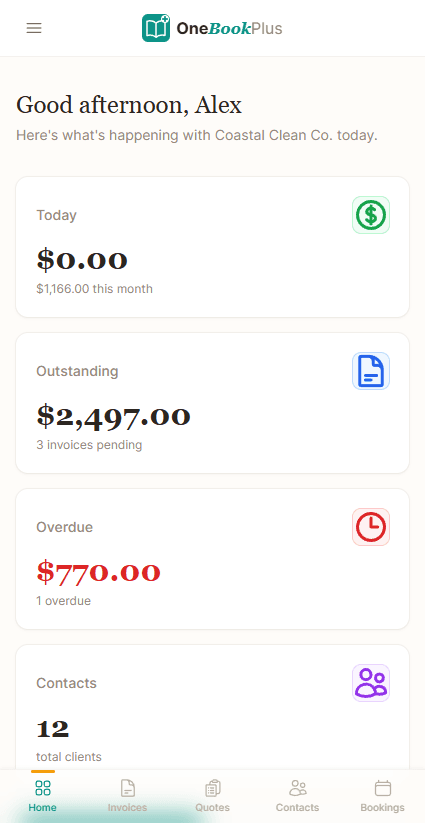
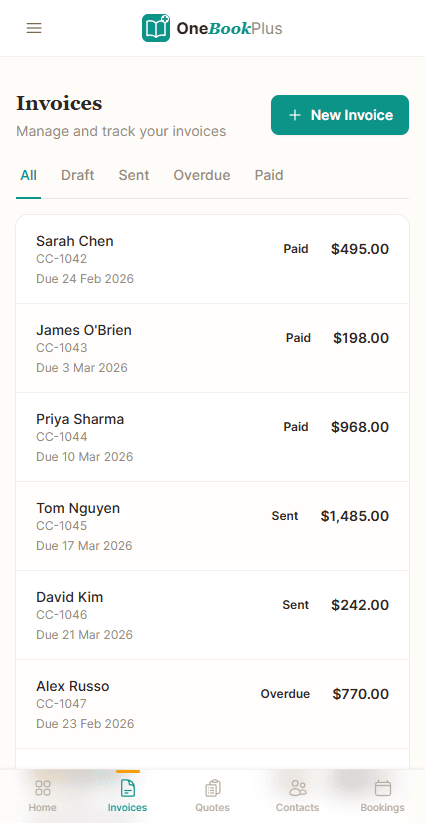
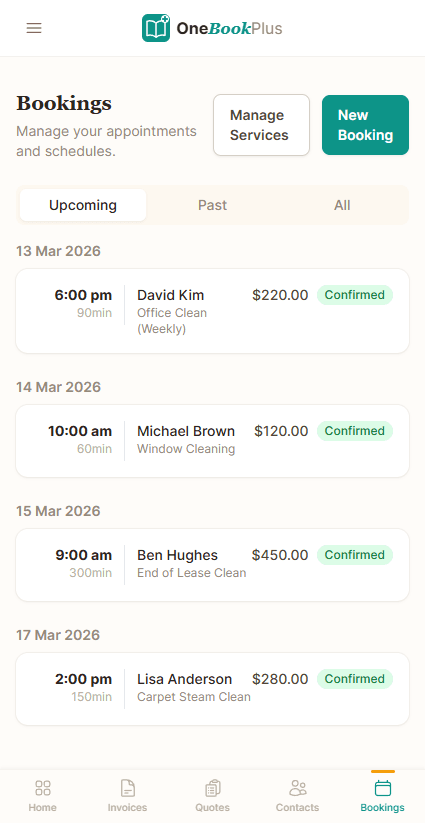
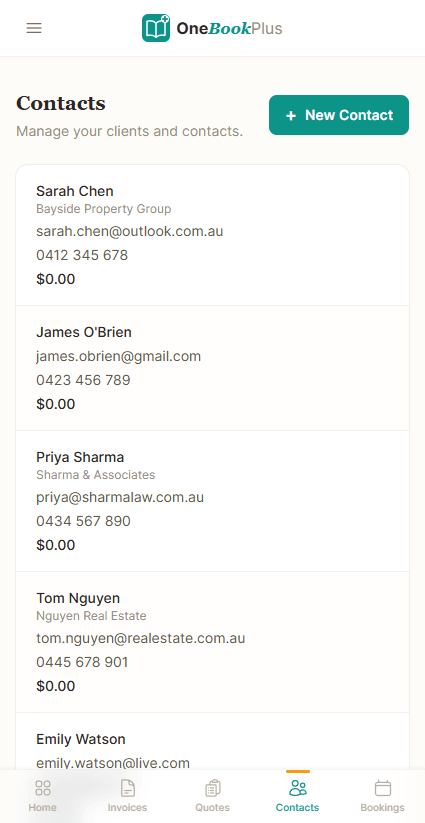
Not mockups, real product screens
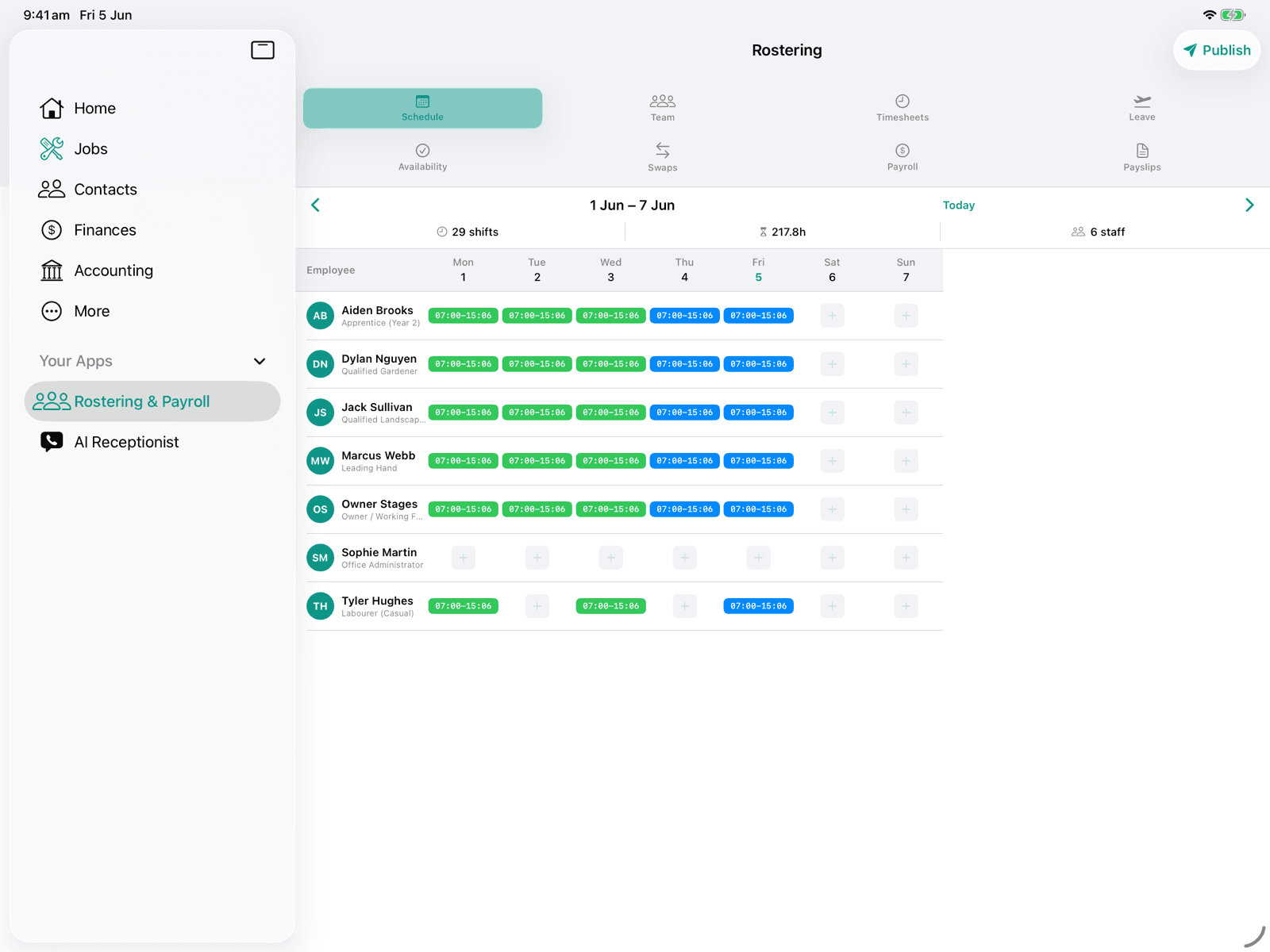
The roster, published from the app
Every competitor row above cites Deputy's own page. Our side of it is rostering and timesheets in the same subscription as the invoicing, so here is the screen that does it.
Open the same screens yourself
The live demo is a working OneBookPlus account with jobs, bookings, quotes and invoices already in it. Click into the screens above rather than taking the ticks on faith.
Where Deputy wins
Award interpretation and demand forecasting, done deeper
Deputy has built workforce-management software in Australia since 2008, and rostering is the whole product, not a feature. That focus shows in two places OneBookPlus does not try to match. First, its award-interpretation engine handles the awkward corners of complex modern awards (SCHADS, the Hospitality Industry (General) Award, the General Retail Industry Award) with allowances, broken shifts, and overtime stacking configured per role. Second, its demand-forecasting scheduler builds rosters against a sales or foot-traffic target to hit a labour-cost percentage. If you run a multi-venue hospitality or retail group where shaving labour cost across dozens of staff is the single most valuable thing software can do, Deputy’s specialism is real, and switching isn’t urgent.
Where OneBookPlus wins
The other half bundled, priced flat, payroll in the same record
The other half of the business is bundled, not a separate Xero bill. OneBookPlus ships GST invoicing, quoting, a quote-to-job-to-invoice pipeline, P&L and balance sheet, expense tracking with receipt scanning, and quarterly BAS reports inside the same subscription. Deputy’s features page has none of that, so you roster in Deputy, then invoice and lodge BAS in a second system you pay for and reconcile.
Flat pricing, not per-user. Deputy’s pricing page charges per user, per month, on every plan, and payroll, HR, messaging and analytics are further per-user add-ons on top, so every casual you put on the roster adds to the bill twice over. OneBookPlus charges a flat plan fee instead, and what it bands is logins: one on Free, three on Starter ($29/mo), five on Plus ($49/mo) and ten on Growth ($69/mo). Everyone you roster is a staff record, not a paid seat, so a busy season that doubles your roster doesn’t double your software cost. Over ten logins, talk to us about an enterprise arrangement.
Payroll runs here, and the customer record is unified. Deputy will run pay for you these days, either through its own paid payroll add-on or by pushing timesheets into Xero or MYOB via its integrations, and both cost extra per user. OneBookPlus runs pay itself, in a$29/month rostering and payroll add-on that works out PAYG withholding, super and penalty rates, emails payslips and writes an ABA file for the bank. Single Touch Payroll is not lodged from OneBookPlus yet, so pay events still reach the ATO through your STP-enabled software. What is joined up is the record: the same contact who is rostered is the contact who gets quoted, booked, invoiced, and chased, one record from roster through to BAS, not a sync between three tools.
Four things a Deputy roster leaves to other software
Rostering plus everything else
Deputy only handles scheduling, you still need separate tools for invoicing, bookings, CRM, and accounting. OneBookPlus puts rostering (a $29/month add-on) alongside your entire business toolkit in one platform, so you can stop juggling multiple subscriptions.
Built-in invoicing & accounting
Deputy has zero invoicing or accounting features. Most businesses using Deputy also pay for Xero, MYOB, or similar tools. OneBookPlus includes GST-compliant invoicing, P&L reports, expense tracking, and ATO-ready BAS summaries, no extra software needed.
Online bookings & CRM included
Deputy doesn't offer a booking page or client management. OneBookPlus includes an online booking page where customers can book services, plus full CRM to track client history, preferences, and communications, features you'd otherwise need separate tools for.
One flat price, not per-user
Deputy charges per user per month for the plan, then again per user for payroll, HR and analytics add-ons, so the cost of rostering alone climbs with every hire. OneBookPlus starts free and charges a flat plan, with rostering and payroll as a single $29/month add-on rather than a per-seat fee, so rostering more people costs nothing; what the plans band is logins (1 / 3 / 5 / 10 by tier), and giving someone a login is what moves you up a tier.
OneBookPlus vs Deputy: your questions answered
How does OneBookPlus compare to Deputy for Australian service businesses?
OneBookPlus covers the rostering and scheduling most businesses use Deputy for, then keeps going: invoicing, CRM, online bookings, accounting and marketing sit in the same subscription. Deputy is the deeper rostering product, with a more configurable award library and demand forecasting OneBookPlus doesn't attempt. So the split is about where your weekly effort goes. If optimising labour cost across a large roster is the job, Deputy is the better tool. If you roster a handful of staff and then have to invoice, book and reconcile in three other apps, OneBookPlus replaces the stack.
Does OneBookPlus have the same rostering features as Deputy?
OneBookPlus covers shift scheduling, time & attendance tracking, timesheet approval, award interpretation, and employee availability management. Deputy is a specialist rostering tool with deeper workforce management features like demand forecasting. But for most service businesses, OneBookPlus provides everything you need for rostering plus invoicing, bookings, CRM, and accounting that Deputy doesn't offer.
How does Deputy's pricing compare to OneBookPlus?
The models differ more than the numbers do. Deputy prices per user, per month, across its Lite, Core and Pro plans, and charges further per-user add-ons for payroll, HR, messaging and analytics, so the bill scales with headcount twice over: once for the seat and again for each add-on. Its current rates are published on deputy.com/au/pricing and stated in the comparison table on this page. On top of that you still need separate tools for invoicing, bookings, CRM, and accounting. OneBookPlus starts free and covers all of that, with no per-user charge on the Free, Starter ($29/mo), Plus ($49/mo), or Growth ($69/mo) plans, so rostering a casual costs nothing. What the core plans band is logins, one on Free, three on Starter, five on Plus and ten on Growth, with no per-seat charge below the cap. Giving that casual a login is what moves you up a tier. Rostering and payroll sit outside those plans as a $29/month add-on with a 14 day trial, and that price is flat too, not per seat.
Can OneBookPlus handle accounting as well as rostering?
Absolutely, and this is a major advantage over Deputy. OneBookPlus includes full accounting with profit and loss reports, expense tracking, GST calculation, and ATO-ready BAS summaries. With Deputy, you need to pay for separate invoicing software, accounting software, and a booking platform. OneBookPlus gives you everything in one place.
What does OneBookPlus offer that Deputy doesn't?
OneBookPlus includes several features Deputy lacks: GST-compliant invoicing, online booking pages, CRM and client management, email marketing campaigns, quoting, full accounting with P&L reports, BAS/ATO tax summaries, expense tracking, Google review requests, and job management. Deputy focuses solely on rostering and scheduling. OneBookPlus is a complete business platform.
Where is Deputy genuinely better than OneBookPlus?
Deputy is a workforce-management specialist founded in 2008 (per its about-us page, https://www.deputy.com/about-us), and its depth shows where rostering is the centre of your operation. Its award-interpretation engine handles the awkward edges of complex modern awards, SCHADS, the Hospitality Industry (General) Award, the General Retail Industry Award, including allowances, broken shifts, and overtime stacking. It also has sales- and foot-traffic-driven demand forecasting that builds rosters to a labour-cost target, which matters most for high-frequency rostering across many sites. OneBookPlus covers core award rate calculation and shift scheduling, but does not aim to match Deputy's forecasting or its configurable award library. If your single biggest weekly job is optimising labour cost across dozens of staff, Deputy's specialism is real.
Does Deputy do invoicing, BAS, and accounting like OneBookPlus?
No. Deputy is rostering, time & attendance and, through a paid add-on, payroll. Its public pages describe scheduling, timesheets, award interpretation, clock-in tools and pay runs, but no customer invoicing, no accounting and no BAS. A BAS (Business Activity Statement) is the form Australian businesses lodge with the ATO to report GST collected on sales, GST paid on purchases, and the net amount owed. Because Deputy holds no sales invoices, the GST side has to come from Xero or MYOB, a separate subscription alongside it. OneBookPlus generates BAS-ready GST figures (G1, 1A, 1B) automatically from your invoices and expenses, so rostered hours, invoices, and your BAS all live in one system.
How does OneBookPlus compare to Deputy for a business that rosters staff and also invoices clients?
The two overlap on the roster and diverge immediately after it. Deputy is excellent at rostering, time & attendance, and award interpretation but stops there, you still pay for Xero or MYOB, a CRM, a booking tool, and a marketing tool on top, all charged per user as your team grows. OneBookPlus puts GST invoicing, online bookings, CRM, accounting, and marketing into one Australian-built platform from $0/month, with no per-user fee below each plan's login cap on Free, Starter, Plus or Growth (1 / 3 / 5 / 10 by tier), and adds rostering and payroll as a $29/month add-on. That add-on runs pay, PAYG withholding, super, penalty rates and payslips, but it does not lodge Single Touch Payroll to the ATO, so you keep STP-enabled software for that step. If you need enterprise-grade demand forecasting across many sites, Deputy remains the deeper pure-rostering tool.
How OneBookPlus replaces Deputy, and what it adds
Deputy solves one problem well: getting the right staff in the right shifts. But most service businesses don't just need a roster. They need to invoice clients, track expenses, manage bookings, and keep their books in order. That means paying for Deputy plus Xero, plus a booking tool, plus a CRM. OneBookPlus collapses that entire stack into a single platform built specifically for Australian service businesses.
Your rostered hours flow directly into invoices and payroll reports without re-keying data. Payments clear against the invoices they settle. BAS summaries generate from real transaction data. It's not just fewer apps, it's fewer errors and less time spent on admin every week.
Feature deep dive
- Rostering to invoicing pipeline: Create shifts, approve timesheets, then generate GST-compliant invoices directly from completed hours. No CSV exports and no copy-paste: hours become billable line items in two clicks.
- Payments matched to invoices: An online card payment lands against the invoice it settles on its own, and anything paid another way is recorded once and clears the same invoice. Deputy has no financial features at all, so you need a separate accounting tool just to know who's paid you.
- Built-in BAS and tax summaries: Every invoice, expense, and payment feeds into your GST calculations and ATO-ready BAS summaries. At tax time, your numbers are already done, with no scrambling through spreadsheets or waiting on your accountant.
Who should switch
OneBookPlus is the strongest fit for service businesses that have outgrown scheduling-only tools. If you're a cleaning company managing rosters AND sending invoices, a trades business tracking jobs AND quoting clients, or an aged care provider rostering carers AND billing NDIS participants, you'll benefit most from having everything connected. Businesses that only need enterprise-scale workforce management with demand forecasting may still prefer Deputy's specialist depth.
Getting started
Switching takes minutes, not days. Sign up for a free OneBookPlus account, import your staff list, and set up your first roster. Then set your ABN and GST defaults, create your online booking page, and send your first GST-compliant invoice, all from the same dashboard you manage your rosters in. No credit card required, no setup fees, and logins included by tier (1 / 3 / 5 / 10 logins by tier) rather than a per-seat charge eating into your margins.
How OneBookPlus runs the roster-to-cash workflow
With Deputy, the week starts and ends inside the roster. You build shifts, staff clock in against the kiosk or the mobile app, timesheets are interpreted against the relevant modern award, and then approved hours are paid through Deputy’s payroll add-on or exported to Xero or MYOB. It is a clean rostering loop, but it is only the rostering loop. Everything that turns rostered labour into revenue, the quote, the booking, the invoice and the BAS, happens in software Deputy does not provide. OneBookPlus keeps the same rostering loop and joins it to the rest of the business in one record.
You roster the same way: drag shifts onto the schedule, publish to staff, and let them clock in. Approved hours are interpreted against the award and feed straight into a pay run that works out PAYG withholding, super and penalty rates, then produces payslips and an ABA file for the bank, with no integration fee. Single Touch Payroll is the one step that stays outside: pay events are not lodged to the ATO from OneBookPlus yet, so you still report each pay run through your STP-enabled software. The same approved hours can also drop onto a client invoice as billable line items, so the time a carer or cleaner spent on a job becomes a GST-compliant invoice with your ABN in two taps rather than a CSV you re-key into accounting.
Because the client, the roster, the invoice, and the books all sit in one platform, the financial side closes itself. Payments clear against the invoices they settle, expenses are categorised as you snap receipts, and your profit-and-loss updates in real time. When BAS time comes, OneBookPlus produces the G1, 1A, and 1B figures from real transaction data, with no reconciliation between a Deputy timesheet, a Xero ledger, and a spreadsheet.
And because every rostered customer is already a CRM record, OneBookPlus does the front-of-house work Deputy never attempts: a customer-facing booking page that creates the job, email campaigns to past clients, and an automatic Google review request once a job is marked complete and paid. Deputy ends at the timesheet; OneBookPlus carries the same contact from the roster all the way to the next booking.
How to switch from Deputy to OneBookPlus
Export your staff list and locations from Deputy
In Deputy, export your People list and Locations/Areas as a CSV. Import the staff list into OneBookPlus: names, emails, phone numbers, pay rates, and the locations they work map across so your team is ready to roster on day one. Leave Deputy live as a read-only archive of historical timesheets while you cut over.
Set your award rates, ABN, and pay settings
Configure the modern award and pay rates that apply to each role (SCHADS, Hospitality, Retail, or your own), then add your ABN, GST settings and your PAYG withholding and super defaults, so pay runs, payslips and the ABA bank file work from the first cycle. That replaces the Deputy timesheet export. Keep your STP-enabled software for lodging pay events, because OneBookPlus does not lodge Single Touch Payroll to the ATO yet.
Roster your first week, then turn on invoicing and BAS
Publish your first roster in OneBookPlus and let staff clock in. Once the rhythm feels right, switch on the parts Deputy never had: raise invoices from approved hours, capture expenses by scanning the receipt, and let BAS-ready GST figures build automatically. Most teams run both tools for one pay cycle, then cancel Deputy and drop the separate accounting subscription.
Industries
Comparisons
Stop paying per-user for rostering
when you can get the whole business platform
Invoicing, bookings, CRM and BAS in one AUD subscription, with rostering and payroll as a $29/month add-on, and no per-seat charge below each plan's login cap (1 / 3 / 5 / 10 by tier).
Free plan available, no card needed.
About this comparison
How we compared OneBookPlus to Deputy
Feature claims about OneBookPlus reflect what is shipping today on onebookplus.com.au. Deputy pricing and feature claims were read off Deputy’s public Australian product pages on . Vendor pricing changes frequently, so check the Deputy website for your specific situation before making a decision.
Disclosure: OneBookPlus publishes this comparison and stands to benefit if you switch. We aim to compare like-for-like on capability and Australian tax compliance, if you spot something out of date, email hello@onebookplus.com.au and we’ll review it.
About the author

Bishal Shrestha
Founder & CEO, OneBookPlus
Bishal spent a decade running digital projects for Australian small businesses before founding OneBookPlus. He writes and maintains these pages, and publishes what OneBookPlus does not do alongside what it does.
Read the founder bioHow this page was researched
Every Deputy price and capability claim on this page was read off Deputy's own published Australian pages on the date printed above, and recorded in competitor-facts.ts with that date. Claims about OneBookPlus describe what ships today, and the page names what we do not do.
Last reviewed and updated: by Bishal Shrestha