A plumber in Sydney
OneBookPlus Plumbing
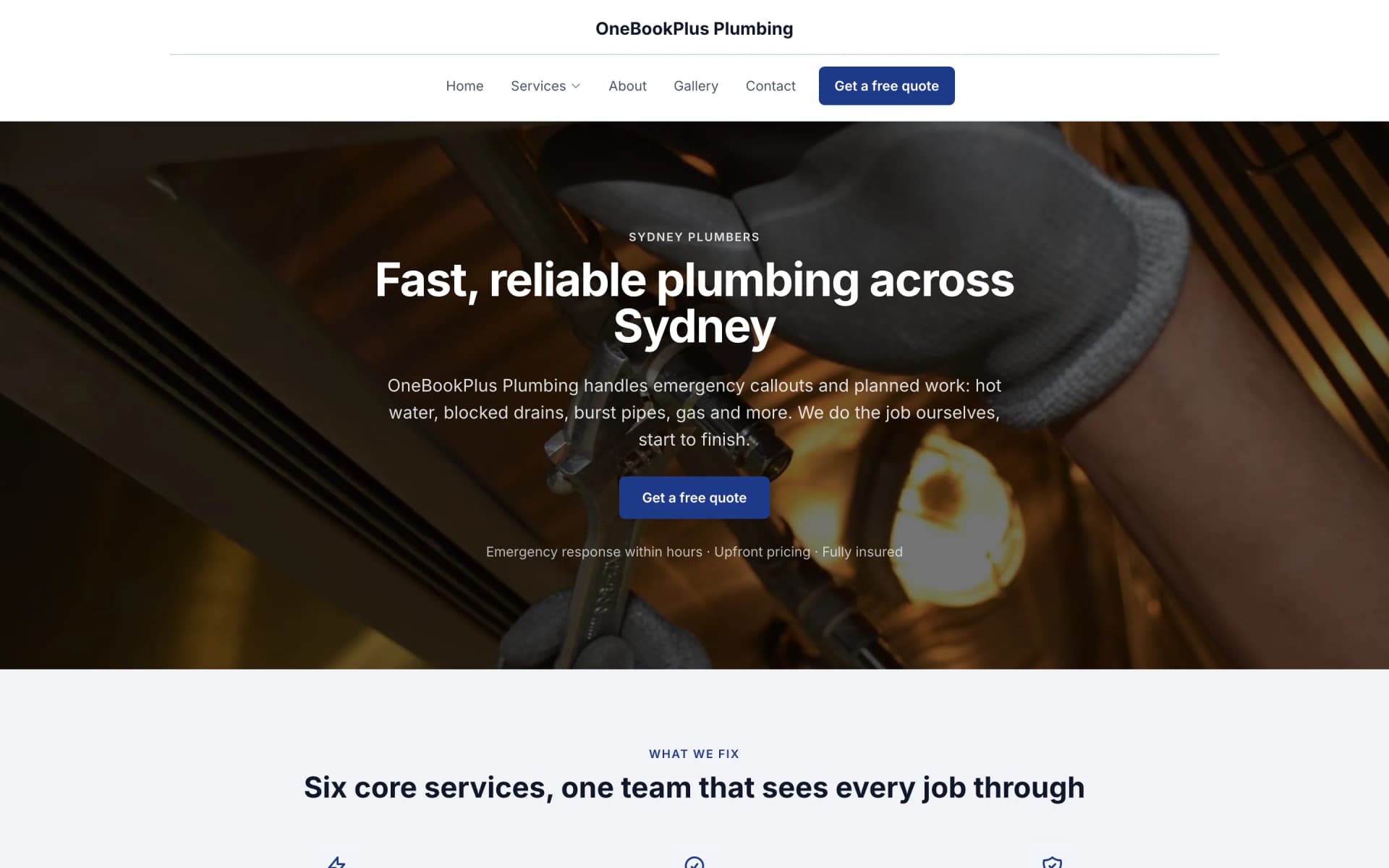
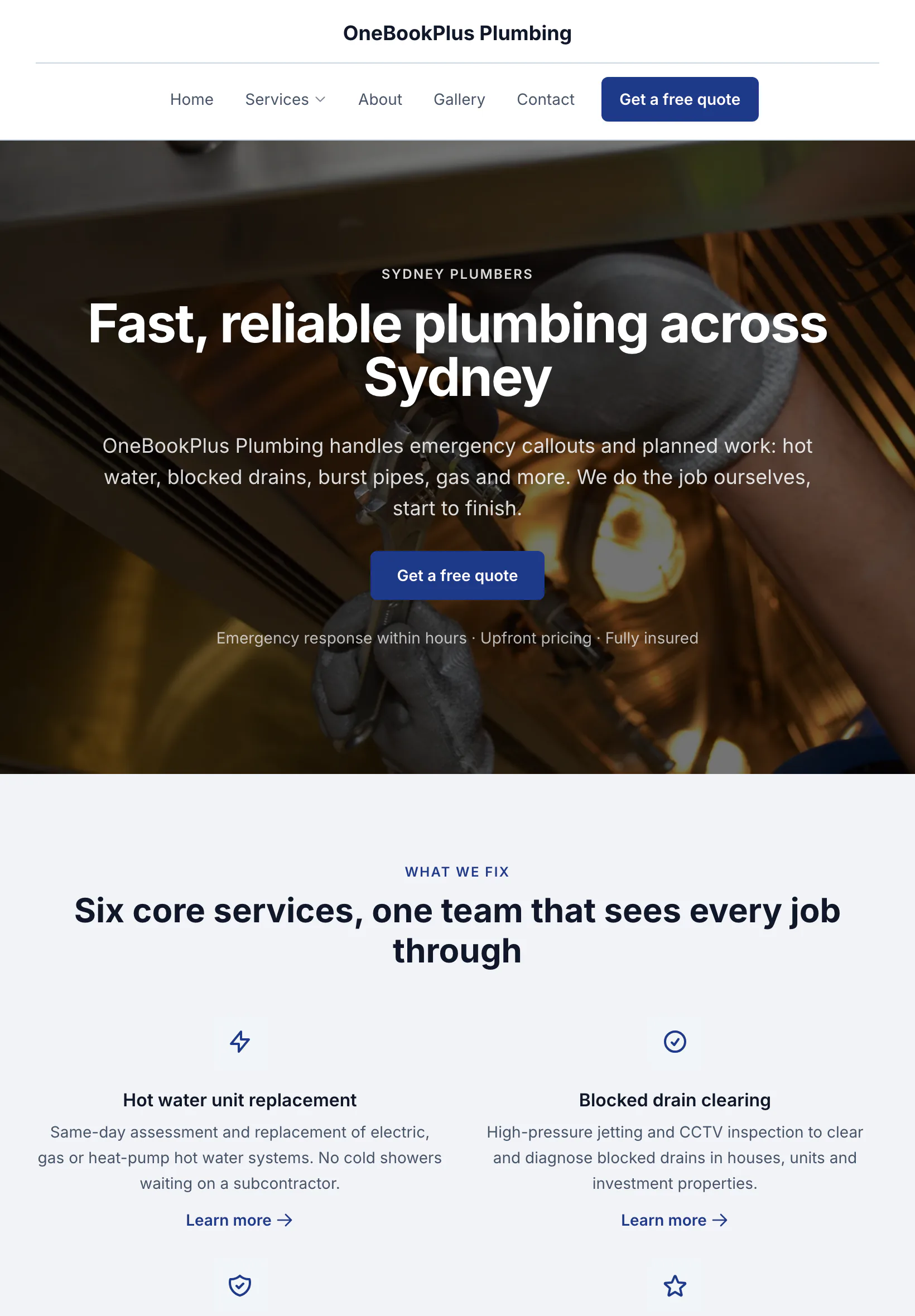
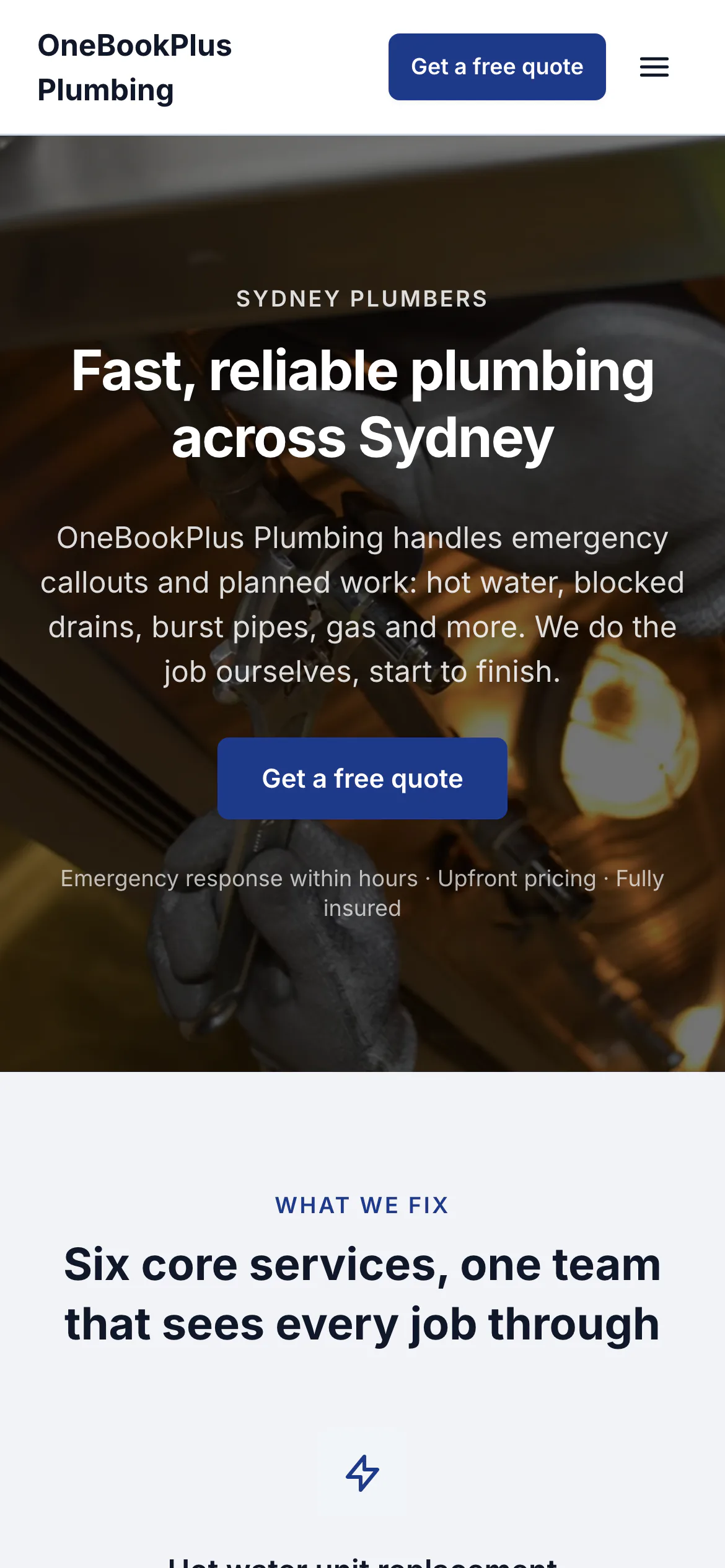
The home page: the name centred over the menu, a dark hero photo, a navy quote button and a grid of services.
Open the OneBookPlus Plumbing site(opens in a new tab)Send the quote from the cab home. Your client can accept it before you're back at the laptop.
Quotes clients accept with a tap, deposits paid by card, GST invoices with a Pay Now link, discovery call bookings and a client CRM, built for AU consultants who'd rather do consulting than chase paperwork. All-in-one for $0 to $69/mo, in place of a separate quoting tool, CRM and booking app.
Free plan. No card required. · GST & ABN validation built-in · One-tap quote accept · Sign up in 90 seconds
Free Tools & Resources
8-step founder guide, ABN, GST, PI, engagement letters, pricing, first 10 clients for consultants, agencies, and freelancers.
Operator GuideHourly vs fixed-fee vs retainer vs value-based, when each model wins, AU benchmarks, and how to phase fees.
ReferenceDrafting a tight SOW, deliverables, acceptance criteria, scope creep clauses, change-request workflow.
ReferencePI insurance for consultants, marketing agencies, and freelancers, typical $1–5M cover, premium ranges, run-off.
InteractiveInteractive, target salary, billable utilisation, overheads, GST + super, daily/hourly rate.
Key takeaways
5Everything for the engagement
Quotes, deposits, invoices, bookings and a client CRM, built around Australian GST and ABNs rather than adapted from a US freelancer tool.
Set out the scope, fees and terms, and attach your engagement letter or brief as a file. The client opens the link and taps Accept, and you hear about it straight away.
Ask for a deposit on the quote, as a percentage or a set amount. If you take card payments, the client pays it on the quote page straight after accepting, and the invoice you raise from the quote bills only the balance.
GST invoices with your ABN and a Pay Now link for card payment. Turn an accepted quote into an invoice, raise one for each stage of a fixed fee, or duplicate last month's invoice to bill a retainer.
A booking page for discovery calls, with your services and the hours you take calls. Prospects pick a time and answer your intake questions, so you walk into the call already briefed.
Every quote, invoice and booking for a client on one timeline, your notes on the next tab, and what they have been invoiced, paid and still owe at the top. When a prospect calls back six months later, it is all there.
Your home screen shows what is owed and what is overdue, and warns you when one client is more than 40% of the month's billings. Reminders go out 3, 7 and 14 days after the due date unless you change the days or switch them off.
Free plan available · No credit card · Cancel anytime
Website included
Every paid plan includes a full website, hosted by us, with nothing extra to buy and no separate builder: your site, its booking page and the tools behind them sit on one plan. The Free plan keeps the booking page and does not have the website.
The AI drafts every page from your own answers about your consulting work, not from your business name, and it does not invent claims. Every page is laid out for a phone as well as a desk. In the Website Studio you edit any section in place, add text, lists and buttons inside it, choose how many cards sit across, and change the look, which keeps your words, your photos and the spacing you set. The booking page is built in and the site's Book buttons go to it. Your first AI build is included with the plan. A later rebuild runs on AI Companion credits, and one that starts fresh replaces your pages, saving a restore point in History first.
A prospect lands on your booking page at 10pm and books a discovery call for Thursday. Your intake questions capture their problem statement, budget range and timeline, so you walk into the call already briefed, no back-and-forth email tennis.
Strategy sprint from $4,500. Monthly advisory retainer $2,800. A customer sees the price before they book.
The AI writes your services and the area you cover from your answers, so when someone searches 'management consultant in [suburb]' there is a page that says what you do and where.
No card needed to start.
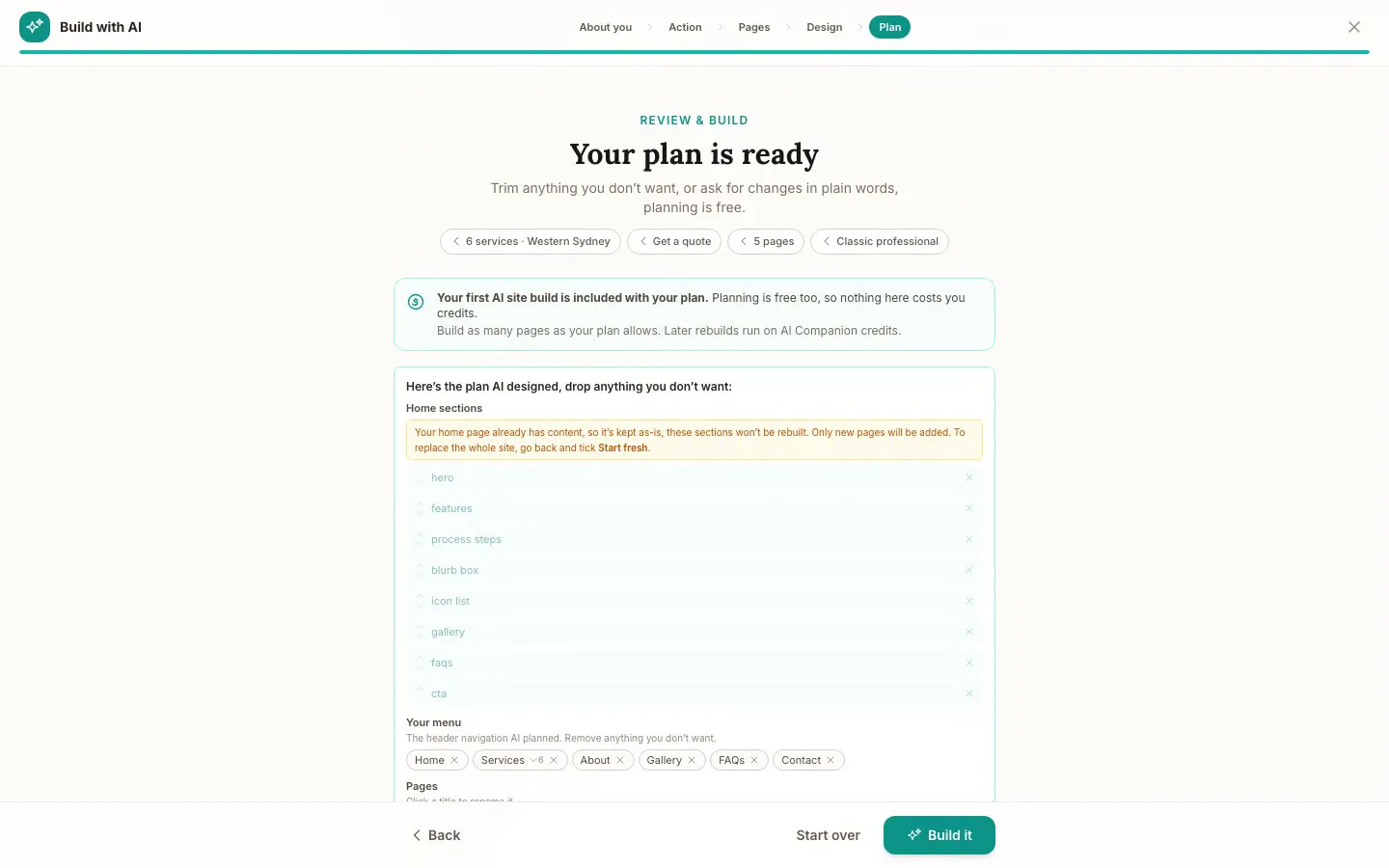
The Website Studio's Build with AI at its Plan step, on our plumbing demo: the pages, sections and menu the AI proposed from the answers already on the account, before anything is built. Click it to see it full size, or watch the recording of the build on the homepage.
Free
$0
A branded booking page on your OneBookPlus address. No website on this plan.
Starter
$29/mo
A website on your OneBookPlus address, hosted with SSL: 10 pages and a blog. The first AI draft is included.
Plus
$49/mo
Your own domain with SSL, 50 pages and a members area.
Growth
$69/mo
Unlimited pages, and a landing page per suburb from one template.
Your own domain connects on an active paid Plus or Growth subscription, not during the 14 day trial; a trial site lives on your OneBookPlus address. Every published site carries a small “Made with OneBookPlus” credit.
All three sites were drafted by the AI from the owner's answers, our own site included. It picks one of eight heading and body type pairings and how the cards sit (a fine line, a bold outline, a soft lift or no card), so a plumber's site, a driving school's and ours do not come out alike. Switch the view to see each one on a desktop, a tablet and a phone, click any screenshot to see it full size, or open the live site in a new tab. The plumber and the driving school are our demo businesses, not customers.
A plumber in Sydney
The home page: the name centred over the menu, a dark hero photo, a navy quote button and a grid of services.
Open the OneBookPlus Plumbing site(opens in a new tab)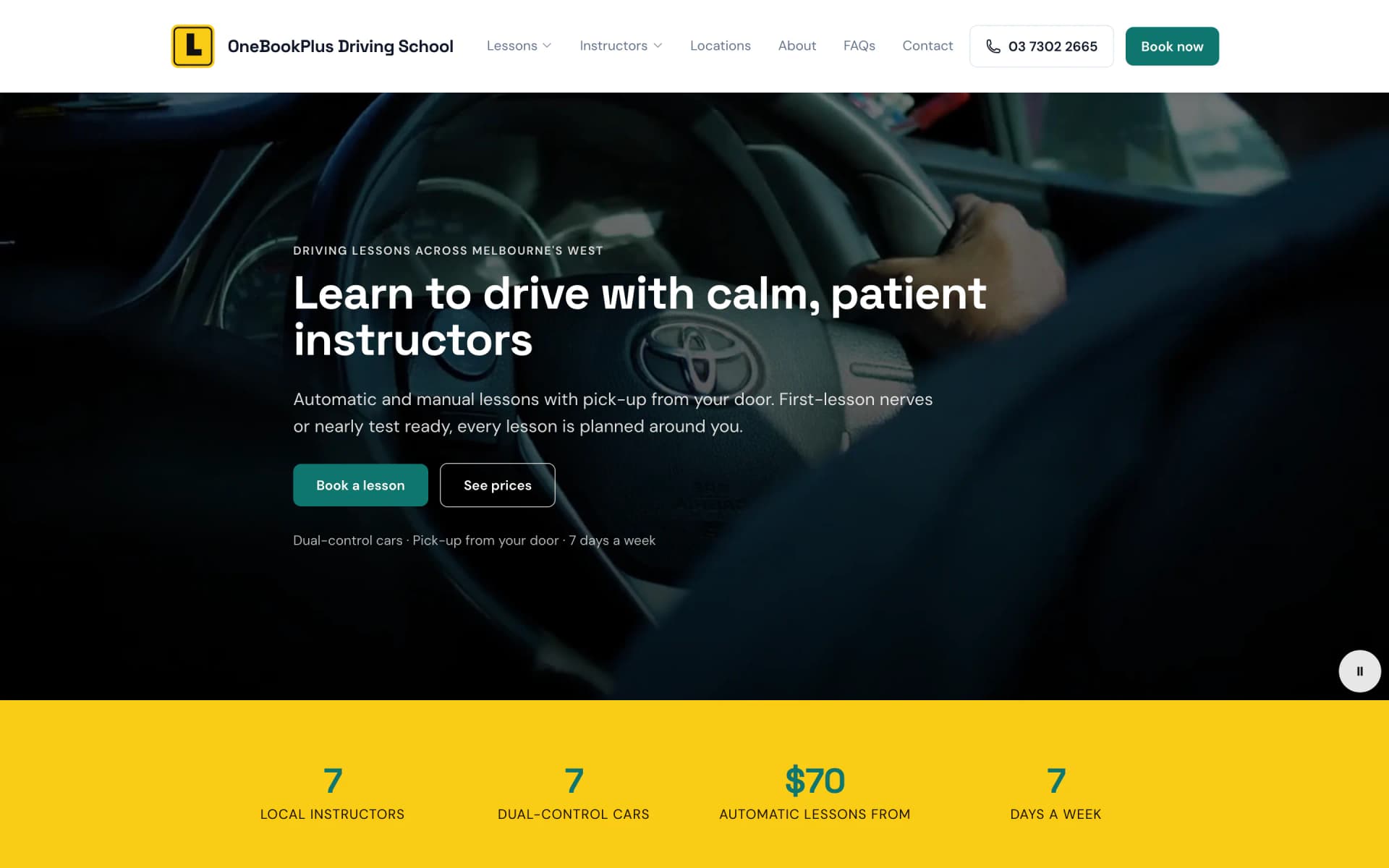
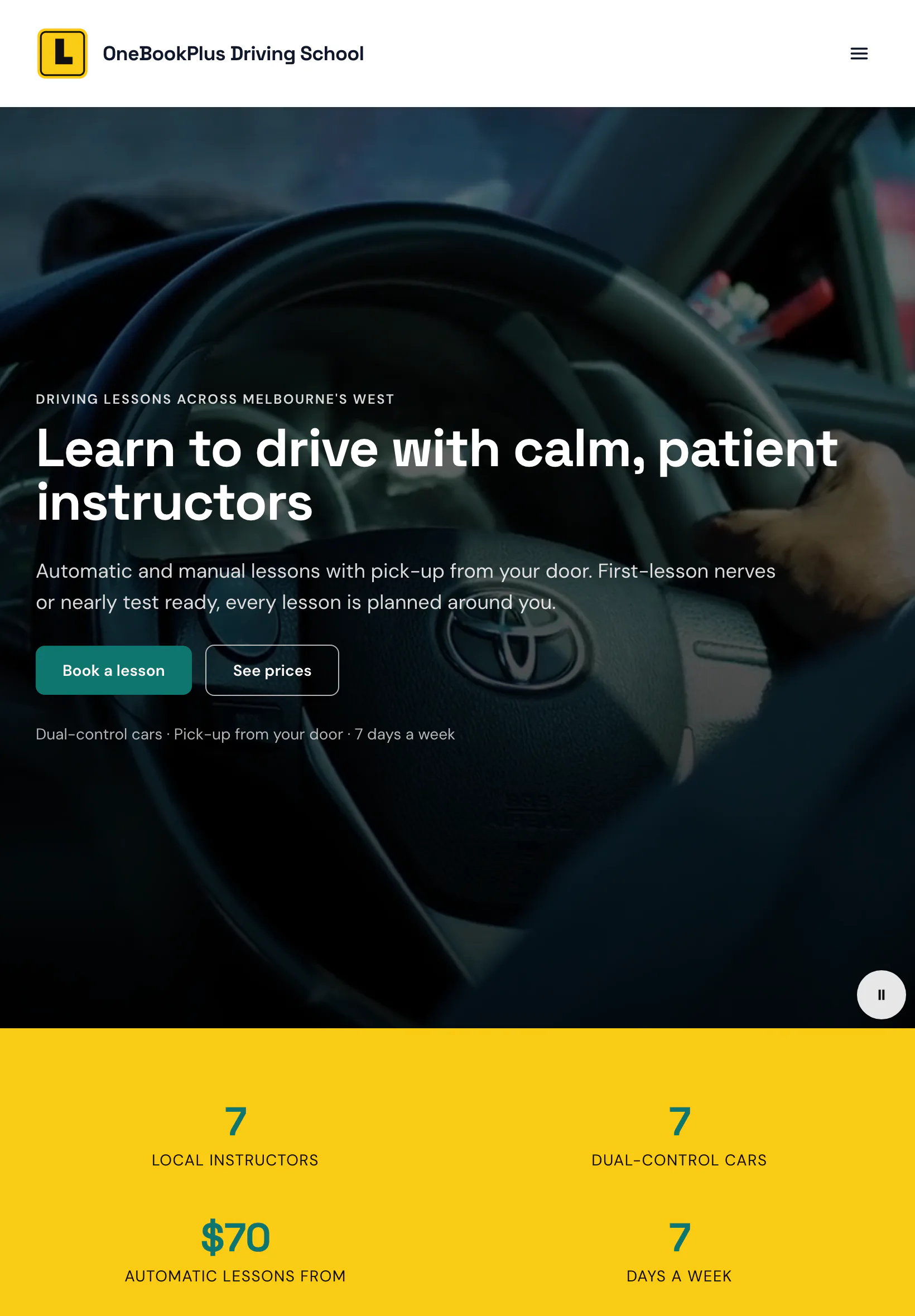
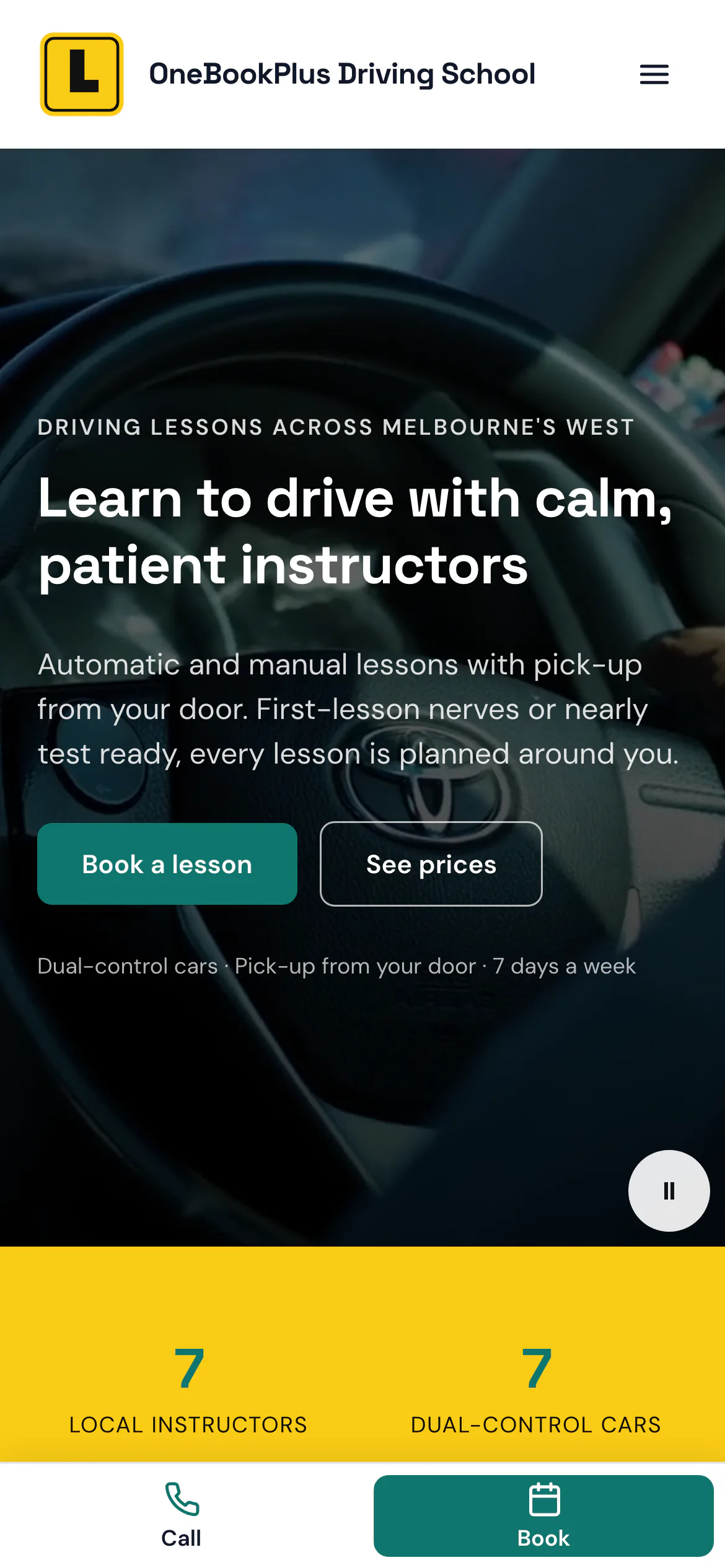
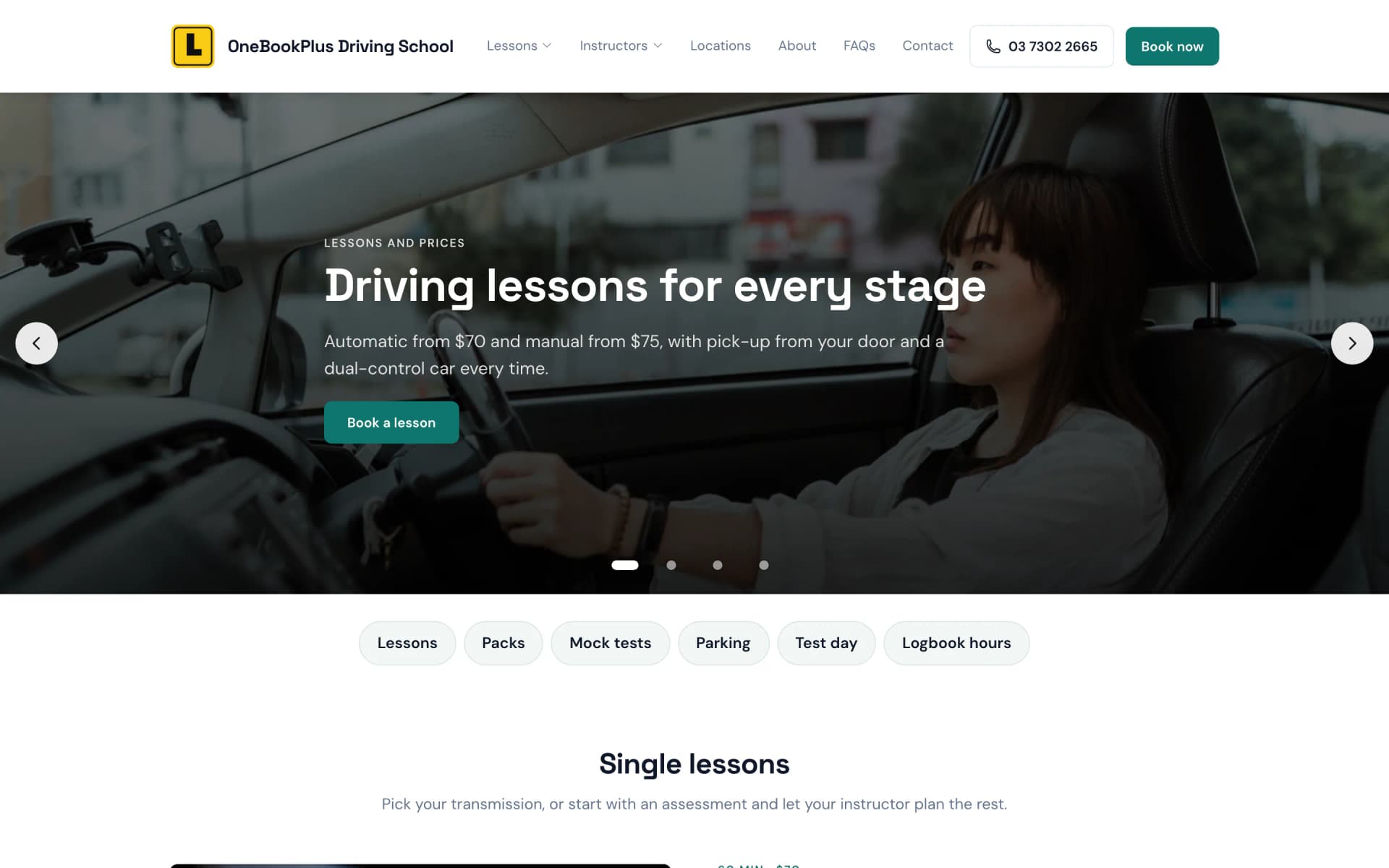
A driving school in Melbourne's west
The home page: an L plate logo, a video banner of a hand on the wheel and a yellow band of numbers.
Open the OneBookPlus Driving School site(opens in a new tab)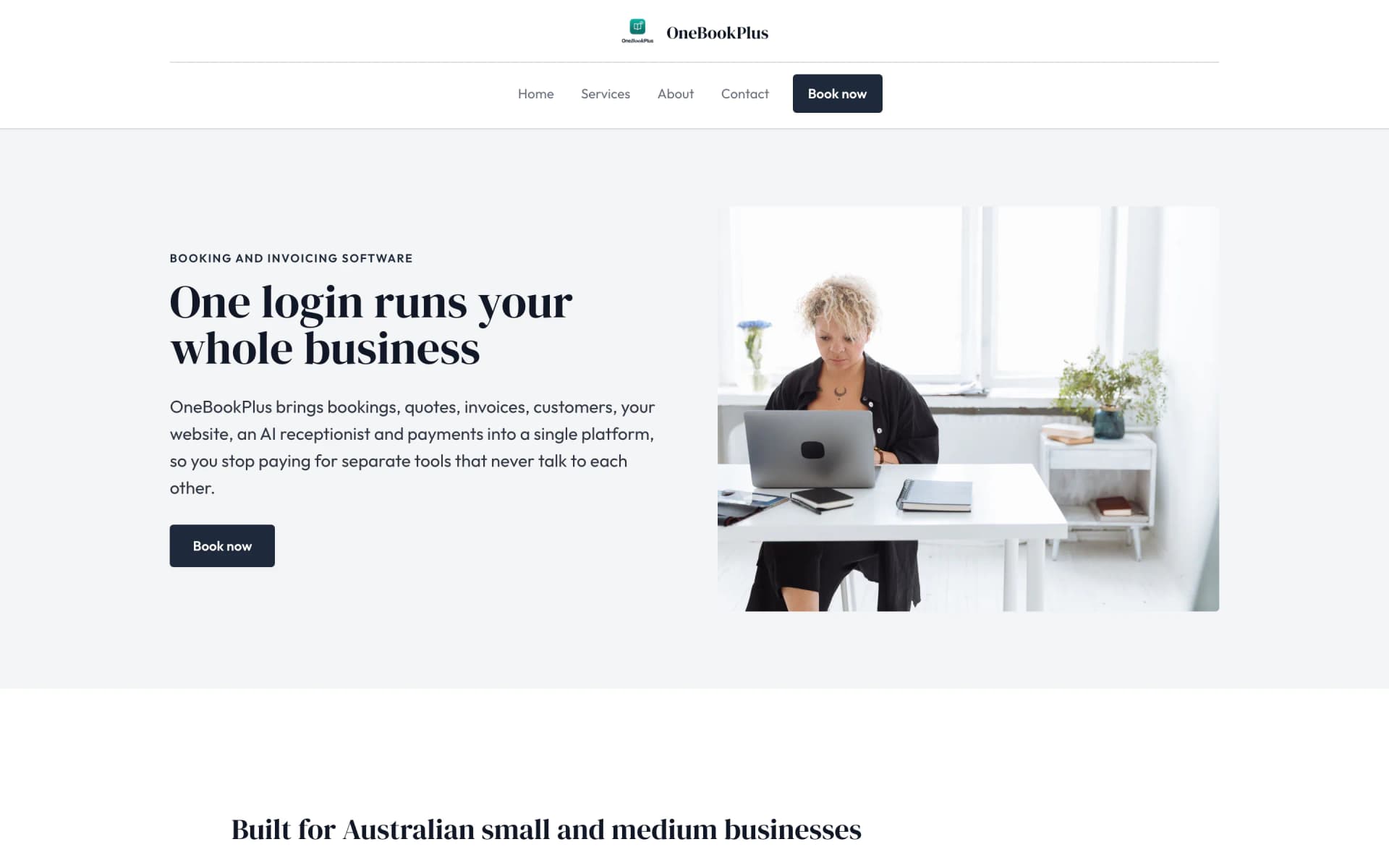
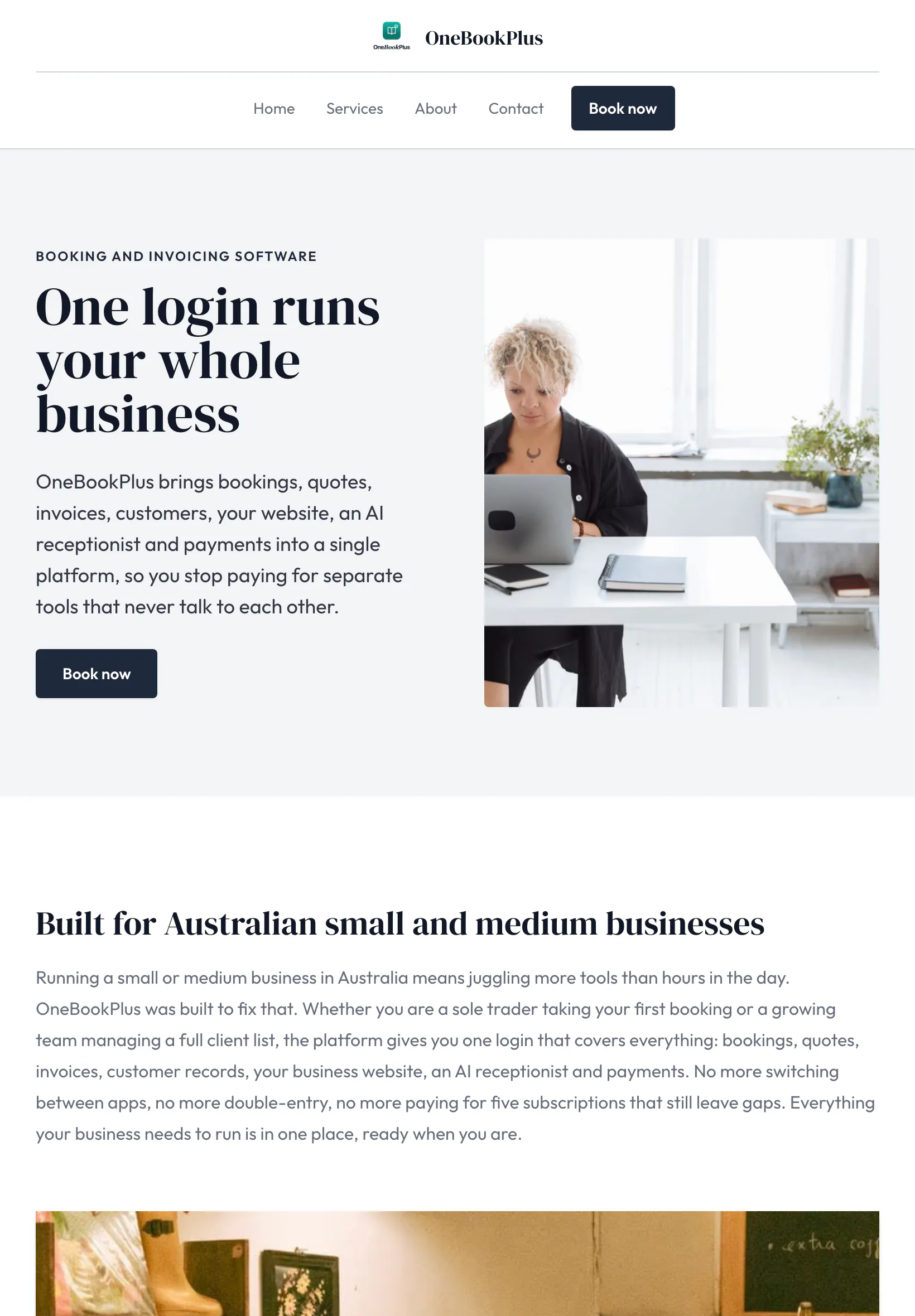
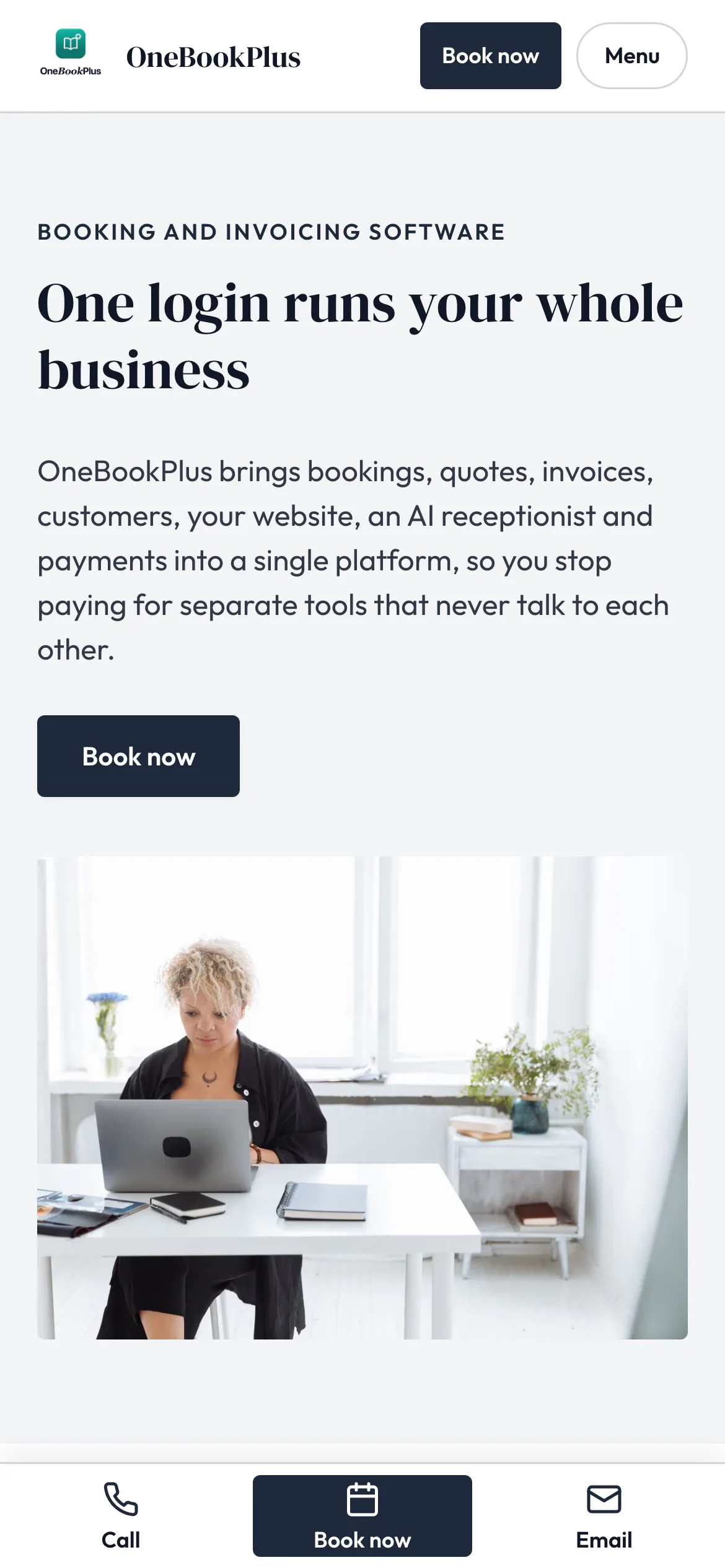
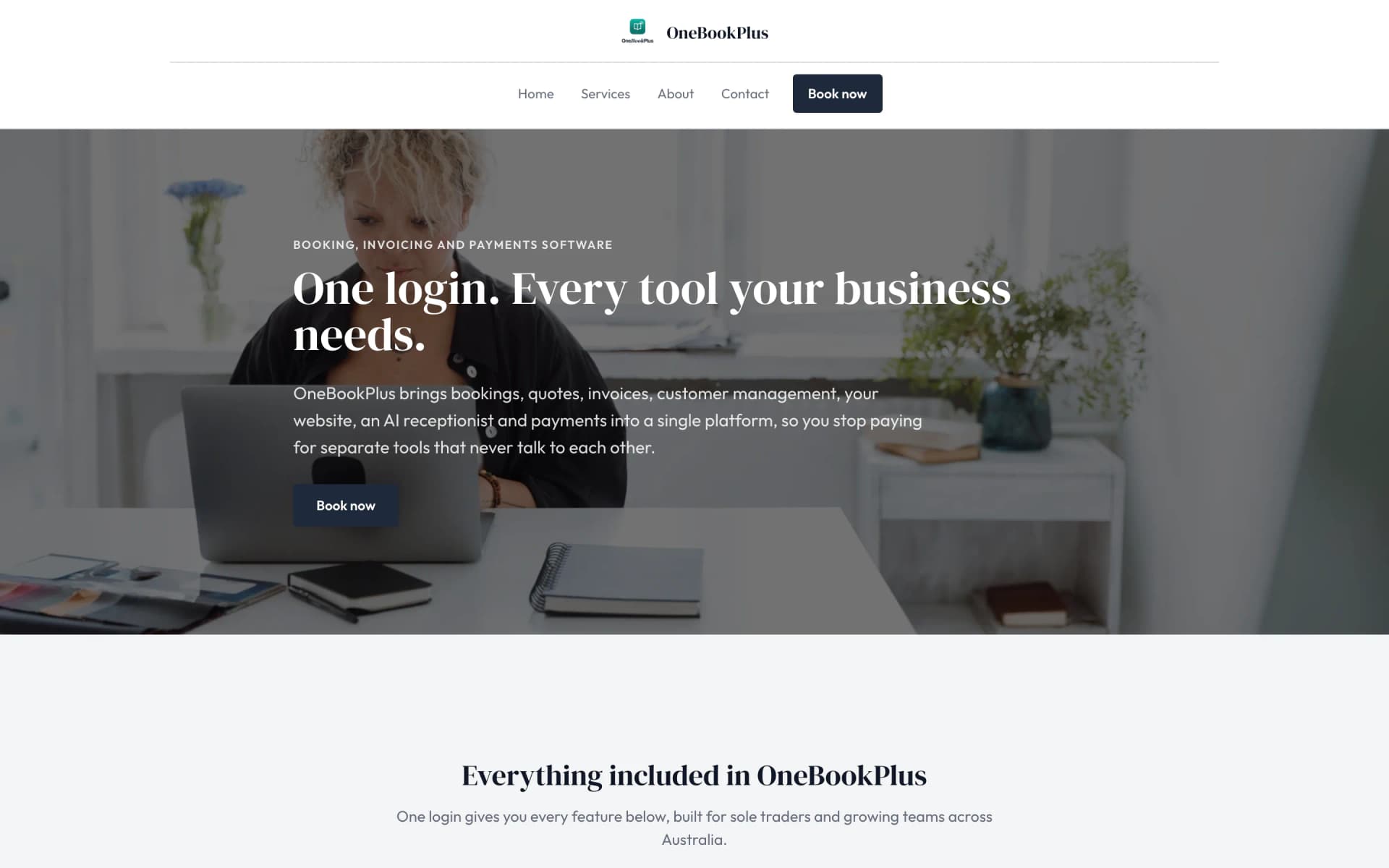
Our own site, built the same way
The home page: a serif heading beside a framed photo on pale grey, and no full width hero at all.
Open the OneBookPlus site(opens in a new tab)See it in action
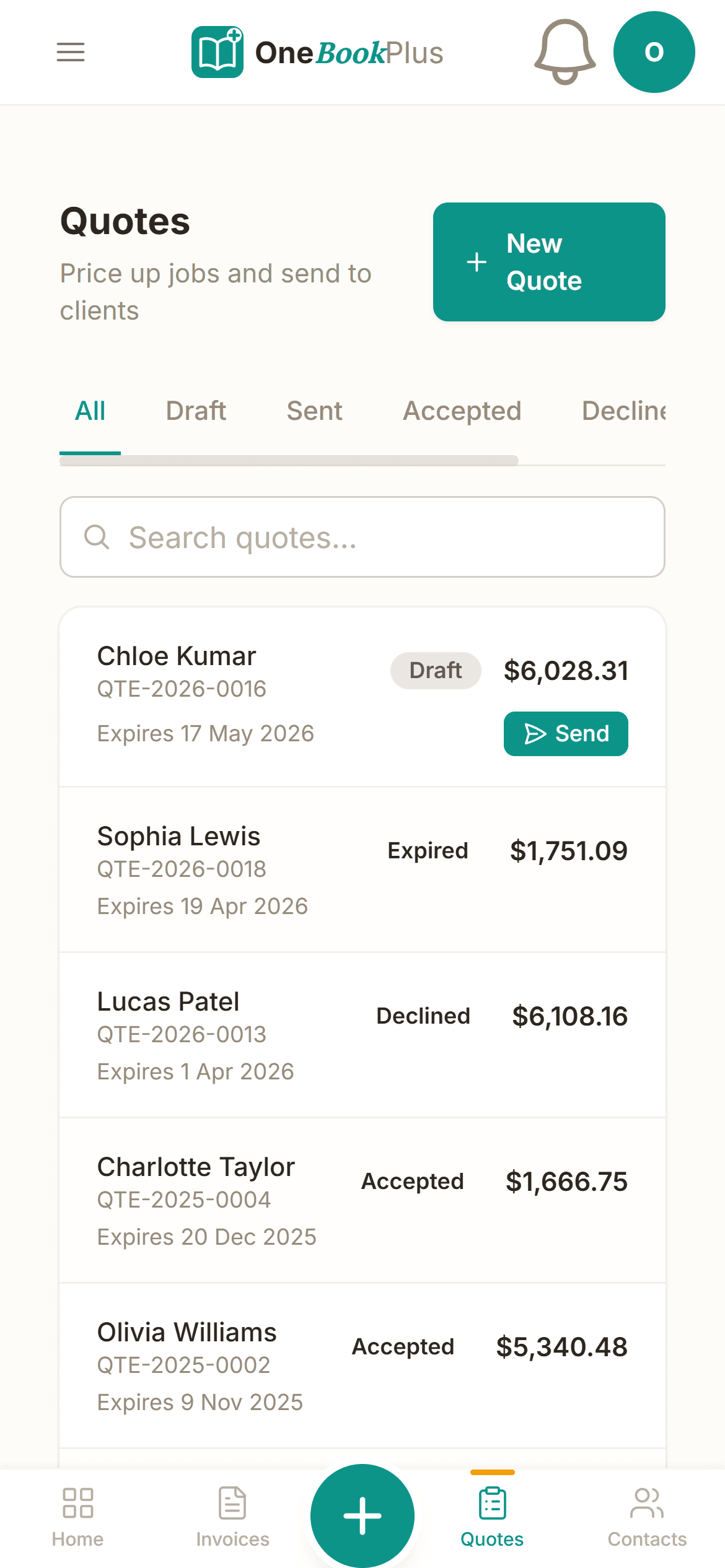
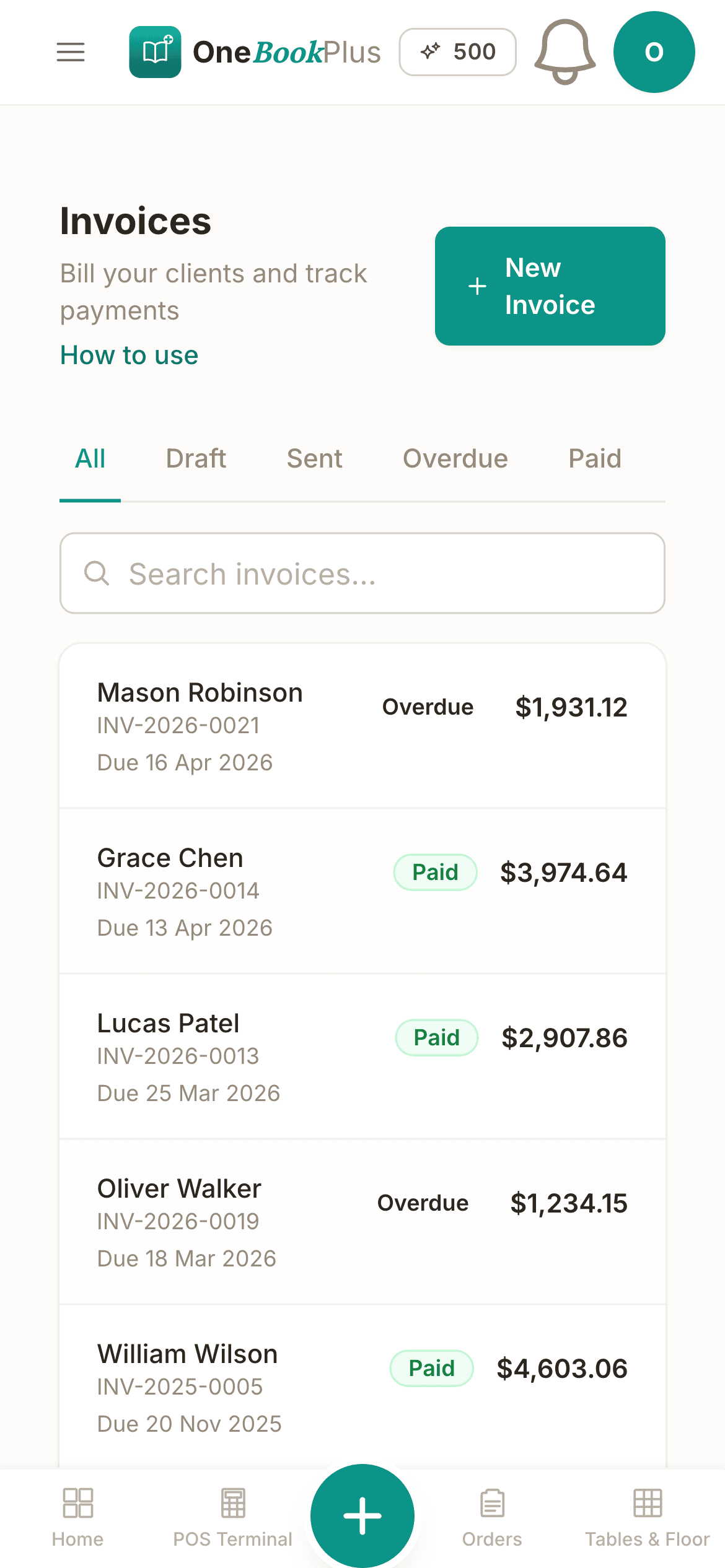
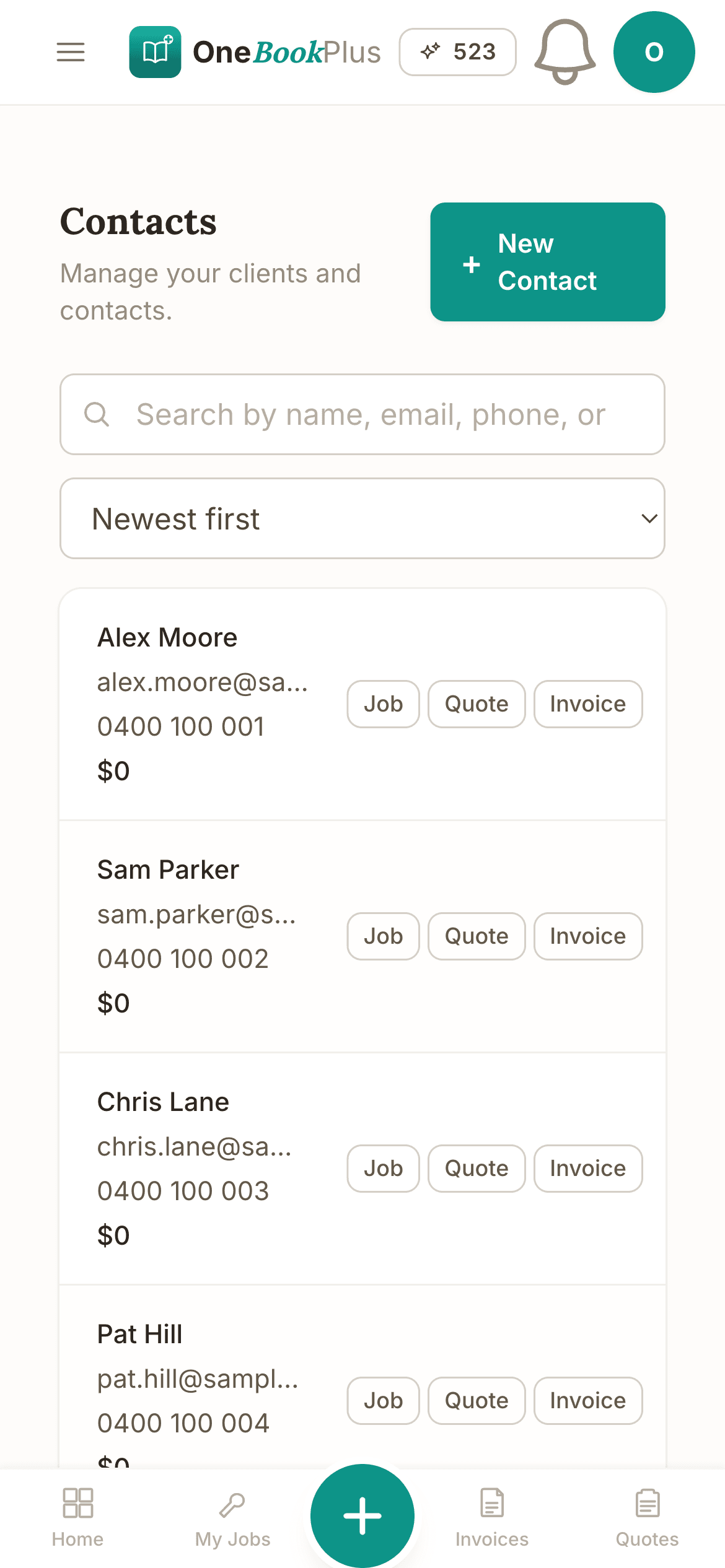
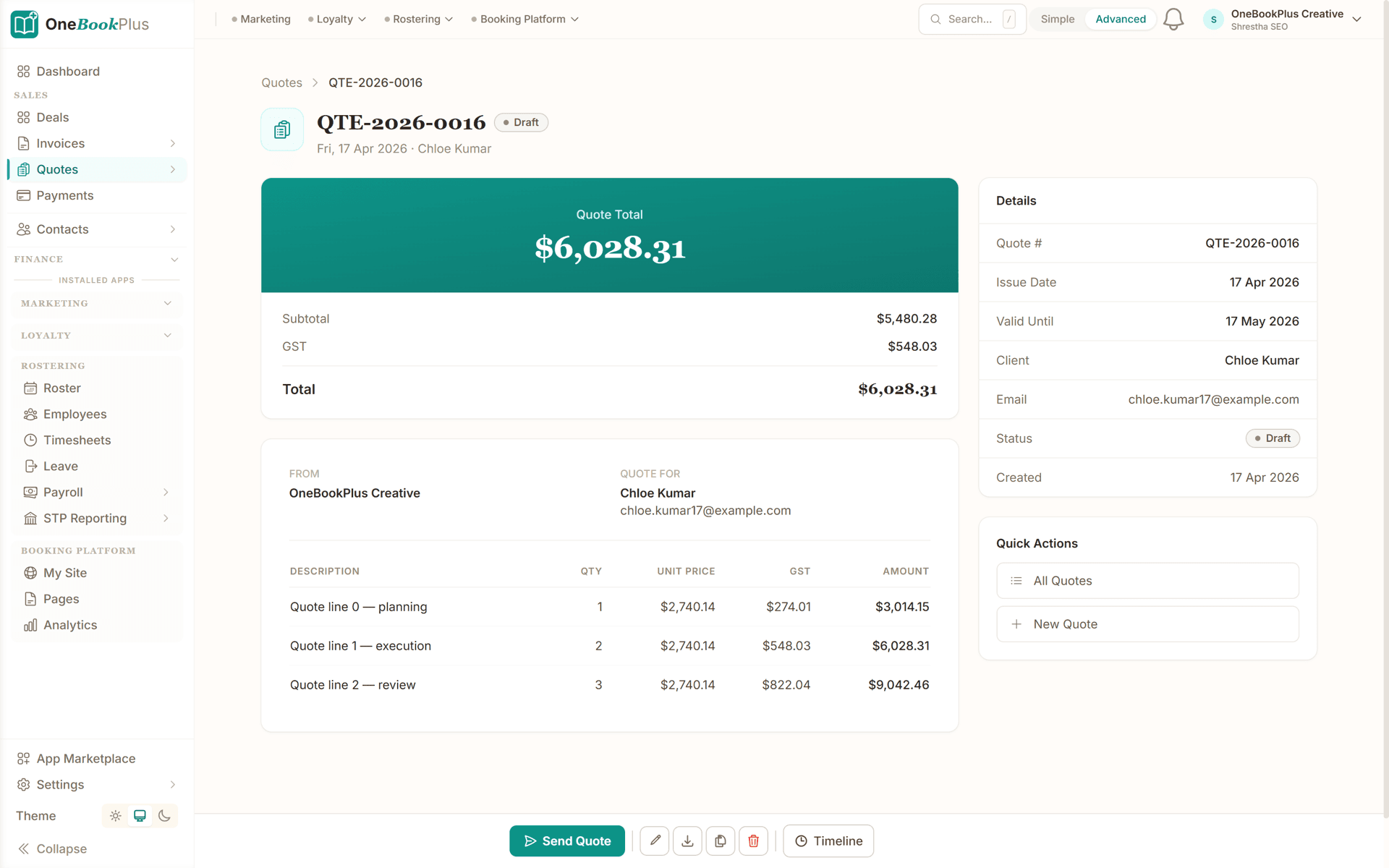
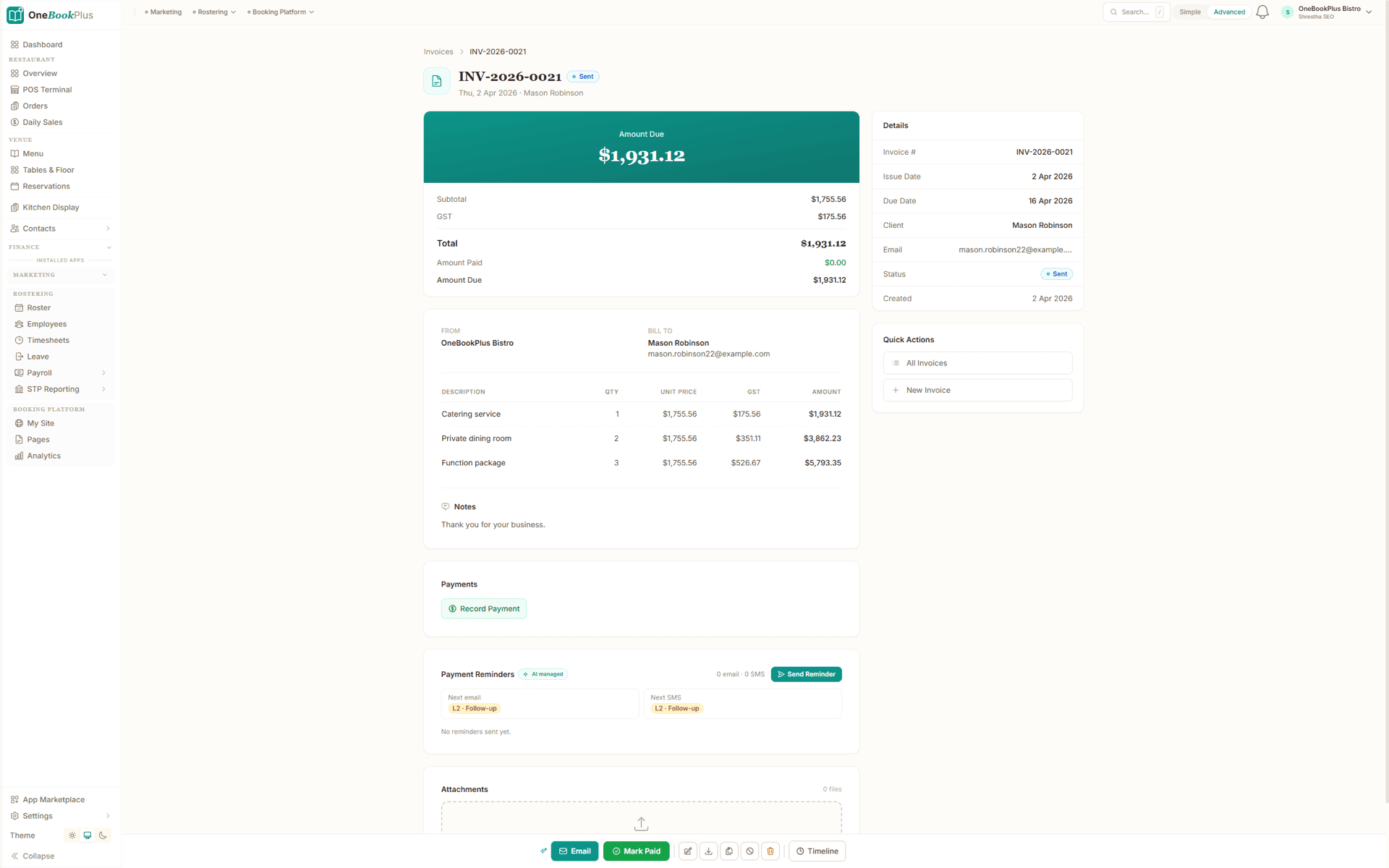
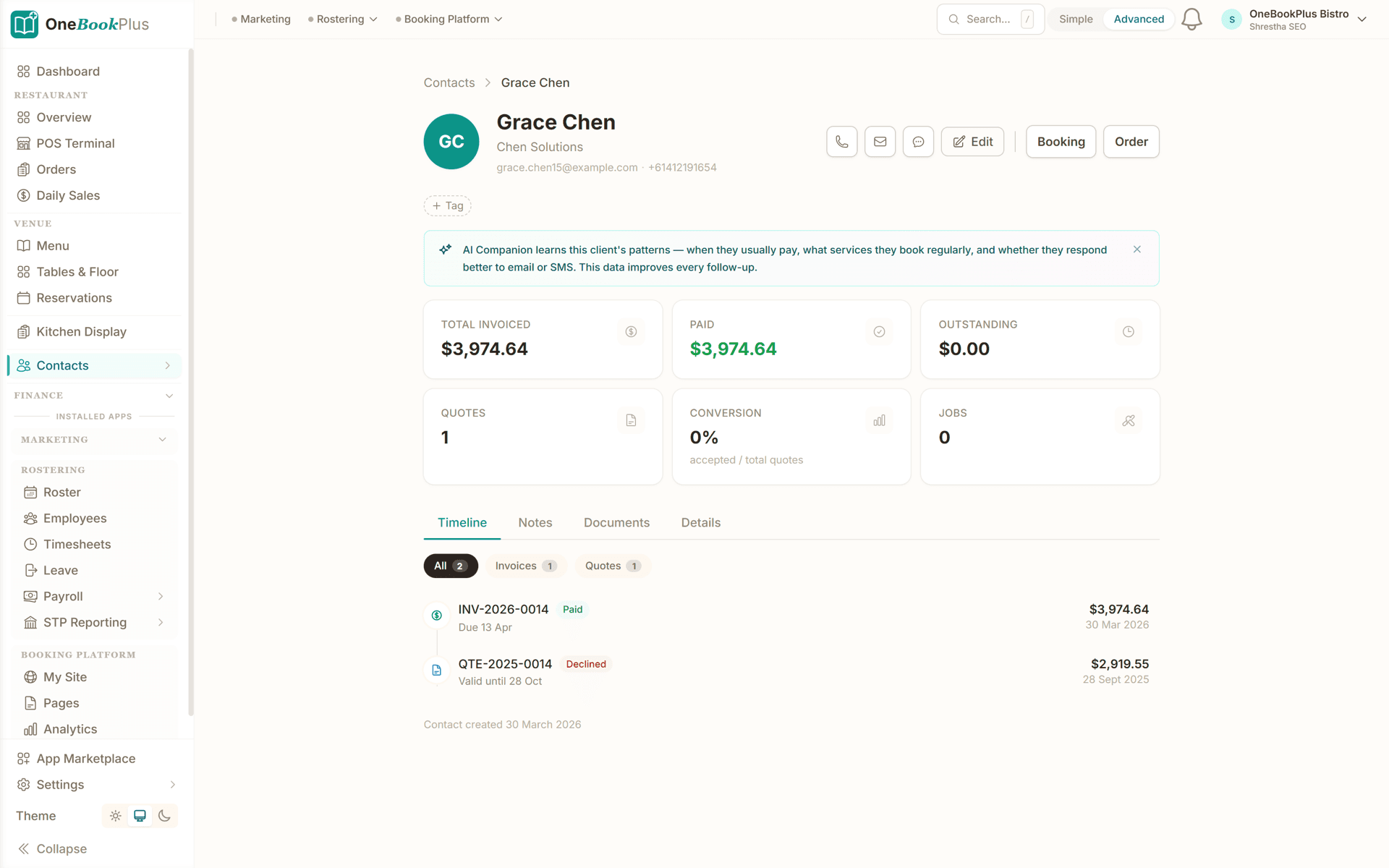
These are real product screens: the quote, the invoice and the client record.
Scope and fees as lines with GST on each, the total on top and a valid-until date. The client accepts from the link, and if the quote asks for a deposit and you take card payments, they pay it on the same page.
The amount due on top, GST on every line, the payments recorded against it and the reminder schedule underneath, so you can see what has been chased and what goes next.
What a client has been invoiced, what they have paid and what they still owe, how many of your quotes they accepted, and every quote and invoice on one timeline, with your notes on the next tab.
From discovery to paid
Four steps from discovery call to paid invoice, designed around the engagement lifecycle most consultants actually run.
Put your booking link in LinkedIn and your email signature. Prospects pick a time from the hours you set and answer your intake questions before you talk.
Set out the scope, fees and terms, attach your engagement letter, and ask for a deposit if you want one. The client accepts from the link and you hear about it straight away.
Turn the accepted quote into an invoice, which bills only the balance when a deposit was paid. For a fixed fee in stages, raise an invoice for each stage; for a retainer, duplicate last month's. Every invoice carries GST and a Pay Now link.
Clients pay by card from the invoice. Reminders go out after the due date, and your home screen shows what is owed and what is overdue.
Send a real quote the day you sign up
Who it's for
From solo specialist to small consultancy. OneBookPlus scales without the legacy-suite price tag.
One-on-one engagements with mid-market clients. A quote with a deposit, an invoice for each stage, and a monthly retainer billed from last month's invoice.
Implementation work and advisory retainers. A quote per project, an invoice per stage, and monthly support fees billed by duplicating last month's invoice.
Small team, several workstreams per client. A login for each consultant, every quote and invoice on the client's record, and what is owed on the home screen.
Niche advisory in a regulated industry: fees set out on the quote before the work starts, invoices with your ABN, and each client's full history on one record.
Named tools, at each vendor’s own cheapest published plan, and ours underneath. Vendor pricing changes, so check each one before you decide.
Or use OneBookPlus
$29/mo
Everything in the list above, on one bill.
Start freeNo credit card · Free forever · Cancel anytime
Example walkthrough
An illustrative walkthrough of a typical consulting day
You open the dashboard at 8am: what is owed, what is overdue, and the quotes still waiting on an answer.
First thing: a new prospect booked a discovery call yesterday through your booking link, and their answers to your intake questions are on the booking. After the call you send a fixed-fee quote from your phone, with a deposit on it. Two hours later the client accepts it from the link and pays the deposit by card on the same page.
Mid-morning, you turn last week's accepted quote into an invoice. Its deposit is already paid, so the invoice bills only the balance, and it goes out with a Pay Now link. Then you duplicate last month's two retainer invoices, change the dates and send them.
Before you close the laptop, you look at the home screen: your quote conversion over the last 90 days and how concentrated the month's billings are across your top clients. Worth knowing.
No spreadsheets, and the overdue reminders go out on their own: one $29-a-month tool in place of three.
How we compare
How we compare to the tools consultants typically buy.
| Feature | OneBookPlus | Bonsai | HoneyBook | Plutio |
|---|---|---|---|---|
| Quotes with online accept | Yes | Yes | Yes | Yes |
| AU GST + ABN validation | Yes | No | No | No |
| Client portal | Yes | Yes | Yes | Yes |
| BAS-ready export | Yes | No | No | No |
| Free plan available | Yes | No | No | No |
| Price | From $0/mo | Subscription | Subscription | Subscription |
GST
Worked out on every quote and invoice, with your ABN on both
1 link
For a client to accept a quote and pay its deposit
1
Place for quotes, invoices, bookings and clients
$0
Free plan to start, no card required
Consultant savings calculator
Adjust the numbers below to match your real monthly spend. The total updates live, and so does what you'd save by replacing the lot with OneBookPlus.
Accounting (Xero, MYOB, QuickBooks)
Xero's cheapest published plan
Jobs & quotes (Bonsai, HoneyBook, Plutio)
ServiceM8's cheapest published plan
Website + hosting (Squarespace, Wix)
Squarespace's cheapest published plan, billed monthly
Bookings (Calendly, Acuity)
Calendly publishes US$10/mo. Type what you pay in Australian dollars.
CRM (HubSpot, Pipedrive)
HubSpot publishes US$20/mo. Type what you pay in Australian dollars.
Email marketing (Mailchimp, Klaviyo)
Mailchimp publishes no ongoing price. Type what you pay.
Rows open at the cheapest plan Xero, ServiceM8 and Squarespace publish, verified 2 August 2026. Calendly and HubSpot publish in US dollars and Mailchimp publishes no ongoing rate, so those three rows open at zero for you to fill in rather than carry a converted figure.
Your current stack
$90/mo
= $1,080/year
With OneBookPlus Starter
$29/mo
Replaces everything in the list. One bill.
Free plan available · No card required · Cancel anytime
An illustrated day, not real customer data. Scroll through it from morning to 5pm: the AI receptionist answers and books a missed call, the work runs from the app, the GST invoice is sent on the spot, payment lands and the books balance themselves, a review invite is queued for the next daily run, and the day closes with the ledger already written.
8:00am
While you're with a client
Riverside Logistics needs a growth strategy and wants to start this month. They call the consultant they found on Google: you.
AI Receptionist
The AI Receptionist app answers, books an 11:00 am discovery call and sends the booking confirmation, while you keep running the workshop.
On the discovery call
Ingrid's record is open with the AI's summary of the call: what Riverside needs, the budget she mentioned and when she wants to start.
Straight after lunch
Stage one of the Harbour Freight review is done, so its invoice goes out from your phone with a Pay Now link.
While you're back on delivery
The card payment is recorded against the invoice, and the $250.00 GST on it is in your BAS figures.
Reviews without the awkward ask
Last week's workshop booking was marked complete, so the review request email went out on the delay you set. No chasing, no awkward ask.
The day closes itself
A discovery call booked, an invoice paid. The book did the rest.
$0
collected
0
call answered by the AI
0
evenings lost
An illustrated day, not real customer data. AI Receptionist is a $79/mo add-on that needs AI Companion ($25/mo, included on Growth), and AI Companion is what sends the review invite as well. The rest of the day is the app itself.
Consultant pricing
Start free, upgrade when the engagements justify it. No contracts, no setup fees, and every plan includes a set number of logins for your associates. Cancel any time.
Free
$0/forever
Send your first quote today, no credit card.
Starter
$29/mo
Replaces a separate quoting tool, invoicing app and Calendly.
No card · Drops to Free if you don't upgrade
Plus
$49/mo
Outgrowing the basics, advanced reporting.
Our pick: unlimited contacts and booking pages for $49
Growth
$69/mo
For boutiques running associates across multiple workstreams.
Prices in AUD inc. GST. Online card payments carry Stripe processing fees (1.65% + 30¢ AU cards) plus a 2.5% OneBookPlus platform fee. See the full plan comparison
Already on another tool?
You can be operational in a single evening. Export your clients as CSV from your current tool, import them into OneBookPlus, re-create your open quotes and send them from OneBookPlus, and your next invoice goes out from OneBookPlus in AUD with GST already calculated.
Switch from
Built-in AI
You're in back-to-back meetings, new enquiries hit voicemail and go cold before you call back.
OneBookPlus
AI Receptionist · incoming call
“I need help with my BAS, can we book a call?”
If you don't answer, the AI books it, Consultation · Wed 11:00am, and texts a confirmation.
Extend Your Toolkit
Add a website, Google review requests and more to round out the practice.
Built in Melbourne, AU
ATO-ready from day one
TLS in transit, AES-256 at rest, tenant isolation at the database layer, read the security page
No credit card needed
Common questions about practice management software for AU consultants.
Fixed fees, yes: put the fee on a quote, take a deposit when the client accepts, and invoice the rest, with an invoice for each stage if the work runs in stages. Hourly work is different: OneBookPlus does not track time for consultants, so the hours go on the invoice as a line at your rate. If you track time in another app, keep doing that and copy the totals across.
Honest answer: no. OneBookPlus is the money side of an engagement: the quote, the deposit, the invoices, the bookings and the client record. It does not manage tasks or deliverables, and we don't pretend to, so most consultancies keep Asana, Linear or Notion for the work itself and use OneBookPlus to win the work and get paid for it.
Bonsai, HoneyBook and Plutio are freelancer all-in-ones built around US workflows, and some of them do things OneBookPlus does not, such as time tracking and signed contracts. OneBookPlus is built for Australian businesses: GST is worked out on every quote and invoice, your ABN prints on both, the GST and BAS reports are built in, and Stripe Pay Now takes AUD without conversion fees. It also runs your discovery call bookings and keeps one record per client with every quote and invoice on it.
Yes. Each plan includes a set number of logins: 3 on Starter, 5 on Plus and 10 on Growth ($69/month), so each associate signs in with their own account and you choose what they can see and change. OneBookPlus does not track each person's time or hourly rate for consultants, so an associate's hours go on the invoice as a line.
Yes. The quote is a link. The client opens it, reads the scope, price and terms, and taps Accept, and OneBookPlus records the date and time and tells you straight away. If the quote asks for a deposit and you take card payments, the client can pay it on the same page. Accepting does not capture a name or a signature, so if an engagement needs a signed contract, sign that in a separate tool.
Yes. GST is worked out on every quote and invoice and your ABN prints on both. The GST and BAS reports are on every plan, Free included, so you or your accountant can prepare the BAS from them and lodge it through the ATO portal. If you are not registered for GST, say so once in your business details and new quote and invoice lines go out without it.
Yes. OneBookPlus runs in the browser on any computer or phone, and there is an iPhone app. Send a quote from a hotel lobby, see overnight who has accepted, and send invoices from the train. Your home screen shows what is owed, what is overdue and the quotes still waiting on an answer.
Export your clients as a CSV from your old tool and import them into OneBookPlus. Leave unpaid invoices in the old system to collect, and raise new invoices in OneBookPlus from your switch-over date so there is a clean line. Re-create any open quotes in OneBookPlus and send them from there. Retainers are billed by duplicating last month's invoice, and clients pay from the invoice link, so no card details move across from your old tool.
About the author

Founder & CEO, OneBookPlus
Bishal spent a decade running digital projects for Australian small businesses before founding OneBookPlus. He writes and maintains these pages, and publishes what OneBookPlus does not do alongside what it does.
Read the founder bioHow this page was researched
The compliance and licensing statements above are taken from the bodies this page links to, including the AASB, the Institute of Managers and Leaders and the Federal Register of Legislation, so you can read the rule rather than take our word for it. Plan prices come from the OneBookPlus price registry, so the page and the checkout cannot disagree. Everything said about OneBookPlus describes what the product does today, and the page says so where it does not do something.
Consultancies live or die by two numbers: how fast a quote turns into accepted work, and how quickly that work turns into paid invoices. Most consultants run on a patched-together stack: Bonsai or HoneyBook for proposals (US-first, GST is an afterthought), Xero for invoicing, HubSpot for the CRM and Calendly for discovery calls. OneBookPlus puts the quoting, invoicing, client records and bookings in one place, built for Australia: GST worked out by default, your ABN checked against the Australian Business Register when you set up, BAS reports built in, and Stripe Pay Now in AUD without conversion fees.
The platform follows a piece of work from first call to paid invoice. Prospects book a discovery call through your branded booking page, and your intake questions capture the problem and the budget before the call. You send a quote with the scope, fees and terms, and ask for a deposit if you want one. The client accepts from the link and, if you take card payments, pays the deposit on the same page. When the work is done you turn the quote into an invoice for the balance, raise an invoice for each stage of a fixed fee, or duplicate last month's invoice to bill a retainer. OneBookPlus does not track time for consultants, so hourly work goes on the invoice as a line with the hours and your rate. Invoices go out with your ABN, GST and a Pay Now link, and automatic reminders chase anything overdue.
Your home screen shows what is owed and what is overdue, the quotes still waiting on an answer, and your quote conversion over the last 90 days. It also breaks the month's billings down by client and warns you when one client passes 40% of them, or your top three pass 75%, so dependence on a single account is visible before they leave.
Sign up for free, no credit card. Add your ABN, GST registration status and your services with their prices (strategy, advisory, implementation, retainer support). Import your client list from a CSV or LinkedIn export. Set up your online booking page and drop the link into your email signature. The free plan runs unlimited one-off bookings, with up to 250 client contacts, 10 invoices and 5 quotes a month, enough to test on real engagements before committing.
Join Australian consultants who run their practice on OneBookPlus. Free to start, upgrade when you're ready.
Get started freeReviewed by Bishal Shrestha
Authoritative sources
Australian consultants operate under ATO tax and GST rules, the Australian Business Register, electronic-transactions law and accounting standards. We cite the primary bodies for the claims on this page so you can verify directly.
From the blog
Practical guides and explainers from the OneBookPlus blog, grouped by topic.
Features
Comparisons
Tools & Apps
Local directory