Osteopathy practice software that keeps your treatment tables full
Bring patients back to finish their plan, without reception chasing the phone.
Online bookings, recall cycles for treatment plans and maintenance reviews, treatment-note-friendly records, HICAPS- and private-health-rebate-aware invoicing and BAS-ready accounting, built around the patient, not a generic calendar. All-in-one for $0 to $69/mo, replaces Cliniko or Power Diary + Xero + Podium.
Free plan, no card needed. Consults invoice GST-free with your ABN and provider number, and notes stay on the patient record for the 7 years health records have to be kept.
Cut $67+/mo from your software stack by replacing Cliniko or Power Diary + Xero + Mailchimp + Podium with OneBookPlus.
See your savingsFree Tools & Resources
Reference material for clinicians and practice owners
Start a Health Practice
8-step founder guide, AHPRA, structure, ABN/GST, PII, premises, billing rails, software stack, first patients.
Operator GuideAHPRA Registration Guide
15 regulated professions, registration types, CPD, PII, recency of practice, renewal calendar.
ReferenceMedicare & Private Health
Seven claim rails (Medicare, HICAPS, Easyclaim, DVA, WorkCover, CTP) plus MBS items and Section 19(2).
ReferenceNDIS Price Guide Explained
Support categories, therapeutic item codes, travel claiming, cancellation rules, plan management.
CompliancePII & Run-Off Cover Guide
AHPRA minimums by profession ($2M–$20M+), MDO vs commercial cover, claims-made traps, retiree run-off.
InteractiveGap Fee & Medicare Rebate Calculator
Interactive, set your fee, see Medicare rebate, gap to patient, per-service vs bulk-billed economics.
Key takeaways
6- Australian osteopaths are AHPRA-registered (Osteopathy Board of Australia) and must hold professional indemnity insurance, comply with the Code of conduct, and retain patient health records for at least 7 years (longer for minors).
- GST treatment: osteopathy services provided by an AHPRA-registered osteopath are generally GST-free as recognised health services; goods sold (supports, braces, pillows, exercise bands) are GST-taxable. The split is tracked per invoice line.
Show 4 moreShow less
- Funding sources to track separately: private fees, HICAPS health-fund extras rebates, Medicare CDM/EPC care plans (up to 5 allied-health sessions per calendar year for eligible patients), DVA, WorkCover and CTP/motor-accident claims.
- Osteopathic care typically runs as a treatment plan plus maintenance reviews. Automated recalls and reminders are one of the biggest levers an osteopathy clinic has on table utilisation and revenue.
- Common AU practice tools: Cliniko (US$45 to US$395 a month by practitioner count), Power Diary (tiers denominated in US dollars), Halaxy (free tier plus transaction fees), Nookal (custom quote). Vendor prices verified 2 August 2026. Most do not include accounting, so they are paired with Xero or MYOB.
- OneBookPlus is the all-in-one alternative for solo and small-group osteopathy practices: bookings + recalls + AHPRA-aware records + GST/GST-free invoicing + HICAPS/private-health-rebate-aware billing + accounting + Google review automation, from $0/month (Free) to $69/month (Growth).
Built for how an osteopathy clinic runs
From online booking to recalls, treatment notes and payer-aware invoicing, OneBookPlus handles the admin so you can focus on getting patients moving freely again.
Online patient booking
Let patients book initial consults, follow-up treatments, or dry-needling sessions online. Real-time availability means fewer phone calls and no double-bookings across your treatment rooms.
Recalls and reminders
Osteopathic care often runs as a treatment plan, a course of sessions, then maintenance reviews. Automated SMS and email recalls bring patients back to complete their plan and cut no-shows without phone tag.
Treatment-note-friendly records
Keep structured assessment notes, treatment plans, and outcomes against each patient record, presenting complaint, postural and movement findings, techniques used, and home-exercise advice, accessible between appointments.
Referral and care-plan tracking
Record which GPs and specialists refer patients, and track Medicare CDM/EPC care-plan sessions against each patient's annual allocation so you never lose count of a funded visit.
HICAPS and private-health-aware invoicing
Send invoices after each consult with your ABN and provider number. Track private fees, HICAPS health-fund extras rebates, Medicare CDM, DVA, WorkCover and CTP payers in one place, product GST handled per line.
Accounting and BAS-ready reports
Income is categorised automatically as it's billed, GST is calculated at the point of invoicing on any products you sell, and your BAS summary stays up to date, no quarter-end spreadsheet scramble.
Free plan available, no card needed.
Free booking page included
Your osteopathy business gets a booking page. Free.
Stop paying a website subscription you do not need, and skip the up-front designer quote. Every OneBookPlus osteopath gets a branded booking page on the free plan. Want it on your own domain like a proper business website? The Website Builder app is $29/mo and we host it for you.
your-business.onebookplus.com.auoronebookplus.com.au/book/your-businessyourbusiness.com.au: your own branded domain, hosted by us24/7 emergency callout booking
A patient books an initial consult for acute back pain at 9pm, while reception is closed. The booking lands in your dashboard with their presenting complaint and any referring doctor, ready for tomorrow's schedule.
Branded with your colours, logo & licence
Brand color picker in settings. Logo upload. Trade licence number shown on every page so customers know you're legit.
Show service prices upfront
Initial consultation $110. Standard treatment $90. Extended treatment $130. Customers see prices before booking, kills the price-shopping phone calls.
Mobile-first: looks great on phones
Your booking page is built mobile-first, so a customer searching on a phone can book without pinching to zoom.
Bring your own domain: we host the site
Already own yourbusiness.com.au? Add the Website Builder app ($29/mo) and point your domain at the site we host for you, through a guided DNS and SSL wizard. We don't sell domains, keep yours wherever you registered it.
Local SEO baked in
Schema.org markup for osteopathy services + suburbs you cover. Google finds you for 'osteopath in [suburb]' searches.
Osteopaths website cost, typical
What osteopaths pay for a website
- From $24/mo
Website builder
Squarespace's cheapest plan billed monthly, verified 2 August 2026. Wix publishes no fixed Australian rate.
- $15 to $40/mo
Web hosting + SSL
Bundled in builders; separate if custom site
- $1,500 to $3,000
Designer (one-off)
Only if you want a custom-built site
- From US$10/mo
Bookings on Calendly
Per seat, billed in US dollars, verified 2 August 2026. Separate from your website.
Typical recurring total
~$39 to $64/mo
+ US$10/mo per seat if you add Calendly for bookings, billed in US dollars, and $1,500 to $3,000 up-front if you hire a designer
With OneBookPlus
Included on every plan
- Branded booking page, free plan
- Hosting + SSL, free plan
- 24/7 customer self-booking, free plan
- Connect your own domain with the Website Builder app, +$29/mo (BYO)
Your total
$0 to $29/mo
See it in action
The screens between one patient and the next.
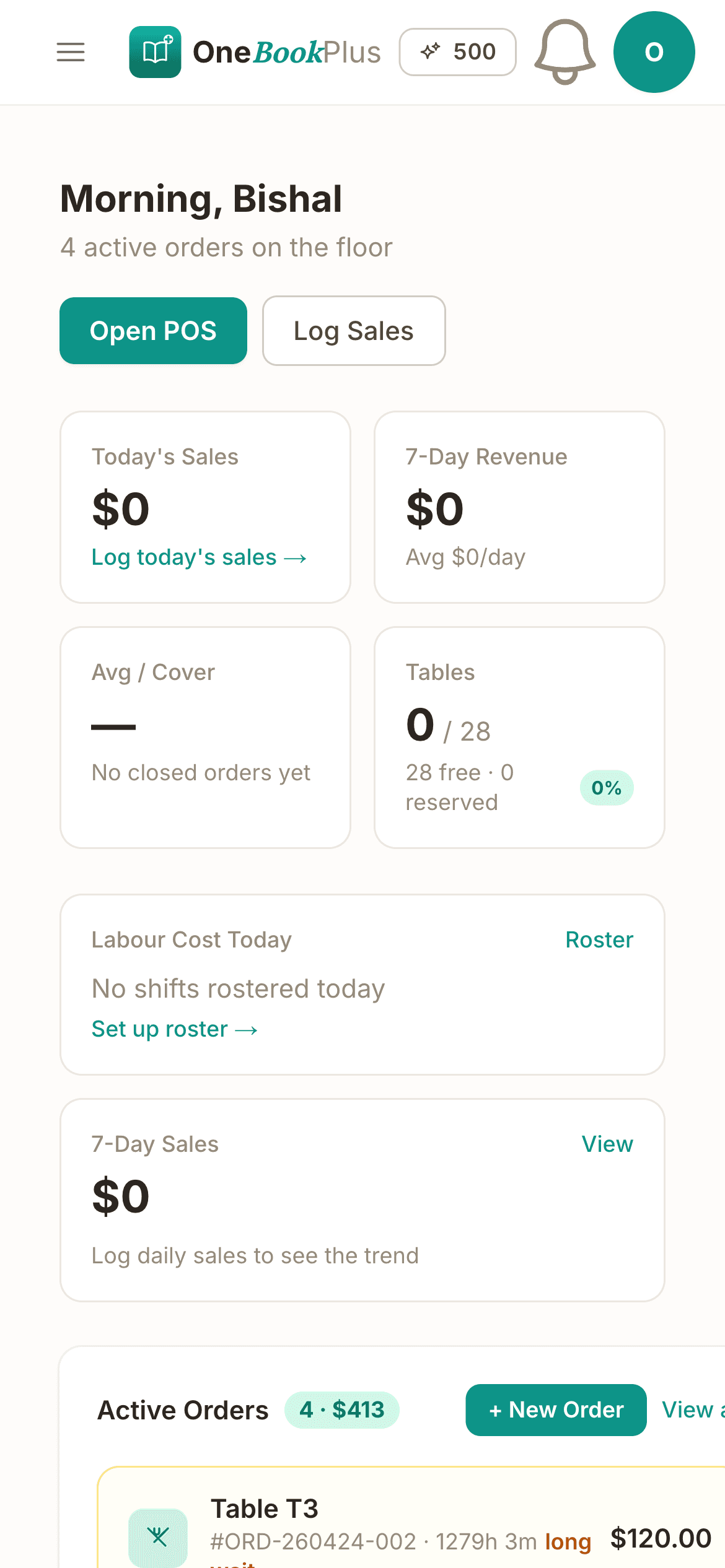
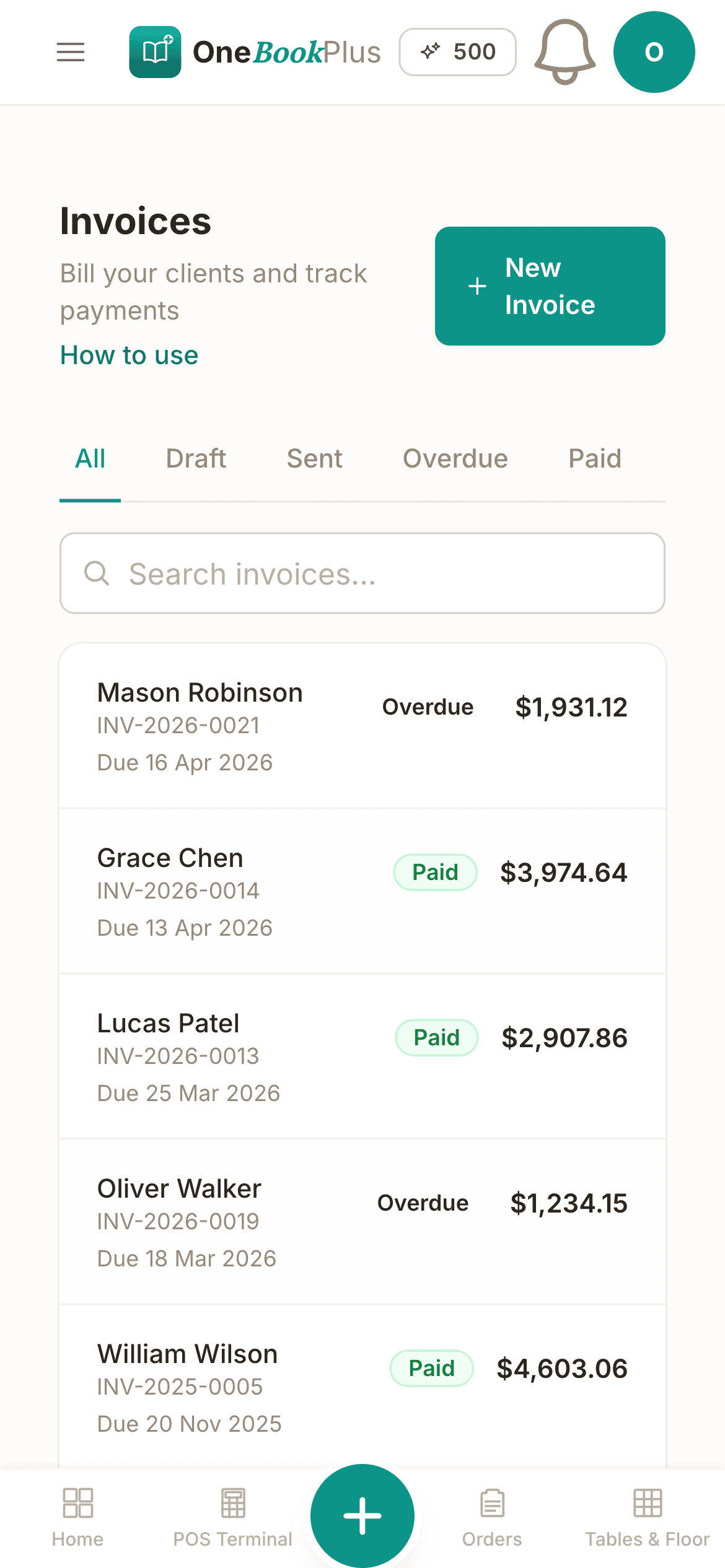
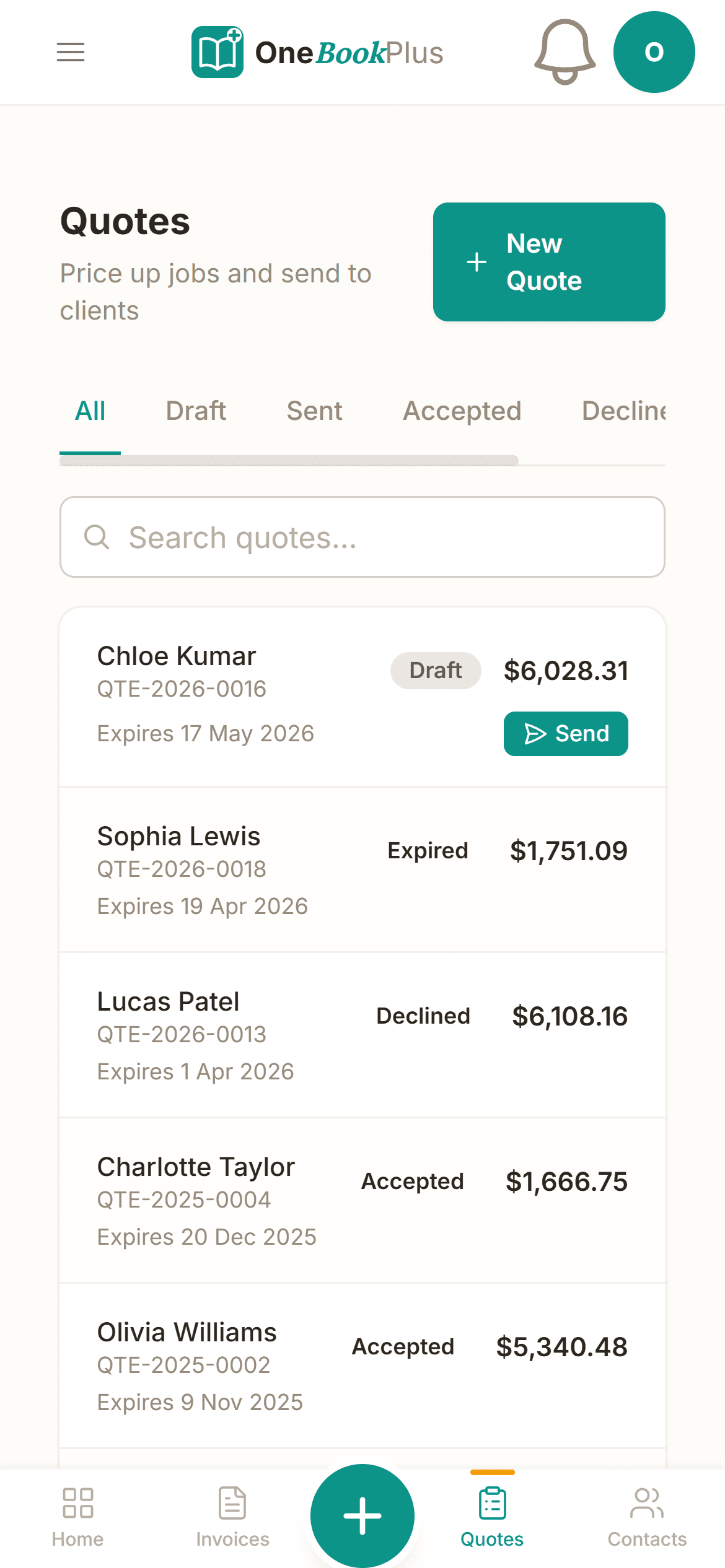
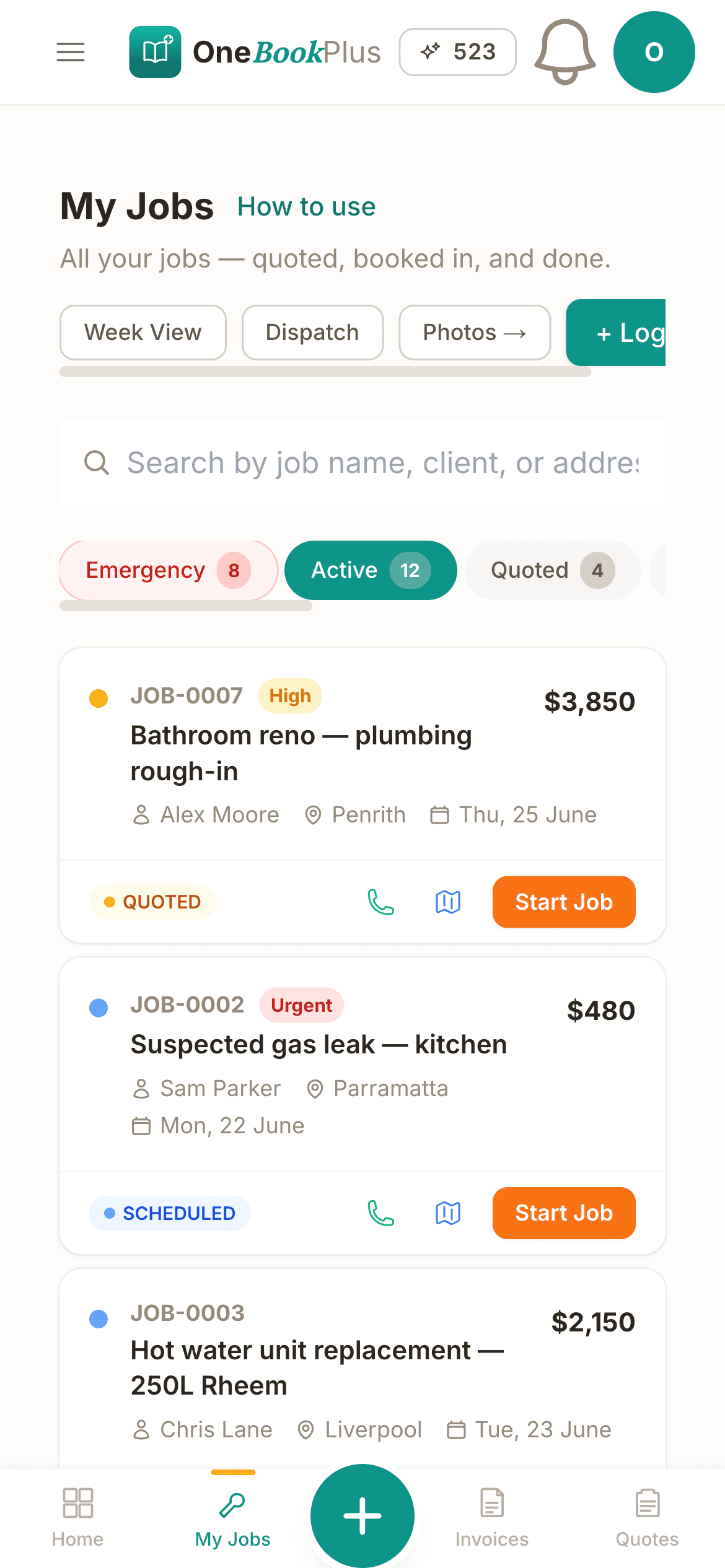
These are real product screens: the booking diary, the patient record and the invoice you raise at checkout. Tap any screen to zoom in.
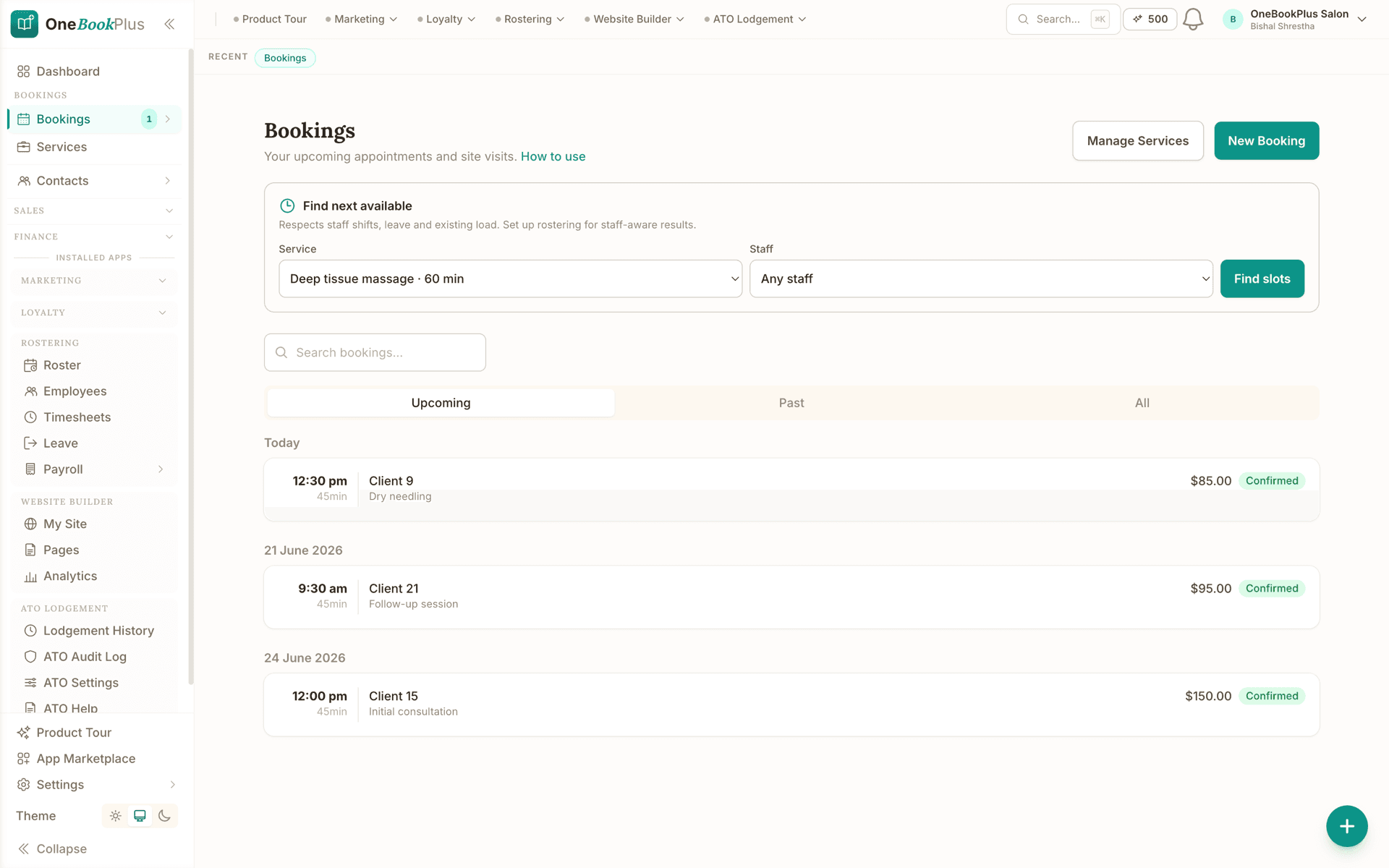
The appointment book, and the next free slot
The Bookings screen: initial consultations, follow-ups and treatments each with the time, the length, the patient and the fee, and Find next available searching around rostered hours, leave and existing load.
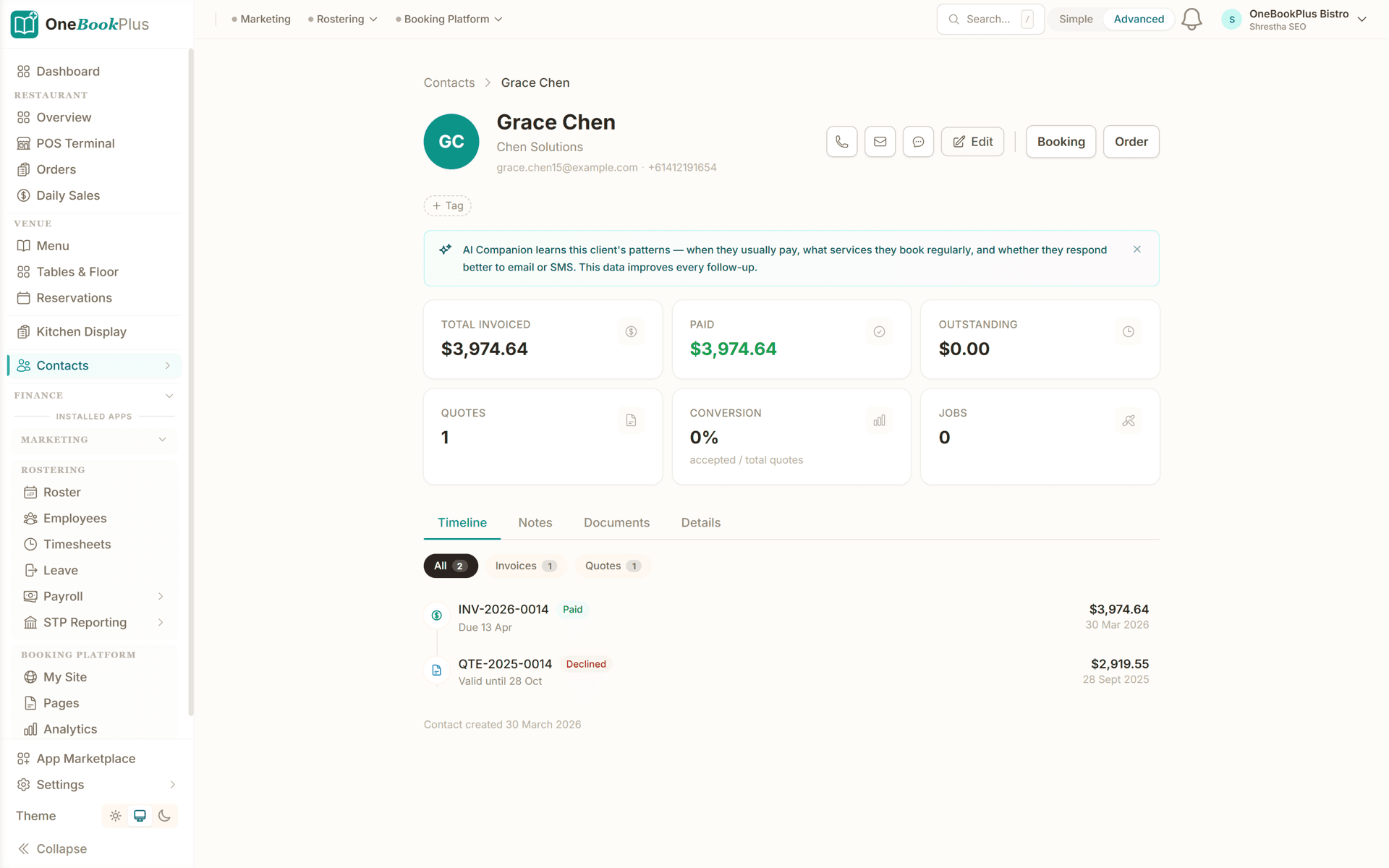
Patient profile with treatment plan
Every session, note, goal and invoice linked to one patient. Rebooking reminders fire automatically.
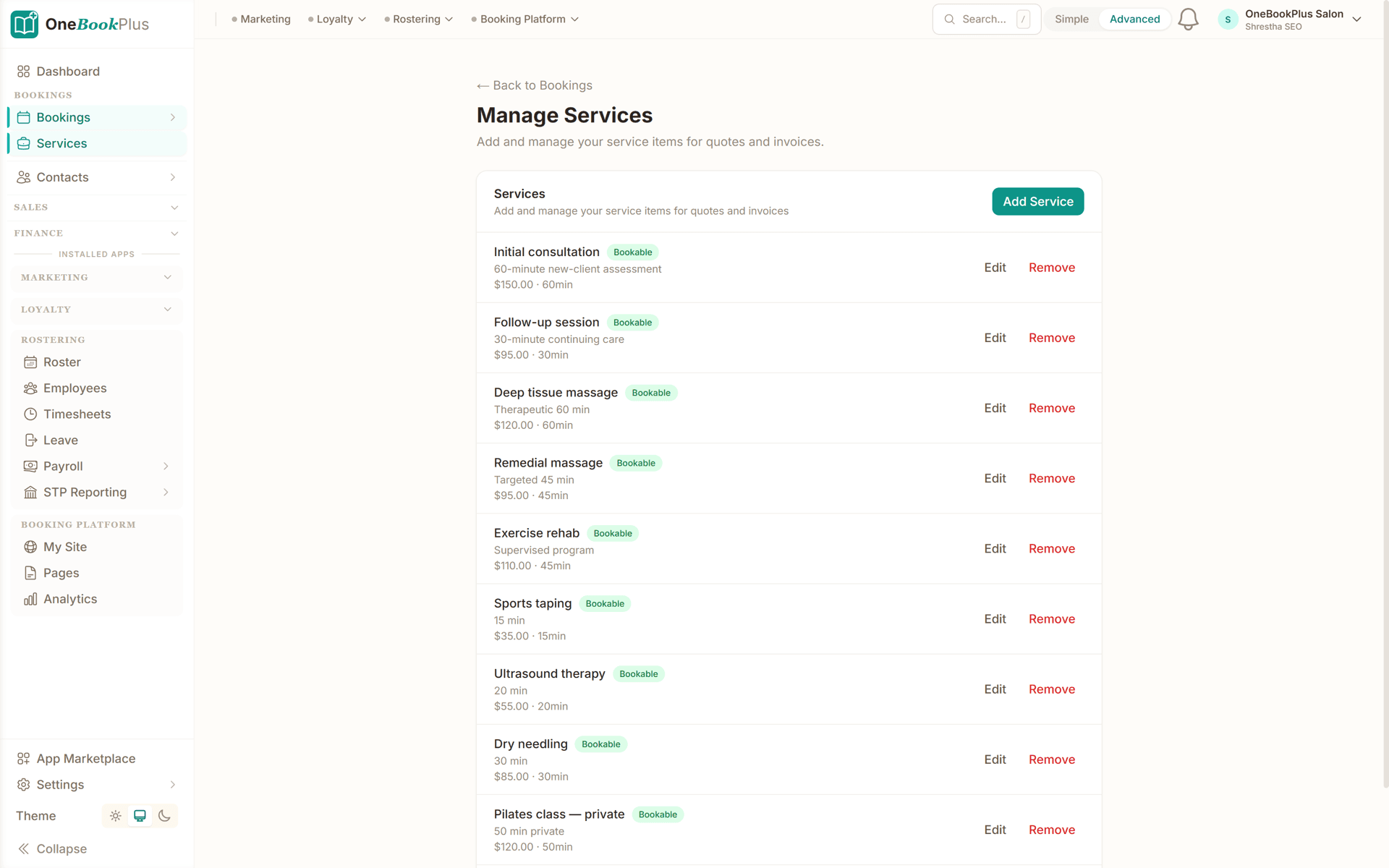
Services menu, priced and bookable
Manage Services: initial consultations, follow-ups and treatments each with a description, a price and the time they take, marked bookable so patients pick from the same list.
How osteopathy booking and recalls work
Get your clinic online and accepting patient bookings in under five minutes, here's how.
Set up your services
Add your appointment types: initial consultation, standard treatment, extended treatment, dry needling, infant/paediatric consult: with durations and fees. Create your clinic's branded booking page.
Patients book online
Share your booking link on your clinic website, Google Business profile, and GP referral letters. Patients pick a time that suits them: no phone queues for reception.
Recalls & reminders go out
OneBookPlus sends appointment reminders and recall prompts automatically, bringing patients back to finish their treatment plan or come in for a maintenance review, and reducing no-shows.
Treat, note & invoice
Record treatment notes, then send an invoice with your ABN and provider number for the patient's private-health rebate or Medicare CDM claim. Request a Google review to build your reputation.
Take online bookings the day you sign up
Who it's for
Who uses OneBookPlus
A sole practitioner, a three-room clinic and an osteopath doing home visits run very different weeks. Here is what each one uses.
Multi-osteopath clinic
Managing several osteopaths, treatment rooms, and appointment types. Needs scheduling across practitioners, shared patient records, and daily reconciliation.
Sole practitioner
Running your own clinic with a focused patient list. Needs simple booking, recalls, treatment notes, and streamlined invoicing with your ABN and provider number.
Sports and musculoskeletal focus
Seeing active patients on structured treatment plans. Needs reliable recalls, plan tracking, and a clear treatment history across a course of care.
Mobile and home-visit osteopathy
Visiting patients at home or in aged-care facilities. Needs on-the-go booking, invoicing, and treatment notes from a phone or tablet.
What a four-tool stack costs each month
Named tools, at each vendor’s own cheapest published plan, and ours underneath. Vendor pricing changes, so check each one before you decide.
Or use OneBookPlus
$69/mo
Everything in the list above, on one bill.
Start freeNo credit card · Free forever · Cancel anytime
Example walkthrough
Tuesday, the front-desk half of the clinic
An illustrative walkthrough of the admin side of a clinic day
Before your first patient, the dashboard shows the day across your treatment rooms and practitioners. Anything booked overnight through your booking page is already there, with the intake form completed and the referring practitioner recorded, so nobody is filling in paper at the front desk.
The recall list flags the patients whose next visit is due this week. Those prompts have already gone out by SMS and email with a link to your booking page, so reception is not working through a call list between arrivals.
Between appointments you write treatment notes straight onto the patient record rather than leaving a pile for the evening. At checkout one tap raises the invoice with your ABN and provider number, with the consult recorded as a GST-free health service and anything you sold on its own GST-taxable line. You mark the payer on the invoice, private fee, health-fund extras, a Medicare CDM session, DVA, WorkCover or CTP, so the payer mix reports itself at the end of the quarter.
By the time you lock up, invoices are raised, notes are written, recalls are queued and the BAS summary has moved with the day's billing. Nothing is waiting for you tonight.
How we compare
OneBookPlus vs osteopathy software
See how we compare to the tools osteopathy clinics typically use.
| Feature | OneBookPlus | Cliniko | Power Diary | Nookal |
|---|---|---|---|---|
| Online patient booking | Yes | Yes | Yes | Yes |
| Recalls & treatment-plan reminders | Yes | Yes | Yes | Yes |
| Patient CRM & history | Yes | Yes | Yes | Yes |
| Automated reminders | Yes | Yes | Yes | Yes |
| Treatment notes | Yes | Yes | Yes | Yes |
| GST / GST-free invoicing | Yes | Yes | Yes | Yes |
| Accounting & P&L | Yes | No | No | No |
| BAS-ready tax reports | Yes | No | No | No |
| Referral & care-plan tracking | Yes | Yes | Yes | Yes |
| Google review automation | Yes | No | No | No |
| Medicare and HICAPS claiming inside the software | No | Yes | Yes | Yes |
| Free plan available | Yes | No | No | No |
| Price | From $0/mo | US$45+/mo | USD tiers | Custom |
One day, written by itself, an illustrated day of an Australian osteopathy clinic run on OneBookPlus
An illustrated day, not real customer data. Scroll through it from morning to 5pm: the AI receptionist answers and books a missed call, the work runs from the app, the GST invoice is sent on the spot, payment lands and the books balance themselves, a review invite is queued for the next daily run, and the day closes with the ledger already written.
7:40am
While you're hands-on with a patient
The acute-low-back call you'd have missed.
A new patient woke with acute low-back pain and can't sit at work. She rings the first osteo on Google, you, mid-treatment.
AI Receptionist
Answered mid-treatment, intake emailed.
The AI answers in two rings, books an 11:00 am initial consult and emails the intake form, your current patient never notices.
In the treatment room
Presenting complaint and history, already read.
Appointment card on your screen: intake done, presenting complaint and history on file. Treatment notes go straight into the record.
At checkout
Invoiced with your provider number, ready to claim.
One tap raises the invoice with your provider number, ready for her private health rebate via HICAPS. No end-of-day pile.
Between appointments
Paid. Rebooked. Balanced.
The card payment lands, her three-session plan is set on recall, and the books update themselves for BAS.
After the payment clears
The review ask, once the pain eases.
Once the payment clears, the AI asks for the review at the delay you set. Nothing for the front desk to remember.
The day closes itself
A full list run, one new patient.
You ran a full list and gained a new patient. The book did the rest.
$0
collected
0
admin tasks done by AI
0
evenings lost
An illustrated day, not real customer data. AI Receptionist is a $79/mo add-on that needs AI Companion ($25/mo, included on Growth), and AI Companion is what sends the review invite as well. The rest of the day is the app itself.
Four plans, all built for osteopathy clinics
Start free, upgrade when your patient list justifies it. No contracts, no setup fees, no per-practitioner SaaS tax that Cliniko charges on every extra osteopath. Cancel any time.
Free
$0/forever
Take your first online booking today, no credit card.
- 10 invoices a month, 5 quotes
- Up to 250 patient records
- Online booking page + reminders
- Treatment-note-friendly records
- Invoicing + ABN/provider no.
- Referral source tracking
- Mobile PWA (works on home visits)
Starter
$29/mo
Replaces Cliniko or Power Diary + Xero + your reminder and booking tools.
- Everything in Free
- Unlimited patients, bookings & invoices
- SMS + email recalls & reminders
- HICAPS & private-health-rebate-aware billing
- Care-plan session tracking (CDM/EPC)
- Payer breakdown (private/fund/DVA/WorkCover)
- Accounting, P&L & BAS reports
- 3 practitioners
No card, drops to Free if you don't upgrade
Plus
$49/mo
Outgrowing the basics, unlimited contacts & bookings, advanced reporting.
- Everything in Starter
- Unlimited contacts & bookings
- Advanced reporting & analytics
- Batch invoicing
- Budget tracking
- 5 team logins
- 10 GB website media storage
Growth
$69/mo
For busy clinics chasing recalls, reviews and new referrers.
- Everything in Plus
- Recall + retention dashboard
- Reputation Engine (auto Google reviews)
- SMS marketing to your patient list
- Paid add-on: Google Ads dashboard, $99/mo
- AI receipt and supplier-bill scanning
- Multi-room scheduling across practitioners
- 10 practitioners
Prices in AUD. Osteopathy consults are generally GST-free; products you sell are GST-taxable. Online card payments carry Stripe processing fees (1.7% + 30¢ AU cards) plus a 2.5% OneBookPlus platform fee. Read the full plan comparison
Switching from Cliniko, Power Diary or Nookal?
Switching is designed to fit in a single evening. Export your patients, appointments and referrers as CSV from your current system, import them into OneBookPlus with the bulk importer, and you're taking bookings before the first patient walks in tomorrow.
- 1Export patients + appointment history CSV from Cliniko/Power Diary/Nookal (5 min)
- 2Upload via the bulk importer, names, DOB, referrer and health-fund details auto-map (10 min)
- 3Set up your appointment types, fees, provider numbers and recall cycles, align your HICAPS/Medicare workflow (15 min)
- 4Cancel your old subscriptions tomorrow morning
Switch from
Built-in AI
Can’t get to the phone? Your AI can.
You can't sit by the phone all day, and every missed call is work that goes to whoever answers first.
OneBookPlus
AI Receptionist · incoming call
“Can I book in sometime this week?”
If you don't answer, the AI books it, Booking · Tue 10:30am, and texts a confirmation.
Extend Your Toolkit
Apps for osteopathy clinics
Add patient bookings, recalls, treatment notes, and more to streamline your practice.
Australian Owned
Built in Melbourne, AU
GST Compliant
ATO-ready from day one
Encrypted & Isolated
TLS in transit, AES-256 at rest, tenant isolation at the database layer, read the security page
Free Plan Available
No credit card needed
Questions osteopaths ask
Common questions about osteopathy booking and practice management software.
What osteopathy software do Australian clinics use?
Most Australian osteopathy clinics run a dedicated allied-health practice system such as Cliniko, Power Diary, Halaxy or Nookal, and pair it with accounting software like Xero or MYOB. OneBookPlus is the all-in-one alternative to that pairing: online bookings, recall cycles for treatment plans and maintenance reviews, treatment-note-friendly patient records, HICAPS and private-health-rebate-aware invoicing, Medicare CDM tracking, and BAS-ready accounting in one app. It runs free for a small patient list and scales as your clinic grows, so a sole practitioner and a multi-osteopath practice use the same platform.
Can a new patient book an osteopathy appointment without calling?
Yes. Your branded booking page is available around the clock. Patients see real-time availability, pick an appointment type, initial consultation, standard or extended treatment, dry needling, paediatric consult, choose a time, and confirm, reducing the load on reception.
Does the osteopathy booking system handle recalls and treatment-plan reminders?
Yes. Osteopathic care is usually a course of treatment followed by maintenance reviews. OneBookPlus tracks each patient's recall interval and sends automated SMS and email recall prompts with a link to your booking page, so patients return to finish their plan or come in for a review without your reception team chasing them by phone.
Does OneBookPlus support HICAPS, private health rebates and Medicare CDM?
OneBookPlus is HICAPS- and Medicare-aware: you record each invoice against the right payer, private fee, HICAPS health-fund extras rebate, Medicare CDM/EPC care-plan session, DVA, WorkCover or CTP, and your reporting breaks revenue down by payer type. HICAPS terminal claiming and Medicare submission are processed through your HICAPS/Medicare facility; OneBookPlus keeps the booking, treatment-note, invoicing and accounting side aligned with those claims.
Are osteopathy services GST-free in Australia?
Osteopathy services provided by an AHPRA-registered osteopath are generally GST-free as recognised health services, while any goods you sell, supports, braces, pillows, exercise bands, are typically GST-taxable. OneBookPlus tracks the split per invoice line so your BAS is correct without manual sorting. This is general information, not tax advice, confirm your specific treatment of GST with your accountant or the ATO.
How does OneBookPlus compare to Cliniko, Power Diary, Halaxy and Nookal for osteopathy?
Cliniko, Power Diary, Halaxy and Nookal are well-established allied-health practice systems with deep clinical features and integrated Medicare and HICAPS claiming. If claiming sits inside your practice software, or you need clinical tooling built specifically for allied health, they are a strong fit and we would say so. OneBookPlus is the simpler, more affordable alternative for the booking and business side: online bookings, recall cycles, treatment-note-friendly records, patient CRM, payer-aware invoicing and BAS-ready accounting, from $0/month, with the accounting included rather than bolted on. If you handle Medicare and HICAPS in a separate claiming tool or terminal, OneBookPlus is a genuine alternative; if you need claiming built in, keep a dedicated clinical system for that part.
Can I charge a cancellation fee or take a deposit for osteopathy appointments?
Yes, you can raise an invoice against a booking for a deposit or a late-cancellation fee and send it with an online payment link. Whether you charge one, how much notice you require and how you handle hardship is your clinic's policy, not something the software decides, and the policy needs to be disclosed to the patient before they book. A cancellation fee is a charge for your time rather than a health service, so its GST treatment can differ from the consult itself. Confirm the treatment with your accountant, and check any conditions your health-fund or Medicare arrangements place on fees.
How long do I need to keep osteopathy patient records?
Health records for adults are generally retained for at least 7 years from the date of the last entry, and for a patient who was a minor at the time, until they turn 25. The requirement comes from state health-records legislation and the Australian Privacy Principles, and it applies to treatment notes, intake forms, correspondence and imaging you hold. OneBookPlus keeps notes timestamped against the patient record for as long as your account is active, and you can export patient data if you ever move. This is general information rather than legal advice, so check the rules in your state and the AHPRA guidance that applies to your registration.
Can OneBookPlus track WorkCover, CTP and DVA patients separately from private ones?
Yes. Every invoice is recorded against a payer, private fee, HICAPS health-fund extras rebate, Medicare CDM session, DVA, WorkCover or a CTP motor-accident claim, and your revenue reporting breaks down by payer type. That matters because insurer and scheme work is usually billed at a different rate, paid on different terms and reconciled separately from private patients. OneBookPlus does not lodge the insurer or scheme claim for you, and it does not check a patient's eligibility. You still submit through the insurer's own channel, then match the payment against the invoice when it lands.
About the author

Bishal Shrestha
Founder & CEO, OneBookPlus
Bishal spent a decade running digital projects for Australian small businesses before founding OneBookPlus. He writes and maintains these pages, and publishes what OneBookPlus does not do alongside what it does.
Read the founder bioHow this page was researched
The compliance and licensing statements above are taken from the bodies this page links to, including AHPRA, HICAPS and the OAIC, so you can read the rule rather than take our word for it. Plan prices come from the OneBookPlus price registry, so the page and the checkout cannot disagree. Everything said about OneBookPlus describes what the product does today, and the page says so where it does not do something.
Your osteopathy practice workflow, from online booking to recall
An osteopathy practice runs on a rhythm: patients book, you assess, you treat hands-on, you advise on movement and self-management, you invoice, and, for a course of care, you bring them back to complete their plan and then onto maintenance reviews. OneBookPlus supports every stage of that rhythm, from the first online booking through to the recall reminder that keeps a patient on track rather than dropping off mid-plan and re-presenting later with a flare-up.
Patient booking and intake
Patients find your clinic through Google, your website, or a GP referral and book directly through your branded online booking page. They select from your defined appointment types, initial consultation, standard or extended treatment, dry needling, or an infant/paediatric consult, and choose an available time slot in real time. New patients complete a digital intake form capturing contact details, presenting complaint, relevant medical history and any red-flag screening, referring practitioner, and health-fund details. This appears in their patient record before they walk through the door, so you can review the case before the consultation rather than spending the first ten minutes on paperwork. Returning patients skip the intake and book their next visit in under thirty seconds. The online booking feature overview covers how availability, buffers and appointment types are configured.
Treatment notes and records
During each appointment you record structured treatment notes against the patient's record, presenting complaint, postural and movement assessment, palpation and orthopaedic findings, techniques applied, response to treatment, home-exercise and self-management advice, and the plan for next time. Templates speed up documentation while keeping your notes thorough and consistent. For multi-session treatment plans, each appointment's notes link to the overarching plan with goals and review intervals, and if another osteopath in your clinic sees the patient, they have full context from previous visits, no verbal handovers. Treatment notes are timestamped and stored securely against each patient record, supporting your AHPRA documentation obligations and the 7-year health-record retention requirement, and providing evidence of the care pathway if ever queried by an insurer or referrer.
Recalls and treatment-plan retention
Most osteopathic care is a defined course of treatment followed by periodic maintenance reviews, and patients who drop off mid-plan are the ones who re-present months later with the same complaint. The recall system is built for exactly this. Set a recall interval against each patient, and when they're due, OneBookPlus sends an automated SMS and email recall with a direct link to your booking page. The recall dashboard shows your clinic's rebooking compliance rate and highlights patients who have slipped off their plan, so reception can follow up proactively. For a clinic, consistent recalls are one of the biggest levers on table utilisation and predictable revenue, and automating them frees reception from the phone. The same recall tooling runs the review cycles described on our physiotherapy practice software page and the six-to-twelve-week cycles used by podiatry clinics.
Invoicing, HICAPS and Medicare CDM
At the end of each appointment, OneBookPlus generates an invoice with your ABN and provider number. Osteopathy consultations provided by an AHPRA-registered osteopath are generally GST-free as recognised health services, while any products you sell, supports, braces, pillows, exercise bands, are GST-taxable, and OneBookPlus handles these mixed invoices correctly, line by line, so your BAS is right without manual sorting. Record each invoice against the correct payer, private fee, HICAPS health-fund extras rebate, Medicare CDM/EPC care-plan session, DVA, WorkCover or CTP, so your revenue reporting breaks down by payer type. For eligible patients on a GP Management Plan, the system tracks which of their up-to-five funded allied-health sessions per calendar year have been used. HICAPS terminal claiming and Medicare submission still run through your HICAPS and Medicare facilities; OneBookPlus keeps the booking, treatment-note, invoicing and accounting record aligned with those claims so nothing falls through the cracks.
Mixed invoices: a GST-free consult and the brace you sold with it
The GST split is the part of osteopathy billing that most often goes wrong in a spreadsheet. A consultation delivered by an AHPRA-registered osteopath is generally GST-free as a recognised health service, but the pillow, brace, exercise band or support you hand the patient on the way out is a retail sale and generally carries GST. Put both on the same invoice and you have a mixed supply, where one line is GST-free and the next is taxable at 10%. OneBookPlus applies the treatment per line rather than per invoice, so the totals, the tax summary and the BAS figures separate themselves without anyone re-sorting receipts at quarter end. If you want to sanity-check a product line before you set its price, the GST calculator works the 10% both ways, and the glossary entry on GST-free versus input-taxed sales explains why the two are not the same thing. This is general information rather than tax advice, so confirm your own treatment with your accountant or the ATO.
What the payer mix tells you at the end of the quarter
Two osteopathy clinics can bill the same amount and run completely differently, because one is mostly private fee patients paying at the desk and the other is carrying insurer and scheme work that settles weeks later. Recording the payer on every invoice, private fee, health-fund extras rebate, a Medicare CDM session, DVA, WorkCover or CTP, turns that difference into something you can see rather than something you feel in the bank balance. The payer breakdown shows where the revenue is coming from, and the aged-receivables view shows which of it is still outstanding, which is the number that decides whether you can afford another treatment room. Insurer and scheme work also tends to carry its own paperwork and approval limits, so knowing what share of your week it represents is worth more than a headline revenue figure. The bookkeeping software overview covers how those figures roll into your BAS summary, and our comparison with Cliniko sets out honestly where a dedicated clinical system still does more than we do.
Reputation and practice growth
Growing an osteopathy practice comes down to keeping the patients you have on their treatment plan and attracting new ones, often via GP referrals and online search. OneBookPlus supports both. After an appointment, automatically request a Google review from satisfied patients, building the online reputation that wins the next person searching "osteopath near me." Referral source tracking shows which GPs and specialists send patients your way, so you know which professional relationships to nurture. Your booking page doubles as a lightweight website showcasing your services, fees and reviews, and the dashboard ties it all together, bookings, recalls, referrals, payer mix and BAS-ready financials in one place, so you always know exactly where the practice stands.
The diary, the notes and the invoicing stop being three jobs
Patients book online, recalls bring them back to finish their plan, treatment notes stay on the record, and the invoicing and BAS figures keep pace as you go. Free to start, upgrade when you're ready.
Reviewed by Bishal Shrestha
Authoritative sources
Where the regulatory and funding facts on this page come from
Osteopathy in Australia sits across health regulators, private health-fund networks, and Medicare/DVA funding rules. We cite the primary sources for every claim on this page so you can verify directly.
- Australian Health Practitioner Regulation Agency (AHPRA), osteopathy registration, Code of conduct, and advertising rules for regulated health professions.
- Osteopathy Board of Australia, registration standards, scope of practice, and CPD requirements for practising osteopaths.
- HICAPS, the network used to process private health-fund extras rebates at point of service.
- Services Australia, Medicare Chronic Disease Management (CDM/EPC), CDM/EPC care plans give eligible patients up to 5 allied-health sessions per calendar year.
- Office of the Australian Information Commissioner, APPs, Australian Privacy Principles under the Privacy Act 1988. Health-record retention is 7+ years for adults, longer for minors.
- Osteopathy Australia, the national professional association for osteopaths, with guidance on practice standards, funding and advocacy.
From the blog
Related reading for osteopaths
Practical guides and explainers from the OneBookPlus blog, grouped by topic.
Best Cleaning Business Software in Australia (2026): Scheduling, Invoicing & Recurring Jobs
Choosing cleaning business software in Australia for 2026: recurring schedules, on-site invoicing, rostering, payments and GST in one place.
10 min readRead articleHow to Set Up an Online Booking System for Your Business
Choosing and setting up an online booking system: why it matters, the features to look for, and how to connect bookings to invoicing and your CRM.
9 min readRead article