Photography booking software that holds the date for you
Book the shoot, take the deposit and get your terms accepted, before you pick up the camera.
Online bookings with deposits, itemised package quotes your client accepts online with your shooting terms attached, GST invoicing and card payments, built around the shoot, not a generic calendar. All-in-one for $0 to $69/mo, replaces Picktime or Studio Ninja + Xero.
Free plan, no card needed. Deposit and accepted terms before the shoot, GST tax invoices with your ABN.
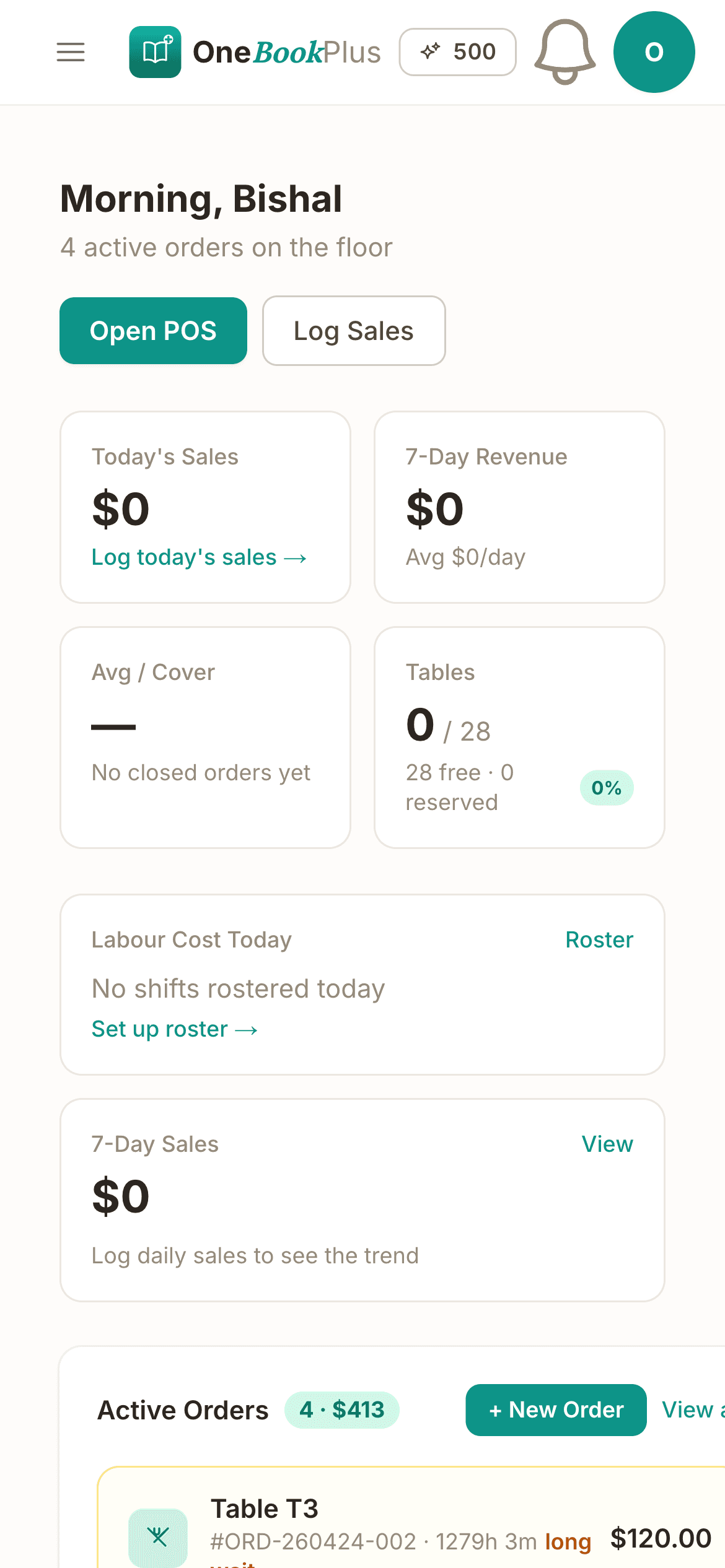
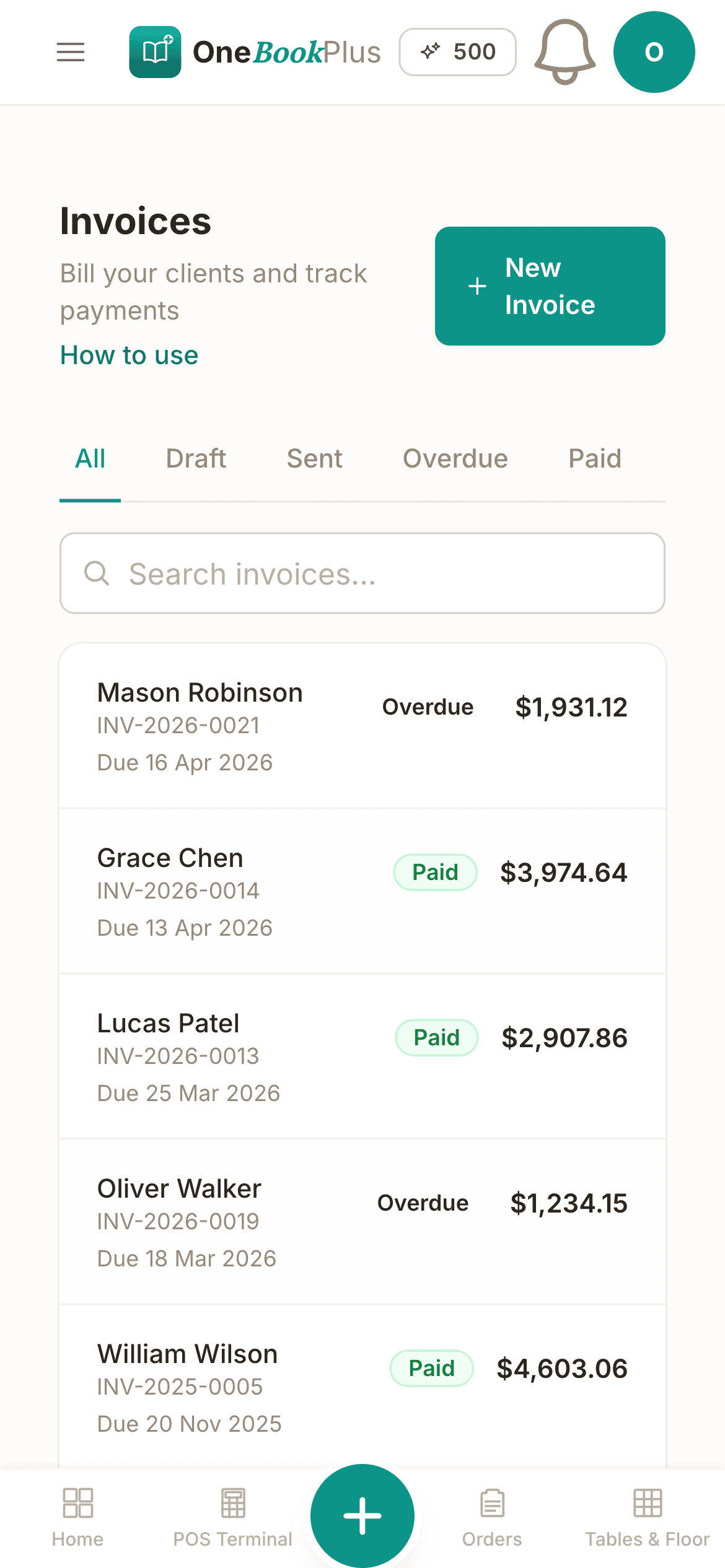
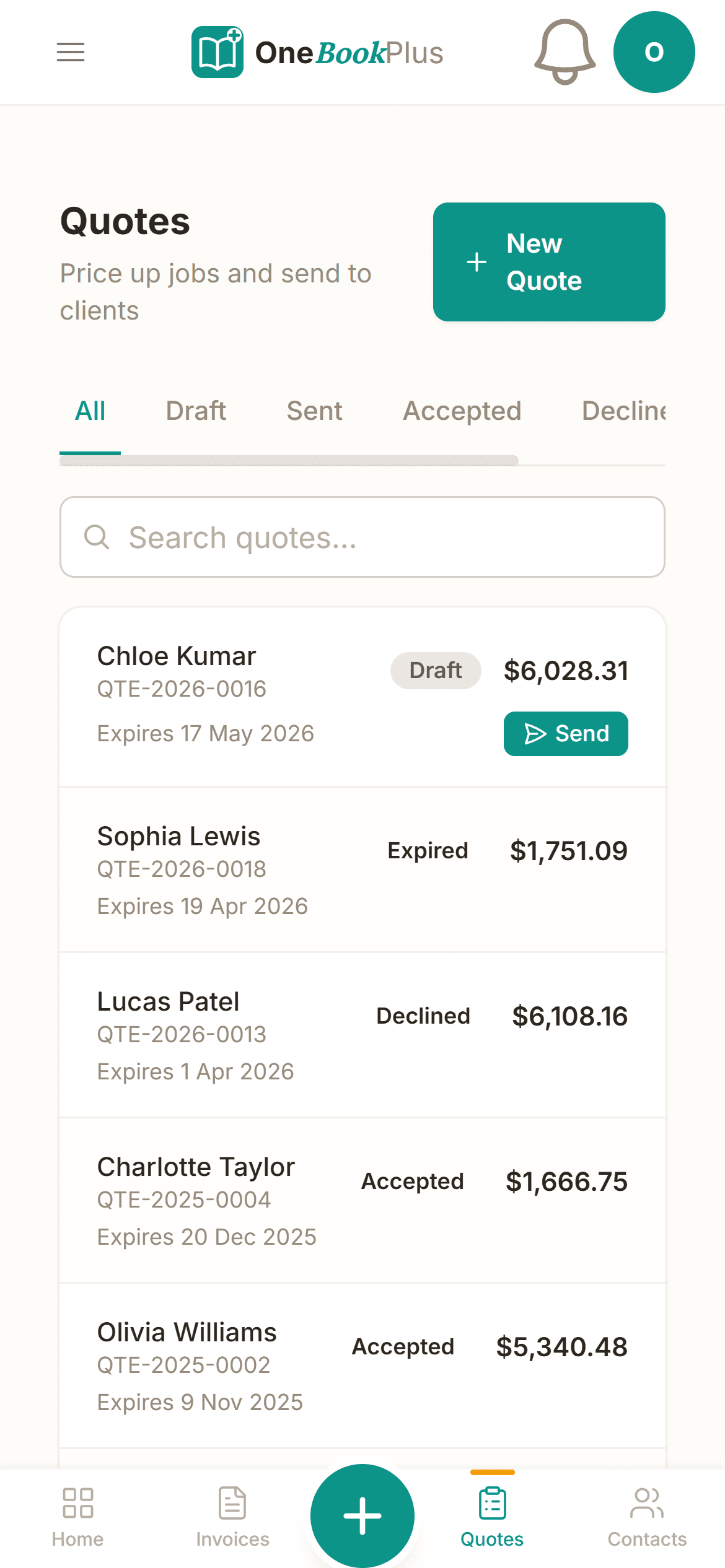
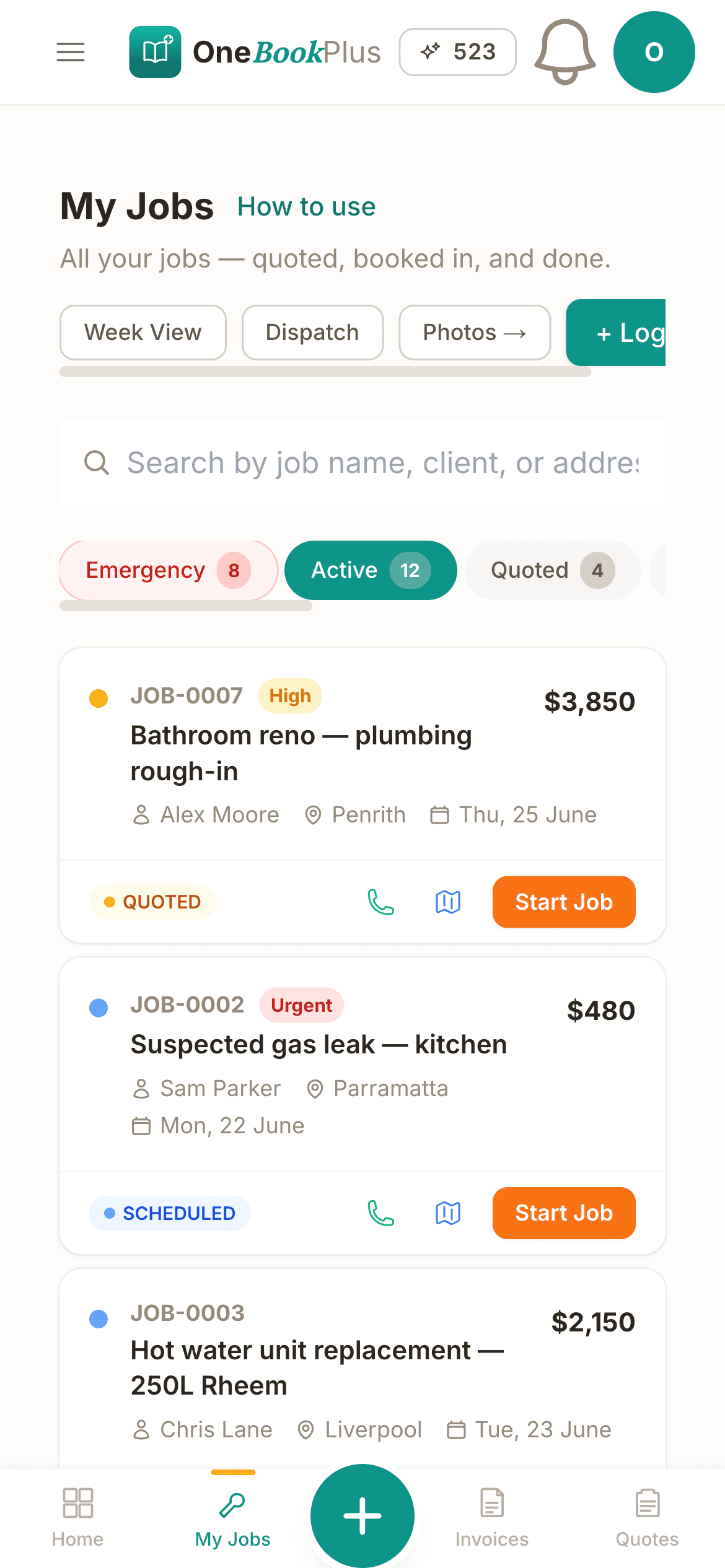
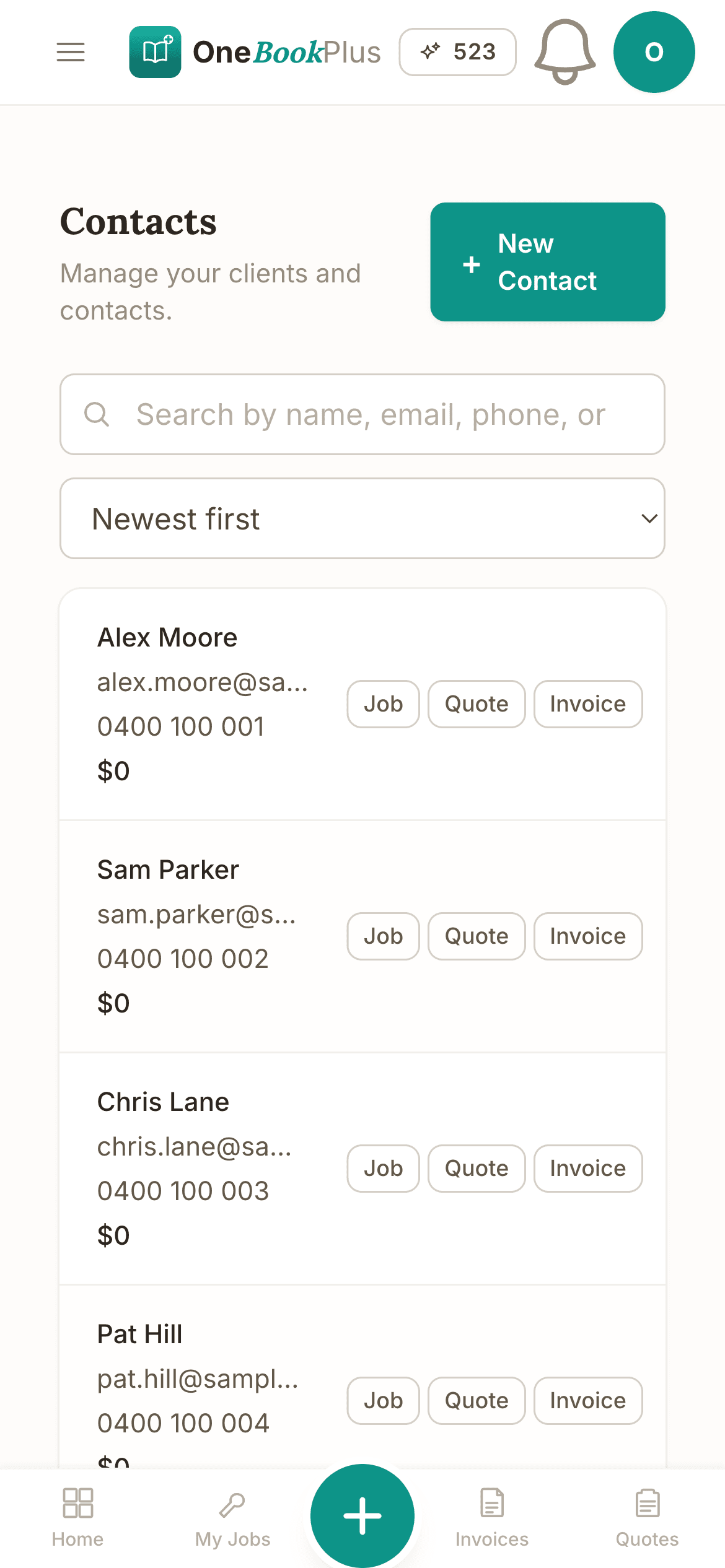
Cut $53+/mo from your software stack by replacing a booking tool + Xero + a review tool with OneBookPlus.
See your savingsFree Tools & Resources
Reference material for studio owners and freelance photographers
Start a Service Business
8-step founder guide, ABN, GST, PI, engagement letters, pricing, first 10 clients for consultants, agencies, and freelancers.
Operator GuideProject Pricing Models
Hourly vs fixed-fee vs retainer vs value-based, when each model wins, AU benchmarks, and how to phase fees.
ReferenceScope of Work Template
Drafting a tight SOW, deliverables, acceptance criteria, scope creep clauses, change-request workflow.
ReferenceProfessional Indemnity for Services
PI insurance for consultants, marketing agencies, and freelancers, typical $1–5M cover, premium ranges, run-off.
InteractiveConsultant Hourly Rate Calculator
Interactive, target salary, billable utilisation, overheads, GST + super, daily/hourly rate.
Key takeaways
6- Photography is an unregulated profession in Australia, there's no national licence or registration board. What protects a studio is good contracts, clear usage rights, and the right insurance, not a regulator.
- GST treatment is standard: photography is a taxable service. Once your turnover reaches $75,000 you must register for GST and charge 10% on sessions, prints and albums; below that, registration is optional.
Show 4 moreShow less
- Deposits are the core risk control. A signed contract plus a non-refundable booking deposit is the difference between a held date and a no-show Saturday, both are handled in the booking flow.
- Cover the basics: public liability insurance, equipment/gear cover, and (for commercial and event work) professional indemnity. Contracts should spell out cancellation terms, image usage and licensing, and model/property releases where relevant.
- Common AU/global tools: Picktime and Bookedin (general booking), Studio Ninja and Táve (photography CRM), HoneyBook (client management), plus dedicated galleries like Pixieset, Pic-Time and ShootProof. Most don't include accounting, paired with Xero or MYOB.
- OneBookPlus is the all-in-one alternative for solo and small studios: bookings + deposits + package quotes accepted online + GST invoicing + payments + accounting + Google review automation, from $0/month (Free) to $69/month (Growth).
Bookings, deposits, contracts and invoices in one place
From online booking and deposits to contracts, gallery links and GST invoicing, OneBookPlus handles the admin so you can stay behind the camera.
Online booking with deposits
Let clients book portrait, family, newborn, headshot or event sessions online and pay a deposit to lock the date in. Real-time availability means no double-booked Saturdays and far less email back-and-forth.
Itemised quotes and packages
Build branded package quotes, coverage hours, prints, albums, second shooter, travel, with GST itemised line by line. Clients review on their phone and tap Accept, which converts straight into a booking and invoice.
Terms agreed before the shoot
Put your shooting agreement, cancellation terms and usage rights on the quote itself. Your client accepts it online and the acceptance is recorded with the quote, so the terms are settled before the date is held.
The whole job on one record
Keep the shoot's quote, invoices, payments and delivery notes together on the client's record, gallery link included once the edit ships. For proofing and print sales, pair OneBookPlus with your dedicated gallery tool and run the booking and money side here.
Deposits, balances and card payments
Take a non-refundable deposit at the time of booking (with card payments turned on), then invoice the balance before the shoot. Clients pay by card through a secure Pay Now link, and the payment reconciles against the invoice automatically.
GST invoicing and BAS-ready books
Send GST-compliant tax invoices with your ABN. Income is categorised as it's billed, GST is calculated at the point of invoicing, and your BAS summary stays up to date, including travel, equipment hire and album costs, so tax time isn't a shoebox of receipts.
Free plan available, no card needed.
Free booking page included
Your photography business gets a booking page. Free.
Stop paying a website subscription you do not need, and skip the up-front designer quote. Every OneBookPlus photographer gets a branded booking page on the free plan. Want it on your own domain like a proper business website? The Website Builder app is $29/mo and we host it for you.
your-business.onebookplus.com.auoronebookplus.com.au/book/your-businessyourbusiness.com.au: your own branded domain, hosted by us24/7 emergency callout booking
A couple finds your work on Instagram at 10pm and books a portrait session, paying the deposit and signing the agreement while you're asleep. The booking lands in your dashboard with the date held and the contract on file, ready for the morning.
Branded with your colours, logo & licence
Brand color picker in settings. Logo upload. Trade licence number shown on every page so customers know you're legit.
Show service prices upfront
Portrait session $250. Family shoot from $400. Wedding collections from $2,500. Customers see prices before booking, kills the price-shopping phone calls.
Mobile-first: looks great on phones
Your booking page is built mobile-first, so a customer searching on a phone can book without pinching to zoom.
Bring your own domain: we host the site
Already own yourbusiness.com.au? Add the Website Builder app ($29/mo) and point your domain at the site we host for you, through a guided DNS and SSL wizard. We don't sell domains, keep yours wherever you registered it.
Local SEO baked in
Schema.org markup for photography services + suburbs you cover. Google finds you for 'photographer in [suburb]' searches.
Photographers website cost, typical
What photographers pay for a website
- From $24/mo
Website builder
Squarespace's cheapest plan billed monthly, verified 2 August 2026. Wix publishes no fixed Australian rate.
- $15 to $40/mo
Web hosting + SSL
Bundled in builders; separate if custom site
- $1,500 to $3,000
Designer (one-off)
Only if you want a custom-built site
- From US$10/mo
Bookings on Calendly
Per seat, billed in US dollars, verified 2 August 2026. Separate from your website.
Typical recurring total
~$39 to $64/mo
+ US$10/mo per seat if you add Calendly for bookings, billed in US dollars, and $1,500 to $3,000 up-front if you hire a designer
With OneBookPlus
Included on every plan
- Branded booking page, free plan
- Hosting + SSL, free plan
- 24/7 customer self-booking, free plan
- Connect your own domain with the Website Builder app, +$29/mo (BYO)
Your total
$0 to $29/mo
See it in action
The screens a client file passes through.
Real product screens: the quote, the invoice and the client history you run bookings, contracts and payments against. Tap any screen to zoom in.
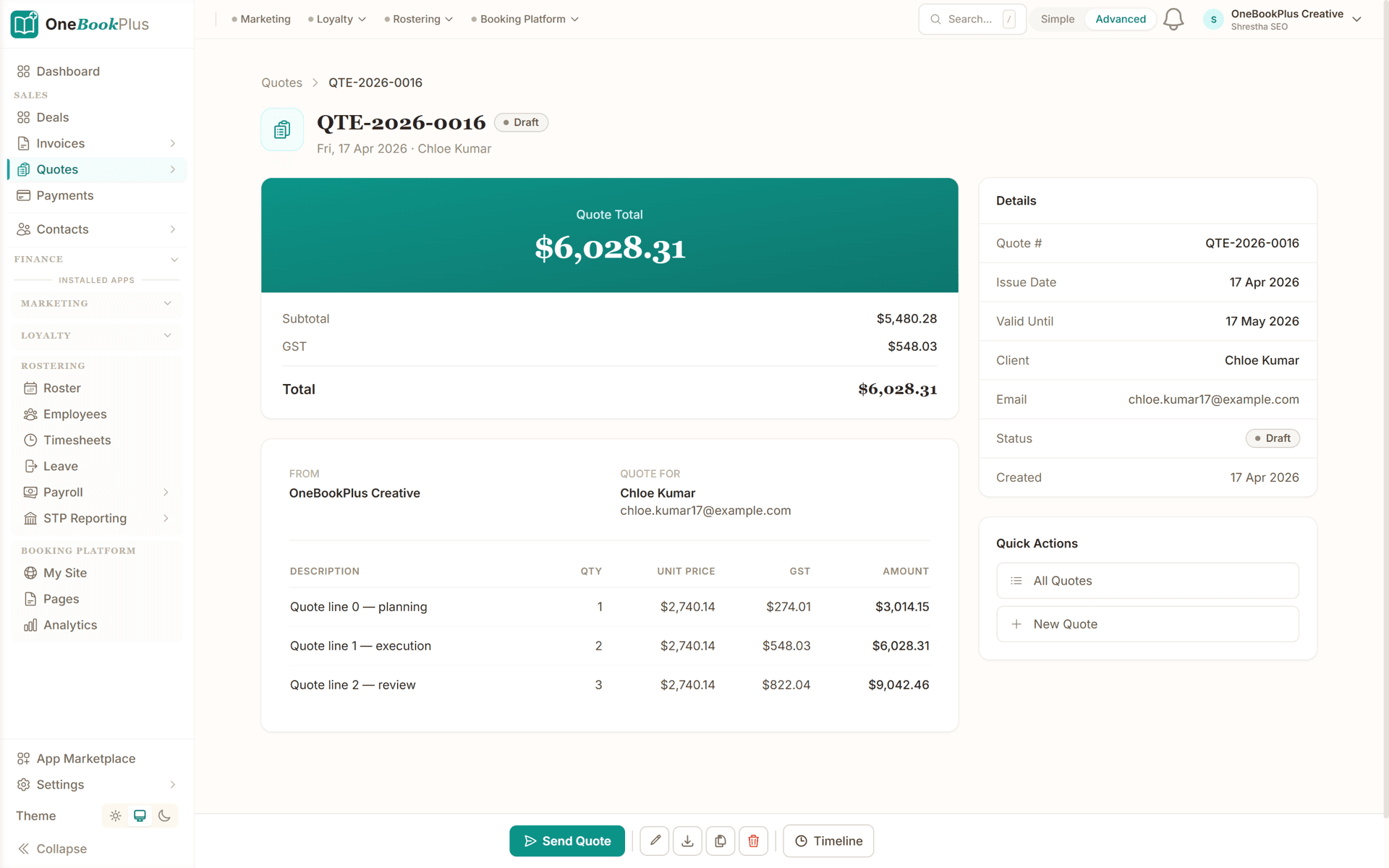
Quote the shoot, the edit and the licence
A quote with the total on top, then subtotal and GST, every line carrying quantity, unit price and GST, a valid-until date, and one button that sends it to the client.
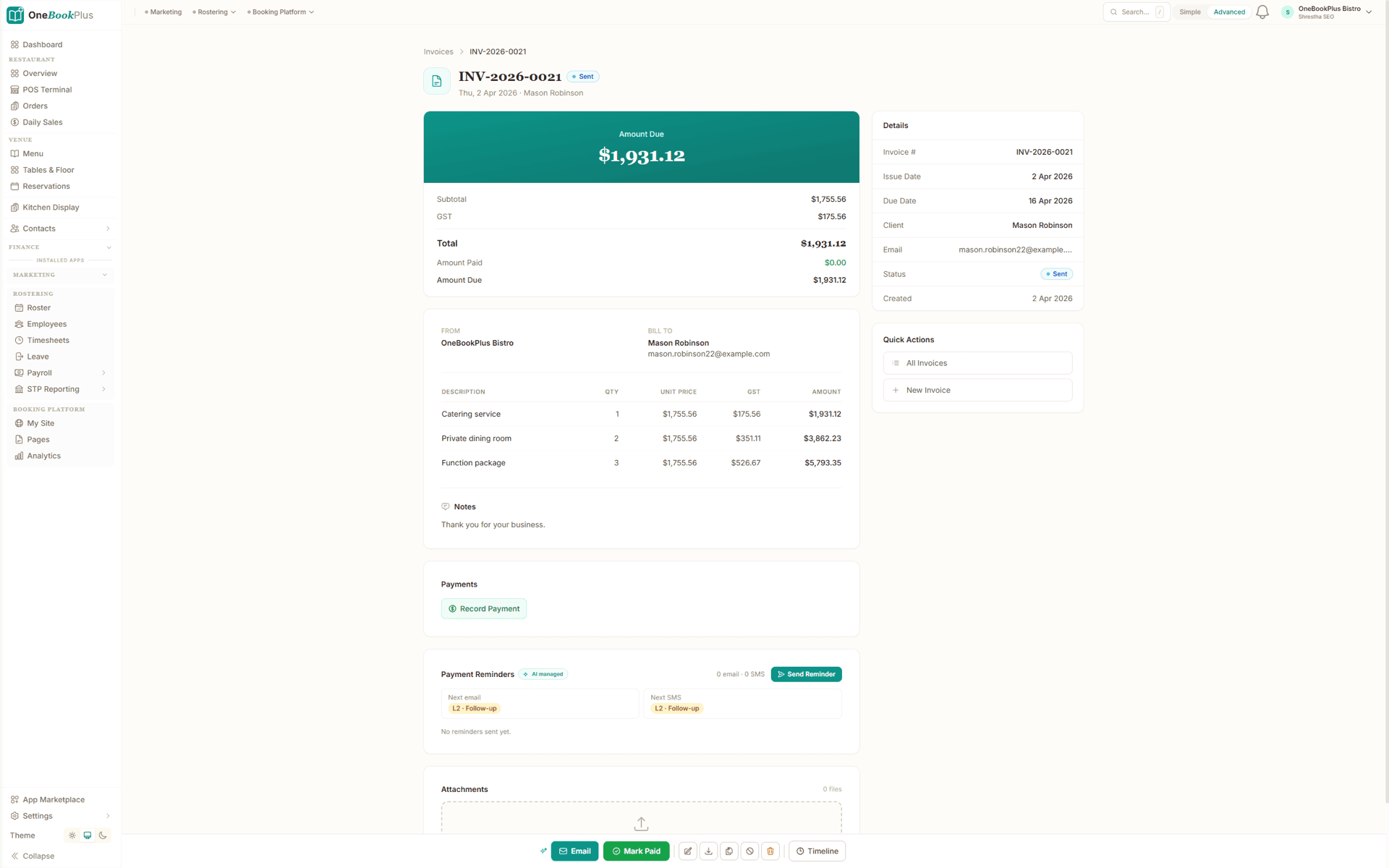
Invoice the deposit, then the balance
An invoice showing subtotal, GST, total, amount paid and amount due, payments recorded against it, and a reminder schedule that queues the next email and the next SMS.
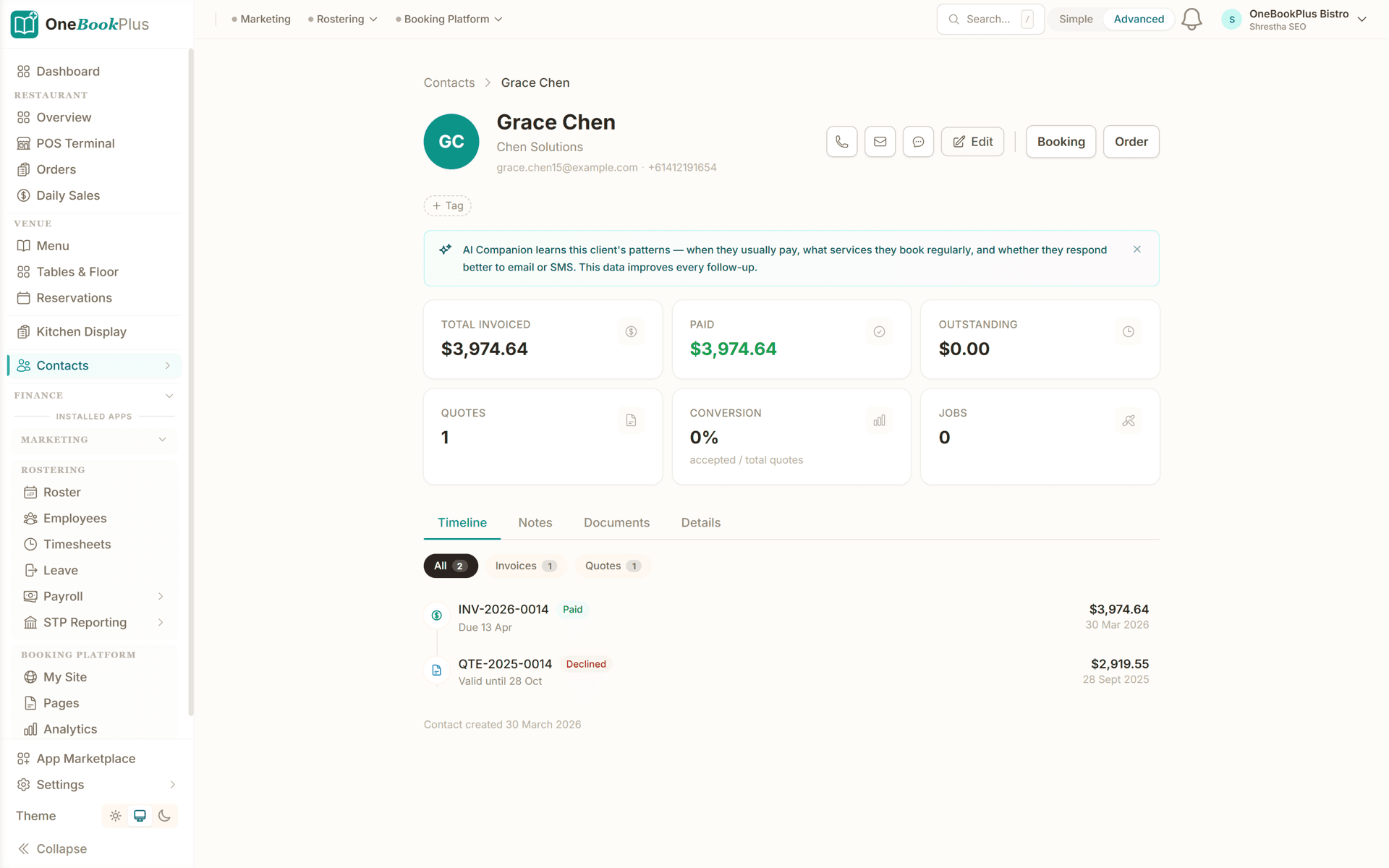
Every client, every shoot, one record
The client record: total invoiced, paid and outstanding, quotes raised and jobs done, and a timeline of every invoice and quote with its status and date, plus notes and documents tabs.
How bookings and deposits work
Set up your packages once, and the booking, the deposit and the contract run the same way for every client after that.
Set up your packages
Add your session types: portrait, family, newborn, headshots, events, weddings: with durations, inclusions and prices. Create your studio's branded booking page and deposit rules.
Clients book & pay a deposit
Share your booking link on Instagram, your website and Google Business profile. Clients pick a session, choose a time, sign the contract and pay a deposit to hold the date: all in one flow.
Reminders go out on their own
OneBookPlus sends booking confirmations and reminders automatically, and the balance invoice carries a Pay Now link, so the money side moves before the shoot without chasing emails from you.
Deliver, invoice & get reviewed
After editing, share the gallery link, send the final invoice with a Pay Now link, and request a Google review at the right moment to build the reputation that wins your next booking.
Take online bookings the day you sign up
Who it's for
Solo shooter or multi-photographer studio
A portrait photographer, a wedding shooter and a commercial studio run very different weeks. Here is what each one uses.
Solo portrait and family photographer
Running your own diary of portrait, family and newborn sessions. Needs simple online booking, deposits, contracts and quick GST invoicing without a team to manage.
Wedding and event photographer
High-value bookings booked months ahead. Needs locked-in dates with deposits, signed shooting agreements, payment schedules and balance reminders before the day.
Commercial and headshot studio
Corporate headshots, product and brand work, often on retainer or by package. Needs package quotes, licensing terms in the contract, and payer-clean invoicing.
Multi-shooter studio
Several photographers and second shooters across a shared calendar. Needs availability across the team, shared client records, and one place for the money side.
What a three-tool stack costs each month
Named tools, at each vendor’s own cheapest published plan, and ours underneath. Vendor pricing changes, so check each one before you decide.
Or use OneBookPlus
$69/mo
Everything in the list above, on one bill.
Start freeNo credit card · Free forever · Cancel anytime
Example walkthrough
Thursday, a shoot, a gallery and a final payment
An illustrative walkthrough of a typical solo photographer's day
You check the dashboard at 8:30am and three enquiries arrived overnight through your website and Instagram link. One is a spring wedding, so you send an itemised collection quote with coverage hours, an album and a second shooter, GST included, that the couple can accept on their phone.
By mid-morning the quote is accepted. The booking holds the date and takes a non-refundable deposit by card, with your shooting terms carried on the accepted quote, so the Saturday cannot be double-booked and the cancellation terms are locked in before any work starts.
That afternoon you deliver last week's family shoot. You share your private gallery link and send the balance invoice with a Pay Now link. The payment lands by card and reconciles itself, with the GST set aside for your next BAS.
An hour after delivery, OneBookPlus asks the family for a Google review, timed to the delay you set. At the end of the week you review the booking pipeline and the income, and the BAS summary is already up to date. No spreadsheets, no end-of-night admin.
How we compare
OneBookPlus vs photography booking software
See how we compare to the tools photographers typically use.
| Feature | OneBookPlus | Picktime | Bookedin | Studio Ninja |
|---|---|---|---|---|
| Online booking | Yes | Yes | Yes | Yes |
| Deposits on booking | Yes | Yes | Yes | Yes |
| Package quotes | Yes | No | No | Yes |
| Terms accepted online with the quote | Yes | No | No | Yes |
| GST tax invoicing | Yes | No | Yes | Yes |
| Card payments | Yes | Yes | Yes | Yes |
| Client CRM & history | Yes | Yes | Yes | Yes |
| Accounting & P&L | Yes | No | No | No |
| BAS-ready tax reports | Yes | No | No | No |
| Google review automation | Yes | No | No | No |
| Free plan available | Yes | Yes | Yes | No |
| Price | From $0/mo | Free + paid | Subscription | Subscription |
One day, written by itself, an illustrated day of an Australian photography studio run on OneBookPlus
An illustrated day, not real customer data. Scroll through it from morning to 5pm: the AI receptionist answers and books a missed call, the work runs from the app, the GST invoice is sent on the spot, payment lands and the books balance themselves, a review invite is queued for the next daily run, and the day closes with the ledger already written.
8:30am
Before the first shoot
An enquiry that arrived overnight.
A bride-to-be found you on Google at 11pm and asked about a spring wedding. The enquiry's sitting in your inbox with the date and venue already filled in.
Quote sent
A package she can accept on her phone.
You send your wedding collection quote, coverage hours, album, inclusions, all itemised with GST. She reviews it on her phone and taps Accept before lunch.
Booking secured
Date held. Deposit paid. Terms accepted.
The accepted quote books the date and takes the deposit by card, with your shooting terms agreed on the quote itself, so the date can't be double-booked.
Delivery day, another client
Gallery link out, final invoice due.
Last week's family shoot is edited. You share the online gallery link, and the balance invoice goes out with a Pay Now link attached.
Payment in
Paid, and the shoot's GST is set aside.
The balance lands by card, the books update themselves, and the GST on the shoot is set aside for your next BAS.
The review ask
A review, asked at the right moment.
After delivery, the system asks the family for a Google review, timed to the delay you set. No chasing, no awkward ask.
The day closes itself
Your books, already written.
You booked a wedding, delivered a shoot and got paid, without opening a spreadsheet. The booking did the rest.
$0
collected today
0
wedding booked
0
evenings on admin
An illustrated day, not real customer data. AI Receptionist is a $79/mo add-on that needs AI Companion ($25/mo, included on Growth), and AI Companion is what sends the review invite as well. The rest of the day is the app itself.
Start free. Upgrade when the calendar fills.
Start free, upgrade when your booking calendar justifies it. No contracts, no setup fees, and no per-booking commission that some booking tools clip from every deposit. Cancel any time.
Free
$0/forever
Take your first online booking today, no credit card.
- Up to 5 active clients
- Online booking page + deposits
- Itemised quotes & GST invoices
- Client CRM with shoot history
- Gallery-link sharing
- Mobile PWA (works on location)
Starter
$29/mo
Replaces your booking tool + Xero + a separate contract app.
- Everything in Free
- Unlimited clients, bookings & invoices
- SMS + email reminders
- Terms accepted online against the quote
- Deposit + balance payment schedules
- Card payments (Stripe Pay Now)
- Accounting, P&L & BAS reports
- 1 photographer
No card · Drops to Free if you don't upgrade
Plus
$49/mo
Outgrowing the basics, unlimited contacts & bookings, advanced reporting.
- Everything in Starter
- Unlimited contacts & bookings
- Advanced reporting & analytics
- Batch invoicing
- Budget tracking
- 5 team logins
- 10 GB website media storage
Growth
$69/mo
For studios chasing bookings, reviews and repeat clients.
- Everything in Plus
- Booking + repeat-client dashboard
- Reputation Engine (auto Google reviews)
- Email & SMS marketing to your client list
- Paid add-on: Google Ads dashboard, $99/mo
- AI receipt and supplier-bill scanning
- Shared calendar across shooters
- 10 photographers
Prices in AUD. Photography is a GST-taxable service, register for GST once your turnover reaches $75,000. Online card payments carry Stripe processing fees (1.7% + 30¢ AU cards) plus a 2.5% OneBookPlus platform fee. Read the full plan comparison
Switching from Picktime, Bookedin or Studio Ninja?
Switching fits in a single evening. Export your clients and bookings as CSV from your current system, import them into OneBookPlus with the bulk importer, set up your packages and deposit rules, and you're taking bookings before your next shoot.
- 1Export clients + booking history CSV from Picktime/Bookedin/Studio Ninja (5 min)
- 2Upload via the bulk importer, names, contact details and shoot history auto-map (10 min)
- 3Set up your packages, deposit rules, contract templates and Stripe payments (15 min)
- 4Cancel your old subscriptions the next morning
Switch from
Built-in AI
Can’t get to the phone? Your AI can.
You're in back-to-back meetings, new enquiries hit voicemail and go cold before you call back.
OneBookPlus
AI Receptionist · incoming call
“I need help with my BAS, can we book a call?”
If you don't answer, the AI books it, Consultation · Wed 11:00am, and texts a confirmation.
Extend Your Toolkit
Apps for Photography Studios
Add online bookings, deposits, contracts, payments, and more to streamline your studio.
Australian Owned
Built in Melbourne, AU
GST Compliant
ATO-ready from day one
Encrypted & Isolated
TLS in transit, AES-256 at rest, tenant isolation at the database layer, read the security page
Free Plan Available
No credit card needed
Questions photographers ask
Common questions about photography booking and studio management software.
What should photography booking software cover in Australia?
The booking is only the first third of the job. A photography booking carries a deposit that holds the date, terms that settle usage rights and cancellations, and a balance payment tied to delivery, so software that only does scheduling leaves the riskiest parts in your inbox. OneBookPlus covers the full arc for Australian studios: online bookings with deposits, itemised package quotes your client accepts online with your terms attached, GST tax invoices with your ABN, card payments and BAS-ready accounting in one app. It runs free for a small client list, so a solo photographer and a multi-shooter studio use the same platform.
Can a deposit hold the shoot date when a client books?
Yes. Your branded booking page is available around the clock. Clients see real-time availability, pick a session type, portrait, family, newborn, headshots, event, choose a time, and pay a deposit to secure the date in the same flow. Holding the date with a deposit is the single biggest protection against no-shows and last-minute cancellations.
Does OneBookPlus handle shooting contracts and e-signatures?
OneBookPlus does not do formal e-signatures. What it does instead: put your shooting agreement, model release or licence terms on the quote, and your client accepts them online before the date is held, with the acceptance recorded against the quote. If your work needs a signed PDF, pair a dedicated e-signature tool and keep the booking, terms and money in OneBookPlus.
Can I share client galleries through OneBookPlus?
OneBookPlus is not a gallery tool. It is the business hub: bookings, quotes, invoicing and client CRM, with the shoot's details and delivery notes kept on the client's record. For proofing, print sales or fulfilment, pair it with a dedicated gallery product (for example Pixieset, Pic-Time or ShootProof) and use OneBookPlus to run the booking and money side around it.
How is GST handled for photography in Australia?
Photography is a standard taxable service in Australia. If your business is registered for GST (required once your turnover reaches the $75,000 threshold), you charge 10% GST on your sessions, prints, albums and most billable extras, and you can claim GST credits on business purchases like equipment and software. OneBookPlus issues GST-compliant tax invoices with your ABN and keeps your BAS summary current. This is general information, not tax advice, confirm your registration and treatment with your accountant or the ATO.
Is OneBookPlus a good alternative to Picktime, Bookedin or Studio Ninja?
Picktime and Bookedin are popular general appointment-booking tools, and Studio Ninja, Táve and HoneyBook are photography-specific business managers. They're a strong fit if you only need scheduling, or if your gallery and print store must sit inside the same product. OneBookPlus is the all-in-one alternative for the booking and business side: online bookings with deposits, package quotes accepted online, GST invoicing, payments, client CRM and BAS-ready accounting, from $0/month, with no per-booking fees. If your proofing and print sales live in a dedicated gallery tool, OneBookPlus is a genuine Picktime, Bookedin and Studio Ninja alternative for everything around the shoot.
Do I need a licence to work as a photographer in Australia?
No. Photography is an unregulated profession in Australia: there is no licensing board or mandatory registration beyond the normal business basics of an ABN and, once your turnover reaches the $75,000 threshold, GST registration. What protects a photography business in practice is a clear contract (cancellation terms, image usage, deliverables), a deposit policy, and appropriate insurance such as public liability and gear cover. The authoritative-sources list at the bottom of this page links the primary references for each of those.
How should a photographer handle deposits and cancellations?
Put the terms in writing before any money moves. A common structure is a non-refundable booking deposit that holds the date, a balance due a set number of days before the shoot, and a reschedule policy that distinguishes weather from a change of mind. Under Australian Consumer Law your terms need to be clearly disclosed and fairly applied, so the deposit terms belong on the quote your client accepts, not in a follow-up email. OneBookPlus takes the deposit at booking and carries your terms on the accepted quote, so both exist before the date is held. This is general information, not legal advice.
Can OneBookPlus store model releases and licensing terms?
You can put a model release, a property release or commercial print-licence terms on the quote so they are accepted online alongside the booking, and the accepted quote stays on the client's record. For a formally signed document, pair a dedicated e-signature tool; for commercial and brand work, where usage rights are the difference between a fair fee and an underpriced one, keeping the fee, the terms and the invoice together matters as much as the signature.
About the author

Bishal Shrestha
Founder & CEO, OneBookPlus
Bishal spent a decade running digital projects for Australian small businesses before founding OneBookPlus. He writes and maintains these pages, and publishes what OneBookPlus does not do alongside what it does.
Read the founder bioHow this page was researched
The compliance and licensing statements above are taken from the bodies this page links to, including IP Australia, the ATO and the ACCC, so you can read the rule rather than take our word for it. Plan prices come from the OneBookPlus price registry, so the page and the checkout cannot disagree. Everything said about OneBookPlus describes what the product does today, and the page says so where it does not do something.
More from OneBookPlus
The photography workflow, from enquiry to gallery delivery
A photography business runs on a rhythm: an enquiry comes in, you quote a package, the client books and pays a deposit, you both sign the agreement, you shoot, you edit, you deliver the gallery, and you collect the balance. OneBookPlus supports every stage of that rhythm, so the booking, the contract, the payments and the delivery all live in one place instead of scattered across email, a spreadsheet, a calendar and a separate invoicing tool.
Enquiries, quotes and packages
Most photography enquiries arrive after hours, a couple browsing Instagram, a parent searching "family photographer near me" on a Sunday night. Your branded booking page captures the enquiry with the session type, date and details, and you respond with an itemised package quote: coverage hours, prints, album, second shooter, travel, each line with GST shown clearly. The client reviews the quote on their phone and taps Accept, which flows straight into a booking and an invoice. No PDFs flying back and forth, no lost threads, and a clear paper trail of exactly what was agreed and for how much.
Bookings, deposits and contracts
The moment a quote is accepted, the date needs to be protected, and that's where most studios get burned. OneBookPlus takes a non-refundable deposit by card to hold the date, with your shooting agreement, model release or print-licence terms carried on the quote the client accepts, all in the same flow. Because the terms spell out cancellations, image usage and deliverables up front, and the deposit is paid before the date is held, you avoid the two most common pain points in photography: the double-booked Saturday and the client who cancels the week of the shoot. The accepted quote and the deposit record sit on the client's file so everything is in one place if a question ever comes up.
The shoot, reminders and balance payments
In the lead-up to the shoot, OneBookPlus sends automated confirmations, prep details and reminders to the client, and chases the balance payment on the schedule you set, for example, deposit on booking and balance due fourteen days before a wedding. You decide the payment milestones; the system handles the chasing, so you're not sending awkward "just a reminder" emails the week of a big shoot. On the day, your client record holds the brief, the signed contract and the agreed inclusions, so you walk in knowing exactly what you've committed to deliver.
Gallery delivery, invoicing and GST
Once the edit is done, you share a private link to the client's gallery from their record, and send the final invoice with a Pay Now link for any outstanding balance. Photography is a GST-taxable service in Australia, so OneBookPlus issues a compliant tax invoice with your ABN and 10% GST where you're registered, and your BAS summary updates as you bill, including the GST you can claim back on equipment, software and album costs. For high-volume proofing and print sales you can keep a dedicated gallery tool such as Pixieset, Pic-Time or ShootProof, and use OneBookPlus to run the booking, contract, invoicing and accounting around it, so the money side is always reconciled.
Reputation and repeat bookings
Growing a photography business comes down to reviews, referrals and repeat clients. After delivery, OneBookPlus can automatically request a Google review at the moment a happy client is most likely to leave one, building the online reputation that wins the next person searching for a photographer. Every client's record holds their full history, so when a family books their newborn shoot one year and their first-birthday shoot the next, you have the context and can offer them the right package. The dashboard ties it all together, bookings, deposits, payments and BAS-ready financials in one place, so you always know exactly where your studio stands without opening a spreadsheet.
Mini sessions and the seasonal calendar
Most Australian studios live on a lumpy calendar: spring and autumn family minis, a Christmas rush of gift-voucher portrait sessions, and a wedding season that books the following year's Saturdays before this year's are shot. Mini sessions in particular are a booking-page problem more than a photography problem. You are selling twenty fifteen-minute slots on one afternoon, each with a deposit, and a single double-booking ruins the whole block. Setting the mini as its own session type with a fixed duration, a set price and a deposit requirement lets the booking page sell the day out slot by slot while you are editing. The quiet months are where the client records earn their keep: the families who booked minis last spring are the email list for this spring's dates, and because every past session sits on the client's record, the follow-up offer is specific rather than a blast. If you also take on retainer or contract work between shoots, the freelancers page covers how the same account handles that side.
Usage rights, copyright and what the contract should say
Under Australian law, copyright in a photograph is automatic, and for commissioned work the default ownership rules depend on the kind of shoot and the agreement in place, which is exactly why the contract matters more than the copyright notice. A shooting agreement should say, in plain words, who owns the files, what the client may do with them (print, share, post), what commercial use costs extra, and whether you may use the images in your own portfolio and marketing. For brand and headshot work, licensing is often worth more than the sitting fee, so the licence terms belong on the quote as their own line rather than an assumption. Because OneBookPlus stores the accepted quote, with your terms on it, and the tax invoice against the same client record, the answer to "what did we agree?" is a lookup, not an argument. When you are setting session prices in the first place, the free hourly rate calculator helps you cost the editing hours a sitting fee has to carry, and the sole trader tax calculator shows what a season's income looks like after tax. The IP Australia copyright reference in the sources below is the primary reading if you want the law itself.
Shoots booked, deposits held, and the invoice out with the gallery
Clients book and pay a deposit online, contracts are signed before the shoot, and galleries, invoices and GST records live in one place. Free to start.
Reviewed by Bishal Shrestha
Authoritative sources
Where the business and tax facts on this page come from
Photography is an unregulated profession in Australia, there's no licensing board, so the rules that matter are tax, business registration, consumer law and copyright. We cite the primary sources for every claim on this page so you can verify directly.
- Australian Taxation Office, Registering for GST, GST registration is required once turnover reaches the $75,000 threshold; photography is a taxable service.
- Australian Business Register (ABN), apply for and manage the ABN that must appear on your tax invoices.
- Australian Taxation Office, Business Activity Statements (BAS), how and when GST-registered businesses report and pay GST.
- IP Australia, Copyright, copyright in photographs is automatic; image usage and licensing terms in your contract govern how clients may use the work.
- ACCC, Consumer guarantees & business rights, services must be provided with due care under the Australian Consumer Law; clear contract terms set expectations for deliverables and cancellations.
- business.gov.au, Insurance for your business, public liability, equipment and professional indemnity cover commonly held by photographers; not legally mandated but widely required by venues and commercial clients.
From the blog
Related reading for photographers
Practical guides and explainers from the OneBookPlus blog, grouped by topic.
From Quote to Paid in One App: The Australian Job Workflow
One landscaping job followed from quote to money in the bank, with the customer, quote, job, invoice, payment and BAS all staying linked.
24 min readRead articleBest Invoicing Software Australia (2026): Top 9 Compared
The nine invoicing apps Australian small businesses actually shortlist in 2026, with cited pricing, GST and BAS notes, and which are genuinely free.
10 min readRead article5 Best MYOB Alternatives for Australian Small Business (2026)
MYOB no longer fits every Australian small business. Five genuine alternatives for 2026, from all-in-one platforms to sole-trader tax tools.
10 min readRead articleSole Trader Tax Deductions Australia: The Complete 2026 List (50+ Things You Can Claim)
Every deduction an Australian sole trader can claim, from home office and vehicle costs to super and depreciation, with worked examples for 2025-26.
18 min readRead article
Features
Comparisons
Tools & Apps